25AA1024 can not be programmed though I2C USBi
Hello,
I am working on a custom board with ADAU1452. The ADAU1452 should run in selfboot mode. Therefore, I attached a 25AA1024 SPI EEPROM coping the schematic from the evaluation board.
An USBi connects to the ADAU1452 via I2C on the slave port. Communication with SigmaStudio works. I can download a program and can verify that the DSP executes it.
But whatever I try I cannot program the 25AA1024 and therefore, not make the DSP selfbooting.
There is no error message in SigmaStudio. But after programming and cycling power on off the DSP does not execute any program and is set into factory settings.
With a scope I saw some traffic on the SPI Master port when booting but during programming there seems to be no traffic.
Thus, can the SPI EEPROM be programmed if the DSP is connected only via I2C to USBi?
Please note: I can not change the USBi-DSP connection to SPI atm because this would require a hardware redesign.
I attached some screentshots of the configuration in SigmaStudio. Maybe here something is wrong?
For programming I followed the instructions given in the manual of the ADAU1452 evaluation board.
Raphael
Audio Signal Processors
adau1452
SigmaDSP Audio Processors
Hello Raphael,
What revision of SigmaStudio are you using? We have updated and fixed lots of bugs in the EEPROM and Master port functionality in the recent releases. Use the 3.15.2 revision.
Since the slave and master ports are separate entities you should be able to do what you are trying to do. On one of our bench evaluation boards we can switch between a SPI and I2C EEPROM. So I will test this configuration. Normally we end up using SPI for the slave port and SPI or I2C for the master port so this is a little different. So I will verify any issues here.
Now I am going to assume that you are trying to program this through the DSP correct? Yes, you connect the EEPROM in the configuration page as if it is on the slave port but it is not and you cannot "talk" to it directly. This procedure is documented in the user guide for the evaluation board. You still have to connect the EEPROM in the configuration page so SigmaStudio knows there is an EEPROM in the design and will generate the hex file for it. This is kind of a legacy thing.
I will get back to you once I test this...
Dave T
Hello Raphael,
I did some tests. I used a SPI EEPROM and then took a simple DSP program and made two copies. One that has the USBi setup for SPI and one that is setup for I2C.
The one that is setup for SPI worked fine. I could write to the EEPROM through the DSP and it would boot up off of the image. Then I could check the latest compilation through the DSP and it succeeds.
Then I switched to the I2C version and it would write to the EEPROM and I could boot up off of the image, so that worked fine. What did not work was checking the latest compilation through the DSP would come back and say it failed. But, clearly it did not fail since the program was loading fine off of the EEPROM. So I did find a bug but it should not stop you from programming the device.
I did wipe the EEPROM and test that it did not boot after each test so I knew it was the most recent operation that actually programmed it.
So I think we need to look more closely at the procedure you are using. Give me some detail there.
Then if you could attach your hardware schematic so I can look for any clues there.
How long are the traces and lines to both the EEPROM and on the slave port to the USBi? Are there other devices on the I2C lines that might be corrupting things?
SigmaStudio will give you the communications error the first time it happens. So if there is a missing ACK or a collision it will pop that error up. Then it will not show that error again even if you attempt to write and it fail. All you see is in the lower right corner "Compile Failed" or some similar message, or it will say "Active Downloaded" If it succeeded with no errors. Now this is only for the slave port and not the master port.
Dave T
Hello Dave,
I tried a few things now, but nothing helped.
First of all yes there is a microcontroller on the i2c bus, that should later control the DSP. Just to be sure I removed it from the board. No success.
Then I switched to the latest SigmaStudio version available on the website (3.15 beta) which throws a communication error immediately when I click on "Compile Link Download".
However, after clicking "Compile Link Download" again the program is downloaded and executed (I can verify this by looking on MCLKOUT with a scope). SigmaStudio says "Active Downloaded".
"Write lastest compilation through DSP" still does not work. It seems to download the programmer software on the DSP (at least the progress dialog tells it) and writes two pages (according to the progress dialog).
After rebooting the DSP nothing changed and reading all registers with SigmaStudio shows the factory defaults.
I followed exactly the procedure given in the manual of the evaluation board. I even switched the selfboot mode as described in the manual.
Unfortunately I cannot try another SigmaStudio version since your website does not work properly (no links to SigmaStudio anymore).
I have attached the schematic of the DSP part. Once again the additional microcontroller (not in the schematic) is gone and I cutted the SDA/SCL lines to have a point-to-point line from USBi to DSP ~25mm long. Length of master port SPI lines is less then 10mm.
Regards,
Raphael
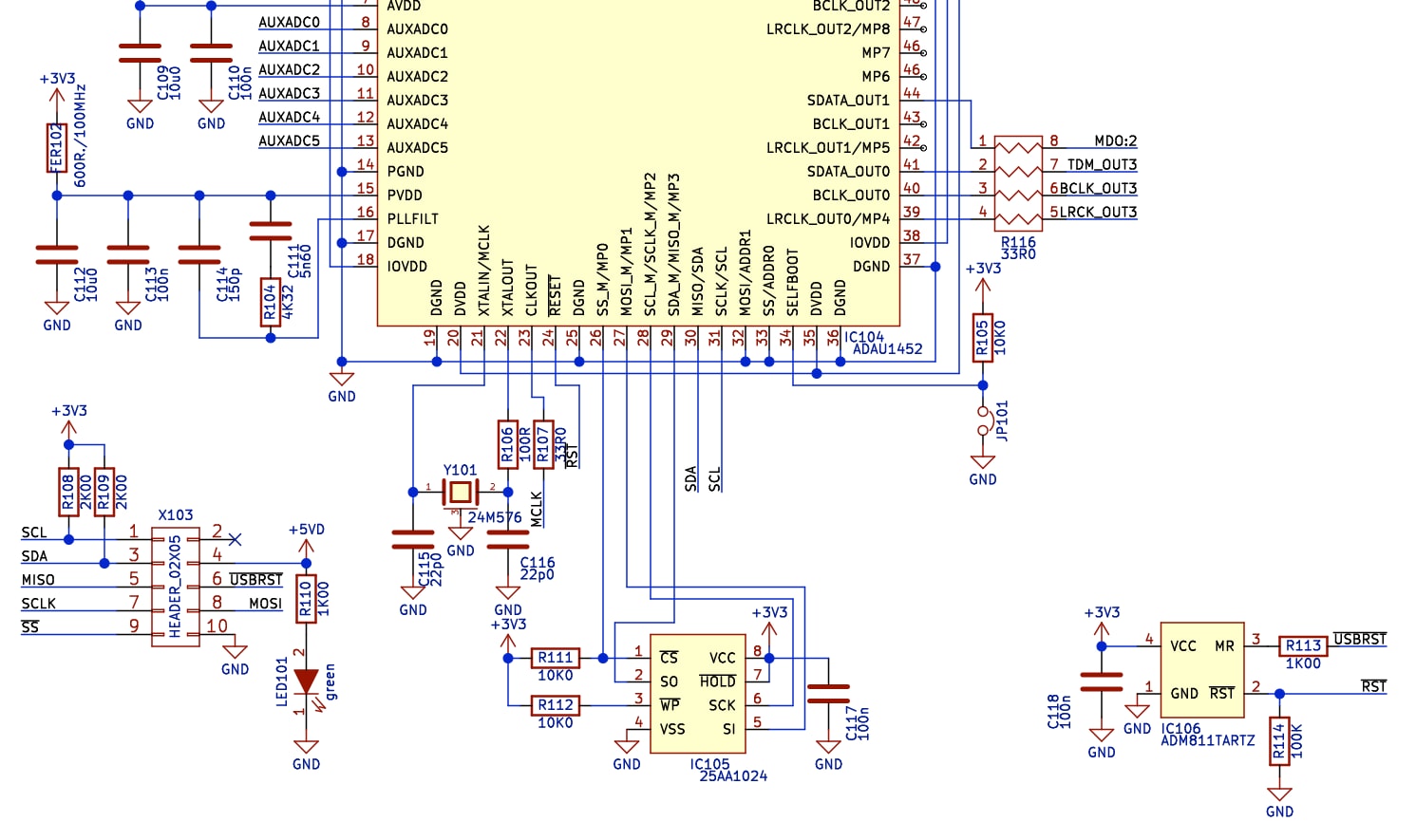
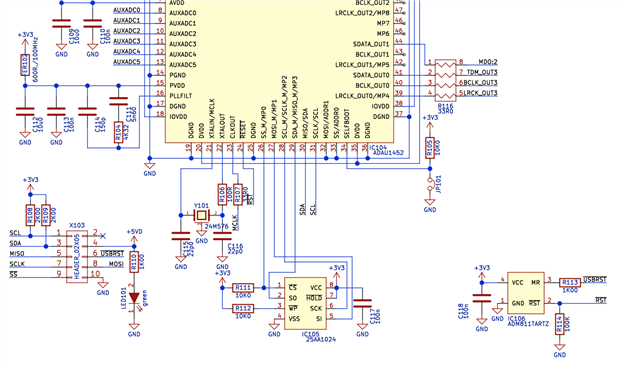
Hello Raphael,
I do not see anything that stand out as a problem in the hardware schematic. Can you send over the SigmaStudio schematic so I can try it here on my hardware?
I have the 25LC1024 here to test it. It is very close to the 25AA1024 so it should be a valid test.
Thanks,
Dave T
Hi Dave,
here it is.
Could it be that the either the master port or the EEPROM is damaged?
What makes me wondering: When the DSP boots I see the /SS line pulled to ground for a short moment while during programming nothing happens on that line.
Raphael
Hello Raphael,
I had to change a few things in the project to make it work on my bench evaluation board.
The result is that I was able to save the program to the SPI EEPROM and boot up off of it. Like I said earlier, I was not able to verify by checking the EEPROM contents through the DSP but it would boot up and run so I know it has the program in the EEPROM.
What I had to change was the PLL control 1 register was set to divide by 8 but I am running with a 12.288MHz crystal so I need it to be divide by 4. I assume you have a 24.576MHz crystal?
Then I needed to change the serial port to be I2S stereo because the codec on the eval board is setup that way.
Then last the CLKOUT was set to output 24.576MHz so I changed that to 12.288MHz since that is used by the codec.
Most of these changes should make no difference to what we are testing but I thought I would mention it. Only the PLL divider could make a difference if the core is running at the wrong rate.
My eval board has signal integrity issues that I know how to work around. The symptom was that it would not boot up.
If you have a similar issue you might try to slow down the SPI comms. You have it set for 10MHz, try it at 1MHz?
Are you able to capture the communications with something like a Beagle?
Dave T
Please log in to reply.