[Bug Report] Data Controlled Asymmetric Clip
Title: Data Controlled Asymmetric Clip threshold clipping issue
Description: The negative side of the sinewave is hard clipped at -1.0 even if Clip Down pin is set at -0.4 value. The positive side is clipped at 1.0 even if Clip Up pin is set at 0.6:
SigmaStudio Version: 3.14
OS: Windows 7
data controlled asymmetric clip
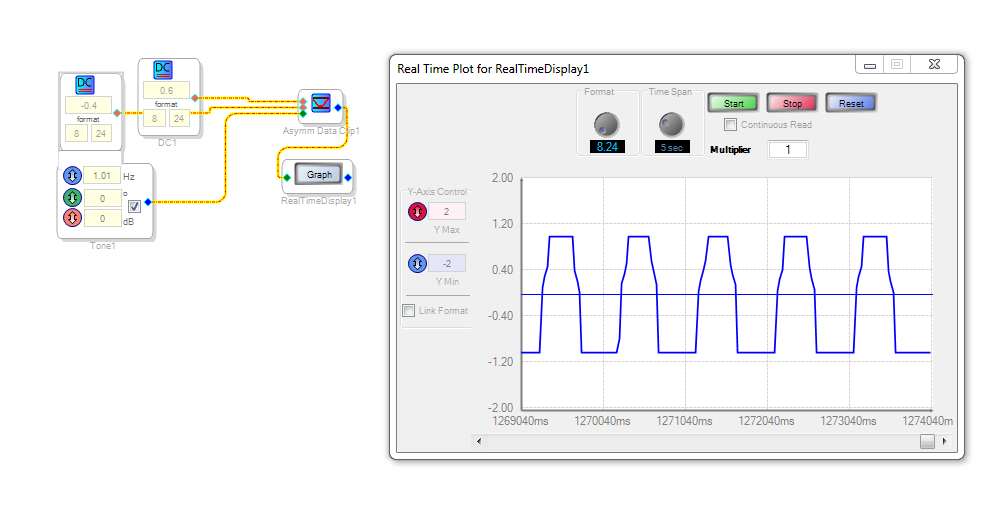
Hello,
Could you please attach a project where you observe this behavior?
Thanks,
Tyler
Hello,
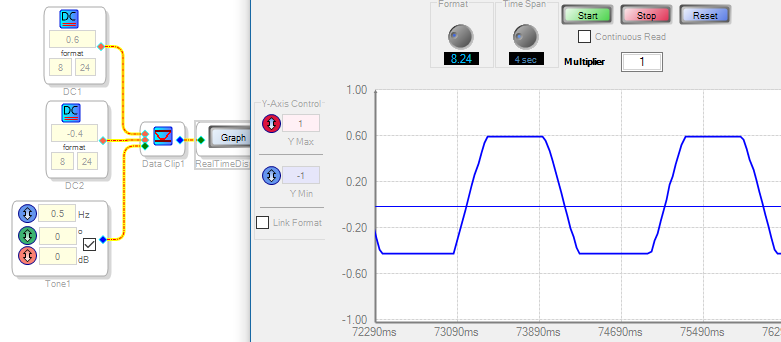
I just tried this block and it seems to work for me:
I'm not sure how my project would differ from the one that op-electronics made. I attached mine below so a comparison might be made.
Best regards,
Bob
Hello Tyler,
sure, attached is the project.
Omar
Hey Bob,
you are using Data Controlled Clip under Hard Clip folder, that one works fine. The one i'm using is called Data Controlled Asymmetric Clip which is found in Soft Clip.
Omar
Hello Omar,
Sorry I got confused since the hard clipper also allows for different plus and minus levels, thus appears "asymmetric." Once downloading and playing with your test circuit, I've found that the cubic version acts in a rather strange way quite different from that of the hard clipper. It's a really fascinating bug. Here's my observations:
Unlike the hard clipper, the soft clipper's Clip Up and Clip Down thresholds are both specified as positive numbers.
We would expect a clipper to reduce gain below unity when clipping. This one doesn't:
Signals not reaching the clip thresholds pass with little or no alteration as expected.
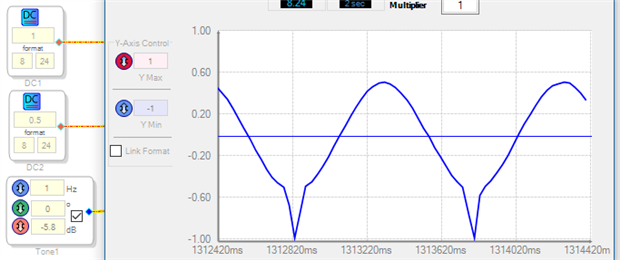
Once a signal exceeds the set threshold, it receives gain to push its peak toward full-scale, + or - 1.0.
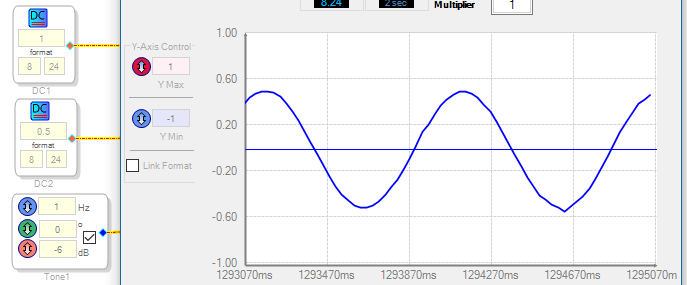
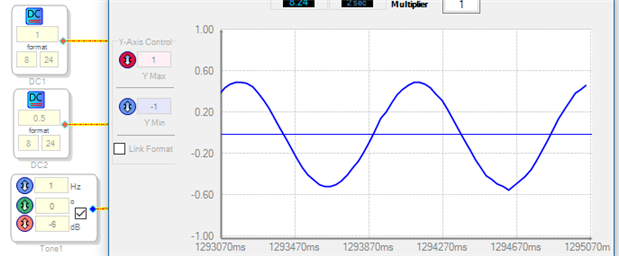
For example -- below, the positive clip is set at 1.0, negative clip = 0.5. A sine wave 6 dB below fs grazes the lower threshold, causing a tiny bump in the clipper's output waveform. Increase the input to -5.8 dB, and the bump grows as shown:

Please log in to reply.