ADAU 1450 I2S and GPIO output issues
Hello!
I'm currently working on system based on ADAU1450, it's my own hardware design board.
ADAU is working - I can communicate through SPI, write a program (using NumBytes and TxBuffer files generated by SigmaStudio) and read memory using microcontroller. The clocks (MCLK output, LRCLKs, BCLKs) are present at outputs after flashing DSP program. The thing is I can't output anything at serial audio ports.
For example, I set in register controls that SDATA_OUT0 acts as LRCLK, BCLK master, with 2 channel TDM.
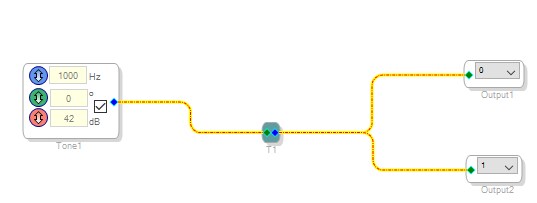
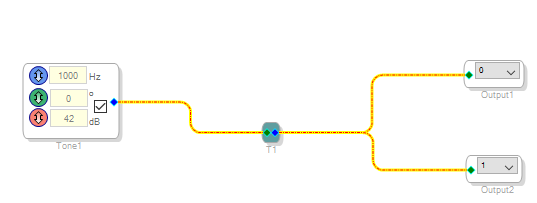
Then I put Sources>Oscilators>Sine Tone block and fed it to the output channels 0 and 1, where SDATA_OUT0 in 2 ch TDM should be. The problem is SDATA_OUT0 pin stays low for whole time.
As in attached project I tried some DC output for SDATA_OUT1, white noise for SDATA_OUT2 - either doesn't work and stays low for whole time. Am I missing something? I want to communicate with external audio codec's DAC.
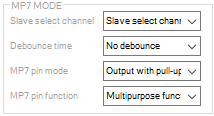
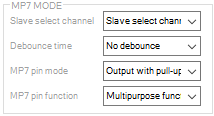
Also, I tried to source GPIO output - it doesn't respond to any block, only to MP7 Write register in SigmaStudio MULTIPURPOSE/AUXADC tab in hardware configuration can change it's output. When I link DC block to GPIO output it looks like DC block is completely ignored, whether it's set to 0 or anything non-zero.
The question is - where am I making mistakes? None of SDATA_OUT pins are pulled-up or pulled-down externally.
Audio Signal Processors
adau1450
SigmaDSP Audio Processors


I've managed my DSP to work. Somehow core couldn't start after whole flashing procedure, so I just didn't kill it or hibernate it at the beginning of the flashing.
Hello inshade,
Your project has the core killed so you are probably sending these register settings.
I suggest you start from a new project so it will load in the proper defaults. What you have to be careful of is trying to "read all registers" when the processor is not connected or if there is something wrong like no power applied to the part. It will read in a bunch of zeros or "0xFF" and corrupt all the register settings in the SigmaStudio project. So always make sure you have saved the project before clicking on "Read All Registers" button. This way you can close the file and reopen it if there is an issue.
The next thing you need to be aware of is when to pause when initializing. When SigmaStudio writes to the DSP you will see these delays in the Capture Window. Also, read the Initialization section of the datasheet. There it explains the startup procedure.
Now I tried to run your project, I had to add a USBi so I could connect to an eval board. I saw some very strange behavior and could not fix it. I think this file is somehow corrupted. Try what I said above and that is to start with a new file.
Do you have a port to allow you to use the USBi with your hardware?
Dave T
I never used "read all registers" button, because in my design there's no possibility to use USBi. So there must be other issue.
I'm aware of startup procedure and when to delay next SPI write. The thing is when SigmaStudio wants to kill and hibernate core after startup I can't wake up core after flashing program. I'm trying to start core, and then wake up from hibernation but it doesn't work. Core status shows 0x00 all the time, no matter what register writes I make (to be sure I'm checking register values after every write - and writes are 100% proper). I've tried starting projects from beginning without success.
When I don't write anything in hibernate and kill core registers at the beginning everything works as it should. It's similar to example from Table 24. at 26th page in ADAU145x datasheet.
Hello inshade,
Sorry I have to ask the simple questions but I cannot make any assumptions and this is most likely a simple issue. So I must eliminate possibilities.
The next possibilities are MCLK issues.
Does the Master Clock look good on a scope?
After power up and reset line going high, is the MCLK present at that time?
Are you waiting for the internal initialization? 650ns after valid MCLK before trying to address the part?
Then are you checking that the PLL is actually locked after initializing the PLL? You do not have to check it, just wait for 11 or 12ms (the actual time is much faster but this amount of time it is certain to have locked) but, for troubleshooting purposes I would like to know that you actually read the register and it is locked.
Then if these avenues of investigation do not find the problem then capture the SPI communication from start to finish and send that over. Do you have a Beagle, or similar device, to capture this communication?
Now, I could not get your project to work on an eval board so you need to use a different project. So I attached two projects that are similar to what you sent to me. I have run these on an evaluation board and they do work. I setup GPIO_9 to flash on and off since there is an LED on the eval board.
I did attach two projects. One uses the 1452 DLL and the other the 1450 DLL. Both worked when running them on a 1452 but I thought I would send it along on the odd chance that there is an issue with the 1450 DLL.
Also keep in mind that the Kill-Core and Start-Core registers are edge triggered signals. So reading a "1" in the Kill_Core register does not mean the core is stopped. It will stop on the 0 to 1 transition and then if it is restarted using the Start_Core register the Kill_Core will still be a "1".
Now I captured the data sent to the part by SigmaStudio for the ADAU1450_Test program I attached. I attached the text file so you can see exactly what SigmaStudio is sending to the part. You can compare this with your program.
Dave T
Please log in to reply.