Different reading STM32F4 + adau1452 SPI of DSP readback block
hello guys,
I am doing a project with adau1452 and STM32F407VGTX-Keil using SPI comm. I want to use these chips to make audio enhancement processing such as automatic gain controller (AGC), Feedback destroyer (FD), delay, crossover, loudspeaker correction, and Equalizer (EQ). For the current progress project i want to upgrade to adau1452 and now i am facing problem as stated below and by referring to attached pic below.
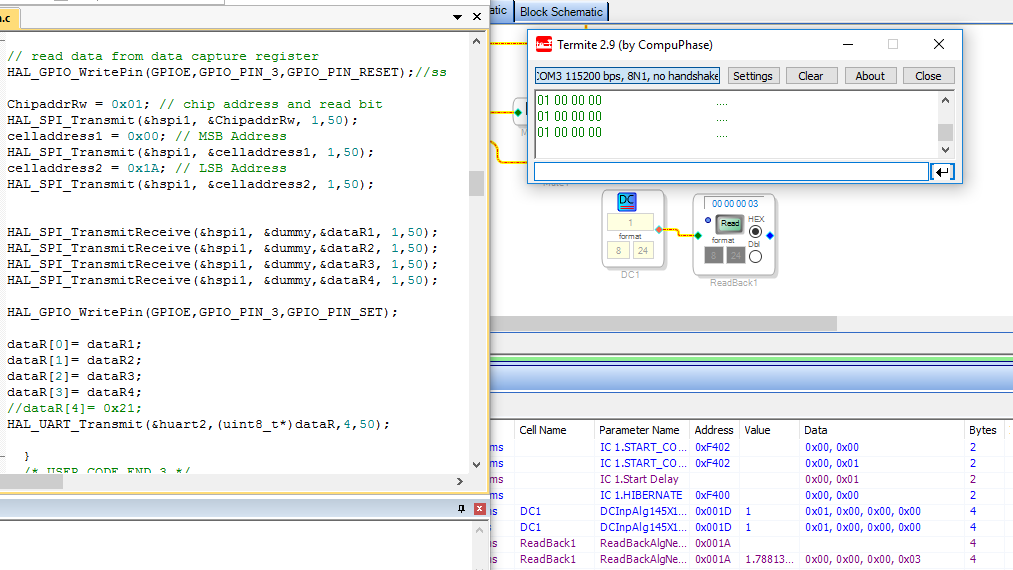
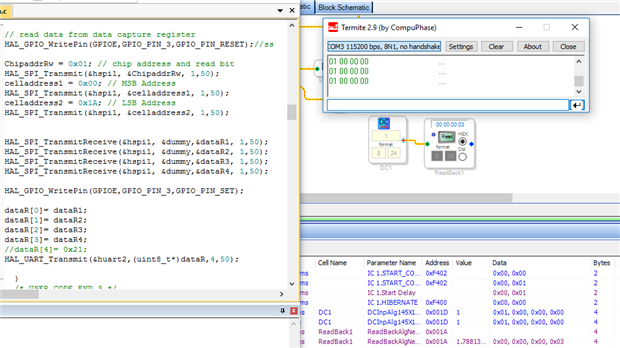
1. termite: read from STM and display HEX number.
2. keil: SPI communication program code between ADAU1452 and STM32F4.
3.I am expecting termite will show value of 0x00 0x00 0x00 0x03 as shown in last row of capture window, but showing 0x01 0x00 0x00 0x00 instead. Meanwhile in SPI code, i put address of DSP readback block (0x001A) clearly instead address of DC Gain block (0X001D).
4. so how should i do for my system so that STM32 will be able to read the value of DSP readback block?
5. is there any confusion made by me?
hope you guys could please give me some input and guidance.
thanks and best regards,
kal
stm32f4
8.24
Audio Signal Processors
adau1452
adau1452 spi
SigmaDSP Audio Processors
dsp_readback
Show More
Hi
I think you will find that the Hex View is just a representation of the Actual 8.24 Value
Thus 1 represented in 8.24
So the return bytes looks OK
Thanks
hi Brettcoupe, thanks for the reply but how to convert 0x01 0x00 0x00 0x00 to 0x00 0x00 0x00 0x03?
what is the relationship?
termite showing the value of 0X001D block but i want it and expect it to show the value of 0x001A block base on the SPI program code.
tag: KJBob
thanks
Hello Kal,
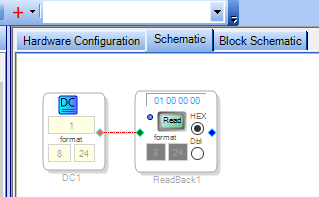
The Capture Window is showing the same "0x 00 00 00 03" result as does the Readback cell in your schematic, which is good. What's strange is that both aren't showing the actual value of the DC Source, which is 0x 01 00 00 00. When I try this readback here, the results show 01 00 00 00 as expected:
From here it's hard to tell why the DC Source and / or Readback block in your project are behaving this way. Try saving a copy of your project, then delete from the copy everything except the source and readback cells -- then try the readback again. Or download and run the simple project I attached below, which should give the same results.
Best regards,
Bob

thanks KJBob for your insight,
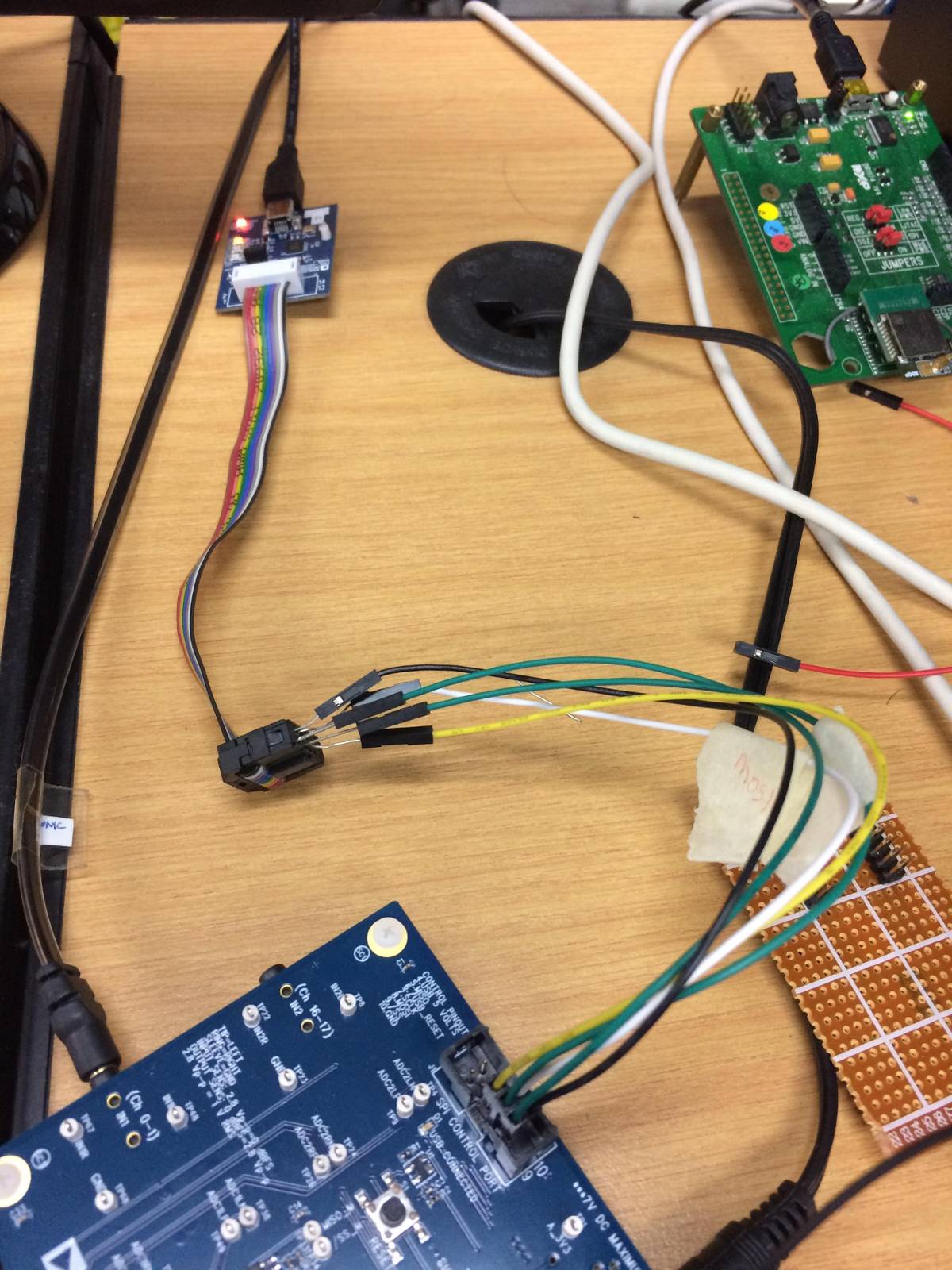
maybe i assume the signal wires were too long that make the reading wrecked.... since if i connect the header directly to the eval board then the reading of readback block is ok ( 0x 01 00 00 00)
i will just proceed to design the crossover board containing adau1452+stm32 and i hope in future they wont give me problem since the signal traces in the PCB are short.
thanks and regards,
kal
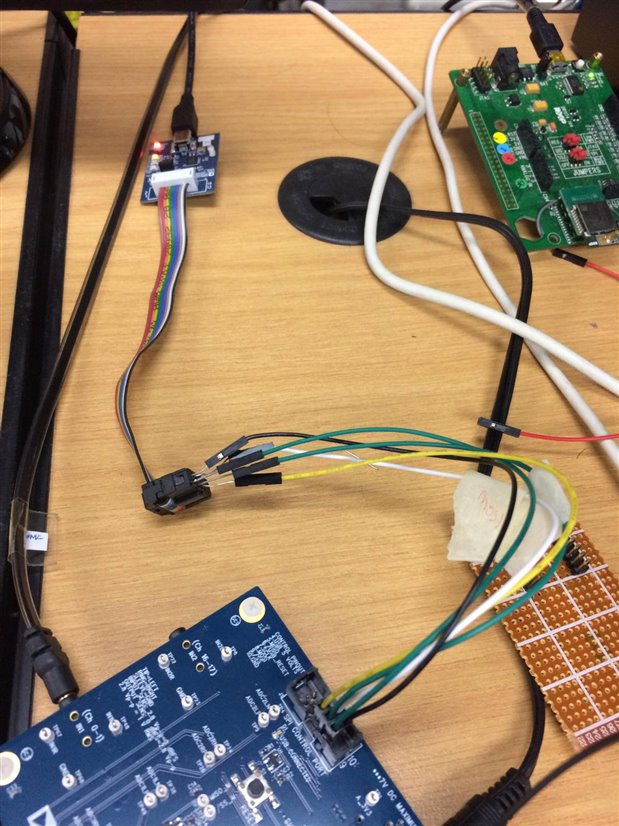
Hello kal,
Your leads were too long. Plus, you should try to include a ground wire wrapped with the data wires for impedance reasons. There are other variables here but your tests seemed to have proven that it is the length of the cables.
Dave T
Please log in to reply.