ADAU 1452 external SPI delay
Hello all,
I'm trying to work with the external SPI delay for the ADAU1452 sigma studio. I used the 1Mbit 23LC1024 and everything is working as expected. To increase the delay I tried to find something with some more space and picked the MRH25H40CDF - it's a MRAM and perhaps not the ideal thing to use but it was the only one with more than 1Mbit I could find - however so far also everything is working nicely. Now my problem: the longest delay I can type in the external delay block window is 48000 samples. From my calculation the 4Mbit should provide much more than that - I set up 4Mbit in the configuration window - so that's not the problem. Is it simply a limitation of the UI or can I change this somewhere to be able to use the full 4Mbit?
Thank you very much!
Alex
Audio Signal Processors
adau1452
SigmaDSP Audio Processors
Hello Alex,
I see what you mean. I will investigate further.
Dave T
Hi Dave,
any news on the topic?
Thank you!
Hello,
I was able to figure out the DSP memory address for the external SPI delay block (see picture). When I overwrite the value externally after boot up (I2C) with the possible 131072 samples for the 4Mbit memory (first the maximum delay followed by the actual current set delay) I get a delay of around 3seconds - what is actually the correct number for 48k. So it seems that the problem is more of an UI issue.
Alex
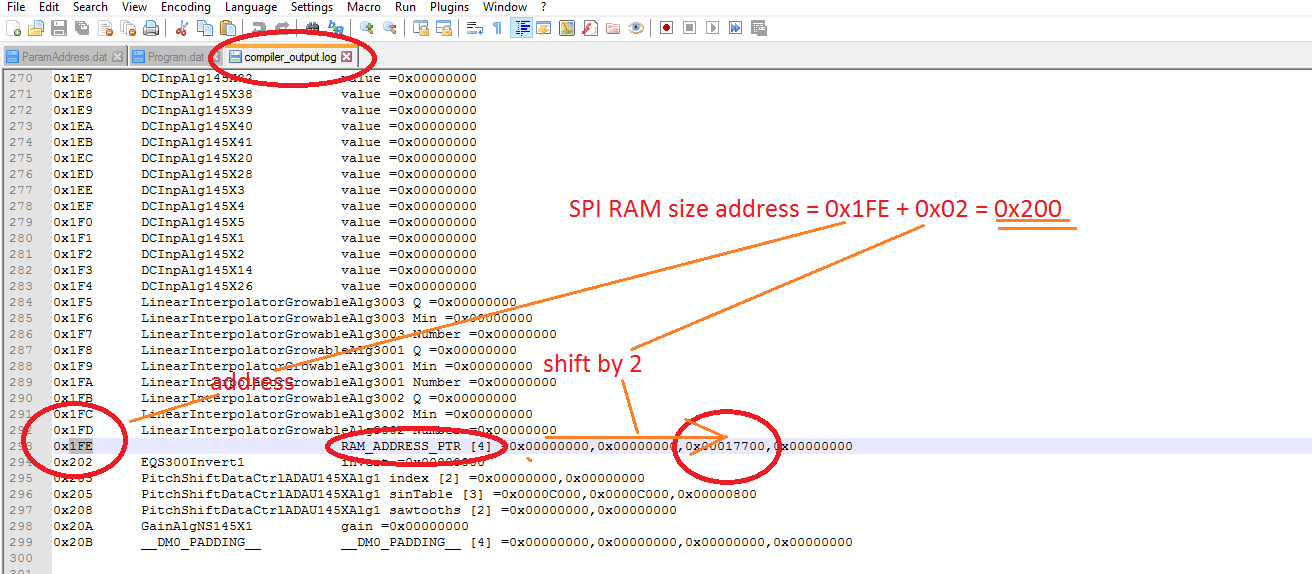
Hello Alex,
It is definitely a UI issue you are correct in that. I reported it to the software team and it is on the task list. I did just check the most recent release and this was not addressed in this current release.
I am not sure when it might be fixed. They setup priorities. I would think that this would be a simple fix and would not take long.
Dave T
Is there any write up on how to utilize the SPI Delay? I am using the SPI interface with an external micro to have access to change register values at the user's control. So the SPI RAM would not be able to be on the same interface.
Hello BJ4,
The SPI RAM has to be connected to the Master Comms port on the DSP. This is the port that the DSP can write and read from external memory. The external micro-controller has to use the Slave Comms port. This is the port that allows access to registers and internal memory from an external device. So they have to be on two different ports and there are two different ports on the DSP.
Dave T
Hello Dave,
Thanks for the reply. I understand the separate port. My application is a self boot with the EEPROM on the Master Comms port. Is there somewhere to set it up so the EEPROM will not conflict with the RAM?
Hello BJ4,
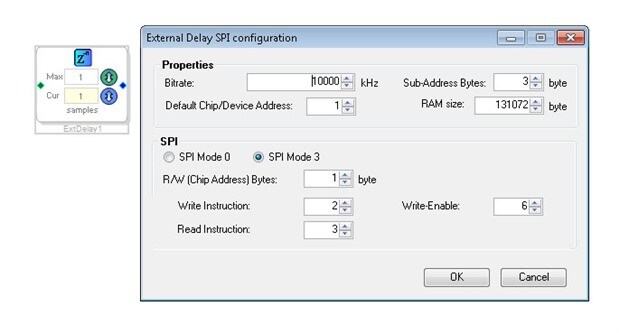
You should be able to set the address to be different from what the EEPROM uses. On the "External Delay" cell you can click on the Z-1 button and the configuration window will open. Are you aware of this?
Dave T
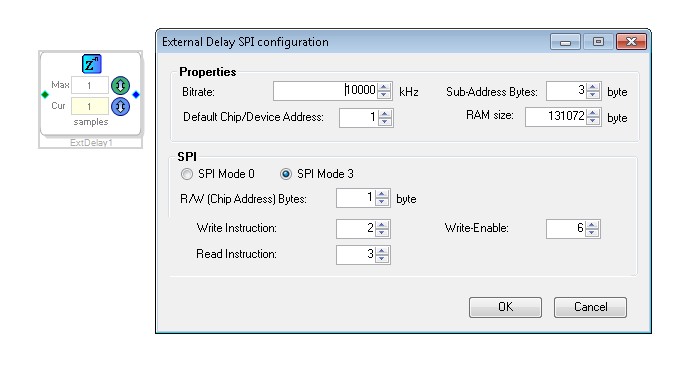
Hi Dave,
Thanks for putting up with my lack of knowledge on this. I didn't fully understand how to map the multipurpose pins to the Default Chip/Device address. I found thread 87580 which gave a chart showing the address to slave channel mapping. That should get me going. I am going to parallel a ram chip on the eeprom and try it before doing another PCB.
Is there any possibility on getting information on the algorithm used in the reverb UI? my customers are complaining about how it sounds.
John
Please log in to reply.