How to check if Aux ADC has changed from its initial status?
Hello,
i'd like to build a function that would:
- check if Aux ADC is in a rest position (or within a +-1 window) and output a 1
- check if Aux ADC has changed and output goes 0 and hold the value
I came up with this, which can check if aux adc is in a rest position and outputs 1 or it's being moved and outputs 0, however i would like that, once aux adc changes from the initial status, the output goes to a steady 0.
Of course if you have a better idea how to implement all this please show me.
Thank you
Omar
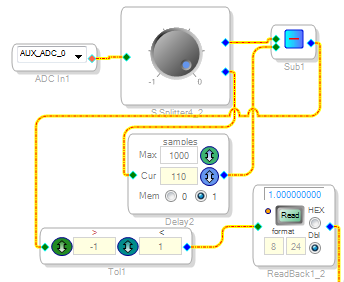
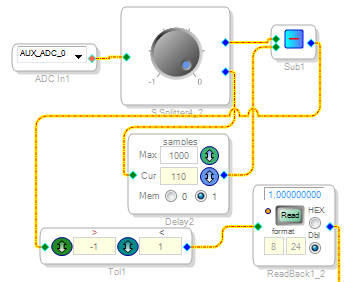
Solved!
If someone should ever find it useful, here it is.
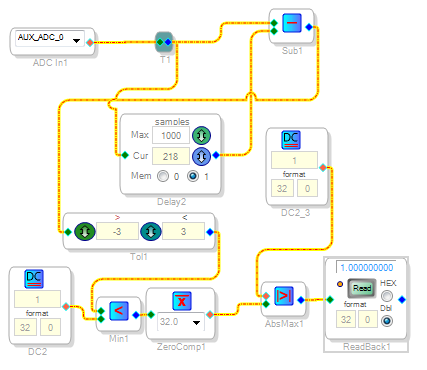
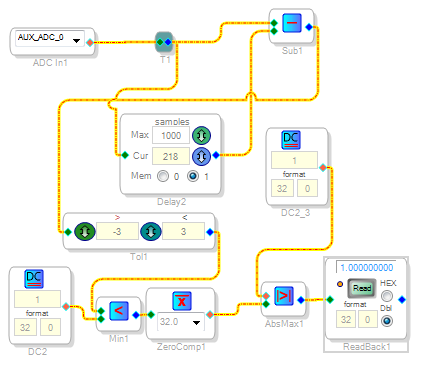
With DC2_3 set to 0 and aux adc in rest status, ReadBack1 outputs 0
With DC2_3 set to 0 and aux adc "moving", ReadBack1 outputs 1
With DC2_3 set to 1 and aux adc in rest status, ReadBack1 outputs 0
With DC2_3 set to 1, as aux adc start "moving", ReadBack1 outputs a steady 1
Hello Omar,
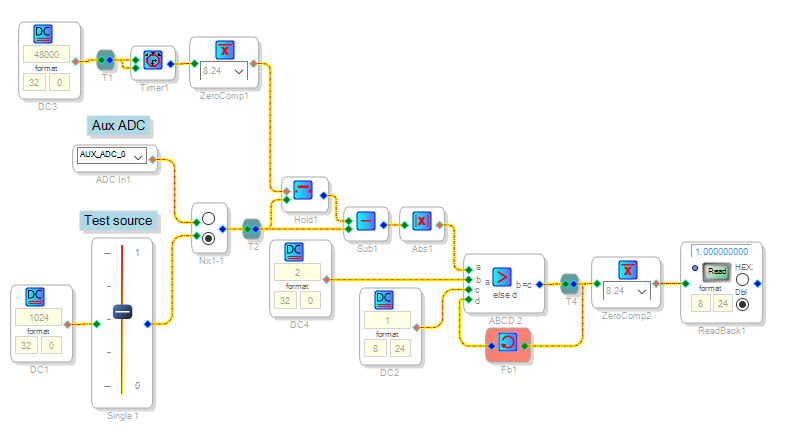
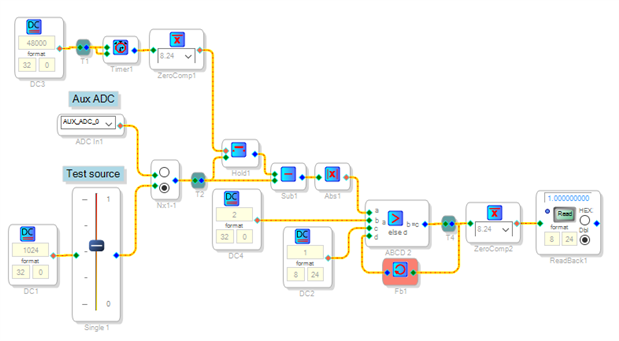
I'm glad you got something working. In the meantime I had been working on a solution but didn't have the time to test it until a few hours ago. This one takes a snapshot of the ADC at about one second (adjustable) after startup, then if the input varies from this it sets its output to zero and holds it there. I'm not exactly sure if this is the function you wanted.
I included the volume control as a test source since the ADAU1452 eval board doesn't have any Aux ADC pots.
Best regards,
Bob
Hello Bob,
thank you,
i'm testing your application, is it correct that it outputs 1 with pot auxadc in rest position and goes 0 once starts moving?
I think it's appropriate for my application and i would strongly prefer it to my own solution which makes use of delay instead.
I will try to figure out how it works now cause there are many modules which i never work with. First thing i would like to add is some kind of reset. Any idea?
Regards
Omar
Hello Omar,
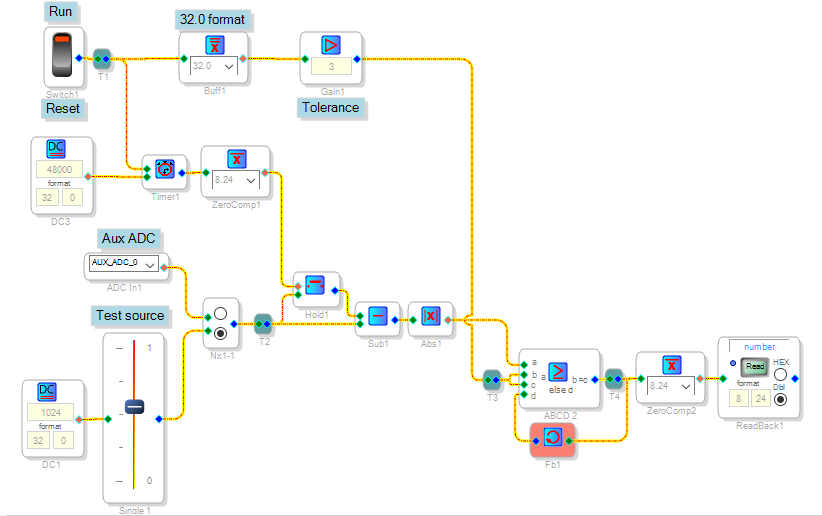
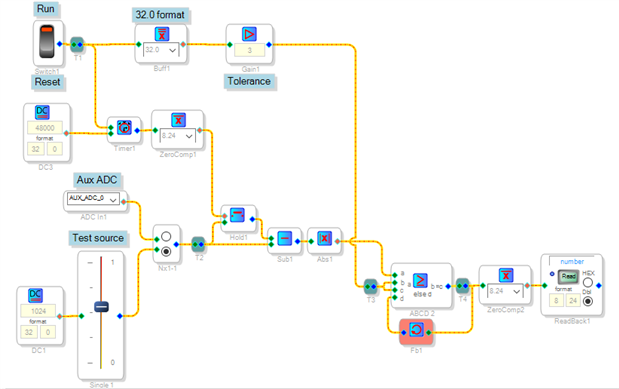
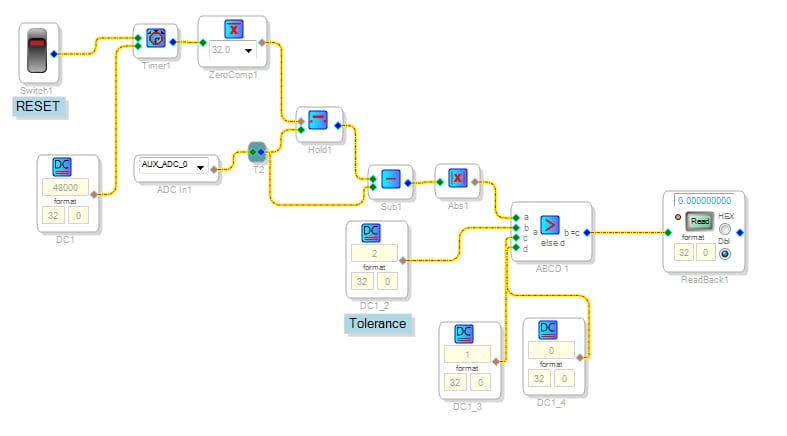
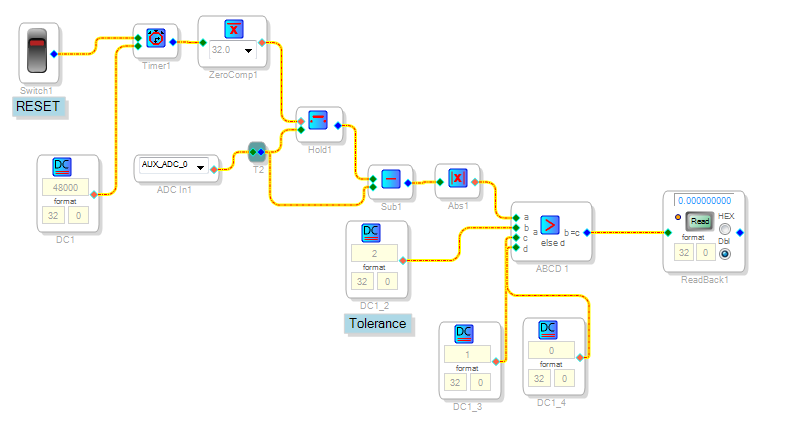
Yes, the output starts at 1 and goes to 0 when the input changes. I added a reset function to the example below, but, with no hardware handy I didn't get to try it:
My designs tend to use a lot of the simpler blocks, in particular the ABCD Comparator is quite versatile while using few instructions. The SigmaDSP Toolbox Wiki SigmaStudio Toolbox [Analog Devices Wiki] helps with descriptions of the blocks.
Timer 1's output is low at startup. The Zero Comparator serves as an inverter, making Hold1's red input high. This causes Hold1 to pass its green pin input straight through, so both inputs of Subtract1 are identical and its output is zero.
While the Switch is in Run position, the Timer counts sample periods (48K/s). After one second its output goes high, causing Hold1 to freeze its output. Now Subtract1 responds to any changes, which are rectified by the Absolute Value block. In turn this feeds the a input of the ABCD Comparator. If greater than the Tolerance setting, the Comparator flips to its c input -- forcing its output to this nonzero value. Feedback from the Comparator output to its d input latches the Comparator. The circuit's output (at the Readback cell) is inverted by Zero Comp2 to zero.
Flipping the Switch to Reset resets the Timer and unlatches the ABCD Comparator. Returning the switch to Run makes the circuit ready to detect another change from the Aux ADC's new position.
I can try this circuit in a few days, or else you can go ahead and test it.
Best regards,
Bob
Hello Bob,
i tested your last circuit but i get 3 at the output, guess because the the ABCD comparator outputs what is input on pin C given the condition A>B.
However i adapted a combination of your previous and last schematic to my design and it works great.
When Switch1 is ON the circuit detects any change in AUXADC0 by putting 1 at the output.
When Switch1 is OFF the circuit goes in reset and output goes 0.
Thank you very much for helping!
Regards
Omar
Please log in to reply.