Limit on User Comment text?
I have recently "upgraded" (and I use the term loosely!) from Windows 7 to Windows 10. Concurrently, I replaced Sigma 3.12 with 3.13.
The Sigma 'User Comments' utility is a good way to keep a running explanation of design rationale on the same page as the circuit. I will admit to being a bit wordy, but never had it get me into trouble before. In a current design that wasn't even compiled and downloaded to the development board, while I was typing away suddenly my screen became framed in red with a big X from corner to corner (see attachment). From the text in the image, am I violating a text entry rule, or should I be concerned over something more far-reaching? I don't think I ever had this happen with the old system and version.
I've seen an occasional red "X" crashes occur at other times, though not recently. A little experimentation suggests that the crash you experienced stems not from the length of your text, but from something that happened while typing it. One way to work around it is described below:
Type your text into Notepad.
Turn Word Wrap off, then manually insert returns where line breaks should occur.
Select the desired text, copy, and paste into a User Comment in SigmaStudio
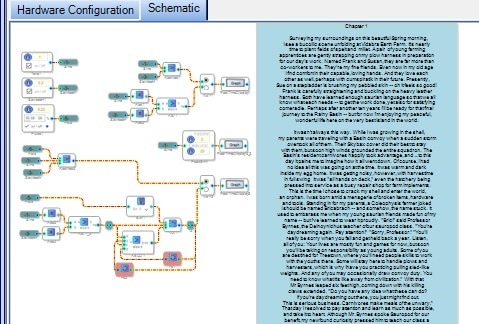
With this method I was able to enter two chapters' worth of a short story I've been writing into the comment box, without any errors. Only about 20% of the entire comment box appears below! The project saved and re-opened the comment correctly.
Best regards,
Bob

Thanks, Bob,
And a very good idea, that: composing in Notepad and pasting. One could do all of Tolstoy's War and Peace that way, and what a splendid addition to any DSP design that would make! I do seem to recall seeing that red X some time ago, running Sigma under XP, I guess it would have been, and at that time it was not User Comment related. Probably just some misuse or overuse of computer memory. I have seen it since my original complaint here, and again it was involved with the User Comment box. I've just got in the habit of doing a Ctrl+S before entering any text.
Jim
Hello Jim,
We also were not able to recreate here so I agree with Bob. Something else must have happened while you were typing. Perhaps the program did not like what you were typing? They have feelings sometimes!
See if it happens again if you can notice any other details. All I know is I get Explorer to crash when doing simple moves from one folder to another and several times a month I get Internet Explorer to crash while it is out of focus and I am doing something else. I look over and the window is closed and the program is no longer running. Ugh...
Dave T
Thanks for looking, Dave. I found that it happens fairly regularly, and only when typing in the User Comments box. I've just gotten used to doing a Save before entering one of those boxes. Doubtless the fault my lame computer, one of those silly little bolt-onto-the-back-of-your-monitor ones that is terrible slow. Got it for free, what do I expect?
Jim
Please log in to reply.