ADC ADAU1978 TDM mode with DSP ADAU1452 - VR volume control THD issue
Hi all!
I am trying multi-channel setting,
My testing enviroment :
ADC: ADAU1978, TDM mode (TDM16),
DSP: ADAU1452,
DAC: ADAU1962 (only one DAC)
Volume control: Variable Resistor(VR)
The TDM mode setting is alright, I can get the output and I want to use VR control the volume,
on adau1452 is my first time to use VR to control the volume (last time I use software to control the vol.),
so I searched the forum, and I found this topic:
https://ez.analog.com/message/134276#134276
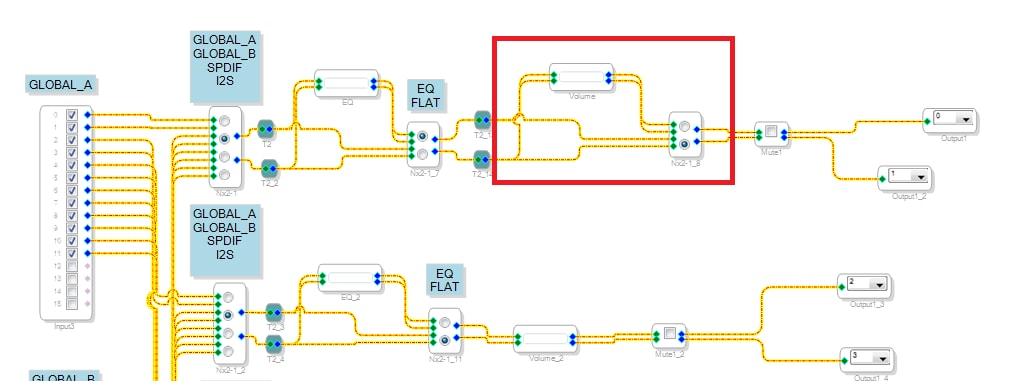
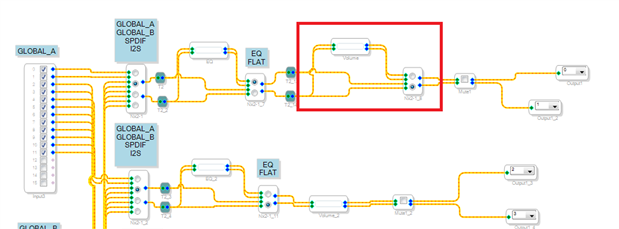
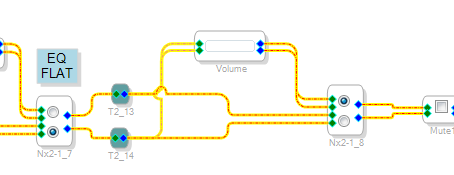
is talking about adc control volume, I use the topic volume block, like this:
after connecting the volume block, I use AP to test the THD, unfortunally, I got a bad value.
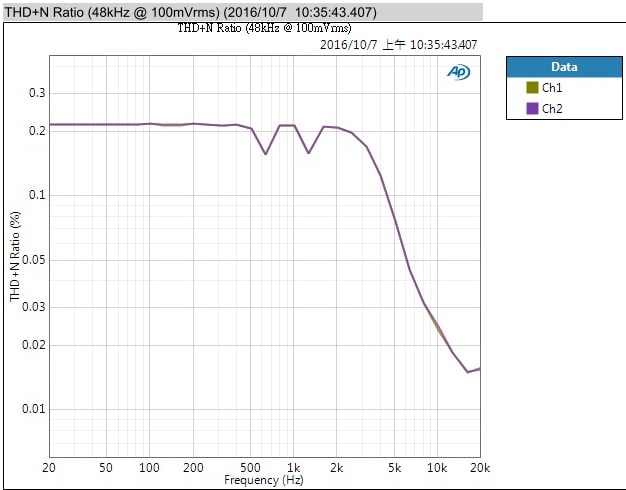
The signal through the volume block, the THD value is about 0.5 (too high).
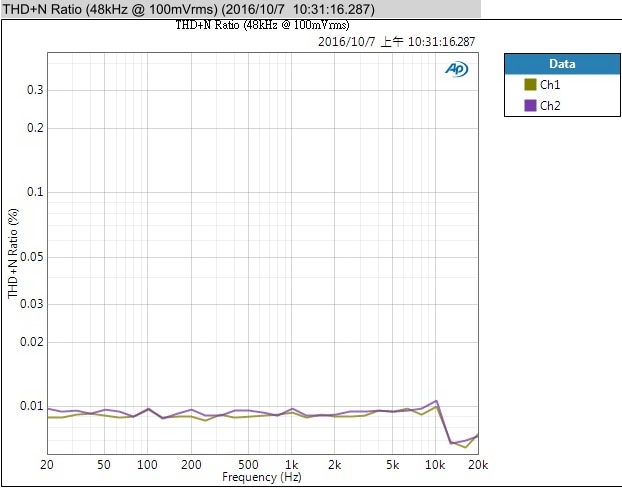
If signal bypass the volume block (like picture, another radio button), the THD value is about 0.05.
So I guess the THD issue is at the volume block, the volume block setting like below picture:
so I want to ask, does anyone use VR to be a volume controller on the ADAU1452?
or any suggestion volume block which can use on the ADAU1452?
Thanks!
Regards,
Alvis.
Audio Signal Processors
adau1452
Audio Products
Audio D/A Converters
tdm16
Integrated/Special Purpose A/D Converters
SigmaDSP Audio Processors
volume control
Audio A/D Converters
adau1962
adau1978
adau1452 aux adc
Show More
Hello Alvis,
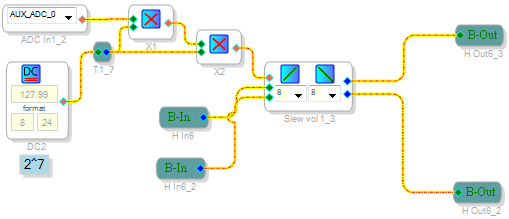
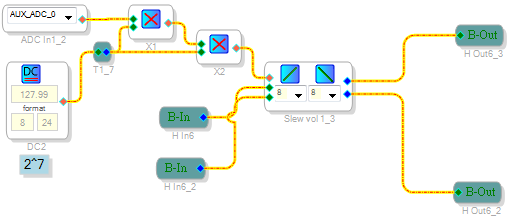
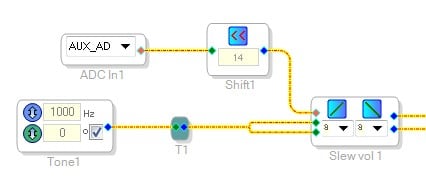
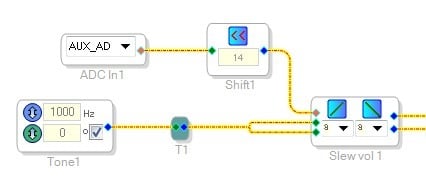
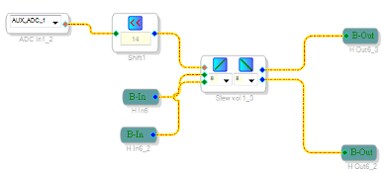
First I want to show you the way I multiply the AUXADC input to work with the external volume cell input. It is a bit different from what Bob does. they both work so you can use either one.
Now your distortion problem. If you bypass the volume control then you are sending the signal out at full volume. The THD+N is measured as a ratio of the level of the signal vs the level of everything else (noise and distortion) once the signal is removed with a notch filter. so when you inserted the volume control, what was it set to? Full volume or was the signal attenuated? If it was attenuated then the signal is lower but the noise floor did not move. so you will get a higher THD+N reading when the signal is lower but the noise floor did not go down with the signal. The volume control cell does not add any distortion, it only adjust the gain of the signal. It is a multiplier. The only thing that could cause some distortion is if there happens to be a lot of noise in the AUXADC control signal, Like 60/120Hz, that would be modulating the volume up and down at a high rate. This is the only way I could think of distortion being added. To rule this out I would keep the volume control in the schematic and drive it with a DC cell set to 1.0 for full gain. (8.23 format). Then see if your THD+N is higher.
Dave T
Hello Dave,
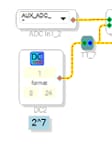
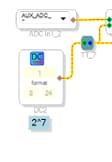
Thank you for your reply, after reading your reply, I adjust the DC cell to 1.0, and format to 8.24, like below:
If I use this DC value, there is no signal out put, so I switch back to the original DC value (127).
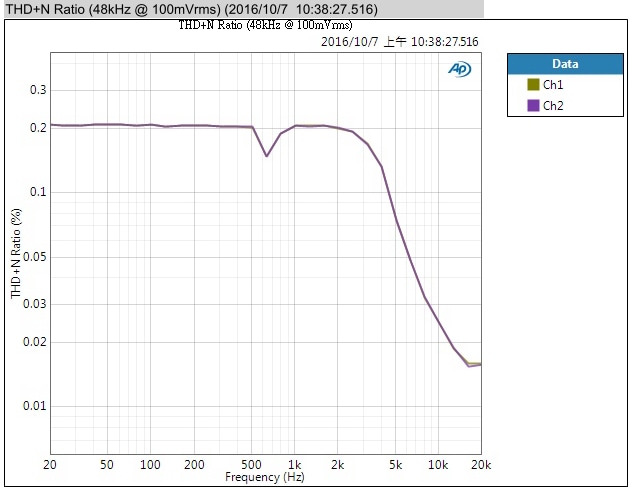
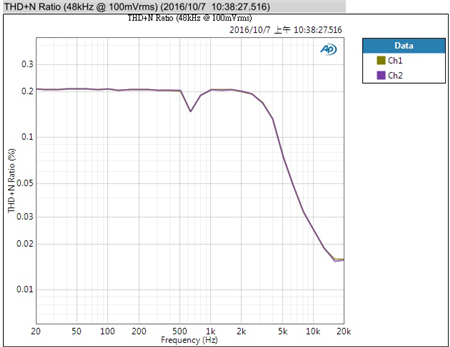
The original THD values are like below:
The signal does not pass the volume block:
The signal pass the volume block:
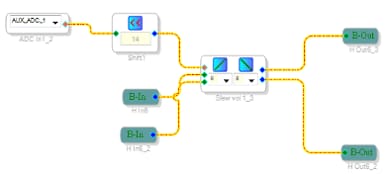
after original volume test, I made a volume block like your example, adding a shift block, like below:
and I test the THD value, it is still in a bad value,
any steps that I miss?
Thank you for your help!
Regards,
Alvis.
Hello Avis,
When you did this last test was the volume control ALL the way to maximum? It should have been as long as there is not any gain through your system.
Other points:
First, you misunderstood my suggestion for replacing the external control with a DC cell. I was not clear enough. You drive the DC cell directly to the volume control, do not use the gain cells. This is what I meant:
And you probably should not use a "1" because the AUXADC never reaches "1". So a value like 0.9999 would be better. then to shut it off you would put in a "0" and any value between those two are valid levels.
For another experiment, connect up a bypass switch. Use this switch:
Then hook it up like this:
I am using a tone source but you would just hook up your signal connections and use a "T" to send them to the volume control and to the switch. This way you can bypass the volume control altogether and make your measurements.
What I suspect is that you may have too much gain somewhere in your design and it is clipping the output signal. You can use meters in your project to see if it is clipping. Remember that the meter is reading the internal DSP where there is 24dB of headroom. This signal is truncated to be a 1.23 (24bit) number on the way out of the DSP. So the signal should not be greater than that level. I think that will end up reading -3dB on the meter.
The next thing you can do is send me your project.
Thanks,
Dave T

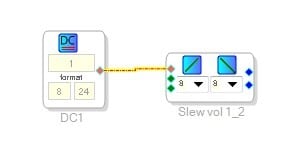
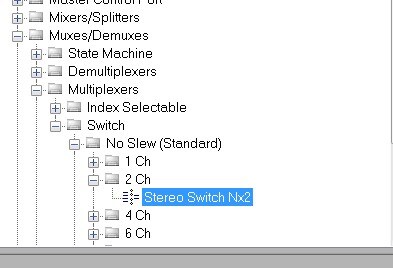
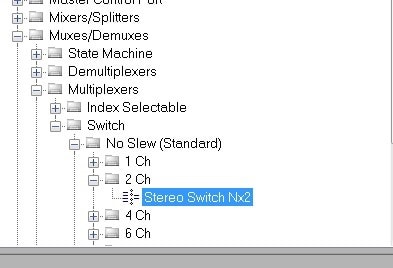
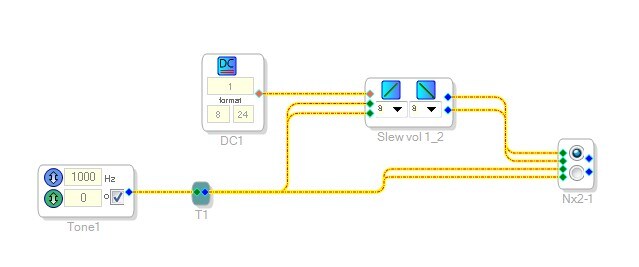
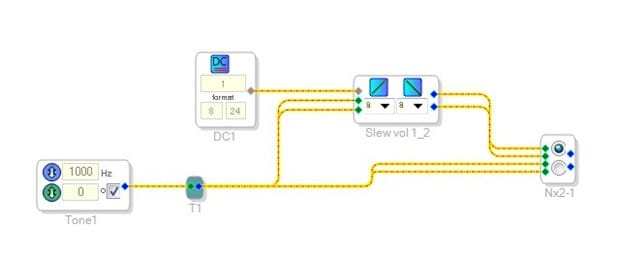
Hello Dave,
Thank you for your reply, I am busy on other project, so I delay the testing.
I am confuse at the cell connect, my DC cell is connect with the ADC control input, the connection way is I use a Multiply block, like below:
my question is: with your connection, where do I connect the ADC input? (sorry I am new for sigma studio, I may miss something )
I will test the bypass stereo switch THD value later !
Thank you so much!
And the file with the topic is the project what I use, the SPIDF source will input the signal directly to the ADAU 1452
and I follow the ADAU1452 user guide to set up SPIDF connection.
==================== Update =====================
After I try the block like the suggestion, the bypass stereo switch is like the outside bypass switch
and the DC value may affect the THD value.
Regards,
Alvis.
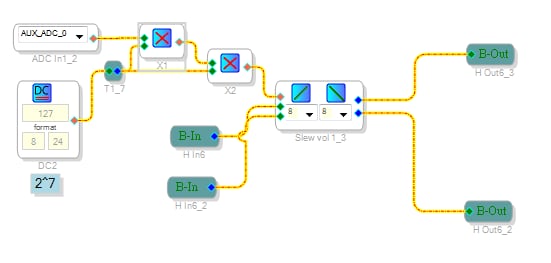
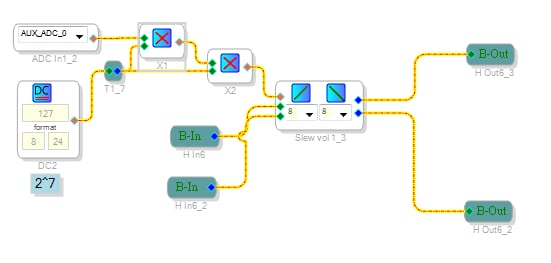
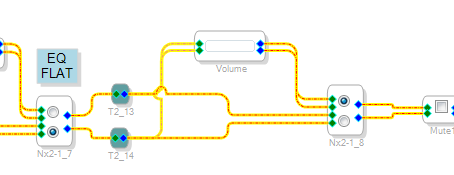
Hello Dave,
I do some test after the last post, I change the slew volume controls block parameter
I change the linear to the constant time slew and all parameter chose the max value,
after these change, the THD value is lower than before.
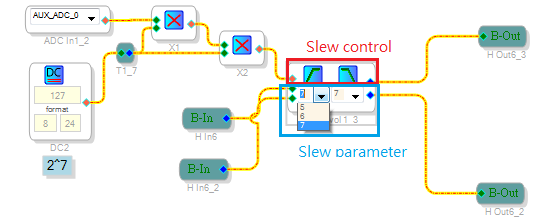
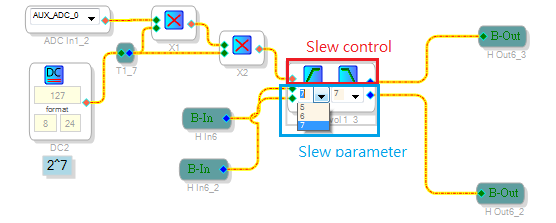
The setting block like below:
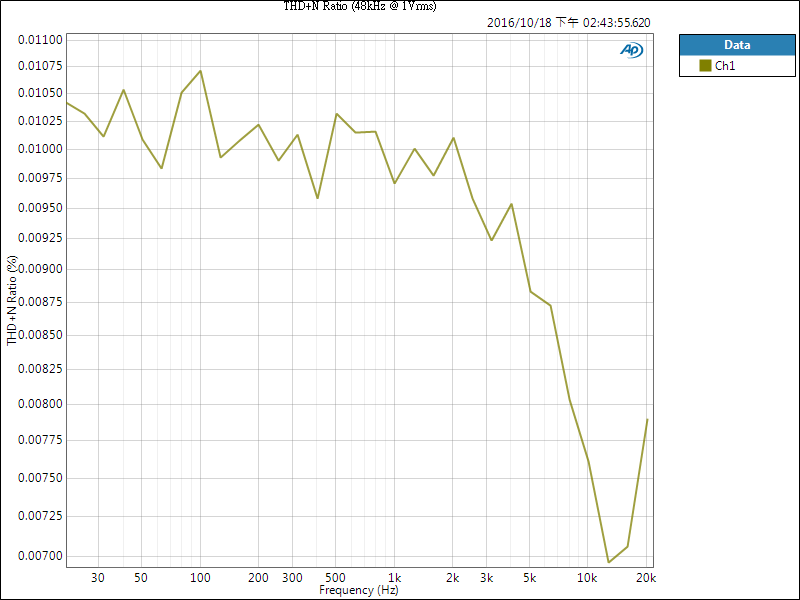
After "Slew control" and "Slew parameter" are changed, the THD value:
I am confused at what are the "slew control" and slew parameter doing? why these two parameters will drop the THD?
After I google it and found this topic:
https://ez.analog.com/thread/47790
but I still dont know what are they mean
Thanks for watching my question!
Regards,
Alvis.
I am sorry I am confusing you.
My simple DC cell setup was to drive the volume control with ONLY a DC cell. Kind of a direct connection to the control of the volume. It gets the pot and the ADC out of the equation. Because, if there is noise coming into the ADC then it will be constantly trying to raise and lower the volume at some really high rate. This will cause distortion. So I am using troubleshooting techniques where you simplify the sources of problems and causes. Then based on the results you go on to do other tests. In an earlier post I showed how to hook up the ADC input using only a shift register rather than a DC cell and multiply blocks. I am shifting left by 14 places and the way Bob showed you he is multiplying by 2^7th twice which is the same as shifting left 14 times. So we are getting to the same place by different roads. Mine is slightly more instruction efficient since the ADAU1452 has hardware shift registers to do the shifting quickly with few instructions.
Now, the "slew" term. Slew is where you gradually raise or lower the volume in a large number of steps rather than one large step. This makes for a really smooth volume change with no zipper noise you hear when the steps are too large. So when you change a volume control from let's say, -10 dB to 0dB, it will slowly increase the volume in very small steps from -10 to 0dB but it will take some time to do this. This is what the post you referred to is detailing. The length of time it will take to get to the target volume.
Now, if the slew is making a difference, then it is telling me that it is constantly trying to change the volume up and down. (refer to my previous paragraph), then you may have a ground loop or other noise getting into the volume control through the ADC. So perform my experiment.
In looking at your Audio Precision graphs. I think the volume is changing. The Audio Precision averages over several values until it sees the value settle. At lower frequencies this takes time and if the volume is changing it will have difficult getting the data to settle. At high frequencies the data settles very quickly so there is not time for the volume to change much so the distortion is very low. I would like to go in to the lab and make my own measurements but I am a bit swamped right now.
So measure the volume control with only a DC cell for control and see what you get.
Dave T
Hello Dave,
Sorry for the late reply, I am working on other multi-channel testing.
Maybe I will low the VR volume issue priority and solve other issue first, but I will keep replying the new test about VR problem !
There is another question which I want to ask. It is about the TDM16 on ADC ADAU1978 this chip.
I check the datasheet (ADAU1978), page 21, the TDM example, it uses two 1978 to make the TDM mode and using pull-down resistor, I can not find the example about 3 pieces of 1978 to make the TDM16 (user guide only two 1978),
so I meet some problem on setting TDM16, because the data bus will disturb each other.
At the version 1 of the multi-channel I use TDM8 + TDM4 to solve the abnormal signal issue,
but I want to know : does the ADAU1978 has the limit on the TDM mode? User guide is only use two 1978 to make the TDM mode, if I want to use three 1978 to make TDM16 and does there I need to notice( pull-down resistor position or other I didn't notice... etc.)?
Thank you
Regards,
Alvis.
Hello Alvis,
This is in reference to ADAU1978 Question. The datasheet shows few examples of possible configurations. The fig 30 shows the example with two 1978's one setup as master and other as slave. This can be expanded for multiple 1978's on the TDM bus. If you plan on using 3 ADAU1978's on one TDM bus with TDM16 @ 48K, the bit clock frequency would be around 24.576MHz. In this case ensure one of the ADAU1978 is master and other two are set as slaves. Connecting the serial ports together with this bit clock rate would require careful attention to signal integrity of the TDM bus signals. This would involve the good PCB layout understanding to prevent the reflections at different nodes. connecting three boards using the external wires might not work perfectly. But with careful attention to wiring it can be done. The resistor is needed to keep the line from floating during the periods when no device is active on the bus. The ADAU1978 can support TDM16. See register 0x05.
As far as all the parts on the bus are set to the correct format and proper clock frequency is provided the ADAU1978 should be able to support the TDM16. Let me know if you have any specific concerns.
Regards
Rajeev
Hello Rajeev,
Thank you for your reply!
I saw you say the ""with 3 ADAU1978's TDM16 @ 48K, the bit clock frequency would be around 24.576MHz""
Is it must be 24.576Mhz? Because I check my setting, I am using 12.288Mhz.
Another question is I follow the ADAU1978's datasheet example, the Fig 32, I use ADAU 1452 to be DSP and 1978 as ADC, the master is ADAU1452 and all ADC ADAU1978 are slave.
Does the master and slave relation (DSP as master, ADC as slave) will affect each other?
Thank you again
Regards,
Alvis.
Hi Alvis,
For TDM16, you would need 16Ch X 32bit/ch * 48K = 24.576MHz as bit clock.
If using the DSP s master then all ADC's would be slave. Just ensure the ADAU1452 supplies the master clock to all the ADAU1978's so that they are all in sync.
Regards
Rajeev
Hi Rajeev,
My system only has 12Ch so I choose the TDM16 first, but maybe some layout mistake or something I did not notice,
so I meet the problem! But changing to the TDM8+TDM4, the signal become normal
I will test some setting about TDM16!
Thank you!
Regards,
Alvis.
Hello Alvis,
This does point to a signal integrity issue with the PCB layout and transmission line design. I assume you are using at least a four layer PCB with ground and power planes? Then there are the details of the transmission line for all the clock and data signals. So this would require a lot more investigation and we would need to see the schematics and PCB layouts to advise as to how to reduce these problems.
Dave T
Hi Dave,
About layout this problem I will discuss with our layout engineer, and I will check the ground and the power plane
thank you your recommendation!
Best Regards,
Alvis.
Please log in to reply.