automatically selecting active audio source in adau1452
Is there a combination of sigma studio blocks/DSP tools to automatically detect and select audio source? there would have to be an assigned priority. I have three possible sources, and I would like for adau1452/sigma studio to detect all active source, then connect highest priority(if multiple sources active) audio source.
Audio Signal Processors
adau1452
SigmaDSP Audio Processors
Hello David,
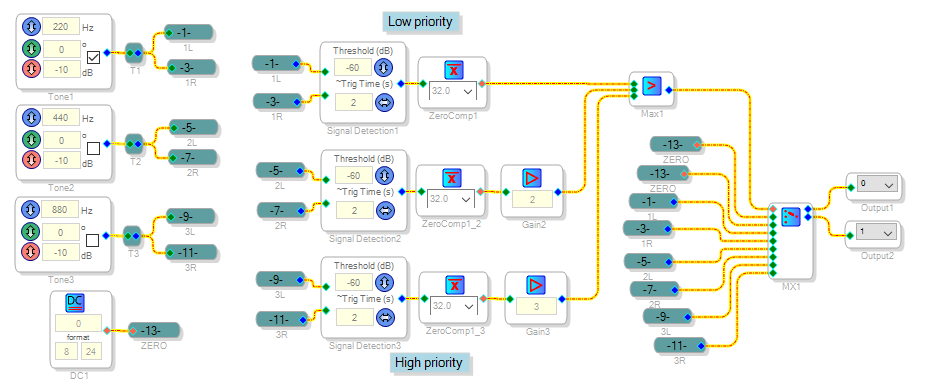
You can use a Signal Detect block to respond to each signal's presence or absence:
See Signal Detection [Analog Devices Wiki]
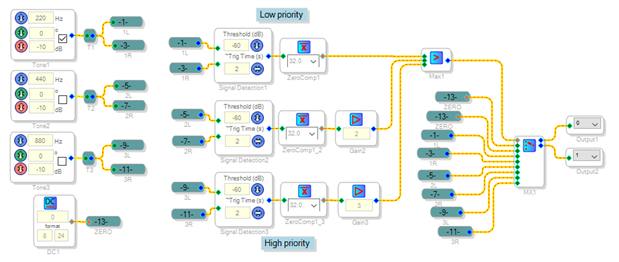
A simple way to choose the priority is to assign each Signal Detector output an integer number, use a Max block to choose the highest one which switches a Mux as shown below For convenience I show tone oscillators instead of actual audio inputs:
Best regards,
Bob
Thank You for your descriptive solution! I am glad i reached out for advice as i am not familiar enough with the blocks available to connect as described. I definitely gained some more insight.
I implemented as you have shown (except I am not sure where you get the net labels so I connected with wires) and will give it a spin.
Hello David,
Glad to be of help. As you work with SigmaStudio you'll find all sorts of neat things you can do with it.
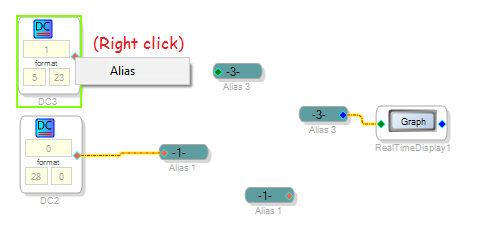
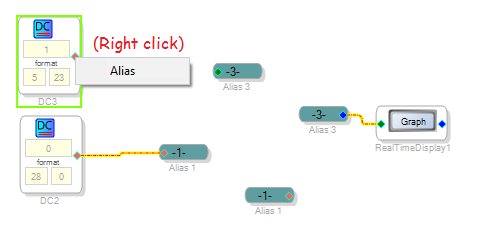
Net names are called aliases in this program. Unlike T junctions, they don't appear in the Toolbox, so they're sort of an "unadvertised special." To get them, just right-click any pin and select Alias. You get a connected net for the pin you clicked, and its complement to make your connection. Ctrl-drag a net to copy it, so you can have one output feed multiple inputs.
Best regards,
Bob
Please log in to reply.