Several questions circuit design ADAU1701
Hello,
Several questions circuit design ADAU1701:
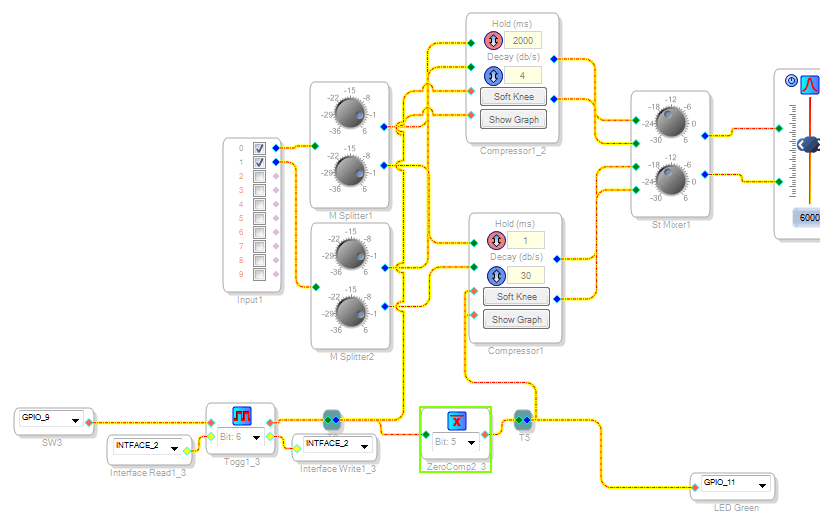
1. I had to switch the settings of the two compressors. I decided to put two and switch between them. But nothing happened, output or silence or a whistle.
I tried a lot of different algorithms commutation - nothing works. One of the compressors always does not work properly.
As with the button toggles the setting in the gas compressor?
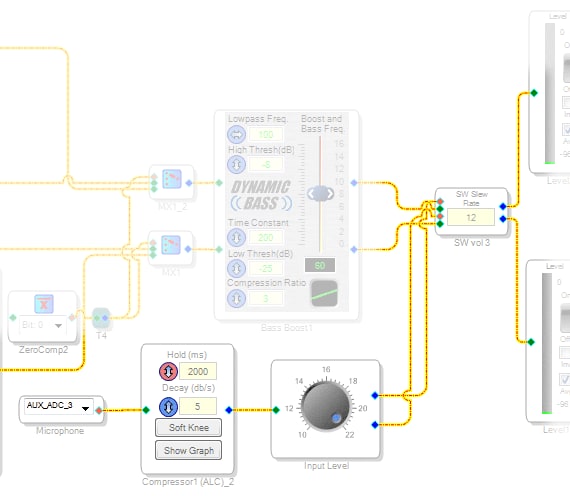
2. It is necessary to make adjustment of the signal level from the microphone. The microphone is not the source of the signal / sound, it is used as a noise sensor to further control the volume.
How to do it?
I thought to install a compressor for the slow response from the microphone signal.
How this can be done?
Audio Signal Processors
SigmaDSP Audio Processors
adau1701

Sorry for the errors of translation, used by Google.
who anyone alive here?
Hi Madf:
Can you please help me understand what you are trying to do. A brief description may help us recommend the best sigmastudio schematic for you
Miguel
Hi
In the first case, I need to make two compressors with different settings: hold and decay. To be able to switch between them or another solution.
In the second case, I need a noise analyzer. By ADC_3 connected microphone, which is used as a noise sensor (not for voice, only noise level).
Hello,
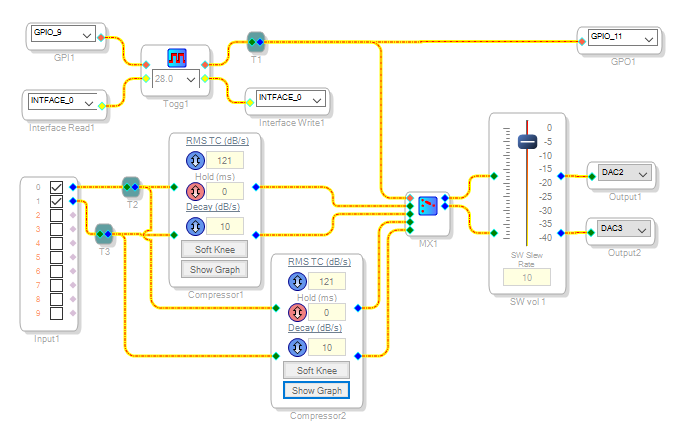
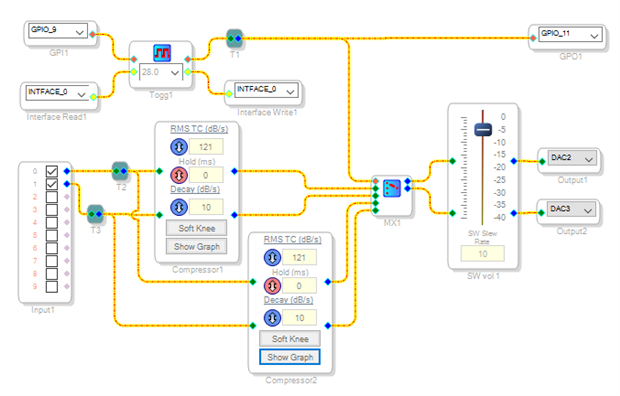
Switching between two compressor outputs with a MUX appears to work fine, however this circuit doesn't have all the features of yours (I could not read all the details of your screenshot). Likely the issue is with the external compressor inputs, etc.
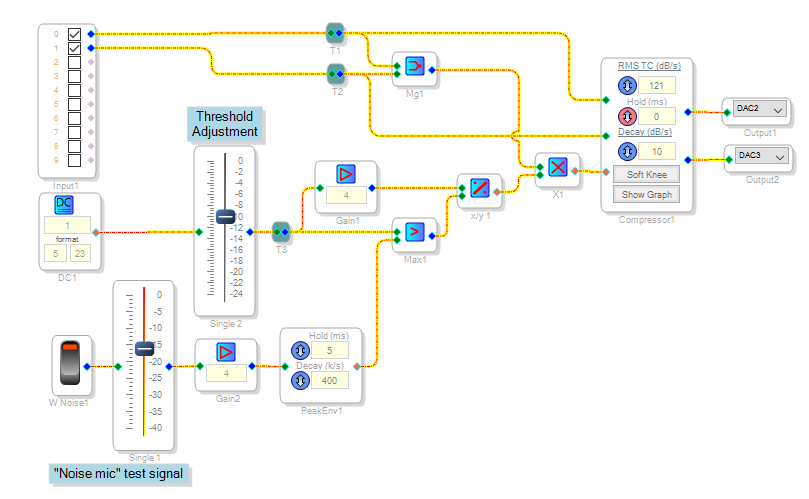
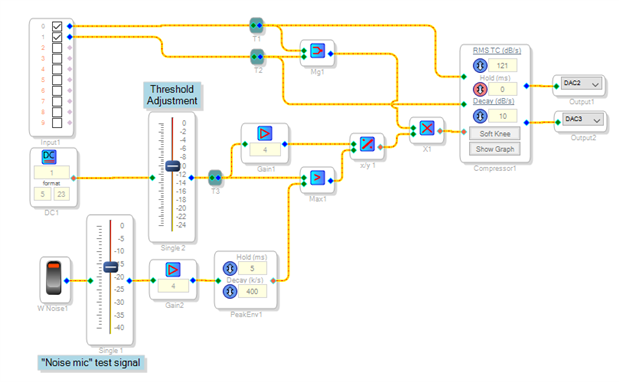
One way to have a compressor respond to a noise mic is to have the mic modulate the compressor's external input. I assumed you wish to have the desired volume increase with the noise -- thus we need to adjust the sidechain gain inversely with the noise input. Likely you would wish a dB-accurate result; that is, a 6 dB noise increase above threshold results in 6 dB more desired output. This requires use of a 1/x (division) function, which in the Sigma 100 (ADAU1701) unfortunately uses many instructions and suffers from errors when the divisor goes below 0.063 (see https://ez.analog.com/message/141904#comment-141904 ). However, the idea works well within its limitations. Having a threshold below which output level no longer increases prevents sidechain gain from going toward infinity when noise is not present (divide-by-zero).
I attached both projects should you wish to experiment with them.
Best regards,
Bob
Hi KJBob,
Thanks for the help.
In the first part I figured out. I tried your algorithm/scheme - works. My problem is that I need to when you turn on circuit, she had necessary to its default state (some mode/effect are enabled). For this I used the signal inverter, all that was in the examples - do not approach (not functioning).
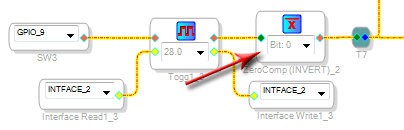
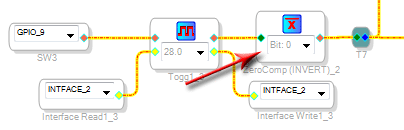
I use this element ("Zero Comparator"):
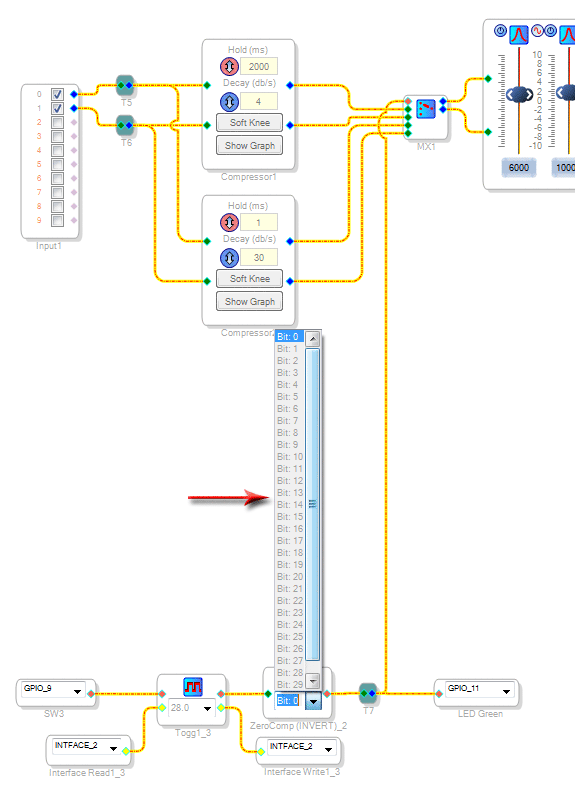
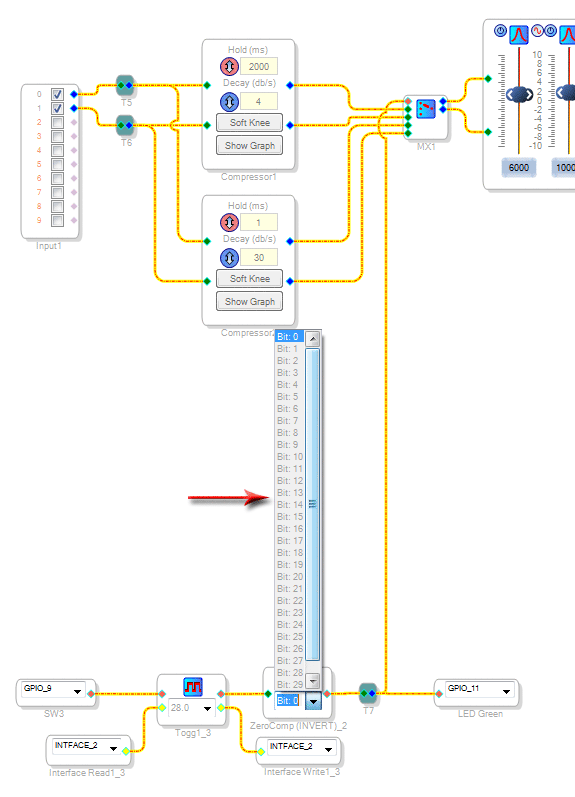
This element has a setting item ( "Bit: 0"). The assistance program is written, there is a state of "28.0", but in reality it is not! By using Sigma Studio v3.13 beta. See the picture below:
I use setting "bit: 0" - works. I really still can not deal with these bits ...
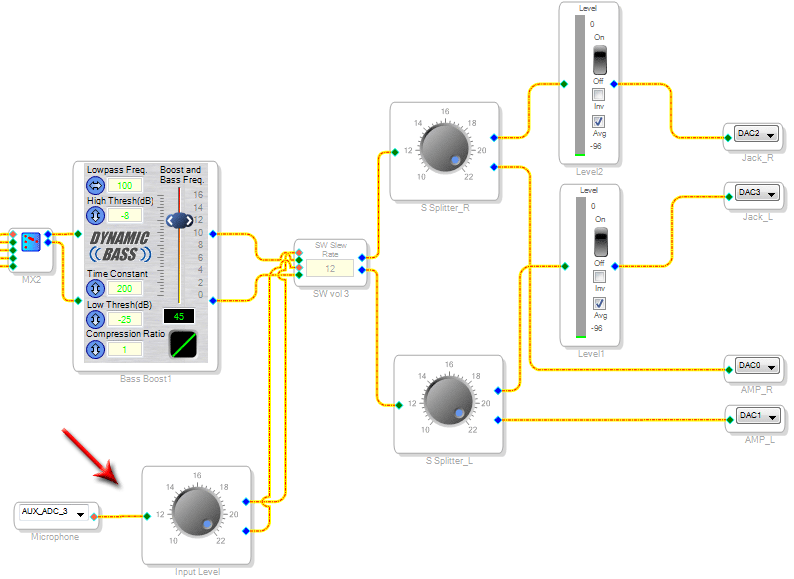
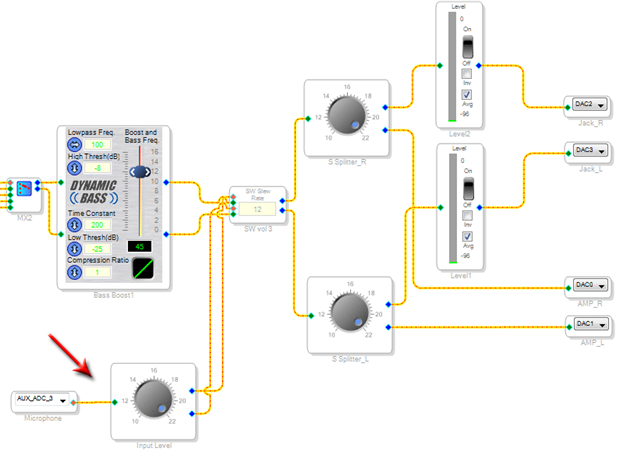
The second part of your circuit tried - works. I tried your circuit add to my project - will be more distortion. In my circuit the factor signal volume is adjusted as follows:
Hello,
Logic blocks such as the Zero Comparator typically work like this:
Inputs respond to zero as False, and any nonzero input as True. The input's number format thus doesn't matter, since zero is zero in any format.
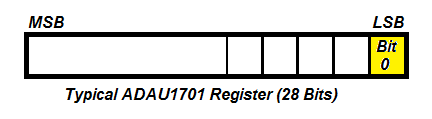
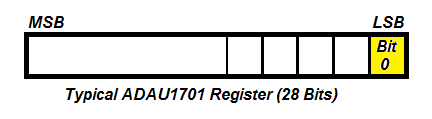
Outputs may allow you to select which bit goes high when True. Set this according to what the following block(s) need. "Bit 0" refers to the LSB -- True would be a 1 in integer (28.0 format). False is always zero.
The MUX control input expects a strictly integer (28.0 format) number -- zero selects the first audio choice, an integer 1 the second, etc. Nonzero numbers in formats like 5.23 (the usual audio format for the -1701) are often much larger, driving the control input out of range. The MUX responds to over-range with silence, or possibly worse.
Everyone needs to get comfortable with number formats (the "bits" thing) to successfully design in SigmaStudio. Here's the best reference on this: What are the number formats for SigmaDSP?
In your noise-activated control circuit it may help to add an Envelope Follower (under Dynamics Processors) between the Aux ADC and the Volume Control. This conditions the noise mic to a DC level for the Volume Control. You could also add in a DC level here, should you desire some audio gain to remain without a noise input.
Best regards,
Bob
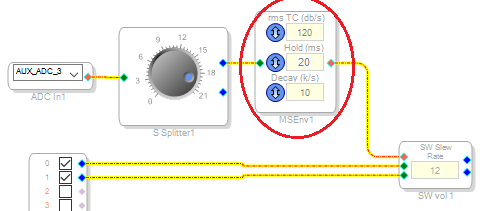
Hello.
I tried your advices.
Experiment was a simpler solution:
After the arrival of noise at the microphone input signal falls slowly (as intended) - it was good.
But when the noise appears, the signal increases fast.
How to slow increase in?
ps:
Microphone sensitivity is low.
A signal value of zero area 1.65V.
Signal change in the region plus/minus 0.1-0.2V.
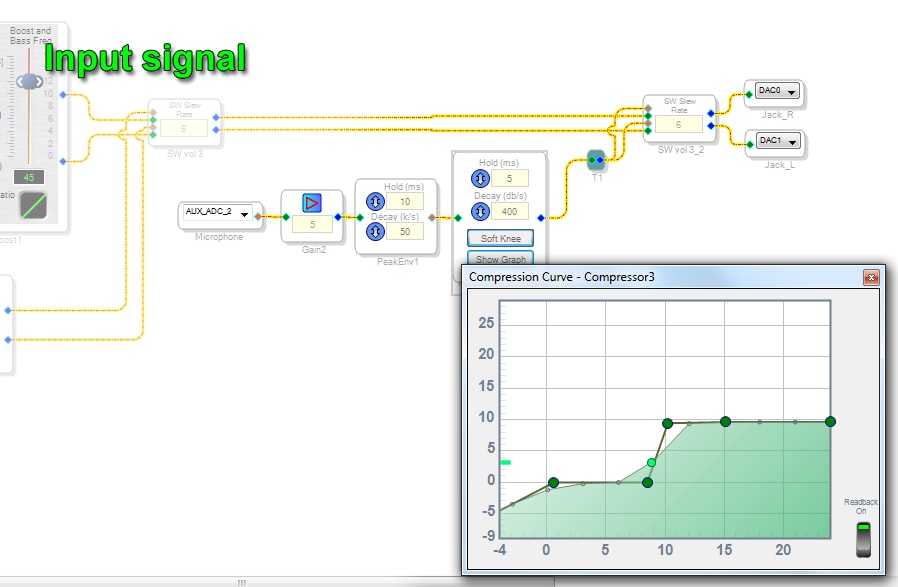

Hello,
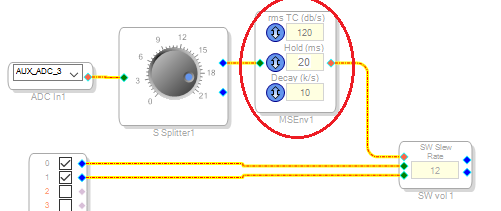
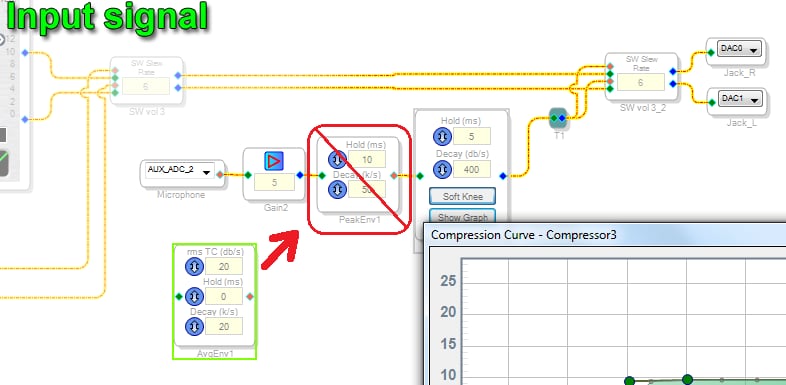
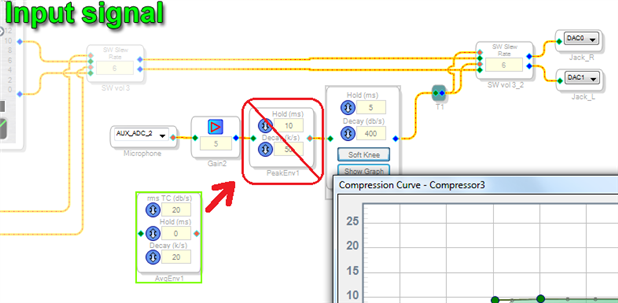
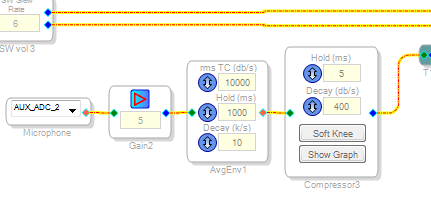
Perhaps you could try replacing the Peak Envelope block with a RMS Running Average block. This allows you to set both attack (RMS TC) and decay times as shown:
Best regards,
Bob
Thanks for the help.
I tried, the effect is similar to the "Peak Envelope block", the growth is very fast. The fall is slow. If "rmsTS (dB/s)" to install a small value, the unit does not give the full scope of the noise/signal from the microphone, it works very quietly.
The effect is similar to "Peak Envelope block".
Just one click on the microphone to the whole mechanism worked to the maximum level. No accumulation of input noise/signal.
What am I doing wrong?
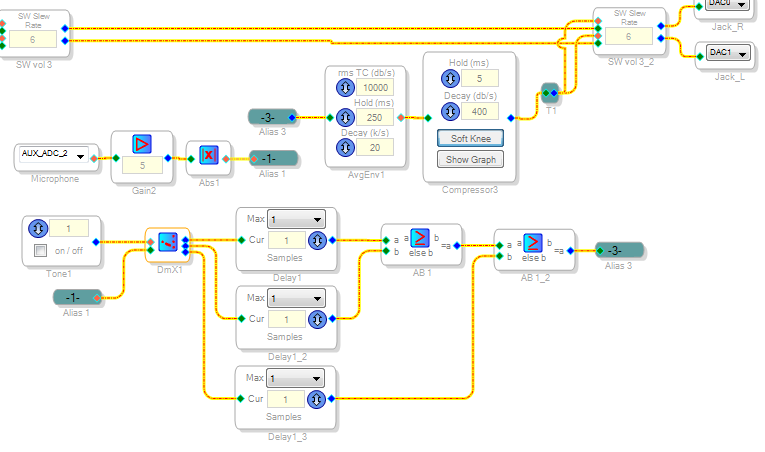
I tried to compensate for the problem of delays, but it works only by one-clicking.
How the average signal over a period of time? As it accumulate over time N?
I decided to try this option:
The idea is the following:
1. Every second to make measurements with a microphone (generator);
2. Use the "Index Selectable DeMultiplexer", to switch / store data in the cells;
3. The data stored in the "Delay" units;
4. Then make a logical analysis, if a 3-block contains a large value, the new value appears at the output.
Here of course it would be better to apply the math to add up all the cells, divide by 3 and the arithmetic mean of the output.
I tried to do it, but nothing happened.
Generally it does not work is not an option, all bad.
How to work with the unit "Index Selectable DeMultiplexer"? How to switch on the 3-point?
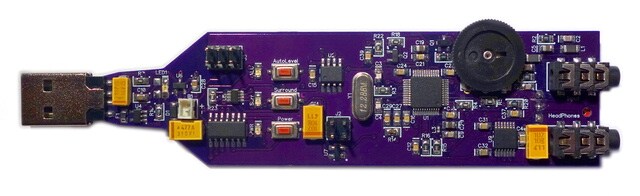
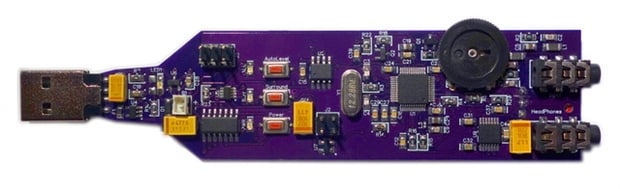
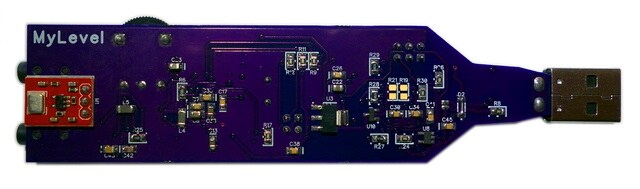
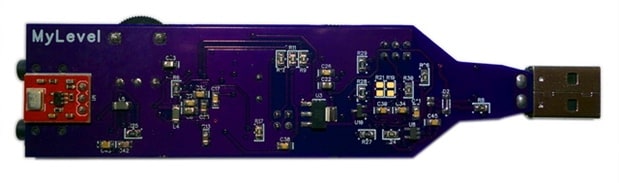
ps: I want to show you that I'm serious about, even made a PCB (already one of the topics of the conversation was), wanted to complete the project.
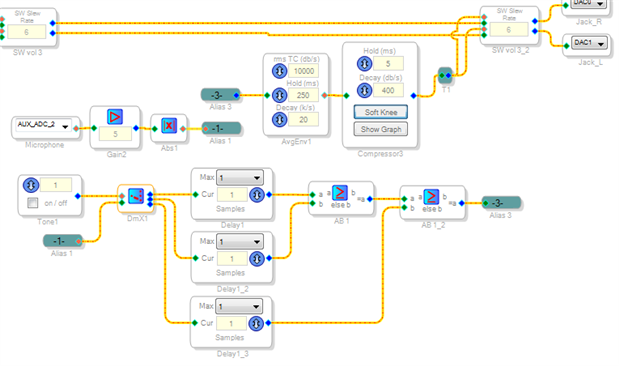
Hello,
First of all, I like your circuit board -- it appears very professional.
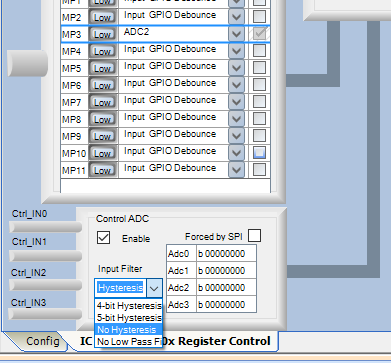
It just occurred to me that, since your noise mic feeds through an Auxiliary ADC, let's check its settings to make sure that the noise signal from this mic is getting through OK:
Since the Auxiliary ADCs are often used with control pots and other slow-moving inputs, they offer several low-pass filter and hysteresis options. To pass audio you need to set these options to affect the audio as little as possible. Choose either No Hysteresis or No Low Pass Filter, whichever works better. For more info on the operation of the Auxiliary ADCs with these optional settings, see:
ez.analog.com/message/169240
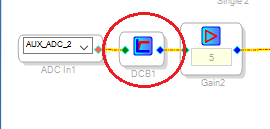
What comes out of the Aux ADC into your schematic has significant DC bias -- for example, if the DC at the -1701's MP3 input pin is 1.6 V, the AUX_ADC_2 in the SigmaStudio schematic will read nearly half-scale, about 0.5. You need to remove this DC level in order for any noise sensing method to work properly. To do this, add a DC Block filter as shown above.
This circuit won't work the way you wish because its blocks operate differently from expected:
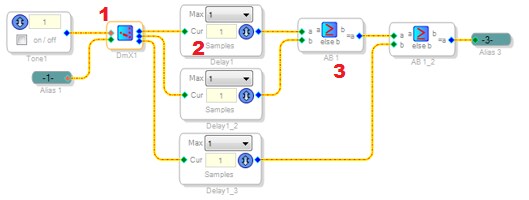
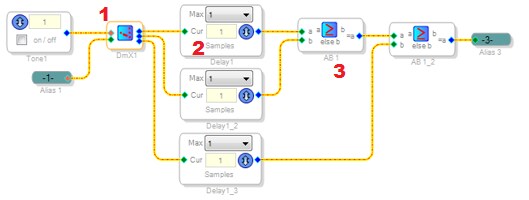
The DeMux (1) doesn't advance its output by one position for each cycle from the tone oscillator. Rather, it chooses its output position according to the integer (28.0) format number (0, 1, 2) on its red pin. To make the DeMux step through the outputs as desired, you'll need to set up an integer counter to perform a count of 0, 1, 2, then reset back to zero.
The Delay blocks (2) delay their inputs by the specified number of samples at the system sample rate (usually 48000 per second). To "Hold" or "Store" a number, you could use a Value Hold block.
The AB Comparators (3) pick the maximum value, thus will work properly as you expected.
Best regards,
Bob

Hello, KJBob.
Thank you for your help and advice.
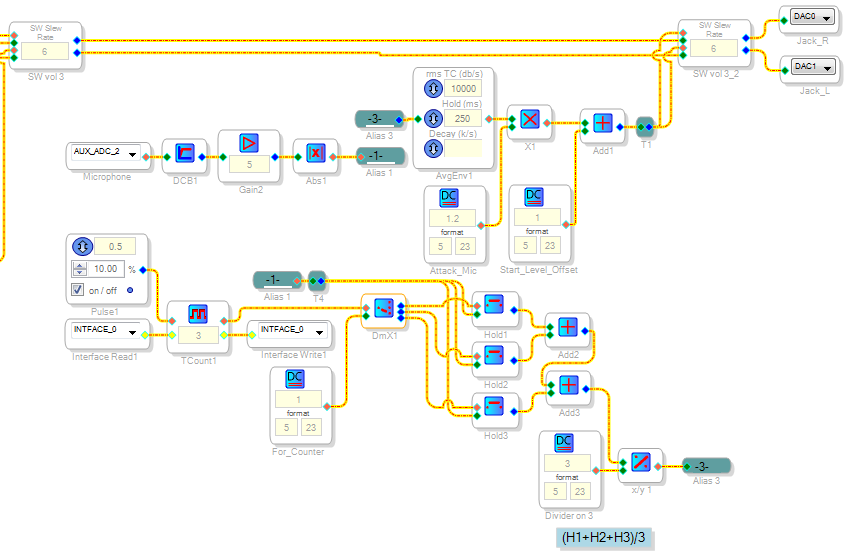
I tried to take into account all the recommendations:
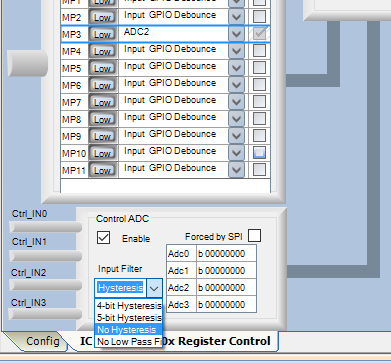
- Check the ADC setting (set as in the picture "No Hysteresis");
- Added the "DC Block filter";
- Made counter and контроль DeMux (checked - works);
- Replace the block delays on Hold Value (checked - works, there is a choice of units);
- I decided to replace the Comparator in the calculation average.
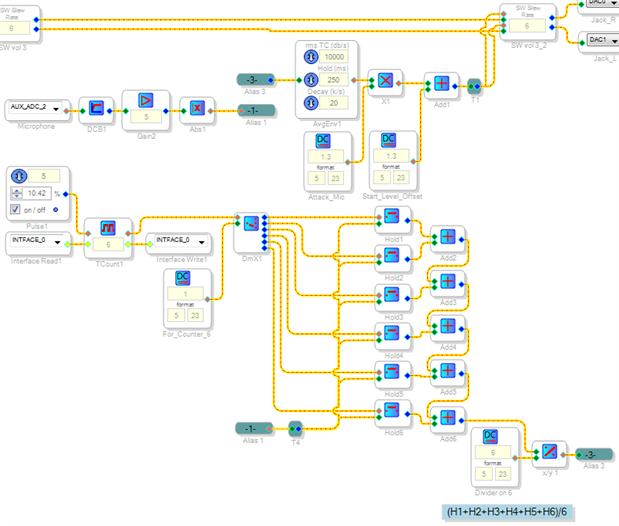
Here's what I got:
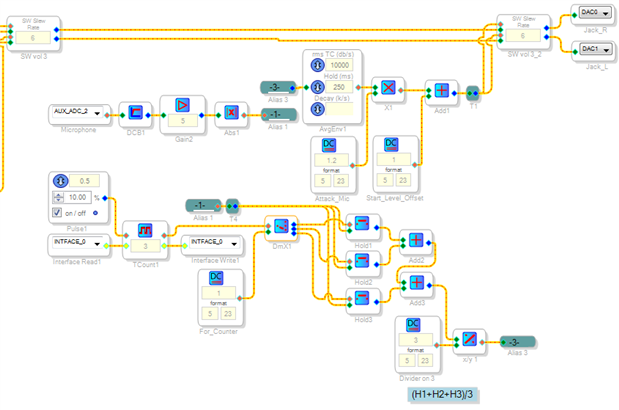
- That's right, I made a calculation (divide by 3)?
- When I try to add the 4-th Hold Value block (to the existing 3) on the existing algorithm - nothing works? Silence. Errors SigmaStudio not to be. How do I add more cells/blocks?
I found the cause.
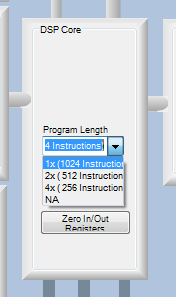
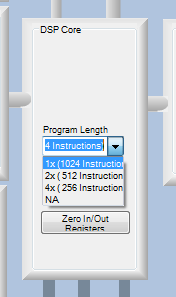
The problem was in the DSP Core configuration:
Setting has been established "2x (512 Instruction)", changed to "1x" - it worked.
Out of memory.
Number of instructions used (out of a possible 1024 ) = 554
Data RAM used (out of a possible 2048 ) = 210
Parameter RAM used (out of a possible 1024 ) = 196
Increase the number of memory blocks, was working smoothly.
Now, perhaps it is necessary to reconsider the concept of using "RMS Running Average block" or being replaced, because the recession has increased several times.

Hello,
I like your using a Toggle Counter block to index the DeMux -- this is very efficient.
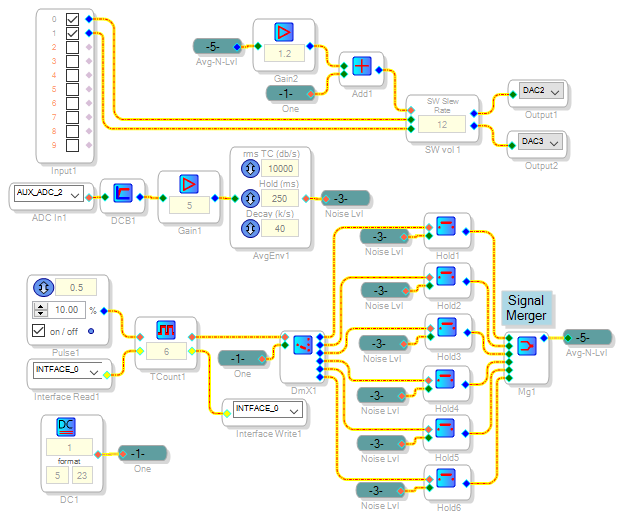
Here's some ideas to save on instructions:
Whenever possible, avoid using the Divide block for the Sigma 100 processors (ADAU1701, etc.) because it uses many instructions. For example, instead of dividing by a fixed number (like 3), multiply by its reciprocal (like 0.333).
The Signal Merger takes this a step further by automatically scaling the inputs to provide an average.
"Grow" a Volume Control into two channels instead of using two single ones.
Best regards,
Bob
Hello, KJBob.
Thank you for your optimization.
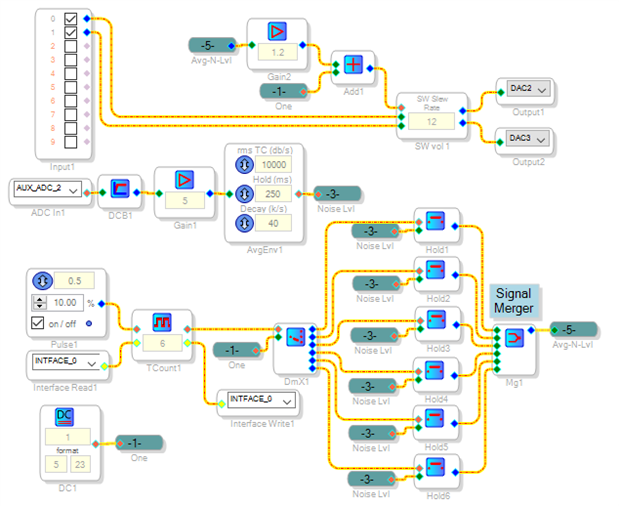
Tried your variant of, it works not correct for two reasons:
1. You can not give up the Absolute Value block, if it is not installed, the system can start to work in the reverse direction (not the volume increases - decreases).
2. If RMS Running Average block is first Hold blocks, then killed the whole effect, because RMS Running Average block has a smooth recession and it immediately fills all blocks Hold.
(That's all I tested live.)
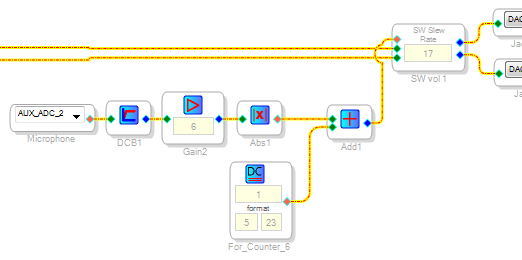
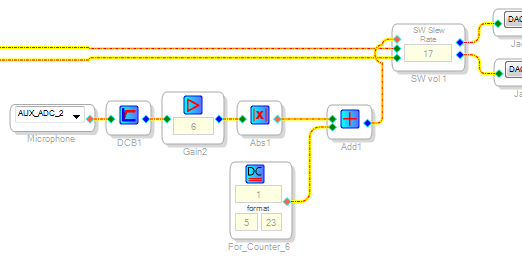
But your implementation drew my attention to a block Single slew ext vol, it was found that the higher the value in this block - the smoother it responds to the control change. It turns out that this effect I needed, but I started to look for complicated ways.
The scheme was very simple (ridiculously):
But as used in the nude is not quite right, a signal is obtained simply lazy and lacking steepness processing.
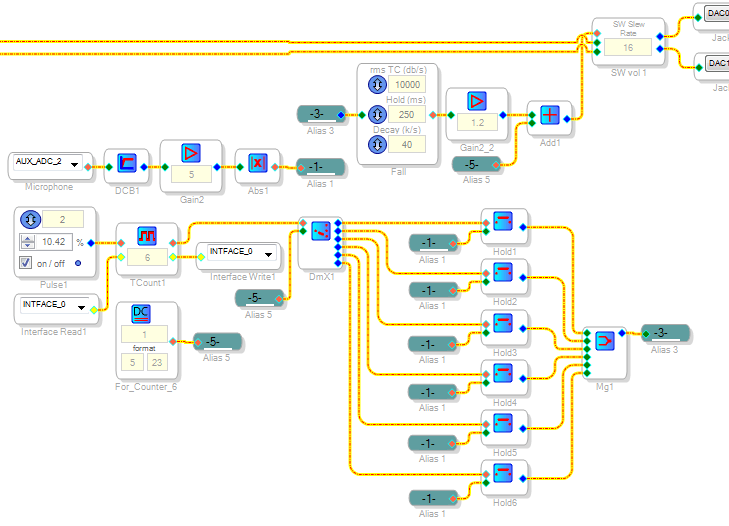
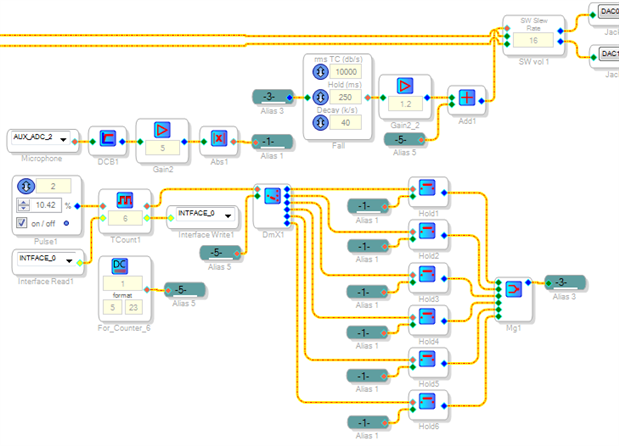
Common efforts were not in vain, our development must be used simultaneously (Hold blocks and RMS Running Average).
I stopped on a variant of this:
Thank you very much for the help.
You really helped.
Please log in to reply.