ADAU1701 SPI timing
I have been using a microcontroller for quite some time to boot the ADAU1701 in SPI control mode, download DSP code, and read/write parameters. This worked well at an SPI speed of 1MHz. We recently tried increasing the speed to 4MHz and find that a verification of the program download fails, with bit errors consistently in the msb of a byte, i.e., 0x00 0xFF was written, 0x00 0x7F is read back, 0x01 0x0B written, 0x01 0x8B read back. Slowing down to 2MHz, has no such bit errors.
We are using an MSP430 microcontroller with SPI mode 0. We are respecting the setup and hold times for the SPI signals as shown in the data sheet, and 4MHz is well below the max. speed of 6.25MHz.
I'm just wondering if there's something simple I'm missing. the PCB is a compact 4-layer board with short trace lengths. I'm a bit stumped about this.
Audio Signal Processors
SigmaDSP Audio Processors
adau1701
I'm uploading some SPI read timing that I captured. The problem with running at 4Mhz is shown below. I should be reading 0x01 0x0B in both cases, but at 4MHz MISO is not taken low by the ADAU1701???
Reading 0x01 0x0B at 2 MHz:
Reading 0x01 0x0B at 4 MHz:
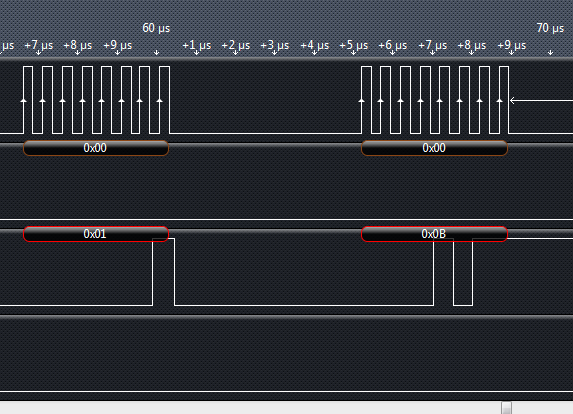
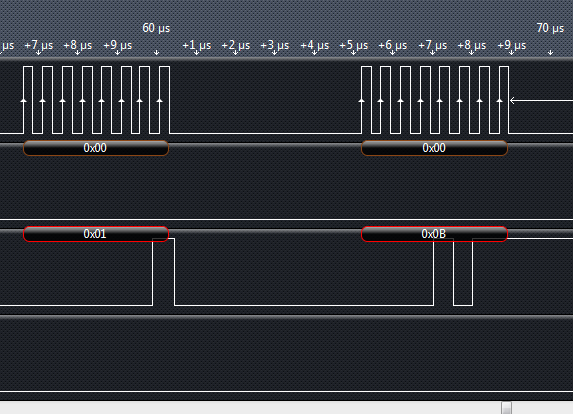


Found that ADAU1701 requires SPI mode 3, not mode 0. That's hard to tell from the data sheet timing diagrams. Problem solved.
Please log in to reply.