RMS table in Sigma Studio
Hello
On component RMS TABLE there is parameter called RMS TC.
How this parameter influence the function . I have tried several values for this and didn't noticed any change in behavior.
What are the range of this parameter?
How are the unit that displayed on this component DB/S related to attack time as it explained in the Wiki?
Thanks
Naftali
Audio Signal Processors
sigma_studio
adau1442
SigmaDSP Audio Processors
Hello Nbanpaz,
In SigmaStudio's dynamic blocks including this RMS-Lookup Table, the parameter RMS-TC refers to how fast the block responds to an increase in input level (often called the attack rate). The Decay parameter in turn sets how fast the block recovers to a lower input level (decay rate). Both parameters can range from 0 to 10000 dB/s. This unit appears strange at first yet becomes surprisingly convenient with use. Ten thousand provides a very fast response rate -- 10 dB every millisecond. On the other hand, zero implies that the LUT responds so slowly that its output never changes, thus would not normally be used. If you prefer to think of time constants rather than dB/s, you can convert one to the other with this formula: T = 8.69 / (dB/s). For example, a RMSTC of 50 dB/s corresponds to a time constant of 0.17 s.
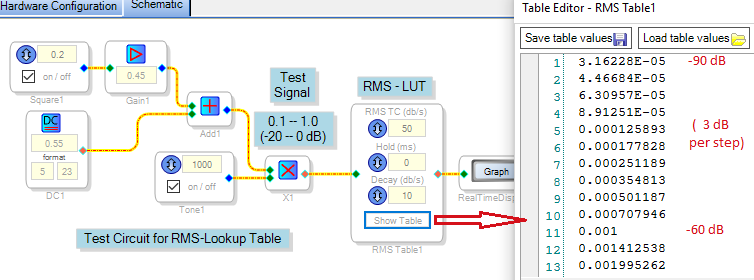
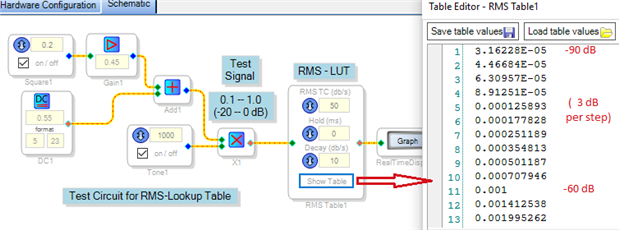
Often the best way to become familiar with how a particular block works is to exercise it in a test schematic. The one shown below applies a 1 KHz tone input with level alternating between 0 dB and -20 dB. We can then see how the block responds by observing the Real-Time Display at its output.
The whole idea of a LUT, of course, is that we can fill its table with any in-range values we desire. For this test I calculated linear values from -90 dB to +6 dB in 3 dB steps as described in the wiki. With this table, the LUT responds directly to measured signal level -- that is, a full-scale input signal outputs 1.0, and a -20 dB signal reads 0.1. Part of this table is shown above, you can download the attached project and open the table to see the rest. As shown the project runs on a ADAU1701MINIZ board.
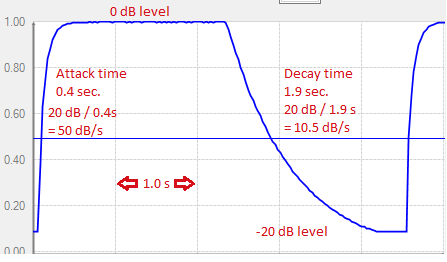
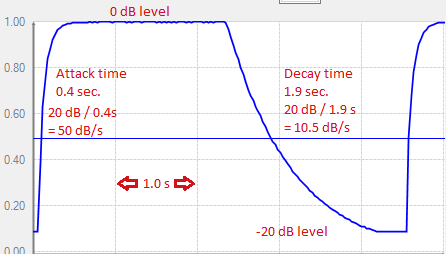
With RMSTC set at 50 and Decay at 10, here's the measured response. Note that with the linear table entries, the block responds as a RC network would -- thus the time constant conversion mentioned above is quite appropriate. Also, attack is faster than decay because of its higher dB/s parameter setting:
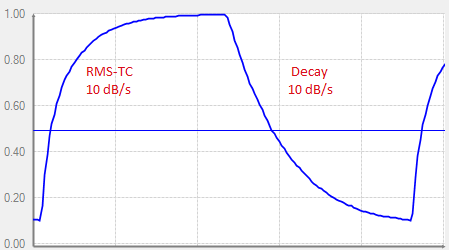
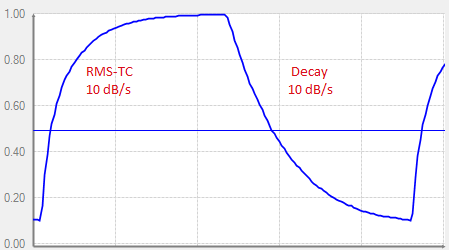
When the RMSTC is reduced to 10, the attack is now as slow as the decay:
Thus you can adjust these parameters to achieve a suitable response for your application.
Best regards,
Bob
Please log in to reply.