Tracking low pass filter in sigma studio
Hello all,
I'm trying to design a tracking low pass filter in sigma studio but can't seem to figure out how.
Basically, I would like to use an RMS average value of the input signal to control the cut off frequency of a low pass filter. I would think this would be easy but can't seem to make it happen.
Any ideas?
Thank you in advance for your help.
Hi,
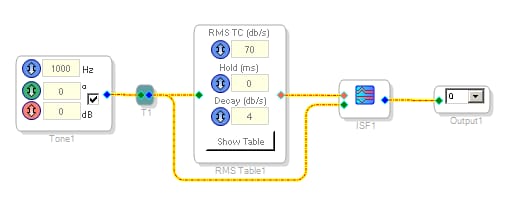
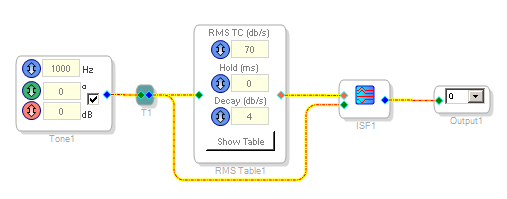
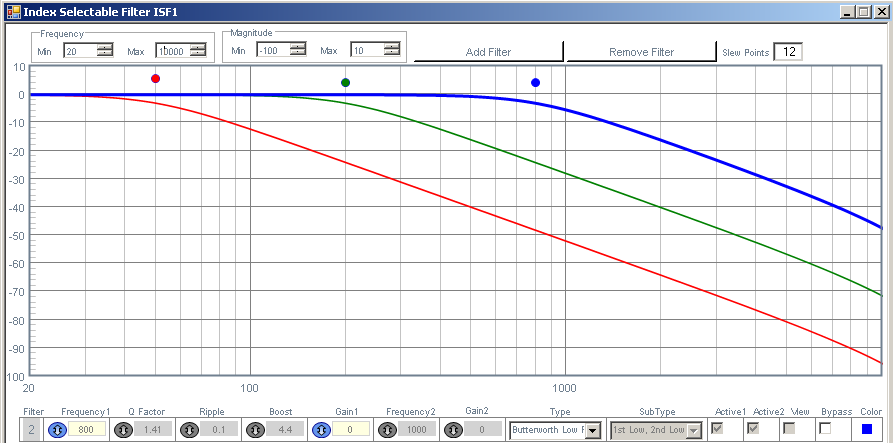
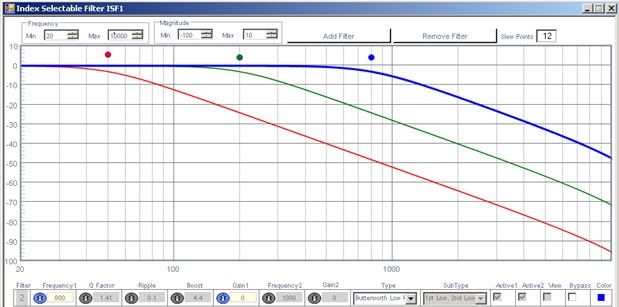
If you need a small number of cut-off frequencies, you can use an RMS table which compute the RMS value of a signal and provide an index for an index selectable filter.
If you need a lot of values, this become quite memory hungry: you need a big table and a lot of filters.
There are other kind of filters like:
State Variable (Q/F input), which has a frequency input.
Tracking Filter, which has also a frequency input.
Filters [Analog Devices Wiki]
The value inside the RMS table could be easily tweaked to command the filter that you will use.
Best regards,
Simon
Hello,
There's at least two ways to implement your project:
You could use a State-Variable Filter as the heart of your project. Its operation is described here:
State Variable (Q/F Input) [Analog Devices Wiki]
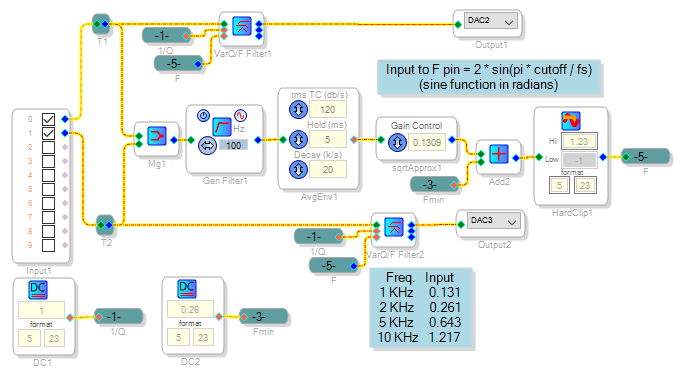
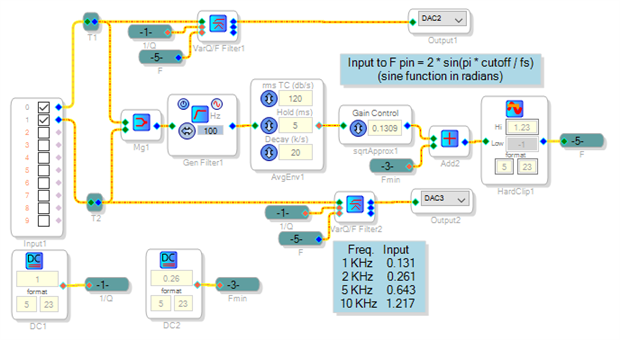
The sample project below includes a stereo pair of these filters along with the average level measurement and a few additional blocks to keep the filter's frequency input within bounds (the filter goes silent for inputs greater than 1.23). You can experiment with different functions in this level path (the "sidechain") to get the desired effect. Below I placed a highpass filter before the average block, to keep bass from overly affecting the response. The square root block after the averaging increases the dynamic range over which the filter changes its response (an interpolating LUT may also work here). I attached the project file for ADAU1701.
Another way to implement a dynamically variable filter is to use the Index Selectable Filter block. An example is shown at:
https://ez.analog.com/message/180879#comment-180879 As well as Z0mb13 's answer above (sorry I was working on my answer before seeing yours).
Best regards,
Bob
Thank you Simon.
Glen
This clears up a lot, Thanks Bob.
Glen
Please log in to reply.