I have a question about Limiter ratio in Sigma Studio
1. What is Limiter ratio value ??
2. What is caculation formula about Limiter ratio??
3. What is RMSavg ??
Plese somebady Help me!!
sigma studio
limiter
limiter ratio
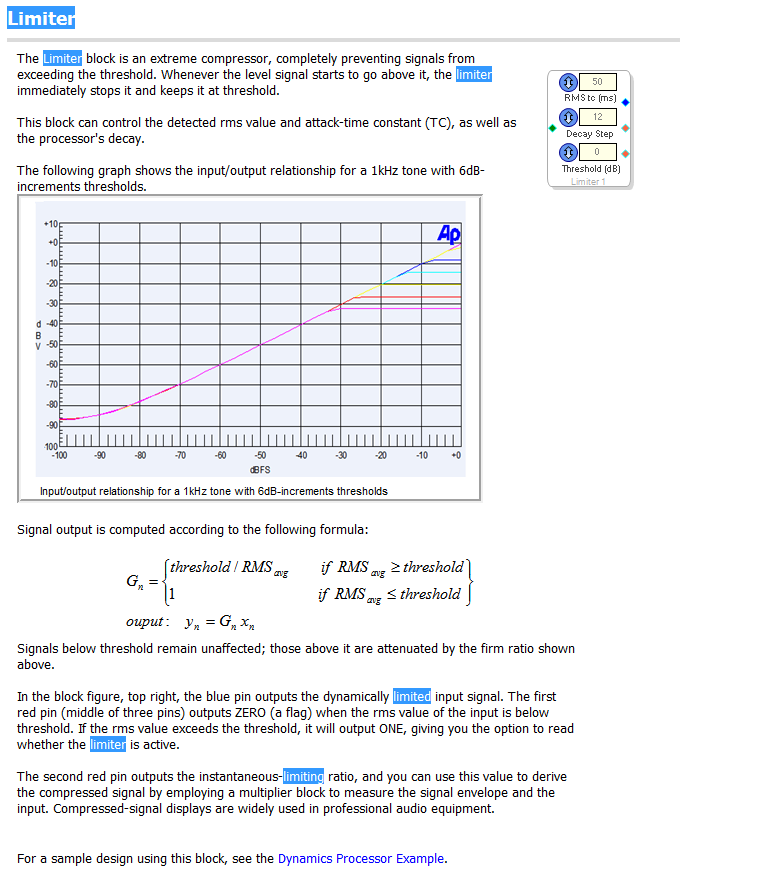

Let's start with your last question, since the others depend upon it. RMS is one way to measure the level of an AC (audio, for example) signal. RMS stands for Root-Mean-Square -- it's a form of average that squares the input signal, averages the result, then takes its square root. This relates to the average power of an audio signal by the formula, P = V^2 / R.
There's at least two other ways to measure an audio signal:
Rectify and average it
Rectify and hold its peak value
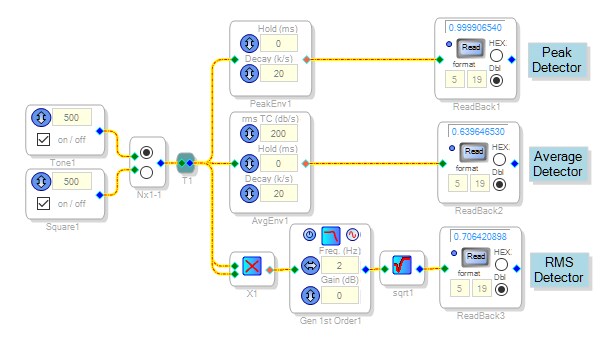
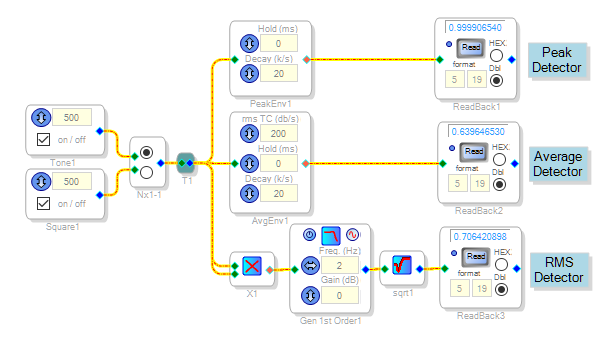
Below, a steady full-scale sine wave (peak value of 1.0) feeds a peak detector, an average detector, and a RMS detector. Each detector gives a slightly different level measurement.
Of the three methods, the average and the RMS are closest together. In fact, inexpensive AC meters adjust the output of an averaging detector to approximate RMS (more expensive meters perform a true RMS measurement). With the same input sine wave, the average detector gives the lowest reading -- about 1/(1.57) that of the peak detector. Interestingly, with a square wave input all three detectors read the same, at 1.00. The Limiter uses an averaging detector, which approximates RMS.
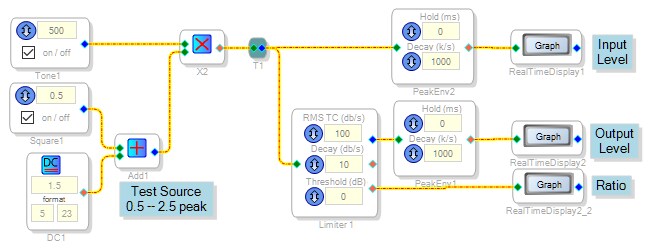
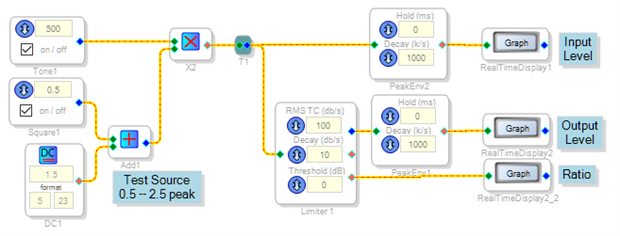
We can see how the Limiter works by feeding it a signal of varying level:
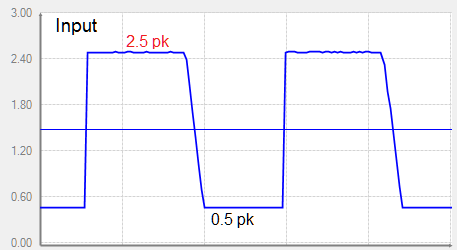
The input sine wave changes between 0.5 and 2.5 peak. This corresponds to 0.31 and 1.57 average.
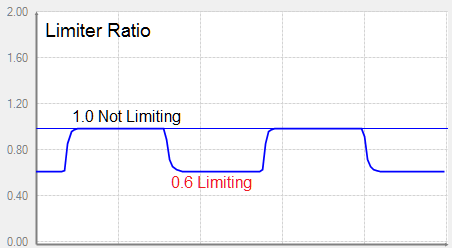
The limiter's threshold is set to 0 dB or 1.0 average. When the input signal is at 0.31 average, it's below this threshold -- so the limiter leaves it alone. At this time the limiter's ratio is 1.0 (unity gain). Its output level is the same as its input.
When the input signal increases to 1.57 average, it's now above threshold. The limiter calculates a new ratio:
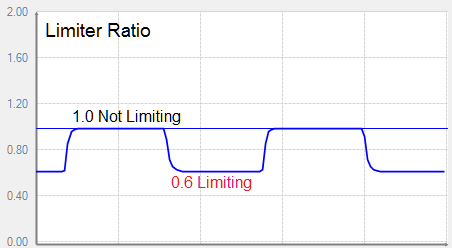
Limiter ratio = Threshold / Input = 1.0 avg / 1.57 avg = 0.6
The Limiter ratio is available at the Limiter's bottom red output pin (this is incorrectly labeled Flag Output). We see in the graph below, the ratio alternating between 1.0 and 0.6 in response to the input level.
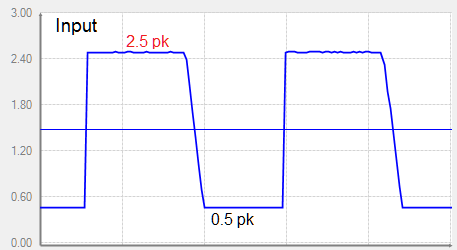
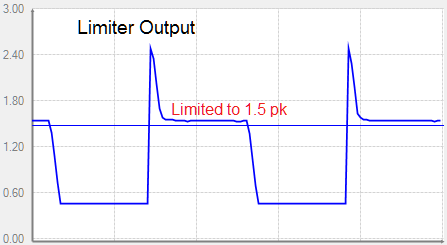
The Output graph below shows how the Limiter reduces the higher level while leaving the lower level alone:
The output level overshoots while the Limiter adjusts itself to the level change. If you're interested in how to set the Limiter's attack and decay times, see: ADAU1701 Sigmastudio Limiter questionings
Best regards,
Bob
you is my teacher
Thank you very much KJBob!!!!!!!!!!!!!!!!!!!!!!!!!!!!!!!!!!!!!!!!
Please log in to reply.