Dynamics compressor Gain Freeze
Hi all
I am looking for a Sigma DSP Dynamics compressor that has a Gain Freeze parameter that has an adjustable threshold to freeze the current gain .
I dont see anything like this yet its a standard feature on Most real world products to stop the compressor Sucking up the background when the input source stops such as in a Microphone use.
I tried to "create" one using a external detector input and freezing that input but the results where not good.
Has anyone done such a thing?
Thanks
Brett
HI Brett:
Can you better describe what you are trying to do? perhaps with a block diagram?
Is it simply to freeze the compressor gain being applied? If so, how should it be unfrozen and/or reactivated.
Thank you
Miguel
Hi Brett,
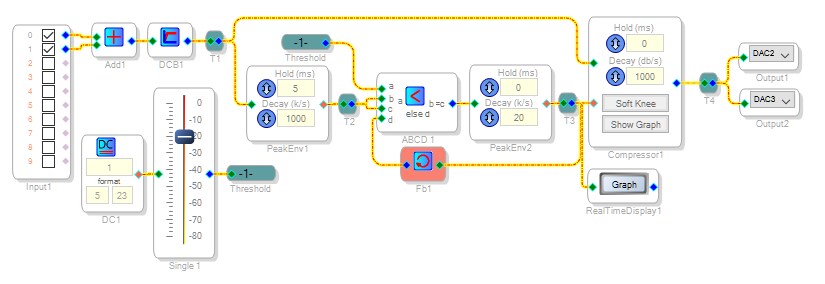
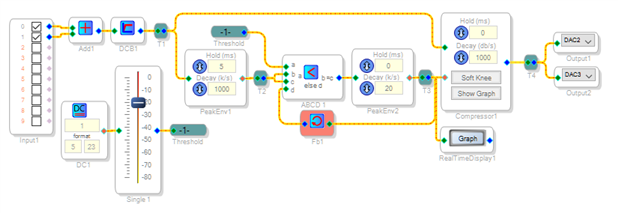
I tried the circuit shown below and it appears to work well (although with three dynamics processors it's a bit of a hog at 139 instructions). The faster peak envelope gates the action of the slower one, resulting in smooth gain transitions with speech, freezing while in silence.
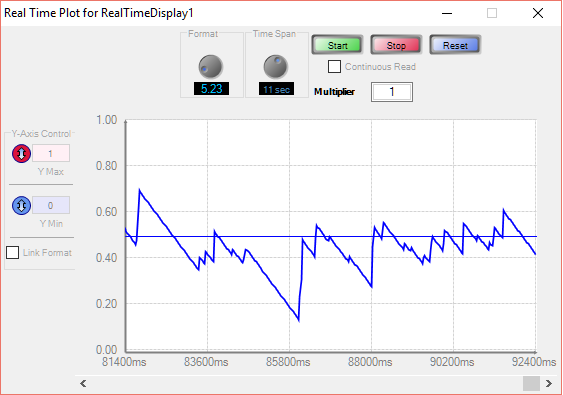
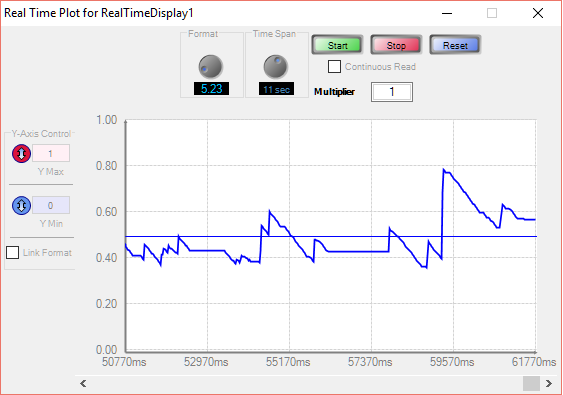
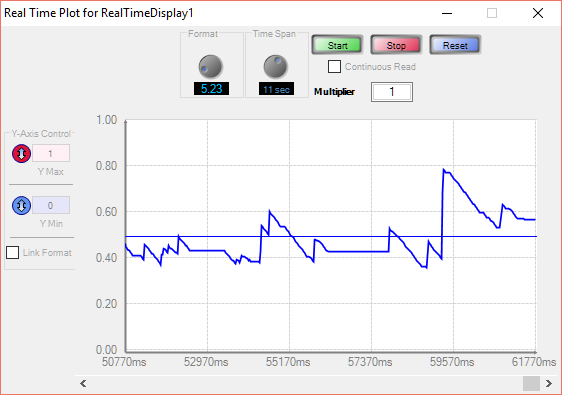
When the freeze is disabled (threshold at -80 dB), the sidechain operates conventionally. It responds to a voice podcast this way:
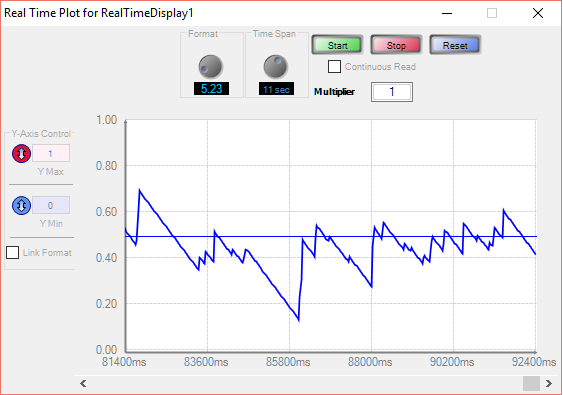
Setting the threshold to -20 dB, we get this curve -- showing frozen periods:
The attached project runs on the -1701 mini board.
Best regards,
Bob
Hi KJBob
Thanks for the project.
I will try it out. The Audio is a Mixed Speech and Music.
Thanks
Hi Miguel
The idea is like KJBob described in his project on this thread
if this feature can be added to the existing dynamics blocks it would be very useful.
Thanks
Miguel -- It sounds like Brett is looking for something like the AVC block available on more advanced Sigma DSPs.
Brett -- If you're interested, I believe it's possible to shave some instructions from my project posted above.
Best regards,
Bob
Hi Bob
MY DSP is the ADAU1761
Yes I need a Gain Freeze like the AVC Block. I did try that Block but the Freeze does not actually work.
I reported this on this forum some time ago.
I was looking to shave some instructions off your project, maybe use an interpolator instead of the last Compressor and use a signal hold so that we dont need the readback.
Thanks
I went to use the "Dynamics Interpolater" as the Final Compressor Block only to see it has only One input pin. shouldn't this block has 2 pins. One for the Audio to be affected Y axis, and One for detector for controlling X axis.
Otherwise how do you this this block to make a compressor?
Thanks
Brett
Hello Brett,
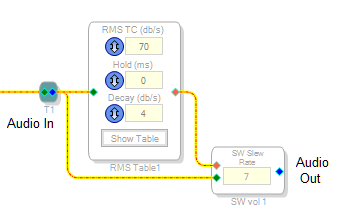
It appears that you use the LUT's output to control the audio gain via a multiplier or (if needed to avoid zipper noise) an External Slew Volume Control:
Using the RMS table shown, this combo uses more instructions than a ready-made compressor -- however, there's other LUTs you could try.
Best regards,
Bob
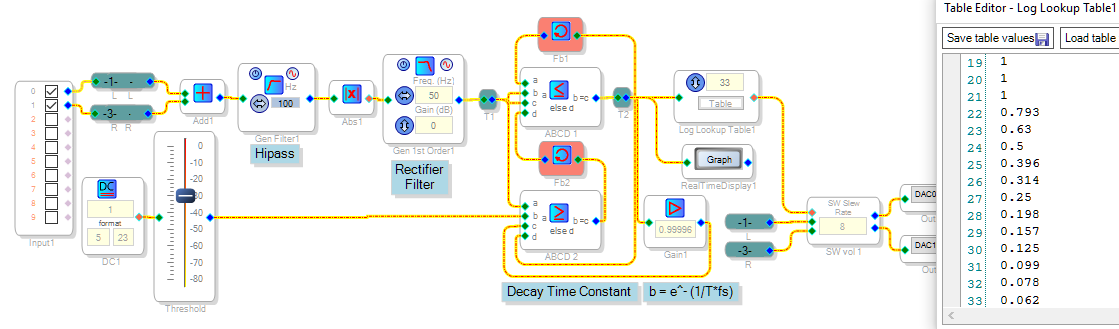
This version uses the Log LUT while eliminating all the packaged Dynamics Processors -- thus it uses fewer instructions than anything else I've tried. ChristopherH came up with the efficient exponential-decay peak detector shown -- see
How can I get a constant-dB envelope decay? I added a second comparator to gate the compressor by switching to a unity feedback coefficient.
Adjust the Highpass filter to reduce "pumping" from bass. The Rectifier Filter sets the attack speed. The feedback coefficient b adjusts the compressor's decay time -- as b approaches 1.0, its release works more slowly. This version runs on the ADAU1761 eval board.
Best regards,
Bob
Hi Bob
Thanks for the help.
I ended up with a variation of your original design.
The final compressor I used is a bit heafty , But it fits in by final design.
I got better results using a Hold block instead of the readback
Thanks
Brett
This question has been assumed as answered either offline via email or with a multi-part answer. This question has now been closed out. If you have an inquiry related to this topic please post a new question in the applicable product forum.
Thank you,
EZ Admin
Please log in to reply.