Bypass an Filter
How i can select an Bypass (realtime) to hear and compare the result with and without ADAU1701?
Audio Signal Processors
SigmaDSP Audio Processors
adau1701
Hello,
It's often useful to select or bypass filters for a A-B comparison. Here's a few ways:
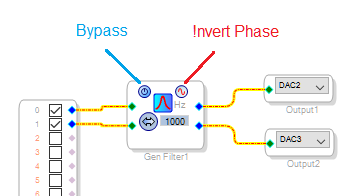
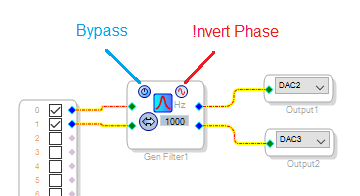
If your hardware is connected to SigmaStudio via USBi, it's easy. You could click the ON-OFF button featured on most filters:
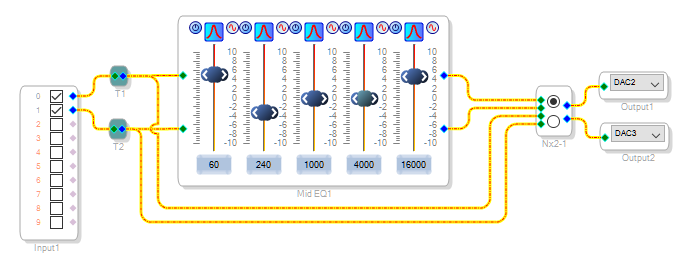
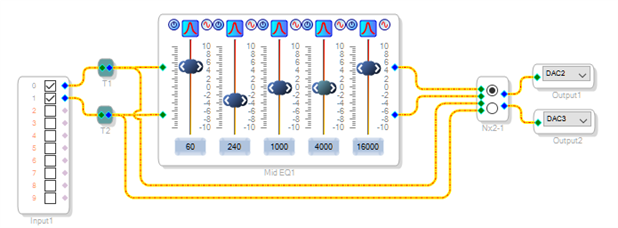
To bypass a string of filters all at once, place a Switch Mux in your schematic. Operate it by clicking on its buttons:
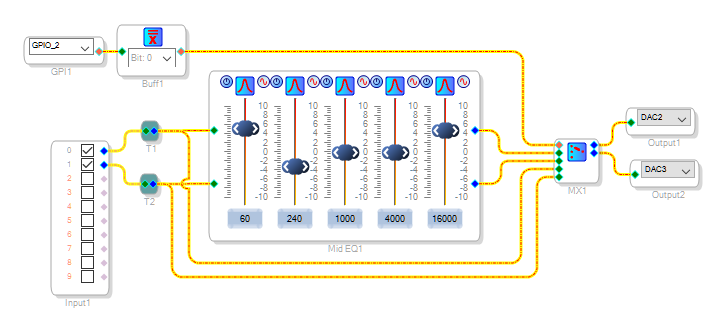
If your hardware is self-booting (not connected to SigmaStudio at runtime), use an Index-Selectable Mux controlled by a General-Purpose Input. Wire a physical switch (providing 3.3V or GND) to the ADAU1701's MP pin. The Buffer Gate shown converts the decimal (5.23) format "1.0" or "0" from the GP input to the integer (28.0) "1" or "0" that the Mux needs -- you could use instead a GPIO Conditioning block. See these Application Notes:
http://www.analog.com/media/en/technical-documentation/application-notes/AN-923.pdf
http://www.analog.com/media/en/technical-documentation/application-notes/AN-951.pdf
Best regards,
Bob
Dear Bob
Many thanks for your help. It works great !
Best Regards
Remo
Please log in to reply.