Connect adau1701 to Linux Processor
Hi,
I am facing issue with getting any response from adau1701.
I would like to use I2S port and ALSA to stream music.
But at the begging I have to be able to communicate with ADAU1701. As far as I understand it correctly steps needed:
1. Enable all supplies
2. Enable MCLK
3. Reset (rising edge needed)
4. Set configuration through I2C
5. Communicate via I2S.
1. --> So I enable all supplies needed and check with oscilloscope - OK.
2. --> I enable MCLK (26MHz with existing Linux driver, but also checked with external function generator (sinus 11.289MHz both 1.8V and 3.3V))
3. --> And I am preforming reset:
echo 0 > /sys/class/gpio/gpioX/value
sleep 5
echo 1 > /sys/class/gpio/gpioX/value
4. --> Nothing. I can't get any response from ADAU1701. I check with I2C tools:
0 1 2 3 4 5 6 7 8 9 a b c d e f
00: -- -- -- -- -- -- -- -- -- -- -- -- --
10: -- -- -- -- -- -- -- -- -- -- UU -- -- -- -- --
20: -- -- -- -- -- -- -- -- -- -- -- -- -- -- -- --
30: -- -- -- -- -- -- -- -- -- -- -- -- -- -- -- --
40: -- -- -- -- -- -- -- -- -- -- -- -- -- -- -- --
50: -- -- -- -- -- -- -- -- -- -- -- -- -- -- -- --
60: -- -- 62 -- -- -- -- -- -- -- -- -- -- -- -- --
70: 70 -- -- -- -- -- -- --
And should get response between 68-6F. (Those 62 and 70 are different device on same bus to check if I2C communication works). I can see that power consume by board rising if I enable clock and have reset high.
System: Linux 3.0.35
Audio Signal Processors
i2s
SigmaDSP Audio Processors
adau1701
Hello Pawel,
Did you use SigmaStudio to develop a program that you are loading into the 1701? You are not using the selfboot function so you will need to program the DSP using your controller.
So you are using 26MHz MCLK? That will give you a sampling rate of 101.5625 kHz fs. That would be MCLK/256 = fs.
Read the power up sequence in the datasheet. You will need to power up then wait for the PLL to startup and become stable before trying to program any other registers or memory locations. The internal MCLK has to be active to be able to write to these other registers.
One your hardware, did you provide an interface that you can use with SigmaStudio? That would be good to have to work on your program before using the system controller.
So send your SigmaStudio program and scope plots of the I2C comms and scope plots of the I2S. But most important, I would like to see the actual I2C traffic you are sending out, the register settings.
Thanks,
Dave T
Hello Pawel,
I thought of something else to check so I did and it is an issue. 26MHz is far beyond the max MCLK frequency. In the 256x fs mode the maximum frequency is a period of 73 ns which is roughly 13.7MHz. The minimum is ~2MHz.
Dave T
Hi Dave,
thank You for interest in my problem. Appreciate that .
1. No I haven't been using SigmaStudio to develop program on DSP. As far as I understand, it is needed to program processing signals from input to output. But to be able to program DSP I need to have possibility to load device by I2C.
2. As come to power-up sequence:
a) system is booting and powers are up (reset is high)
b) I enable MCLK and wait few seconds to stabilize.
c) put RESET low (wait 5s) and put it high
d) after few seconds I try to read address 0x68-0x6F. --> no response
3. I thought interface needed for SigmaStudio is I2C, but will double check it today (I2C is avaliable)
4. The I2C signal was tested on DSP pins and signal is coming to IC, but no acknowledge from it. I try to read register 0 from this chip (tried with also 1st register).
5. Yes, You are right, but done tests with lower values (10-12.288MHz) same result. Also tested it with external function generator and no response from IC.
6. Powers are ok (3.3V, 1.8V) and can measure 1.5-1.6V on FILTRA/B and CM.
New input. The I2C communication is unusual (for me ). If I change to combined communication and play with addres I can communicate with it.
The questions I have now are:
1st. Can I change few registers to get I2S input and get output on DAC (no matter which) or should I start with SigmaStudio now?
2nd. Can You link me a guide how to connect PC to ADAU1701? Do I need to have any special programmer since I need to program it through I2C. Or can I prepare all needed settings in Sigma Studio and put it into DSP with uC I have already connected to DSP?
Hello Pawel,
Glad you have communication happening!
Yes, now you will need SigmaStudio to develop your program. Yes, you will need the USBi to do this.
You can find info about it here: http://www.analog.com/en/design-center/evaluation-hardware-and-software/evaluation-boards-kits/eval-adusb2ebz.html#eb-ov…
Here is a link to the user guide for the USB programmer: http://www.analog.com/media/en/technical-documentation/application-notes/AN-1006.pdf The schematics are in this Application Note so you can look to see how you can hard-wire the I2C lines over to your board. I assume you did not include the 10-way connector on your PCB layout.
It is best to use SigmaStudio when working on your algorithm development. It allows you to quickly make changes and to use things like level meters and readback cells to get feedback on what is going on inside the DSP program. Then once you are done you then can export the system files and get your uC to boot up with a known working program.
Here is a great explanation on how to use a micro-controller to program the DSP. This is written by our friend KjBob. Updating SigmaDSP Parameter with a Microcontroller
I am sure you will have other questions but this should get you started.
Dave T
Hi Dave,
Great tips. Thanks, You saved me few days of sniffing
I am able to put configuration from SigmaStudio to DSP via processor I am using. Those tips by KjBob are really good (although in ADAU1701 registers 0x0000 to 0x03FF are for Parameters (4k), and 0x0400 to 0x07FF are for Program (5k)).
Last thing I am not concerned that is good are register 0x081C-0x0827 settings (schematic included). From SigmaStudio I get output:
0x08, 0x1C,
/* (3) IC 1.HWConFiguration */
0x00, 0x18, 0x08, 0x00, 0x00,
0x00, 0x00, 0x00, 0x00, 0x00,
0x00, 0x00, 0x00, 0x00, 0x00,
0x00, 0x80, 0x00, 0x00, 0x00,
0x00, 0x00, 0x00, 0x01,
1st. I should have output enable but there was nothing i DAC2/3 when I change according to datasheet 0x18 to 0x1C I have output.
2nd. Those 0x00 - 0x00 are MP Pins. As I understand from datasheet All MP Pins are set to 'GPIO input, debounce'. If I want to use I2S as an input shouldn't I set MP0 as DATA0, MP4 as LRCLK and MP5 as BCLK?
From datasheet configuration should be:
0x00, 0x1C 0x08, 0x00, 0x00,
0x00, 0x44, 0x04, 0x00, 0x00,
0x00, 0x00, 0x00, 0x00, 0x00,
0x00, 0x80, 0x00, 0x00, 0x00,
0x00, 0x00, 0x00, 0x01,
Am I missing something or maybe I am not familiar enough with SigmaStudio? Graphic tools look so handy and good, but I am old fashioned and black terminal is closer to my mindset .
Hello Pawel,
Yes, changing register 0x081C from a value of 0x0018 to 0x001C will unmute the DACs.
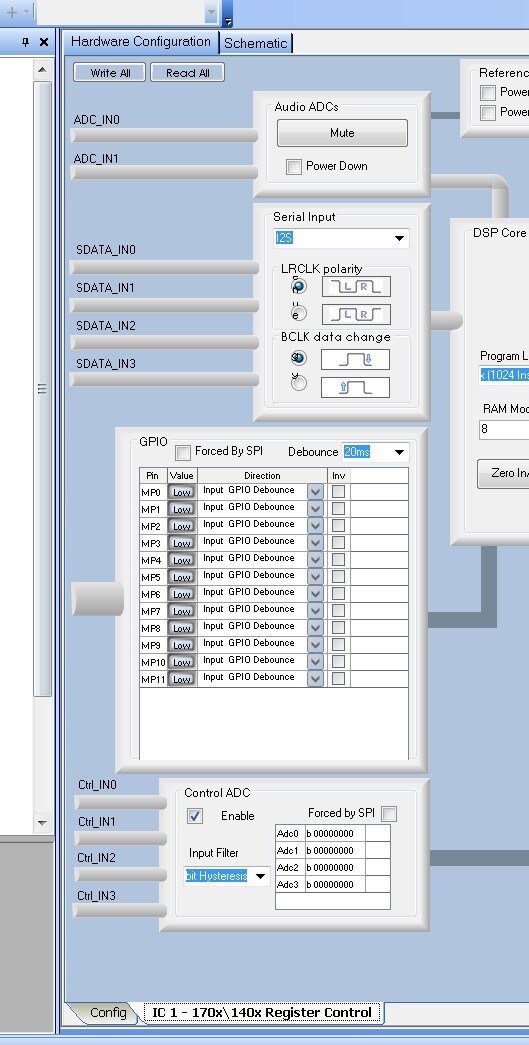
I think you may not be aware of another feature of SigmaStudio that allows you to set all the registers in the part in a simple manor. Please excuse me if you do know about this.
On the upper left of the window there is the Schematic tab and the Hardware Configuration tab. I know you found these because you have entered a schematic.
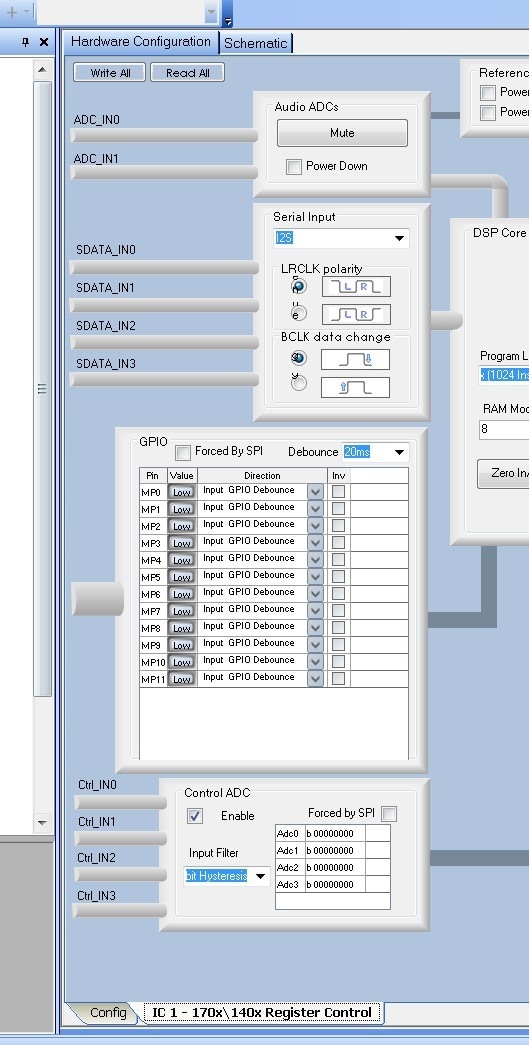
So switch to the Hardware tab and look at the bottom of the screen. You will see two tabs, one for the Config and one for the register settings. If you have more than one part in the design then you will see multiple tabs. Here it is really easy to setup the registers and setup the GPIO pins etc. Just do not change the RAM Modulo. That box never should have been included as a control. I have attached a screenshot so you can see what it looks like. I did not capture the entire screen.
Then when you export the files the register settings will be included.
Thanks,
Dave T
Please log in to reply.