How to do a Line/Mic Gain adjust in SigmaStudio
Hi,
I'm using an ADAU1701 and have a line\mic input feeding one of the ADC inputs. I'm using a rotary potentiometer that is being read by one of the Aux ADC inputs. I would like to use this as a gain adjust for the audio signal, with unity at the 12:00 position, attenuation below that position and gain (max +50dB?) above that position. Is it possible to do this with SigmaStudio blocks?
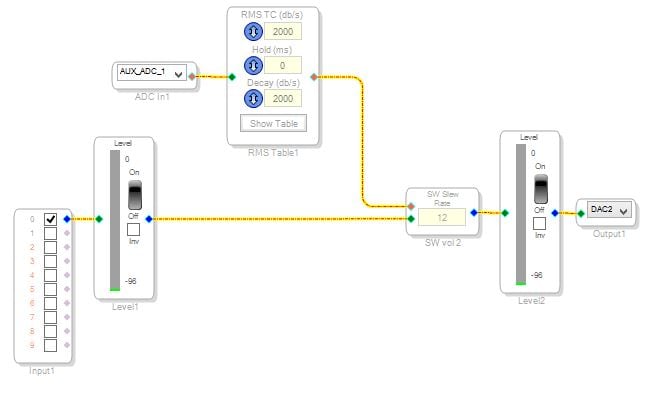
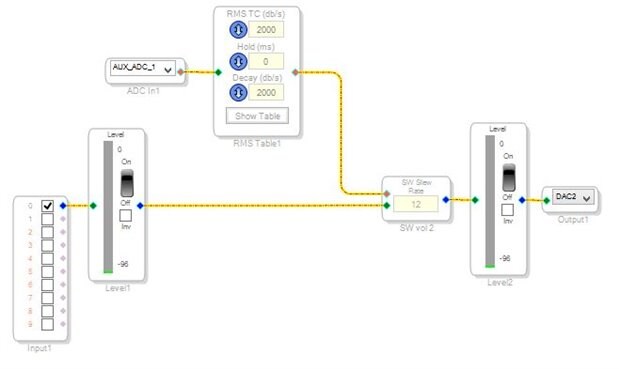
I've tried the Aux ADC input tied to RMS lookup table and then connected to single slew ext volume control block and it works somewhat (pictured below). Is 33 the max index allowed in the table, I feel like it needs more steps to feel smoother. I'm using a linear pot but it still doesn't feel like I've got much of a usable range in the pot. I start to hear audio about 8:00 on the pot and it reaches max at about 3:00.
Any help would be appreciated.
Thanks,
Alex
Audio Signal Processors
sigma studio
sigma_studio
adau
SigmaDSP Audio Processors
SigmaDSP
adau 1701
adau1701
1701
Show More
Hello Alex,
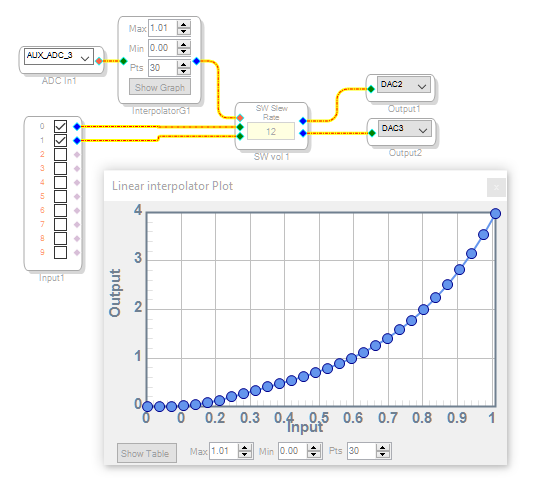
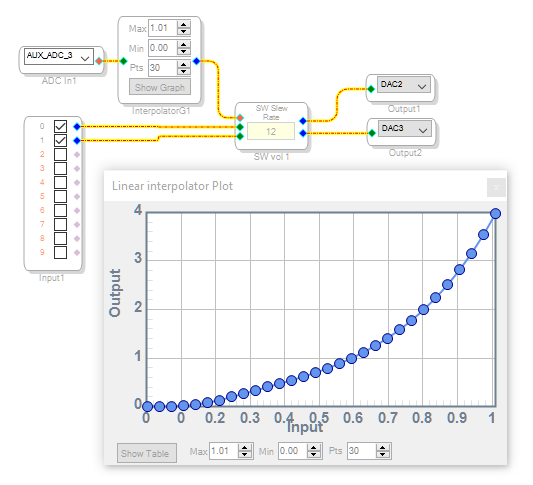
The best sort of lookup table for volume controls is the Linear Interpolator. It fills in the spaces between its data points to produce a smooth curve, as shown below. As shown, it outputs 4.0 (providing a 12 dB gain) at full rotation, and 1.0 (unity) at 60%. You can of course edit the LUT as desired. The attached project runs on a ADAU1701MINIZ board. Since your diagram shows Aux ADC 1 while the eval board has one pot connected to Aux ADC 3, it appears you're using a different board -- adjust the project as needed or place a Linear Interpolator in your present project.
Normally a mic preamp is needed ahead of the ADAU1701. You could add additional gain to handle mics, but will likely run into excessive noise from running the input ADCs "in the mud." A possible exception could be made for very "hot" condenser mics.
Best regards,
Bob
Thanks Bob, for your help. It works well. However, I will likely go the analog route for the MIC input gain/trim.
Alex
Please log in to reply.