ADAU1701 I2S IN-I2S OUT @ 96kHz
Hi all,
I've been testing a platform that consists of ADC-DSP set-up with DSP as a slave to the ADC. The ADC feeds the DSP with I2S at 96kHz and a MCLK of 12.288MHz. PLL setting on the ADAU1701 is 256*fs, DSP core at 2x(512 instructions), serial out at 96kHz, 6MHz bclk out (see attached file). To make the story short, I need a 12.288MHz input clock work for a 96kHz system with I2S in and I2S out.
Three things I've done so far:
1. The DSP can successfully read the I2S but it cannot output the I2S and I have tried the 48kHz(DSP core and serial output) set up and it works fine.
2. Tried to tie up LRCK_OUT and BCLK_OUT to LRCK_IN and BCLK_IN, respectively but to no avail. reference: https://ez.analog.com/message/167656#167656
3. Tried to input a 24MHz clock (bypass ADC) and 96kHz I2S from an AP machine and it works fine.
Can someone give suggestion on what is wrong with the set-up? Do I need to supply the DSP with clock of 24Mhz crystal in order to produce a 96kHz I2S output?
Regards,
Dan
Audio Signal Processors
SigmaDSP Audio Processors
adau1701
Hello Dan,
No you should not have to go up to a 24Mhz crystal unless you need the extra instructions. The core setting of 2x(512 instructions) changes the MCLK rate from 256x fs to 128x fs which is what you are doing. So this should be working. I imagine you are keeping the PLL Mode pins set to the 256 x fs settings of "01" correct?
There must be something else wrong. How do the signals look on a scope coming out of the ADC? Do you have a four channel scope so you could see the LRCLK,BCLK and DATA relationships?
Send over a screen shot if you can.
Dave T
Hello Dave,
Thanks for your recommendation. Yes, the PPL is set to 256Fs (01). The I2S data from the DSP is attached. As it turned out the problem was the clocking issue between ICs in the system as the DSP is a slave to the IC before it. Adding to that is the different formatting of I2S data. I've made it to left-justified format for consistency throughout the system. System is now running at full 96kHz.
Thanks a lot!
Regards,
Dan
Hi.
Instead of making a new thread, I thought I better post it here as my issue is similar and I have not been able to solve it thusfar..
My project consist of a PCM1804ADC / ADAU1401 DSP / PCM1798 DAC.
As I want the project to run at 96kHz sample rate, I have set the ADC to Dual Rate (Oversampling Ratio x 64Fs). According to the datasheet it needs a 24.576Mhz SCK and the sytem clock rate will be 256fs. The data out is set PCM,I2S,24Bit, according to the datasheet the Data is clocked out on the Rising edge of BCK (Same as DAC) The ADC sent it's data out on MP1 (Pin10 of DSP) and in SigmaDSP MP1 is set Input Sdata_in1 (Actually this is still noted wrong in C versions of the datasheet from both ADAU1401 and 1701!, it says in the datasheet that MP0 is Data_in1 and MP1 is Data_in0?)
I don't think my settings so far are wrong?
The DAC I have set to I2S, Stereo, DF Rolloff sharp. According the datasheet the Data is clocked in on the Rising edge of BCK. The DAC gets it's data input from MP6 of the DSP and it's set to SData_Out0.
On the DSP, The MP4/MP5 and MP10/MP11 on the DSP are looped (hardwired on the PCB) and both pins are set to LRCK/BCK in/out. While the MSCKI is 24.576Mhz (derived from a external clock generator (ADAU internal generator with the external crystal is not used) I have set the PLL mode 0 and 1 pins of the DSP to 1 (high) setting it to 512 x Fs. I'm not sure about this setting though, but I started with PLL mode 256 x Fs and that would not work at all, the DSP program constantly locks up then.
My (test) program is set to 96kHz in Sigma studio (It has less the 512 instructions, had this to large before also) In the Register Control, I have made the following settings:
Program length= 2x (512)
DSP = Master
Frame sync = Internal clock/512
MSB position = Delay by 1 (needed for I2S as I read somewhere)
Word length = 24bit
BCLK frequency = Internal clock/8
The main issue I have, if I use these settings that I only have a good signal from the ADC (but with way to high noise output in the -60dB range) or I have good output from the internal generator to the DAC (No noise) but I can't get them both right without changing registry parameters.
I have tested and experienced with every setting available but I can't get it right, I don't
know what I'm doing wrong anymore...
Help is apprieciated very much
Hello Bazeman,
First you should have the PLL mode pins set to "11" for the 512 x setting. So you are correct now with that setting.
In your screenshot you have the ADC and the DACs powered down so you are not using them which makes sense.
Make sure you have the PLL loop filter in your design and the FILTD caps as well.
You also need to loop the LRCLK and BCLK from MP10 & 11 over to MP4 & 5 and I think you are doing that.
All your other settings seem to be OK, I don't think I overlooked something with the exception of what I am going to talk about now.
Generally with a serial data transmission you need to allow time for a signal to arrive and be stable before you try to sample the state of it. So for an output serial port you want to drive out on the falling edge if the receiving part is sampling on the rising edge. This gives it half the period of the clock for the data to arrive, become stable then be read. So change the serial output to sample on the rising edge. Then look at what the ADC is doing and do the same thing there. The only issue is if it gets to be off by one BCLK cycle. Then switch them both (the sender and receiver) and that should fix that. If it is off by one you will either have really loud garbage (because the sign bit is missing) or you will be 6db off because you are losing one bit.
Now I do not understand your schematic. If you are coming in on SDATA1 then the two channels will be on input GUI channels 4 & 5. Because 0 and 1 are the internal ADC, 2&3 are SDATA0.
Then you are sending input five back out the digital port to the external DAC which is one DIG channels 0 and 1.
Input 6 should have no data on it and it is going to the intimal on-chip DAC that is shut off.
Then you have the oscillator going to two of the on-chip DACs that are shut off. So I am not sure what you are really trying to do.
You could attach your project and tell me what you want to do and I can see if I can set it up here.
Dave T
David,
Thanks for the quick reply
The first part of your respons I have done all, so my hardware is setup correctly which I allready thought it was.
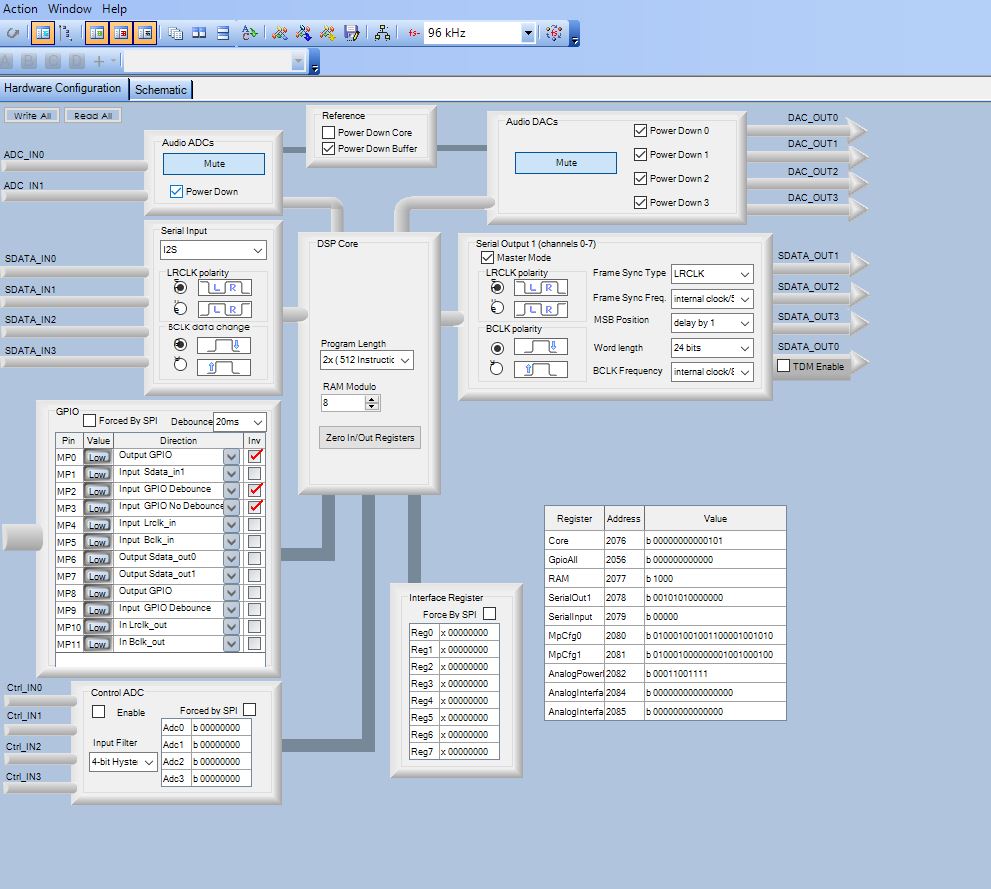
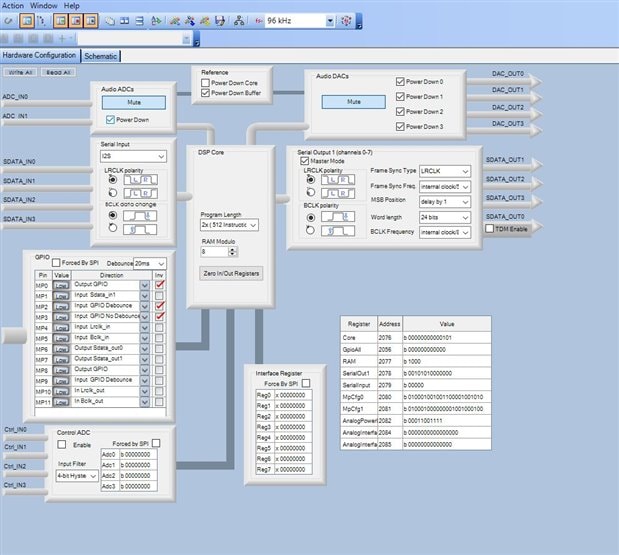
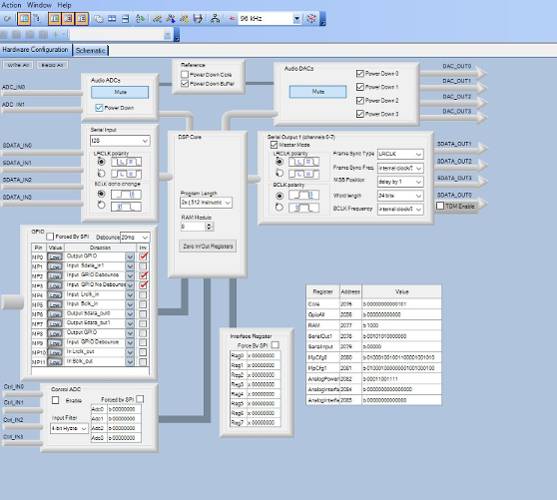
The uploaded project picture is used for a test setup, so most of it is in just to be able to swap easilly between internal generator and external ADC. ADC's and DAC's in the DSP are turned off and not used in my project.
In the final project I will use only input 4 or 5 (both are sending the same signal, because the analog inputs from the ADC are paralleled) Furthermore I will only use Dig0 and Dig1 out, so my setup will be a 1in-2out audio xover setup when everything works.
I only added the internal signal generator to test and compare what happens to the ADC signal and the internal signal while playing with all the settings. With the settings below, I get a correct sinewave output from the internal generator on both Dig0 and Dig1. Also I get input from my ADC into sigmastudio as you can see on the level meter on the input (I input a 1kHz external sinewave) Strange thing is that the input level meter won't come down below -53dB when I pull out the signal cable to the ADC though.
But more important I think, is that if I change the MSB position to delay by 0, the output will get 6dB higher on the DAC, with the same signal coming from the ADC. However the signal of the internal generator outputs only rubbish at that setting and I have to switch back to Delay by 1 to get it right again.
Changing the BLCK polarity on both input and output in the register will let the ADC input not working at all in al the combination possible other then the one below. I meassured the BCK clock and it runs on ~6,15Mhz, the data line at aprox 1Mhz or so, but that change to much for the osciloscoop to track. And the LRCK line just shows a nice 96kHz signal.
So actually I think there is a timing issue somewhere... It seems to me that I need to shift the bits of the data line from the ADC by 1 or so, but outside of the DSP, otherwise the internal timing of the DSP is not synchronous anymore...
Any idea of an solution?
Another question/remark: All test with this setup before I did with a ADAU1701, while these boards use the 1401. It seems that the ADAU1701 is much more forgiving in timing/clock issues as I have several prototypes that give decent audio output while running on 96kHz with a program that exceeds 512 instructions.. Can this be true? With the 1401 and the same program it does not output anything at all. This difference in behavior has confused me a lot up to now. Tommorow I will put this exact program in the ADAU1701 prototype board to see what happens there to confirm.
I just see that there is a ADAU1401 (not recommend for new designs) and a ADAU1401A.... Is there a difference? I hope not as the boards I'm testing now are the ADAU1401
Hi.
I did more testing today and found some solutions but also some very weird stuff happening...
With all the settings as stated before, my main issue was that there was a crackling sound comming out of the "low" channel. The noisefloor was good from both Dig0 and DiG1, I could play music through it and the high frequency channel sounded ok, but in the low channel I had the crackling sound constantly on the background. When playing very low level music, you could here that only some signal from the input was comming through and the rest of the bits were not. This phenomena made me think there was something wrong with the ADC/DSP timing and started to try out everything I could.
To make a long story short, actually the program itself was the cause (at least after changing it the crackling sound is gone) I attached the low section of my design only to show. From last design I had too make the program smaller, because it was larger then 512 instructions. I had used only double precision blocks in the Original file, but too save space I changed all blocks to single precision, except the lowest frequency parts to have more resolution there. In the file where I have the crackling sound, the Gen Filter 7_2 and the Mid EQ3 block were single precision as all the other blocks in this chain were double precision. This has been causing the issue, because when I changed all blocks to double precision in the low filter chain the crackling sound is gone and the sound of the speaker is ok. So my conclusion is that you can't combine single and double precision in one chain... Could someone acknowledge this is true at all? Or that there is a bug in the software/dsp causing this?
Also I have asked before, what the exact amount of instructions are that can be used on 96kHz. I have read on several places that it can't exceed 500, but my logic would be that it can handle 512 instructions max (half of 1024). I hope I can get a clear answer on that also. The program I run now uses 504 instructions, but it does run fine at the moment.
Furthermore as I mentioned in my previous post, the ADAU1401 chip seems much less flexible timming/clockwise then a 1701 chip. With the 1701 I can get my program normally running on 96kHz but changing program length to 1x (1024 instructions)... While the exact same board with a 1401, will stop work immediately.
Even though my issues seem to be solved now I hope someone still can answer my previous questions/concerns to make me feel a bit more secure that everything should working well and stable now for the long term....
Thanks
Bazeman wrote:
David,
Thanks for the quick reply
The first part of your respons I have done all, so my hardware is setup correctly which I allready thought it was.
The uploaded project picture is used for a test setup, so most of it is in just to be able to swap easilly between internal generator and external ADC. ADC's and DAC's in the DSP are turned off and not used in my project.
In the final project I will use only input 4 or 5 (both are sending the same signal, because the analog inputs from the ADC are paralleled) Furthermore I will only use Dig0 and Dig1 out, so my setup will be a 1in-2out audio xover setup when everything works.
I only added the internal signal generator to test and compare what happens to the ADC signal and the internal signal while playing with all the settings. With the settings below, I get a correct sinewave output from the internal generator on both Dig0 and Dig1. Also I get input from my ADC into sigmastudio as you can see on the level meter on the input (I input a 1kHz external sinewave) Strange thing is that the input level meter won't come down below -53dB when I pull out the signal cable to the ADC though.
All ADCs will produce some DC. It is fairly small but when looking at it on a dB scale it looks large. Either turn on the HPF on the ADC, there should be one, or use a DC block cell right at the input to your SigmaStudio schematic. It is located under Filters-->Miscellaneous.
But more important I think, is that if I change the MSB position to delay by 0, the output will get 6dB higher on the DAC, with the same signal coming from the ADC. However the signal of the internal generator outputs only rubbish at that setting and I have to switch back to Delay by 1 to get it right again.
Moving the delay will cause the bits to be read in differently. When you set it to 0 delay you are shifting all the bits up by one. So you lose the MSB which makes the signal 6dB louder. The LSB will now always be either a zero or a one but that you will not hear. When you go the other direction where you add a delay. Then the MSB, which is the sign bit, is not longer the MSB and so the MSB is either a one or a zero so now the 2's compliment signal will shift between positive or negative, but with a super distorted waveform, and up on a DC level. So it is ugly. I like looking at the signals on a scope and getting them to be correct. Then set the receiver up to accept the signal. Have a look at this post I wrote showing how to take screenshots. It might shed some light on this. https://ez.analog.com/thread/87319
Changing the BLCK polarity on both input and output in the register will let the ADC input not working at all in al the combination possible other then the one below. I meassured the BCK clock and it runs on ~6,15Mhz, the data line at aprox 1Mhz or so, but that change to much for the osciloscoop to track. And the LRCK line just shows a nice 96kHz signal.
So actually I think there is a timing issue somewhere... It seems to me that I need to shift the bits of the data line from the ADC by 1 or so, but outside of the DSP, otherwise the internal timing of the DSP is not synchronous anymore...
Any idea of an solution?
Another question/remark: All test with this setup before I did with a ADAU1701, while these boards use the 1401. It seems that the ADAU1701 is much more forgiving in timing/clock issues as I have several prototypes that give decent audio output while running on 96kHz with a program that exceeds 512 instructions.. Can this be true? With the 1401 and the same program it does not output anything at all. This difference in behavior has confused me a lot up to now. Tommorow I will put this exact program in the ADAU1701 prototype board to see what happens there to confirm.
If you need the part to be automotive qualified then use the 1401A. Do not use the 1401. If you do not need it to be AEQ then use the 1701. You want to stay away from the 1401.
Now regarding instructions. Are you using the same basic eval board? We have the larger eval board and the smaller "Mini" board. The large one has a lot more going on that can be affecting your results.
Now. I do not know how you can exceed 512 instructions and have it work properly, I would have to study what you did exactly with the program and how the hardware was setup. Send it over to me.
Dave T
Bazeman wrote:
Hi.
I did more testing today and found some solutions but also some very weird stuff happening...
With all the settings as stated before, my main issue was that there was a crackling sound comming out of the "low" channel. The noisefloor was good from both Dig0 and DiG1, I could play music through it and the high frequency channel sounded ok, but in the low channel I had the crackling sound constantly on the background. When playing very low level music, you could here that only some signal from the input was comming through and the rest of the bits were not. This phenomena made me think there was something wrong with the ADC/DSP timing and started to try out everything I could.
Does sound like data formatting issues. Glad it was software.
To make a long story short, actually the program itself was the cause (at least after changing it the crackling sound is gone) I attached the low section of my design only to show. From last design I had too make the program smaller, because it was larger then 512 instructions. I had used only double precision blocks in the Original file, but too save space I changed all blocks to single precision, except the lowest frequency parts to have more resolution there. In the file where I have the crackling sound, the Gen Filter 7_2 and the Mid EQ3 block were single precision as all the other blocks in this chain were double precision. This has been causing the issue, because when I changed all blocks to double precision in the low filter chain the crackling sound is gone and the sound of the speaker is ok. So my conclusion is that you can't combine single and double precision in one chain... Could someone acknowledge this is true at all? Or that there is a bug in the software/dsp causing this?
This is the best way to save some instructions. You only use DP routines for low frequency or full bandwidth single paths and single precision elsewhere. This is a very common thing to do. Send over your program. There are things that could be setup wrong that can cause issues that seem strange.
Also I have asked before, what the exact amount of instructions are that can be used on 96kHz. I have read on several places that it can't exceed 500, but my logic would be that it can handle 512 instructions max (half of 1024). I hope I can get a clear answer on that also. The program I run now uses 504 instructions, but it does run fine at the moment.
512 Instructions should be the limit but in practice there are a few instructions that seem to be used for things other than your program so that is why you hear 500 mentioned from time to time.
Furthermore as I mentioned in my previous post, the ADAU1401 chip seems much less flexible timming/clockwise then a 1701 chip. With the 1701 I can get my program normally running on 96kHz but changing program length to 1x (1024 instructions)... While the exact same board with a 1401, will stop work immediately.
Even though my issues seem to be solved now I hope someone still can answer my previous questions/concerns to make me feel a bit more secure that everything should working well and stable now for the long term....
Thanks
Hi Dave,
Thanks fo the response.
As said after changing the program now everything seems to run and sound fine.
Could you clear up a bit more on the Double and Single precision part? Can't the Single and Double precision blocks be used together in a single signal line and why not?
My program now uses 504 instructions, if it runs normally as it seems to, can I just use this?
And what is "wrong" about the ADAU1401? You say not to use it, but I already received 50x self designed PCB's with these chips installed, as I did not know that there was a 1401A so I did not specify that in my BOM list... Can I expect issues with them and if so what kind of?
Hello,
Regarding the singe and double precision EQ Cells. If you can replicate the issue and send a program that shows this issue to us that would be great. It is very common to have one cell that is a double precision connected to another cell that is single precision with no problems. I am wondering if you are mixing these up inside of the same cell by growing them? I think all the EQ cells should not allow you to string (grow) more EQ sections that are a different precision. You can add an algorithm which adds another channel to the cell. So we would be glad to research this further. I have done some tests here but there are so many different configurations that makes it difficult for me to test all use cases.
I did inquire with the programming team and they thought that 508 instructions is most likely the limit. So you are right on the edge. I was correct that there are a few cycles used for housekeeping.
I also inquired about the 1701 vs the 1401 vs the 1401A. The ADAU1701 is the same as the ADAU1401 with the exception of the extra test coverage and qualifications to make it Automotive qualified. So if it works on a 1701 it will work on a 1701. No difference.
The change was prompted by having to comply with new automotive standards and we also took the opportunity to make some changes to the internal clocking to gate unused clocks and save power. So the DVDD current is lower on the 1401A and again, it is automotive qualified. So there were not any problems with the die that prompted the change. This just proves why automotive qualified parts cost more!
So the important thing to take from this for your situation is that the 1701 and the 1401 are the same. This would not explain why it worked better on one vs the other. Are these both on the same PCB? ( same PCB design ) So you need to study what is different in the tests you were doing.
Dave T
Please log in to reply.