adau1701 internal peak and rms levels wrong!
I am using the circuit blocks RTA thats supposed to show level in db and PEAKENV in conjunction with READBACK to display the HEX of the peak value. I have calibrated the input level such that the RMS meter shows about +1dB and the hex around 8,0,0 this being empirically determined by listening tests and reference to the input level as the input full scale. The source is the generator in the well known REW program. Furthermore the DSP input is directly connected to a DSP DAC and after the recommended LPF is routed back to the mic input of the PC and level displayed again by REW. My problem is the dynamic range between the full scale input and the noise floor.
Basically REW confirms this to be around 72dB, not bad for using a crappy laptop soundcard HOWEVER the RTA block insists the noise floor is only -36dB!! this is in fact supported by the ratio of full scale and noise floor levels indicated by the peak hex values (8,0,0 and 0,1D,A0). Surely a full scale value of 8,0,0 from the ADC indicates the ADC result has been divided by two somewhere and maybe this accounts for the two fold difference between internally and externally measured dynamic range ?
I am extremely concerned about this issue as my project will rely heavily upon the accuracy of internally measured signal levels, please help I have searched the forum to no avail, surely someone else has experienced this ?
Thanks in advance
adau1701 levels rms peak
Audio Signal Processors
SigmaDSP Audio Processors
adau1701
Hello fourtytwo,
It could well be that your level meter / RTA is responding to the residual DC from your ADAU1701's ADC. Its DC imbalance is perhaps only 1% of full-scale, but by dB standards this stands out alarmingly. To prevent this, insert a DC Block filter as shown at left (under Miscellaneous) before your audio enters the level meter or Peak Envelope block. Observe the difference it makes in the two level meters (with no input signal).
Best regards,
Bob
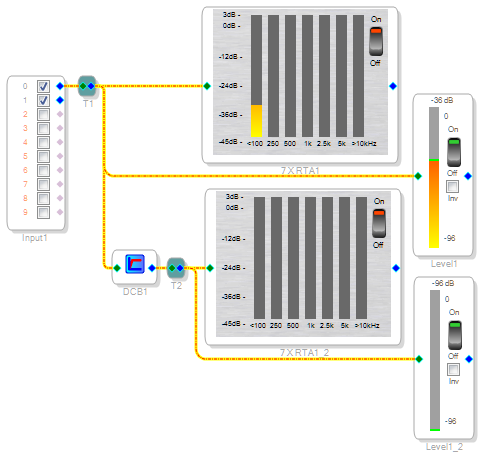
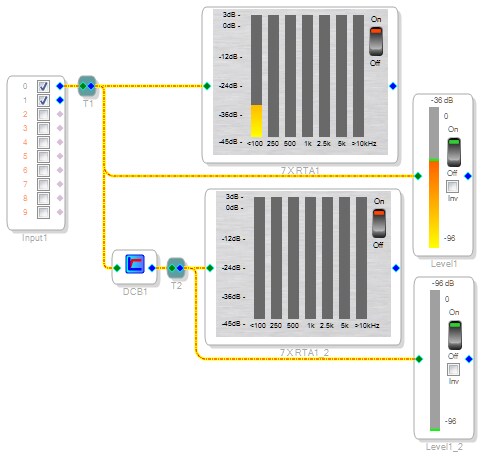
Astonishing!! thank you so much I saw this mentioned a few times but couldn't believe it could make such a difference, wowwww bad problem in ADC or what!! by my measurements this now makes the internal dynamic range 84dB not wonderful but at least useable but now I have a new problem my application involves low frequencies down to a few hertz so whats the responce of this filter as i dont understand the mumbo jumbo in the help file ?
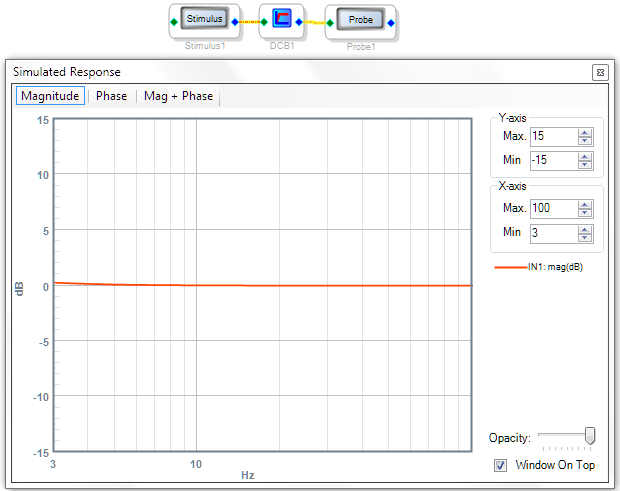
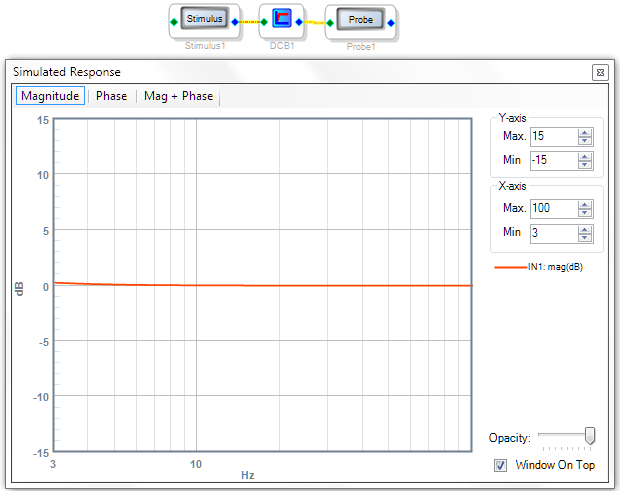
It's definitely good down to 3 Hz, as shown below (that's as low as the Stimulus-Probe filter prediction tool goes). If you need to go lower, perhaps you could come up with a microcontroller routine that along with your -1701 performs a self-zeroing at startup. It might even be possible to do this wholly within the -1701 but right now I've got to start my regular job so no time for me to play with the idea.
Best regards,
Bob
-36dBFS DC offset in an ADC is not a "bad problem"; it's typical of ADCs, most of which have an internal highpass filter (often at 1Hz). If you look at the datasheet for any top-range ADC you'll see an offset figure of a few mV.
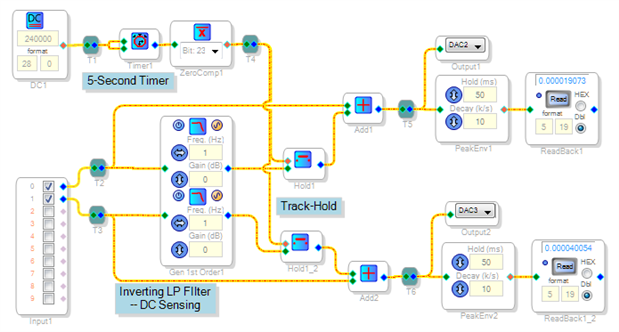
Here's one idea for an auto-zero circuit. It assumes (and requires) that for the first five seconds after power up, no signal is applied to the ADC inputs. During that time the inverting low-pass filters track the ADCs' DC offsets in order to cancel them. After timeout the compensation freezes, so there's no loss in low-frequency response. This is only one of several possible ways to provide offset correction -- what I like about this method is it's open loop (no feedback used) which makes it simple in concept.
The cool thing about SigmaStudio is that it lets you play with nearly any analog technique you know or wish to learn. DSP imposes some theoretical limitations, but often as not you need not worry about them. "Wire it up" and see how it works, all without burning your fingers!
Best regards,
Bob
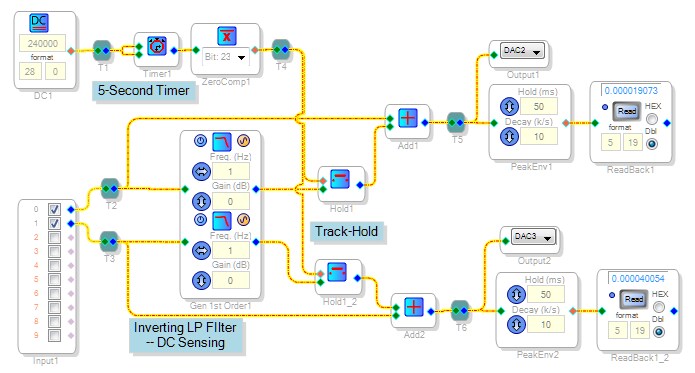
Hello Bob, thank you so much for all your help, thats a brilliant idea and illustrates to me as a starter the power of this device, I am very happy I chose it and designed a pcb for it. I am certainly feeling much more comfortable with it now, using the ubiquitous REW yesterday I didn't find any meaningful loss at 2hZ attributable to the DCB. Many thanks for your time Roger
HI :
Great post and great answer Bob. Seems to me by looking at your project that you might be looking for a "Value Hold" element that allows you to hold the value of a couple of different channels. Might optimize your schematic and code.
I'll add it to the feature improvement list.
Thanks
Miguel
This question has been assumed as answered either offline via email or with a multi-part answer. This question has now been closed out. If you have an inquiry related to this topic please post a new question in the applicable product forum.
Thank you,
EZ Admin
Please log in to reply.