Export System Files Revisited
I'd like to offer a few suggestions that would make life easier when dealing with SigmaStudio export files.
I have a project where many programs will be loaded into the DSP at different times. These will reside in the FLASH memory of the micro-controller. Since SigmaStudio wants to export a project with the name "IC 1", it causes name collisions in the files and the included data.
I propose that, as part of the project file, allow the user to set the design name that is exported to the system files.
The 'default_download_xxx()' function is fine, where the arguments can be manipulated to support the users' interface function (I2C, SPI).
The 2 bytes following the device address will be the 16bit address of the register, parameter ram, or program ram for the DSP.
Most I2C implementations will require a transmit buffer pointer to the data that is written to the device. Currently, the exported files have pointers to ONLY the data arrays - it is assumed that the user will send the device address, then the 16-bit address, then the payload data.
However, for many I2C interrupt-driven functions, you don't have the ability to do that - you give it a pointer to the data and a size of the payload and you're off. The other alternative is to block copy - 1st data is the device address, 2nd is address high, 3rd is address low, 4th is start of payload....(n) is end of payload. For time-constrained applications, block copying is not an alternative.
I see 2 scenarios that would be most common for users of I2C.
For processors/functions that have a separate device address mechanism for their I2C system (i.e. not part of the payload), the inclusion of the target address as the first 2 payload bytes BEFORE the data would be desired. For processors/functions that require the device address be the first location, place it first, the address bytes 2nd and 3rd, and then the data.
So I would propose some user settings for the Export System Files:
1) User name for the design (defaults to IC_1)
2) A checkbox to insert the address (2 additonal bytes) for the target of the array
3) A checkbox to insert the device address (1 additional byte) at the beginning of the arrays (before the address - and ONLY if #2 is checked)...and increase the array sizes appropriately. Export System Files would then build the arrays to suit the users' needs.
Now we can point our I2C write routines to the arrays in FLASH and not have to do block copies. This is extremely useful for those processors that have very limited RAM resources, which would require breaking long sequences into many smaller ones.
I guess this is the wrong place to post this....
Would it be better to post directly to ADI product support?
HI Bob:
This is the right place for this feedback, it's just that there is no simple answer to your post. I'll pass your request along to the team to see how we can address your concern and incorporate some of your feedback onto SigmaStudio.
Thank you
Miguel
Hi Bob,
You have some good ideas for improvement of the export system. In the meantime, the first of the issues you brought up can be helped right away:
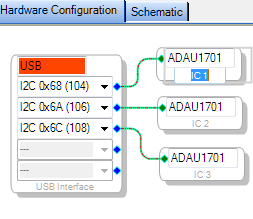
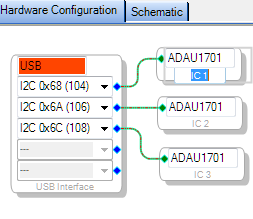
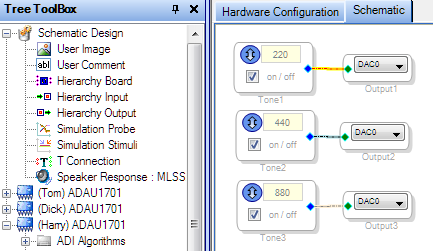
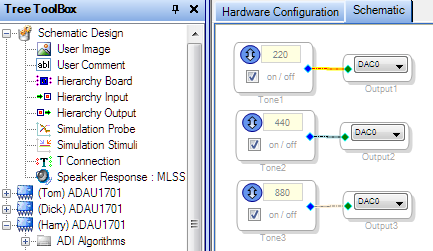
You can rename your ICs in the Hardware Configuration tab as desired:
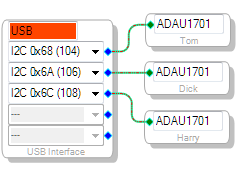
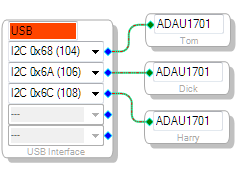
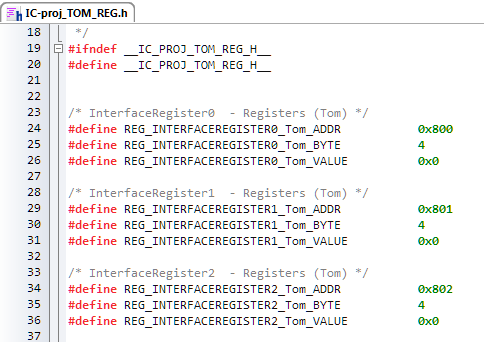
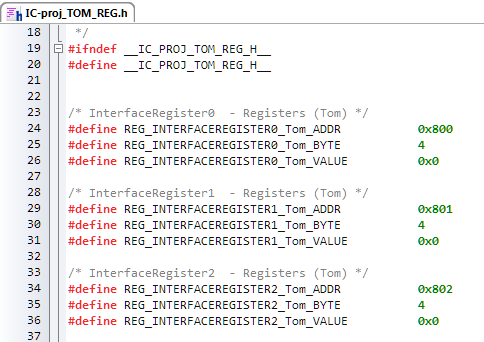
This places your new names in your Schematic as well as in the resulting Export files:
Best regards,
Bob


Excellent Bob! Thanks for that tip - that helps a lot.
Now I only need to insert the target address high/low bytes into each of the arrays in all of my files.
And Miguel, thanks for passing on the info to the Sigma team. I believe that with those additions, we can have a seamless interface to our code.
This question has been assumed as answered either offline via email or with a multi-part answer. This question has now been closed out. If you have an inquiry related to this topic please post a new question in the applicable product forum.
Thank you,
EZ Admin
Please log in to reply.