SigmaDSP ADAU17xx - Microphone signal to Loudspeaker signal loopback/feedback
Hi,
I have 2 microphones and a loudspeaker included in an earpiece. I have 2 earpieces built this way ( one in each ear).
When I process the microphone signal it somehow gets back in the Loudspeaker signal, but I actually have no path whatsoever between the Microphone input and the loudspeaker output. When I decrease the ADC (DSP) gain of the Microphone input the looped signal disappears, when I put the gain back up I can hear my voice captured by the microphone generated back in the loudspeaker.
Could it be because I am using TDM8?
I would like to get rid of this loopback/feedback if possible.
Thanks!
adau17xx
microphone
SigmaDSP
speaker
Hello Vincent,
I don't have enough information to figure this out. TDM8 should not be the problem.
Which part are you using? We have several different families that fit under the 77xx.
Since I am fairly certain that the part you are using has a headphone amp built in then what are you using the TDM8 for?
So let me know what is connected to what inputs and outputs and send over your SigmaStudio schematic and we should be able to figure this out.
Thanks,
Dave T
Hi Dave,
Sadly I cannot give too much information because some things need to remain secret :S
DSP is 1761
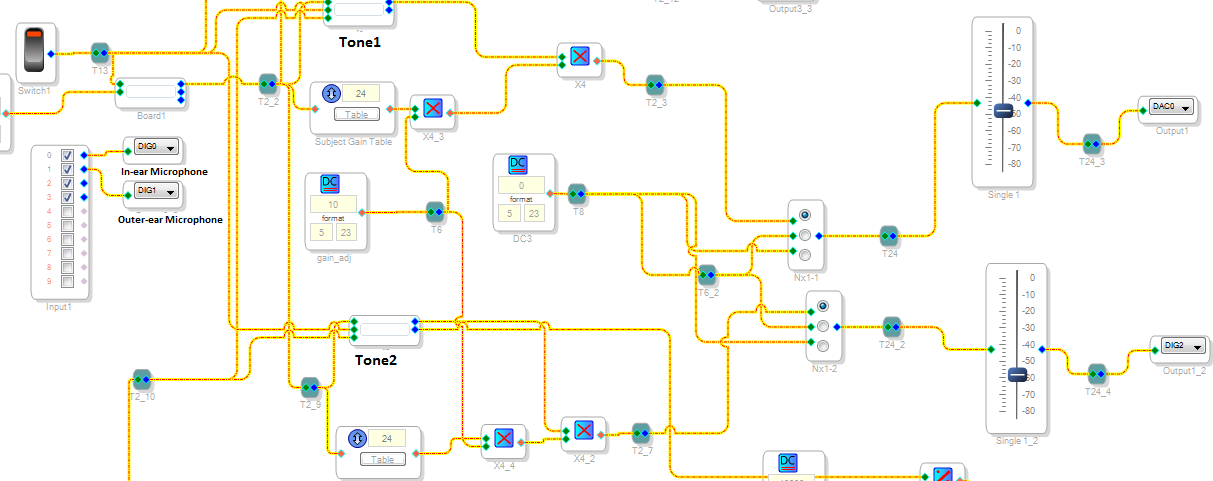
I have 2 DSPs involved in the routing of microphones and loudspeakers in my design, first one wires are yellow in schematic and second one wires are green.
My DAC0 of DSP 1 is connected to 1 loudspeaker in my probe and DAC0 of DSP 2 is connected to a second loudspeaker in the same probe (which also contains the In-ear and outer-ear microphones).
I think the problem could come from my Recording and Output paths which I may not have configured correctly? What do you think?
Here are some screenshots:
DSP1
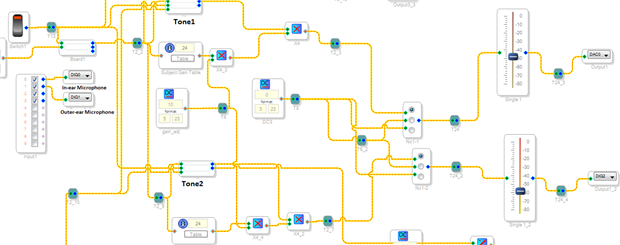
DSP2
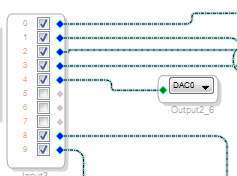
DSP1 config Record path followed by output path
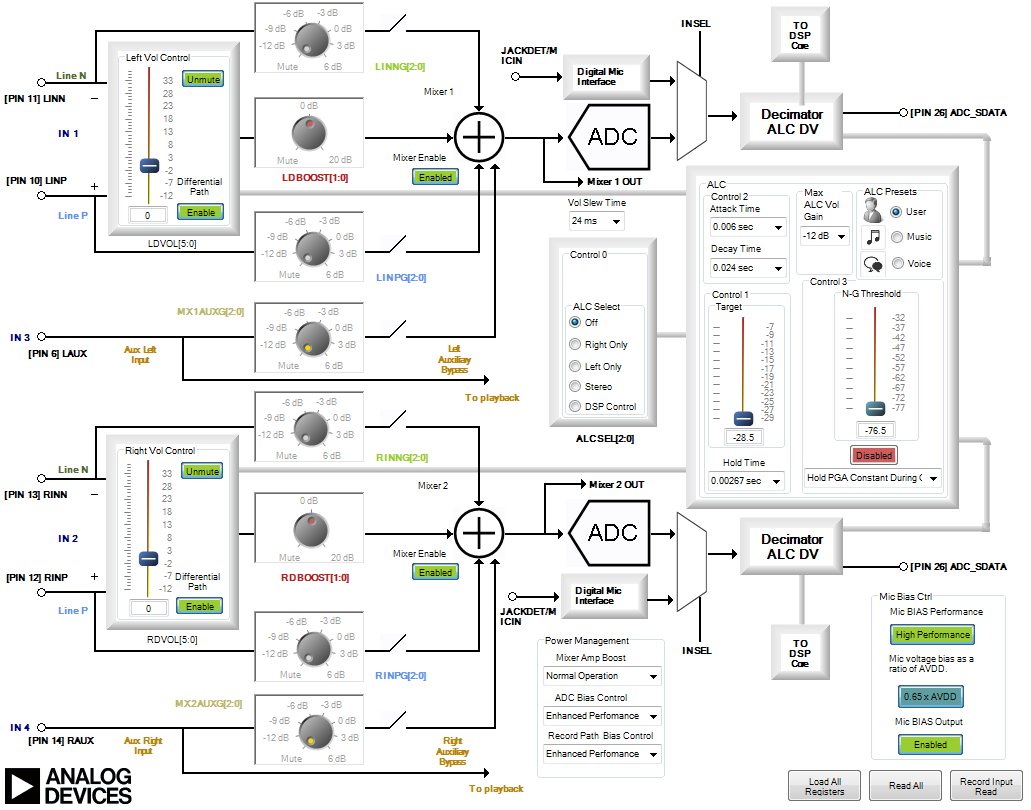
DSP2 config Record path followed by output path

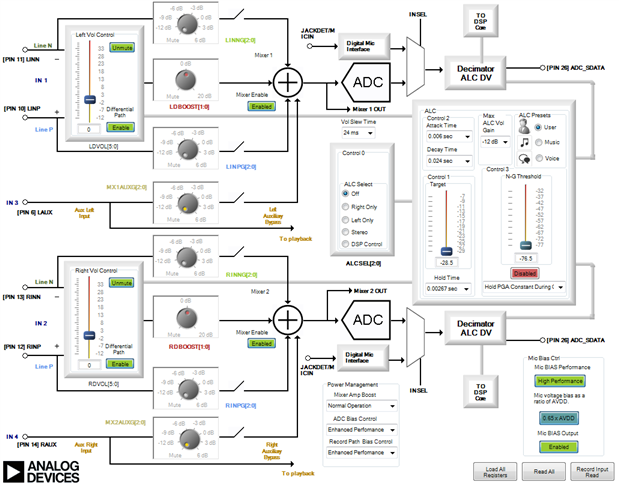

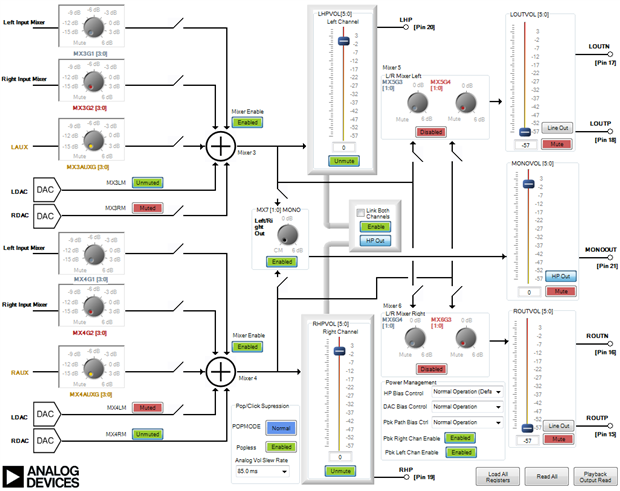

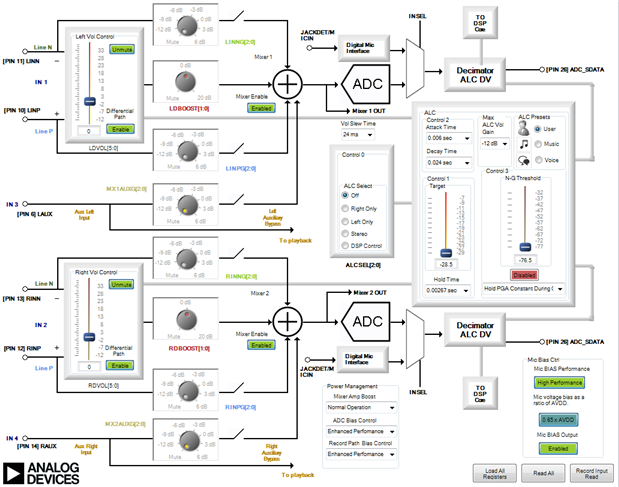
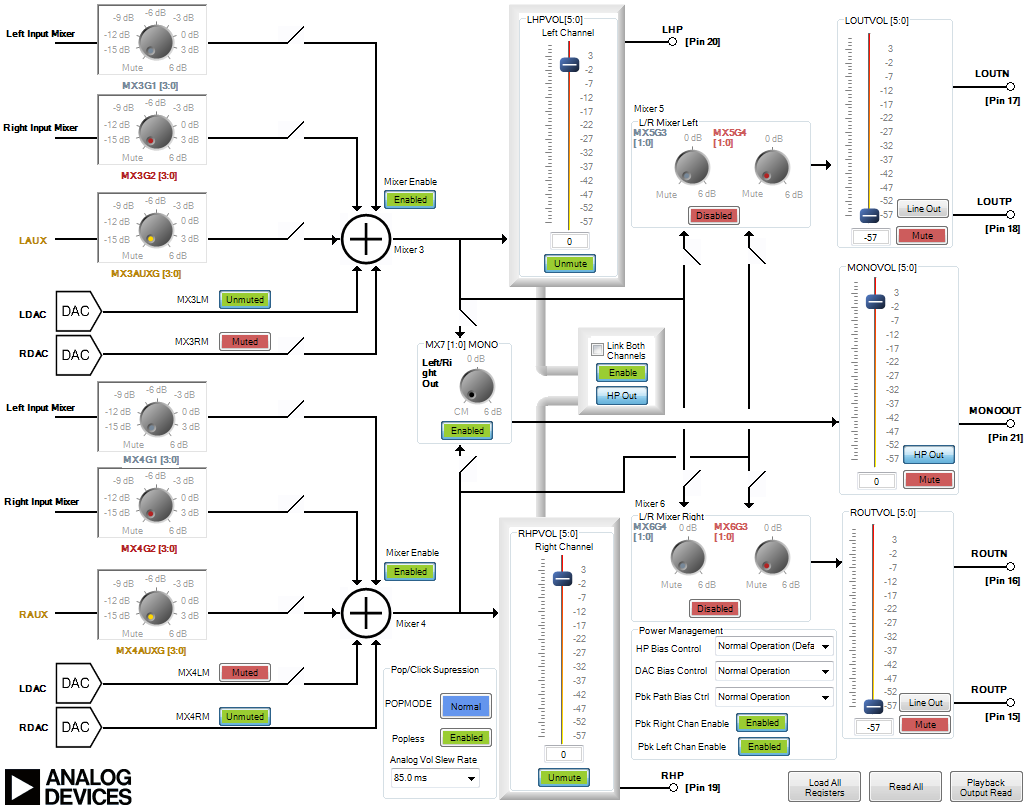
Hello Vincent,
I would like to setup a private discussion where you can share more info. I want to see the actual project file and ask you some more specific questions.
Your analog path seems OK.
Expect an invite soon.
Dave T
Hello Vincent,
I am writing this post so that the solution to the issue can be read by others.
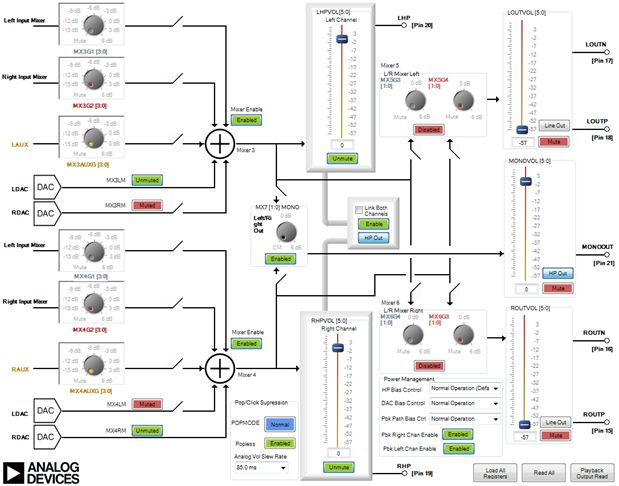
There is a low level of crosstalk in the analog sections of the part. It is rather low level but it is there. Your project has a volume control at the very output of the SigmaStudio schematic. This volume is set for -47 dB. Then the headphone output volume register is set for 0dB. So this was lowering the signal of interest by 47 dB then the headphone gain was almost wide open. You can actually get some gain from that last stage but in your project it was set for 0dB which is almost at the top. So the crosstalk was much closer to the signal of interest and was therefore audible.
The solution is to set the volume control in the SigmaStudio project to 0dB, or close to it, and then lower the headphone output level register. This will bring down the crosstalk and bring up the signal of interest.
For others reading this, Vincent reported that this did solve the problem and that the crosstalk is not audible at all with this gain configuration.
Thanks for allowing us to help solve the issue.
Dave T
Hi everyone,
I confirm what DaveThib is saying.
The solution is quite simple:
-Set a higher level for the Volume Control in the Sigmastudio Schematic
-Lower the LHPVOL or RHPVOL to reduce the loudspeaker amp gain
This solution also reduced some Bluetooth interference I was getting in my system that was propagated in the loudspeakers.
Hope this helps other people too!
Vincent
Please log in to reply.