Level dependent filter
Bob should be able to hit this one out of the park. I just want t o switch between a flat curve and a curve with 20Hz high pass filter based on signal level. Should be simple right? A signal detector block feeding an index selectable filter block. But it doesn't work and I don't know why. I am missing some basic understanding about how this works.
Brian
Hello Brian,
You've got the right idea, it just needs a few details:
ADI has a self-contained Dynamic Bass algorithm that adjusts bass boost according to signal level -- very handy for studio monitors or anywhere you wish to provide the best bass possible while holding things together at high volume levels. You may find this well-suited for your application.
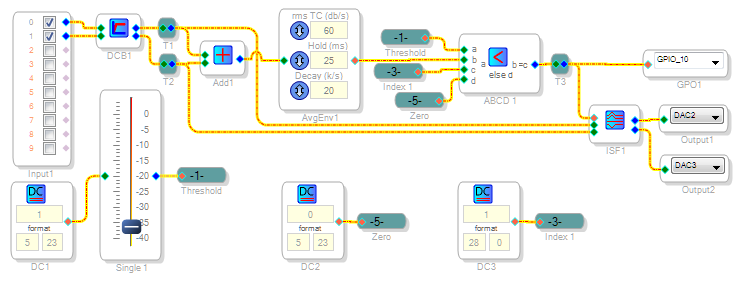
On the other hand, to perform the function as you described above -- we can build something like what's shown below. Its design principles are described next, starting at its input:
Sometimes the input audio from the ADCs includes some residual DC, so I've gotten into the habit of including a DC Block filter here. It does not affect bass response.
The Average Envelope block produces a "DC" level proportional to the incoming audio level. This will select the filter.
Volume Control blocks work with DC, thus are handy for setting thresholds calibrated in dB.
The ABCD Comparator selects a zero or one index according to the input level and threshold. This is needed because ...
Index-selectable blocks always use an integer control input that starts at zero. Thus an Index Filter with your desired two choices (flat and 20 Hz High-pass) requires an index that's either zero or one -- nothing else. To save on instructions, minimal bounds checking is built into most algorithms. You need to care for this where needed.
The GPIO Output lights LED D6 connected to MP10 on the evaluation board when the input audio is above threshold (and thus the High-pass filter is in effect).
Best regards,
Bob
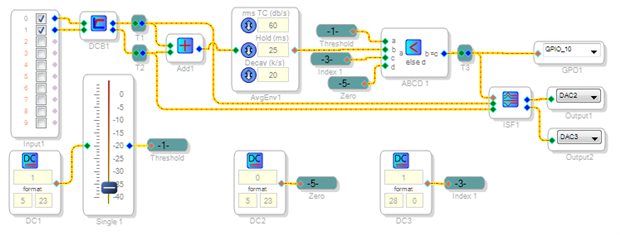
Thanks Bob! I think I follow what you are doing. But perhaps you could explain why the Signal Presence block did not work for this. It must integrate many of the functions you did explicitly and outputs a 0 or 1. But the index filter does it like it and I don't understand why.
Hello Brian,
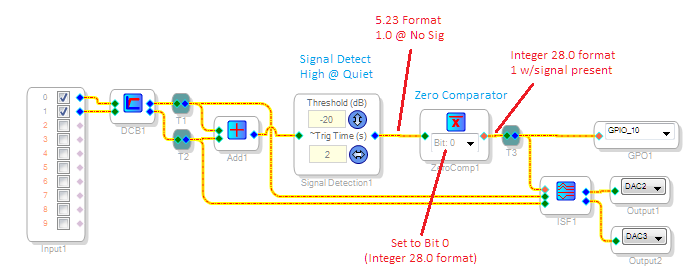
Yes the Signal Detector block replaces several discrete functions, making a neater design. It outputs a 1 in 5.23 format whenever timing out with no signal. However, the Index Filter (as well as other index-controlled blocks) expects an integer (28.0 format) index. Also the original circuit above outputs a zero for no signal, while the Signal Detector block outputs zero when signal is present. Hence, the Zero Comparator shown below is added to adapt between the Signal Detect and Index Filter. It acts as a logic inverter with selectable-format output. Here it's set to Bit 0 (integer format) to work with the Index Filter.
SigmaDSP number formats can be confusing so I recommend you study Brett G's tutorial,
What are the number formats for SigmaDSP?
Bob
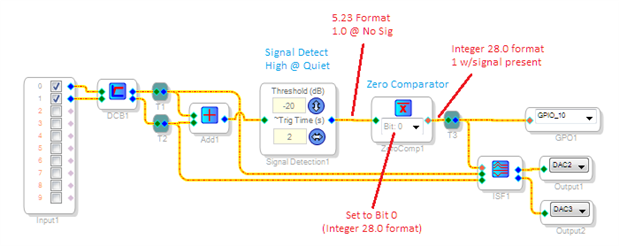
Thanks Bob. Just what I needed. I admit to using a nand gate and dc block set to 1 as a logic inverter. Now will use zero comparator! Am I the only newbie who finds the names of things confusing?
Hello Brian,
Actually trying a logic gate was a creative solution -- it would have worked if these gates would output in integer format. As for "newbie" experiences, I suspect that we all have gone through stuff like this. It's the joys and tribulations of learning a new tool, such as s C compiler or a PCB layout program. Others have helped me get started a few years ago, now it's my turn. Keep on learning and experimenting with SigmaStudio, you can do some amazing things with it.
Best Regards,
Bob
Please log in to reply.