How to switch between analog and digital inputs on 1701 using SigmaStudio
I am doing a project that requires GPIO based selection of digital I2S audio and analog audio input using SigmaStudio.
DSP ADAU1701 self boot mode.
I'm new to SigmaStudio
Audio Signal Processors
SigmaDSP Audio Processors
adau1701
Hello audio98,
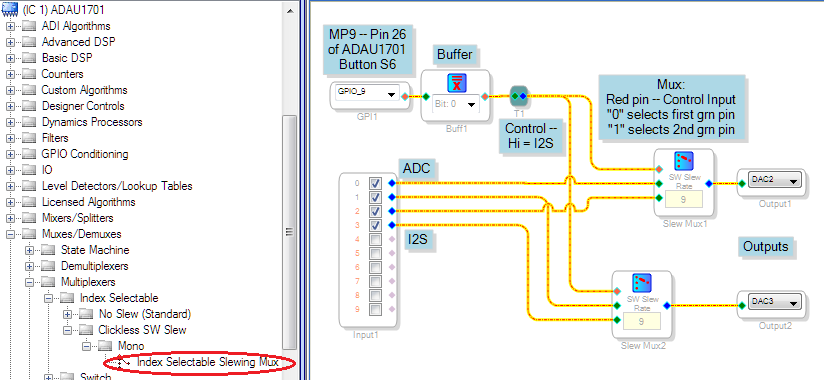
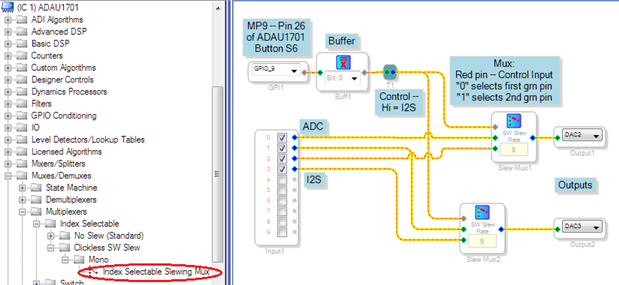
You can use a multiplexer to switch between inputs under GPIO control, as shown:
The Index Selectable Slewing Mux expects an integer ("28.0 or Bit 0") format input, while the GPIO Input provides a 1.0 level in audio "5.23" format when the associated physical input pin is active. Thus we need a Buffer Gate (under Basic DSP / Logic / Invert) set to Bit 0 to convert the levels. For help with these number formats, please see What are the number formats for SigmaDSP?
With this project running on the ADAU1701MINIZ board, press S6 to pull down MP9. This switches to analog input. The numbers in the slew mux blocks refer to slewing time (switching gradually between the inputs to prevent clicks) -- higher numbers slew slower.
Best regards,
Bob
Thanks for the prompt answer Bob.
How do you define which GPIO pins are being used for the I2S input?
In Bob's example, the GPIO is selected with its dropdown menu. The I2S channel is hardwired to the input module: 2-3 is SDIN0, 4-5 is SDIN1, etc.
Hello audio98,
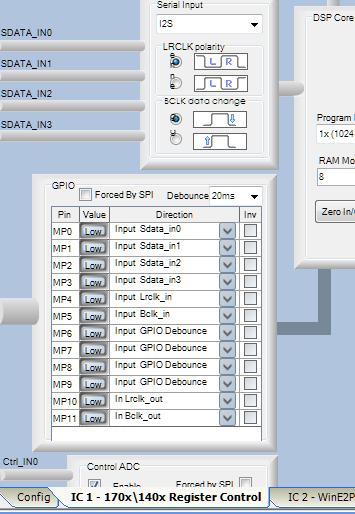
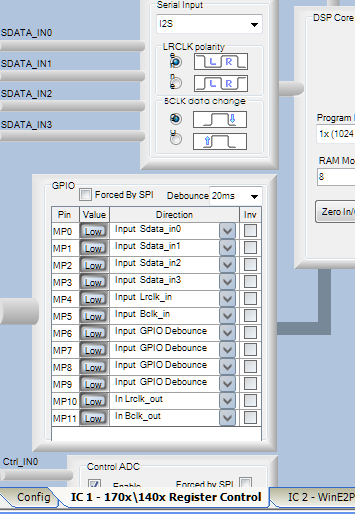
To get the serial audio into the -1701, you need to set up the appropriate MP pins in SigmaStudio's HW Configuration window, 170x / 140x Register Control tab. By default, all MP pins are set to be GPIO digital control inputs. Certain of them, shown at left, need to be changed to dedicate those pins to the Sdata input(s) in use.
Pages 45-47 of the ADAU1701 data sheet describe how to connect serial audio data to the chip.
Once you take care of this, the audio will show up at the Input block channels 2 -- 9 , as described by Jon above.
Best regards,
Bob
This question has been assumed as answered either offline via email or with a multi-part answer. This question has now been closed out. If you have an inquiry related to this topic please post a new question in the applicable product forum.
Thank you,
EZ Admin
Please log in to reply.