Flanger module for Sigma DSP on Sigma Studio
Hi,
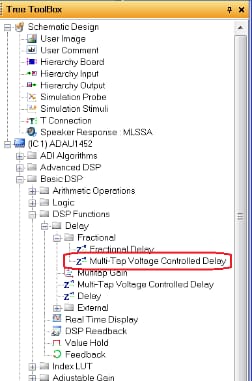
I'm looking at Sigma DSP Wiki and found Flanger module on following site, but could not find the module on Sigma Studio.
https://wiki.analog.com/resources/tools-software/sigmastudio/toolbox/adialgorithms/flanger
Could you let me know which processor supports this module ?
Best regards,
Shogo
Hi Shogo,
It seems this module has been removed. I checked all SigmaDSP processor project Tree Toolboxes and could not find it. Perhaps the reason for this is there was a bug back in 3.6 release and they might have decided to remove it if there were no plans to fix it:
https://ez.analog.com/message/50267#50267
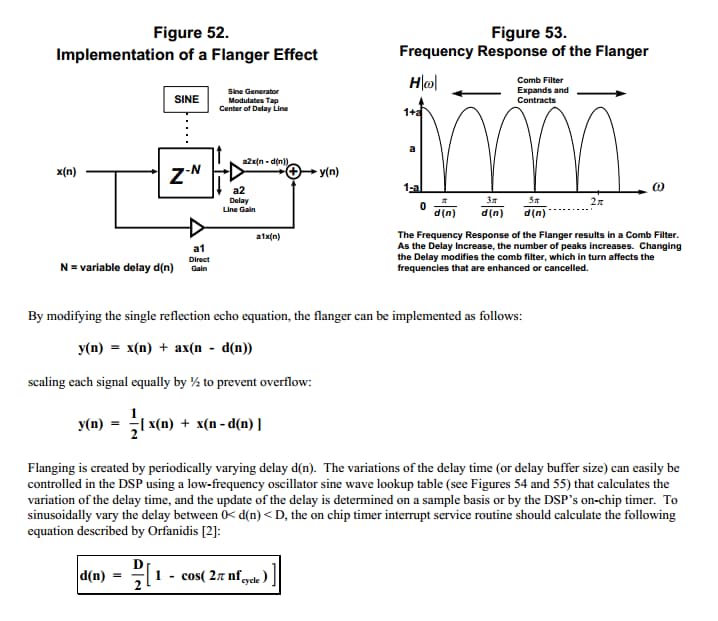
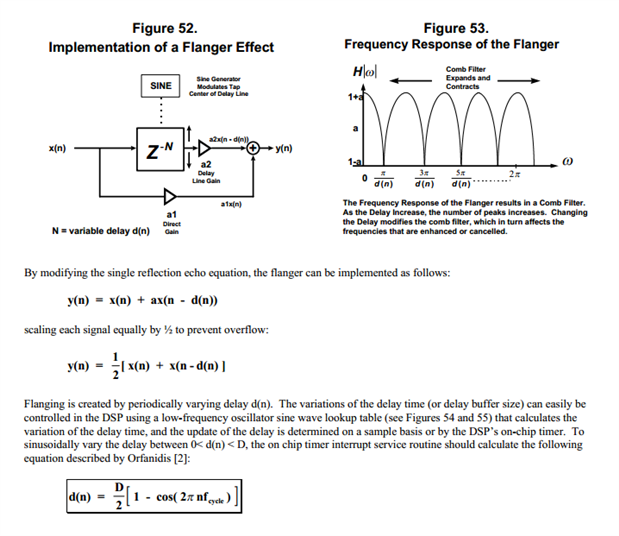
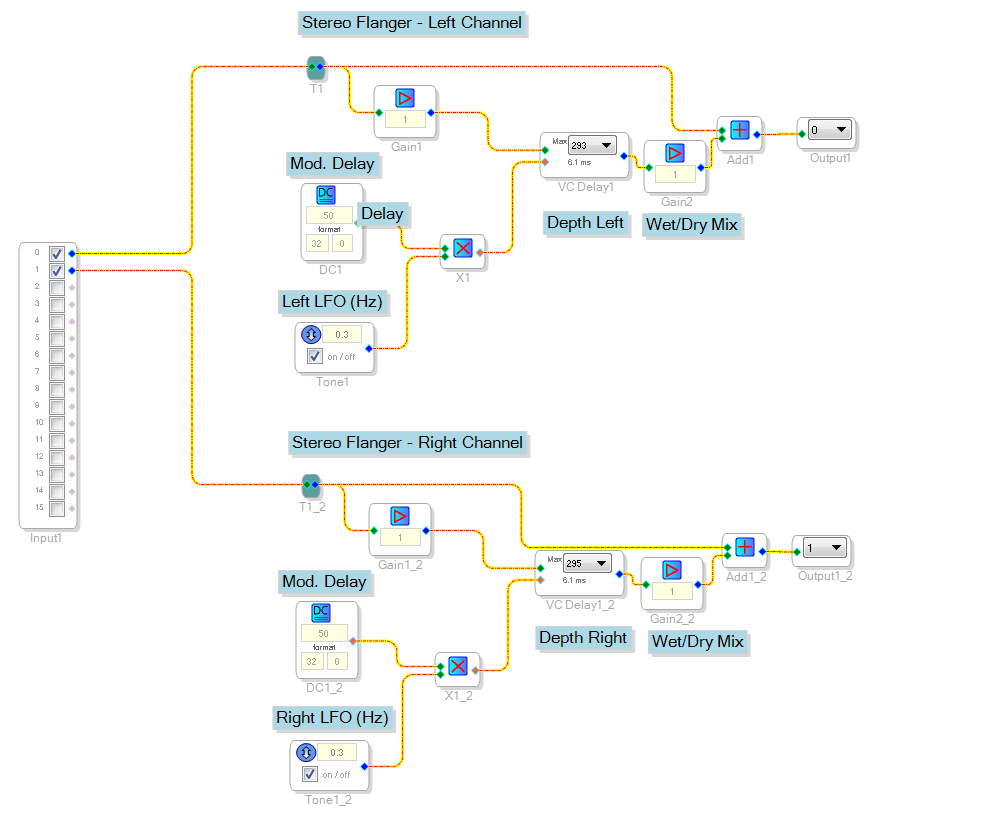
However, a flanger effect is very easy to implement using sine tone generators, voltage controlled delay and some adders.
The difference equation for a flanger is as follows:
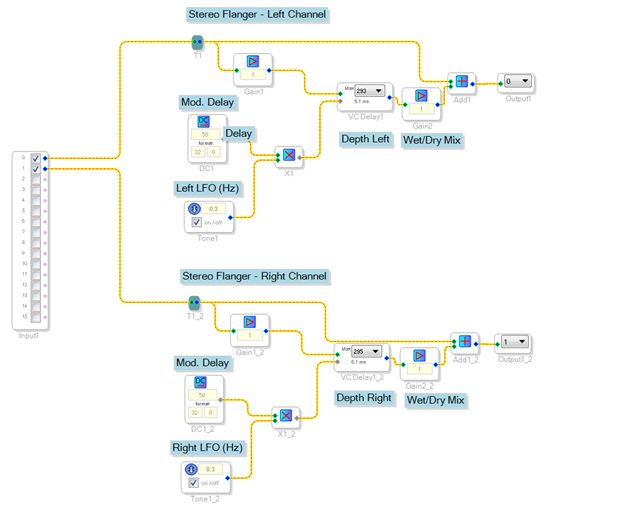
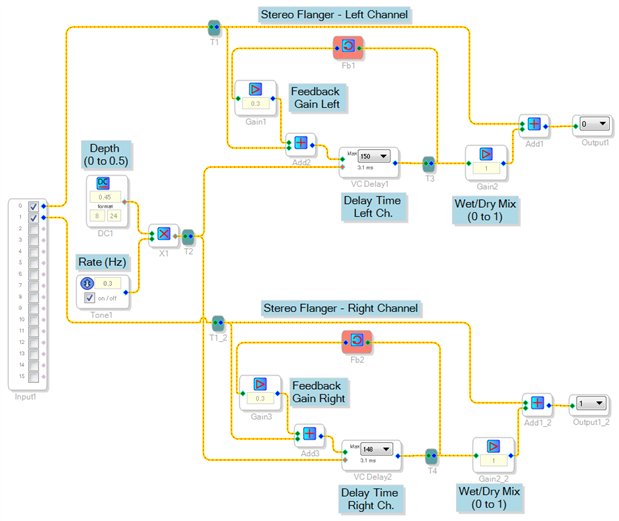
I just cooked up a stereo flanger for the ADAU1450. Seems to work... the depth of the flange can be adjusted with changes to the delay sizes and modulation speeds. Project is attached.
Hope this helps!
-JT
Hi Shogo,
The previously supplied project used linear interpolation for the delay line just reading stored samples in memory. The side effect using this type of interpolation could be a significant perceived loss of content in the high frequencies. I re-tweaked the project for the EVAL-ADAU1452MINIZ to use fraction sample delay.
I also optimized slightly to use a single oscillator for both left and right channels, and added a feedback path on both channels to increase the resonance/metallic tone. Project is attached.
-JT

Hi John,
Apologies for taking long time to response.
Thanks for your advice, this is great help for me.
Regards,
Shogo
Hi John,
Thanks for your examples. They really teached me a lot.
Is there a possibility to control the modulation rate of the delay through an AUX input e.g. potentiometer?
I tried it in several ways, but it didn't work out.
BR,
Martin
Hello Martin,
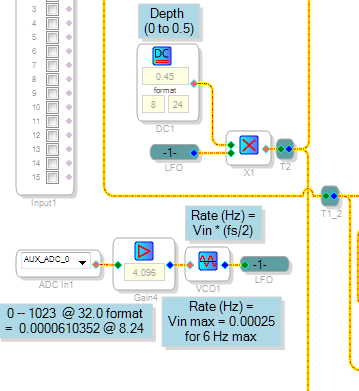
Apparently, John is not able to answer your question presently. Likely you have tried replacing the fixed oscillator in his flanger project with a VCO, but were not able to control it from an AUX ADC input. There's a few "gotchas" in between, which I'll try to help navigate with you.
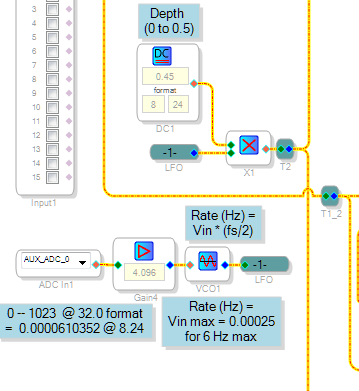
The ADAU1452's Aux ADC converts its zero to 3.3V input into an integer number ranging from 0 to 1023. If you have used other SigmaDSPs before, you'll realize the 1452's Aux ADC is fundamentally different from the others -- the earlier chips' Aux ADCs output 0 to 1.0 in decimal format. SigmaDSP number formats are easy to learn, but tend to eat beginners alive -- they took a good chunk out of me a few years ago. By all means have a look at Brett G.'s famous tutorial at What are the number formats for SigmaDSP? This tutorial was written before the ADAU1452, so you'll need to remember that its decimal format is 8.24, not the 5.23 common to other SigmaDSPs. Also, the ADAU1452's integer format is 32.0, not 28.0 as the others use.
Sigma VCO's accept a 0 -- 1.0 decimal input, corresponding to a output frequency of 0 -- (fs / 2). In other words, a 1.0 decimal input provides a 24 KHz output given the usual 48K sample rate. A flanger, of course, would usually operate at a very slow rate of a few hertz at most -- so we need a correspondingly small input. For example, a maximum input of 0.00025 would result in a top flanger rate of 6 Hz.
Meanwhile, we need to convert the Aux ADC's 0 -- 1023 integer output to decimal in order to see how it matches up with the needed VCO input. To do this, divide it by (2^24 = 16777216). We thus find that the maximum Aux ADC value is 0.0000610352. Dividing the needed VCO input by the Aux ADC value, we find we need a gain of 4.096 to turn one into the other.
Finally, if you're using the ADAU1452MINIZ eval board, you'll need to bring your 0 to 3.3V control input to the tiny pad for the AUX ADC input you're using. Unfortunately, my hardware is not with me right now so I cannot test the modified project, which will be attached.
Best regards,
Bob
Please log in to reply.