Booting a SigmaDSP in assembly (multiple bytes).
I am working with ADAU1772 and I got no Evaluation Board, I want to program my DSP using FPGA. I have read this tutorial: Booting a SigmaDSP from a microcontroller with no C compiler in FAQ but I still have some questions that I can not find anwers to.
First of all, I need to create simple project in SigmaStudio. I have read SigmaStudio tutorial but the problem is that they do not take into account that you got no Evaluation Board hence my puzzlement. When I create new project I add Processor, then I am suppossed to add Communication Channels but I use none of them. Can I just skip this part of making project (do not add any communication channel), go to Schematic Tab and create my system, then generate files and program DSP?
Secondly, lets suppose this is part of my NumBytes_IC_1.dat :
3,
66,
and this is part of my TxBuffer_IC_1.dat:
0x00, 0x4D,
/* (80) IC 1.PAD_CONTROL5 Register */
0x00,
0x00, 0x80,
/* (81) Program Data */
0x00, 0x80,
0x01, 0x80,
etc.
How would my I2C transmission look like ?
1. Like that: ( Do I need to restart I2C after each byte in multibyte sending ? )
Start | IC Address | 0x00 | 0x4D | 0x00 | Stop
Start | IC Address | 0x00 | 0x80 | 0x00 | I2C_Restart | 0x80 | I2C_Restart | 0x01 | I2C_Restart | .... | Stop
2. Like that: (no restart)
Start | IC Address | 0x00 | 0x4D | 0x 00 | Stop
Start | IC Address | 0x00 | 0x80 | 0x00 | 0x80 | 0x01 | .... | Stop
3. Something else ?
My last question:
Do Analog Devices Audio Codec support static operations ?
I would like to stop SCL clocking during programming for lets say 500 ms. In datasheet there is no minimum SCL frequency specified, on the other hand it is not said that ADAU 1772 supports static operations.
i2c
adau1772
Integrated/Special Purpose A/D Converters
assemby
Audio CODECs
Hi Michal,
Yes, you can skip adding the communications channel in the setup of your SigmaStudio project if your intent is only to create the signal flow and export the system files. Add the processor to the project, create the schematic using blocks form the library, then compile the project using the "link/compile/connect button".
Link/Compile/Connect
Once compiled, the "export system files" functionality will work as normal and you can use this information to boot from the FPGA.
Export system files button
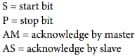
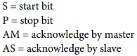
Regarding your question about I2C writes, it sounds like you would like to use a Burst Mode scheme, where you are writing multiple consecutive addresses worth of information. In this case, you do not need to stop/restart I2C operation after each write. Your scheme would look like this (from the ADAU1772 datasheet, check out page 41-42 for more information).
If the addresses are not consecutive then you will need to perform an I2C restart.
I'm not sure if I fully understand your question about static operation. At what point would you stop SCL? In the middle of writing a Byte? Or some other specific time?
Regards,
-BillJ






Thanks for your interest Bill.
I would like to stop clocking at the beggining of writing a Byte ( I have to receive more bytes and interrupt programming) and then after few miliseconds restore clocking and continue programming.
Coming back to I2C writes, if I got this in TxBuffer_IC_1.dat:
0x00, 0x04,
/* (3) IC 1.PLL_CTRL3 Register */
0x00,
0x00, 0x05,
/* (4) IC 1.PLL_CTRL4 Register */
0x10,
there is no difference between :
S | IC_Address | AS | 0x00 | AS | 0x04 | AS | 0x00 | AS | 0x10 | P
and
S | IC_Address | AS | 0x00 | AS | 0x04 | AS | 0x00 | P | S | IC_Address | AS | 0x00 | AS | 0x05 | AS | 0x01 | P
right ?
By the way I have realized one weird thing. Look at this piece of TxBuffer_IC_1.dat:
0x00, 0x09,
/* (6) IC 1.CORE_CONTROL */
0x02,
0x00, 0x09,
/* (7) IC 1.CORE_CONTROL */
0x03,
Why do 2 adjacent steps tell me to write to the same register but different values ? What is the point of it while programming dsp ?
This question has been assumed as answered either offline via email or with a multi-part answer. This question has now been closed out. If you have an inquiry related to this topic please post a new question in the applicable product forum.
Thank you,
EZ Admin
Please log in to reply.