ADAU1452 External Delay issue
Dear support team,
I am trying to use the 23K245 SRAM with the ADAU1452 in self-booting mode and need your help in order to solve some issues.
1)
The first issue is related to the SS_M0 (pin26). Apparently the External Delay always configures MP0 to this function and that conflicts with the E2PROM CS .
The solution that I have found is fully parallel the SRAM and the E2PROM and control their HOLD pins with MP5. As the E2PROM is only needed for booting, I put their HOLD pin at zero via MP5 and a inverter in order to force their SO-pin into tri-state.
So far, it works, whoever it is brute-force solution.
Maybe another solution is to mutually disable the CS pins with OR-gates and MP5. Have not tried it.
My first question is if they are a way to use MP5 to CS the SRAM directly in order to keep it independent of E2Prom?
Have tried the Master Control Port i/o but I don't know the parameters.
2)
The second issue is related with the External Delay strange behavior:
A) Programing for ex. 24000 Max Delay, the Distortion measured at output is the same as the straight connection between input and output (about 0.001%)
However with 24002 Max Delay value, the THD goes to 95%. Depending on Max Delay values, they are no distortion or the distortion heavily increases.
B) With, for example, 24000 max delay, changing the delay parameter has no effect at all; it acts as if the delay is fixed.
So, my second question is: The External Delay algorithm is working properly or needs some kind of special parameter?
3) Finally I have a request. Please do one External Delay with Voltage-control as the Multi-Tap Voltage Controlled Delay.
Thank you
Audio Signal Processors
adau1452
SigmaDSP Audio Processors
Hello
I will appreciate if somebody from support team could give me some answers about this issue, at least at hardware level.
I am trying to finish the second interaction with my pcb and I would like to properly incorporate the 23K256 on it “by the book”.
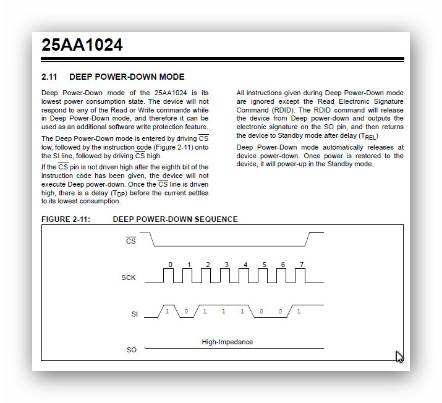
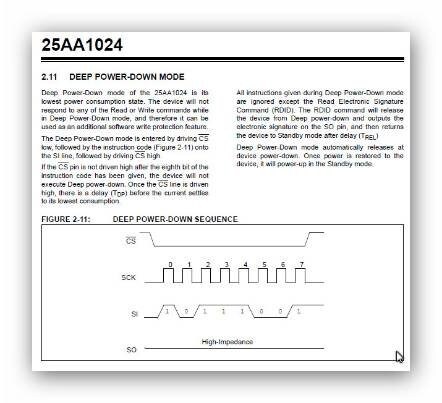
After reading again carefully the 25AA1024 datasheet, it seems that putting it in DEEP POWER-DOWN MODE at the end of booting cycle could be a solution.
I seems that the 23K256 is only initialized at the end of cycle, so their SO pin remains high-impedance until then and doesn't interfere with the E2Prom work if connected in full parallel. However at that point the E2Prom must be fully disabled in any way and the DEEP POWER-DOWN MODE seems a simple and clean solution to share the SPI in both devices without interference.
Thank you
Hi Antonio,
Just wanted to let you know that I am aware of your issues withh using the SPI RAM delay, and will respond within the next few days after I have a chance to examine in detail.
-JT
Hi John
Please note that this SPI SRAM subject it is not documented. Here and there, they are references to it but it is everything very vague and obscure.
When we try by ourselves, everything gets even more confuse because the External Delay itself seems to do not work properly, witch in practice means that we have no way to diagnose the issue.
It is unfair, very frustrating and we spend lots of time in the attempt to understand what's going on, or what we are doing wrong before coming here searching for help.
Now I have returned to the MiniZ Evalution Board and replaced the on-board E2Prom by the 23K256 as they are pin to pin compatible. Booting from SigmaStudio with a single External Delay between input and output, I get exactly the same behavior as in my board:
A) no distortion with some Delay Max values (usually even numbers)
B) heavy distortion with some Delay Max values (usually odd numbers)
C) nothing changes when programing Delay values in the “no distortion cases”.
D) all the SPI signals are clean and OK.
Anyway I am pretty sure that the algorithm will be fixed by Development Team.
The information that will really help me a lot now is simply how to drive the 23K256 !CS pin in a way that my board will be compatible with future fixed SigmaStudio versions in self-booting mode.
Thank you
Hi Antonio,
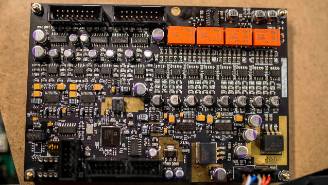
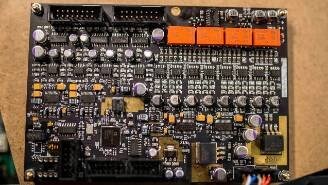
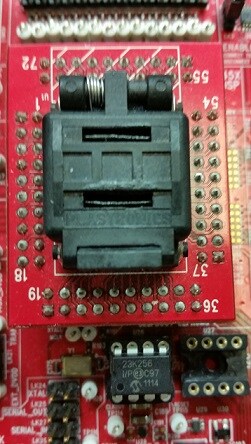
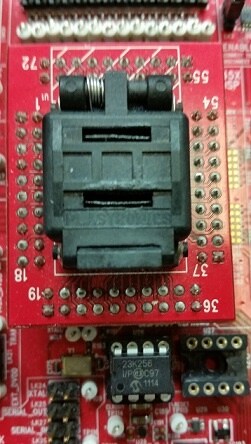
I took a look at your issue with the External (SPI RAM) Delay block. To test this feature, I used a ADAU145x board which used a a Microchip 23K256 RAM chip (see below) installed in the boards EEPROM socket. The picture shows the handy LFCSP socket which allows me to easily swap out an ADAU1452 part with an ADAU1451 or ADAU1450.
I was able to get it working with a simple audio passthru but with some restrictions explained below.
2A)
It seems that the current SPI RAM delay block requires the buffer size to be a multiple of 4. The variable definitions defined in the SPI RAM cell code are defined as 4 32-bit words in DM0:
data[](DM0,0) RAM_DATA_BUFF_IN[4];
data[](DM0,0) RAM_DATA_BUFF_OUT[4];
This explains why you get no distortion with some even values, and for odd values you get some heavy distortion. This was done to simplify the SPI RAM accesses but also to meet a requirement to not cross SPI RAM page boundaries during accesses.
2B)
I wonder if you are getting some buffer overlap corruption accessing the SPI RAM. You mention you are using the Microchip 23K256 and program the external delay with a size of 24000 max delay. However, since you are using a 256Kbit device and we access the audio data as 32-bit words, that would equate to 8K words of delay time maximum, i.e. 262,144 bits / 32-bits per word = 8192 x 32-bit words of addressable delay memory using the 23K256 device.
SPI-bus sharing with Microchip 25AA1024
I think you have come up with some good options either putting the SPI EEPROM in power-down or using logic with the MP5 pin to disable the chip selects between devices. I am not too familiar with this powerdown option, but it seems fine as long as there is no way to accidentally bring it randomly out of powerdown mode while accessing the SPI RAM.
One suggestion to consider as you develop your board schematics and layout: since both devices are sharing the same SPI bus, you might need to include source terminating resistors on the SPI Clock to address any noise/ringing issues and place the SPI RAM as close to the DSP as possible (less than 1 inch). You can also play with the programmable drive strength and slew rate values on the SPI master control port pins. We suggest try setting the "SCL_M/SCL_M/MP3 Pin Drive Strength and Slew Rate Register" (address 0xF79D) to 0x0A or even 0x0F depending on the design layout. This programmable drive strength/slew rate feature helped us eliminate a noise issue with the SPI RAM on one particular design where the SPI RAM was shared with a Beagle SPI/I2C header.
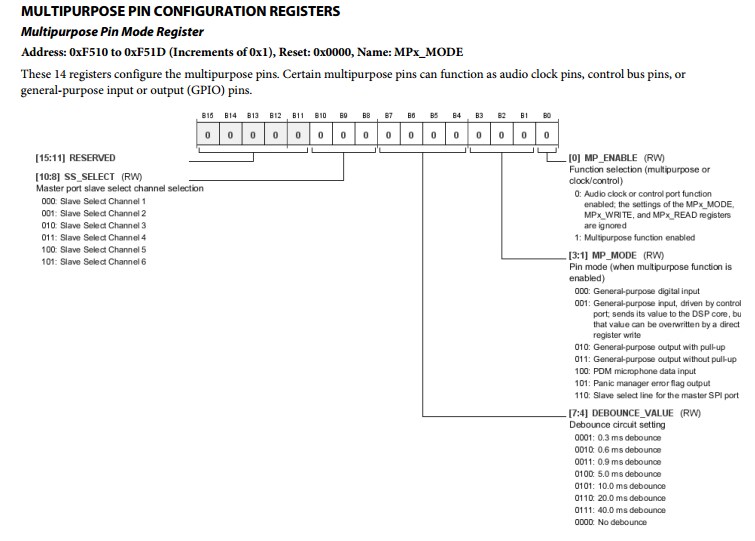
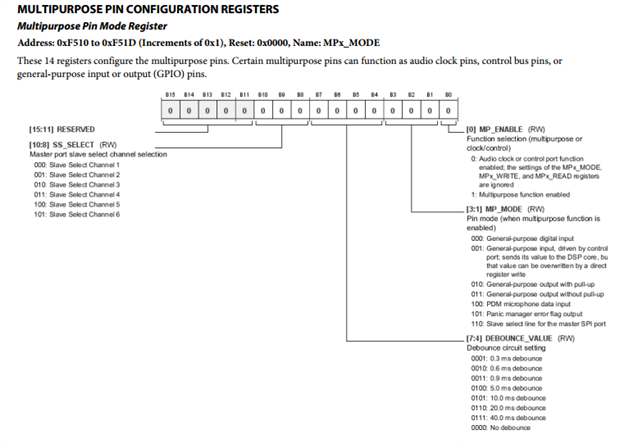
The SPI RAM External Delay module currently uses the MP0 pin default that is used for self-boot mode. The External Delay module by default uses MP0/SS_M pin as this is the default setting in the processor. Internally, the SPI Master Control Port's configuration registers allows the control port to be associated with different slave select channel signals. These can be assigned to different MPx pins on the chip through the "Multipurpose Pin Configuration Registers". Therefore, we should be able to assign any given MPx pin with the Slave Select signal for the Master SPI Control Port. Here is the register description from page 135 in the datasheet:
Since you mention you might have MP5 available in your system, we could perhaps try to use this as a dedicated "Master Slave Select" for the SPI RAM. The Multipurpose Pin Mode Register associated with MP5 pin the register mapped to address 0xF515. The MP_MODE bits set to 0x110 will associate this as a slave select for the master SPI control port. The SS_SELECT bits can be set to 0x000 to be associated to the SPI Master Control Port Slave Select channel.
Unfortunately you cannot enabled MP5 register functionality in SigmaStudio or set it during initial boot because out of reset we want MP0 to be used for the SPI EEPROM. I propose we take this discussion off-line at this point and I will try to help you make a custom module to disable MP0 and enable MP5 as the master control port slave select after the "one-time" reset/startup audio framework initialization, which will save you any required additional logic to support sharing the SPI bus between the EEPROM and SPI RAM.
-JT
Hi Jonh
I really appreciate your commitment in the solution of this problem.
Thank you very much.
This question has been assumed as answered either offline via email or with a multi-part answer. This question has now been closed out. If you have an inquiry related to this topic please post a new question in the applicable product forum.
Thank you,
EZ Admin
Please log in to reply.