Amplitude Modulation Question
I just started an amplitude modulator design in SigmaStudio, The 1st thing I would like to do it to setup different modulation wave forms and select the one I want to use with a switch. That signal is multiplied with the incoming audio signal to create the effect (this is at an early stage). I have noticed that when selecting the square wave, no modulation accrues. Why is that?
2nd, How can I create more complex wave forms to use as modulation sources?
3rd, In the current form the AM depth is set to 100%, how can I control that?
4th, I want to setup the program to have all the parameters typed in and the next step would be adjusting them all by writing to registers with a micro-controller, is this the common approach?
5th, What are the gain ranges here? Is this going between 0 and 1? Or between -1 and 1?
Hello,
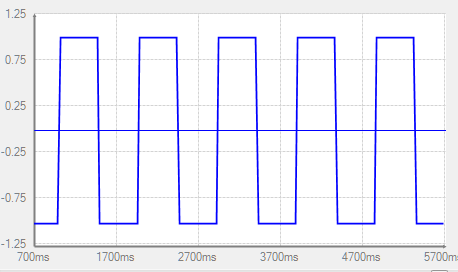
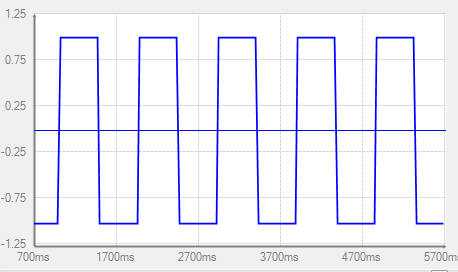
Out of the box, the oscillators go from -1 to +1 (with some exceptions for the ADAU1452). For example, a Real-Time Display inserted in your project shows the square wave output:
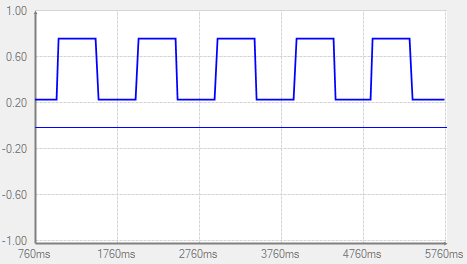
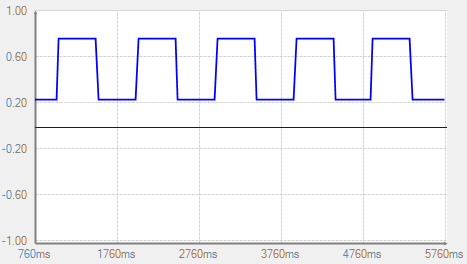
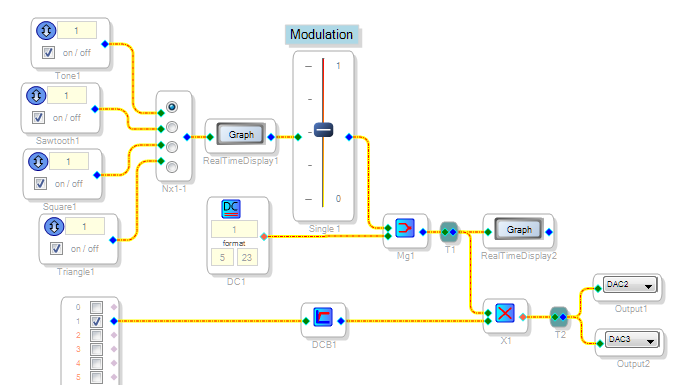
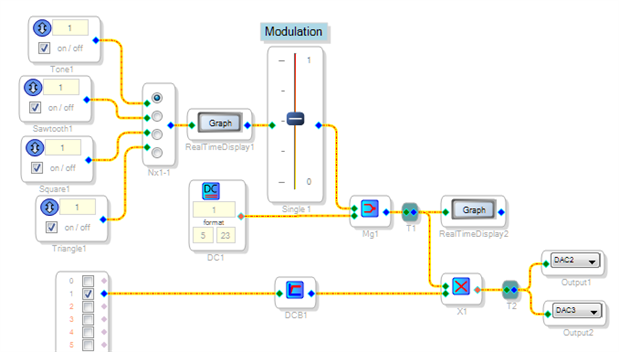
The waveform spends all its time at +1 and -1. Thus, your audio output doesn't appear to modulate (it does switch phase, but this may not be very audible). To hear modulation, you can mix the square wave with a DC source. The resulting modulation is always positive, with an audible level shift. Placing adjustable gain (a volume control) on the oscillator allows you to change the depth of modulation:
uC control of your project's parameters is quite appropriate. Searching EngiineerZone turns up many discussions on this topic. Basically, when you adjust something in your project, SigmaStudio's Capture Window shows the needed parameter change(s). For example, below I changed the modulation gain:
To have your microcontroller change a parameter, it just needs to send the same stuff.
Finally, you can create more complex modulation waveforms through several methods, including these:
Mix several sine waves of harmonic frequencies (Fourier synthesis)
Have a suitably scaled sawtooth or triangle waveform drive an interpolated lookup table (arbitrary waveform)
Make your modulating oscillator a VCO and have a second oscillator modulate its input DC (thus its frequency).
In addition to straight amplitude modulation, you can experiment with the external-input State-Variable filter, external variable delay, etc. to create more effects.
Best regards,
Bob


Thanks for the detailed answer - it actually helped me very much!
I still left wondering about the volume control a bit... I saw that you set the range to be between 0 and 1 dB but I've found that in order to make the modulation depth "100%" I need to set the top of the range to 6 dB (which means I have a gain of 2 right?). In order to have a "non modulation" range I need to set the minimum range to at least -15 dB. So this sets the gain of the modulating signal which is multiplied with the input signal (audio). How did you manage to get a good sounding effect by using such a small range?
Hi, I set my volume control for linear operation -- a zero - to - one multiplier. To do this, right click the control's slider which brings up a menu box. Select the linear button, set the step to 0.01, min to 0, and max to 1 or 2 as desired. Bob
Please log in to reply.