ADAU1772 core_fs bits
Hi,
I'm refering to ADAU1772 data sheet rev.C and SigmaStudio 3.11 to confirm the operation and noticed that if I creat project file, the core_fs bit is set as 96kHz. And I can't find a control to change core_fs on Sigmastudio GUI.
With this 96kHz operation, I can hear white noise a bit louder than if I change to 192kHz operation manually.
Which core_fs setting is ADI's recommendation, 96kHz or 192kHz?
Regards, Satoshi
adau1772
Integrated/Special Purpose A/D Converters
core_fs
Audio CODECs
Any response?
Hi Satoshi,
As you mentioned, the core can only operate at either 96 kHz or 192 kHz. The core_fs bit is selected by the system sample rate drop down menu at the top of the SigmaStudio project. Since this particular chip can only operate with a core rate of 96 kHz or 192 kHz, all settings other than these two will default to setting the core at 96 kHz.
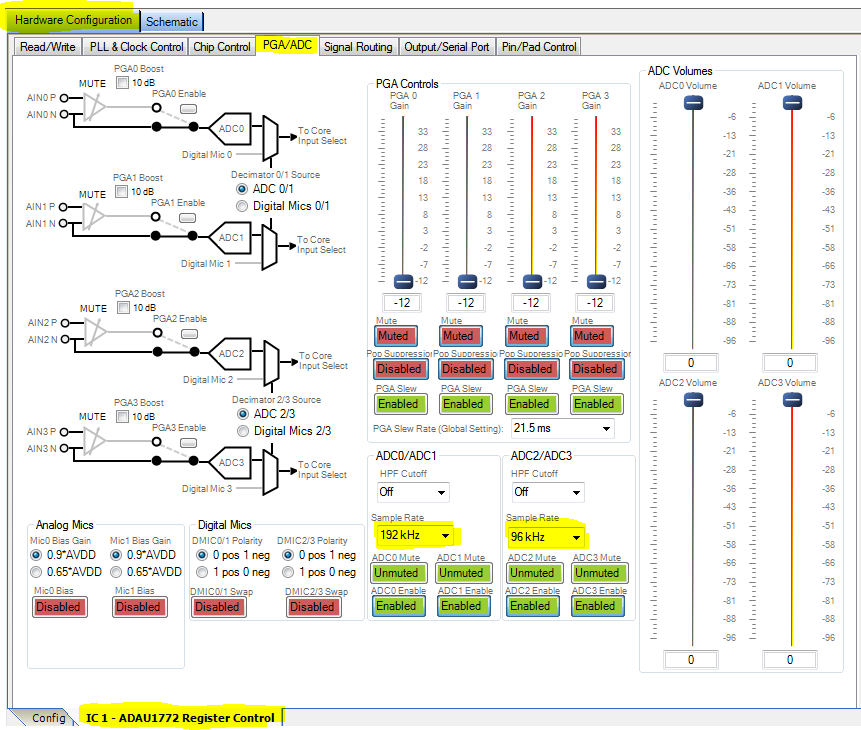
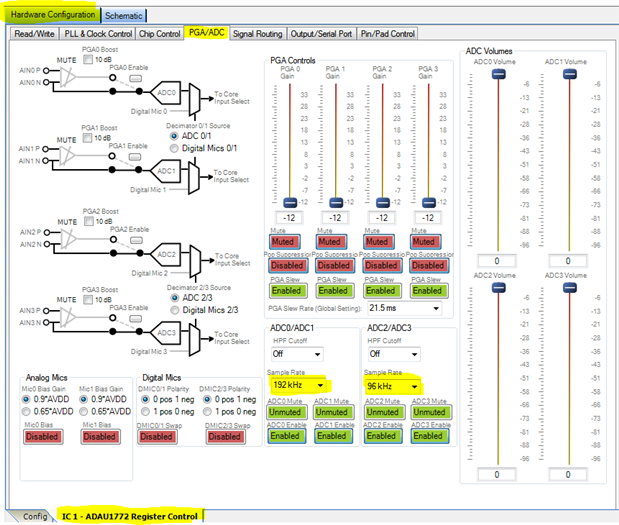
If you are hearing noise this could be a mismatch between the sample rate settings of the ADCs and Core rate. If you navigate to the PGA/ADC tab in the register control section you will see these controls. Make sure they match the core rate.
The application in which you are using the ADAU1772 should dictate whether or not you plan on using 96 kHz or 192 kHz. If your application requires lower analog in to analog out latency or higher bandwidth then 192 kHz could be the better option. If you are more worried about low power, you might want to use 96 kHz instead.
Regards,
-BillJ
Please log in to reply.