How to show ADAU1442 SPDIF receiver status?
Hello.
I would like to show ADAU1442 SPDIF receiver status and turn on MPx port LED.
How to get info from DSP register (selfboot mode) about correct decoding of SPDIF signal?
Thanks for answer.
Adam
Audio Signal Processors
adau1442
SigmaDSP Audio Processors
Hello Adam,
The S/PDIF receiver's status (including the lock bit and status bits) are only available in the register map. The register map is not accessible by the SigmaDSP core, meaning that unfortunately the SigmaDSP core has no knowledge of the status of the S/PDIF receiver. Therefore, it is not possible to output the S/PDIF lock status on an MP pin.
However, you can do a "hack" to show that the S/PDIF receiver is active.
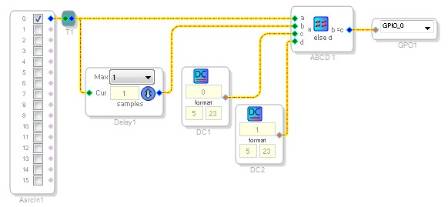
The trick is to take the newest audio sample received by the S/PDIF receiver and compare it to the previous sample. If the two samples differ, you can conclude that the S/PDIF receiver is actively receiving an audio signal.
Here's how that works in SigmaStudio:
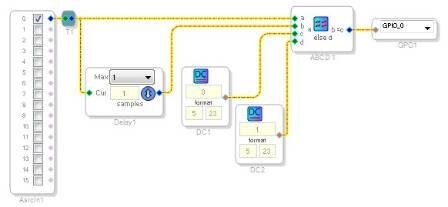
After routing the S/PDIF receiver through the ASRC, I make a copy of the signal and delay it by one sample. Then, I do a comparison to see if the most recent sample is equal to the previous sample. If so, a 1 is output to the GPIO. If not, then this shows that the S/PDIF receiver is idle, and a 0 is output to the GPIO.
Thanks for fast response.
Indicator works fine, I only need set MP0 to "Output drive by core".
Please log in to reply.