about ADAU144x DIN5(Pin91)
Dear support team
I'm using 1446 and 1442, their DIN5
(PI91)with any signal input, an error occurs. The performance of the hardware is not working properly, the level meter indicator bounce. However, the signal input to the other foot is working properly. Whether you are in delta sigma software there are not enabled DIN5
Hello, can you share more information about your system?
It would be helpful for us to have a section of your schematic, the SigmaStudio project file, and your register settings, as well as a description of the signal format of your serial data and clocks.
Hello Brettg
thank you for your reply 。 Look the File ,PLS..。.
The model I use DIN signal input. I did not use DIN5, using, the model is working OK, LED level meter indicator is also normal. But when I put the PCB signal input from DIN1 changed to DIN5, or to DIN1 and DIN5 and connection, the model is not working, LED level meter disorder also beating.
Hi tim88
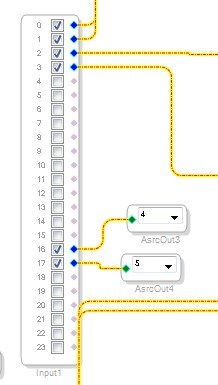
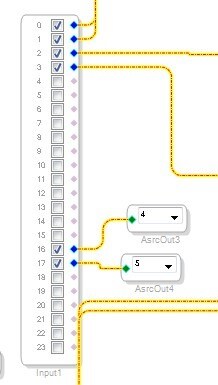
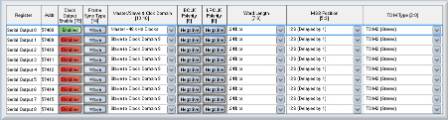
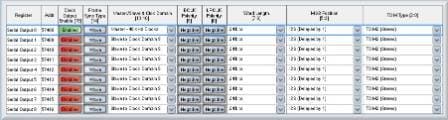
It looks like you are not accessing the proper digital inputs. You have the serial input ports set in 2 channel (TDM2) mode. Therefore, the mapping is like this:
SDATA_IN0 = channels 0 and 1
SDATA_IN1 = channels 2 and 3
SDATA_IN2 = channels 4 and 5
SDATA_IN3 = channels 6 and 7
SDATA_IN4 = channels 8 and 9
SDATA_IN5 = channels 10 and 11
SDATA_IN6 = channels 12 and 13
SDATA_IN7 = channels 14 and 15
SDATA_IN8 = channels 16 and 17
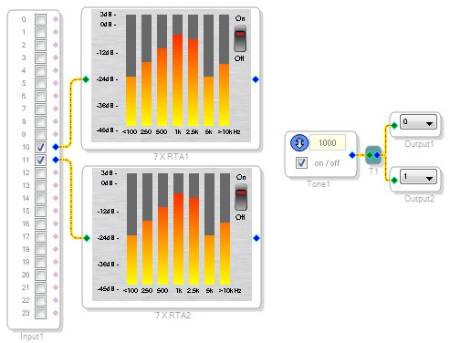
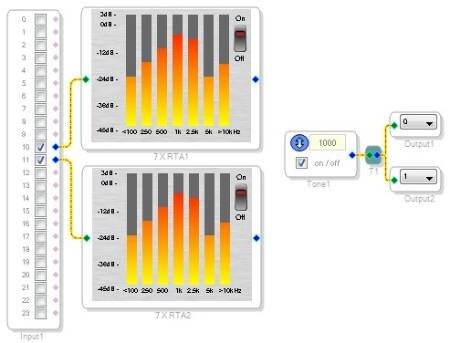
In order to use SDATA_IN5, you'll need to use channels 10 and 11. However, it appears that they are not connected in your schematic.
You are using channels 0 and 1, which correspond to SDATA_IN0, and channels 2 and 3, which correspond to SDATA_IN1. In order to move the input from SDATA_IN1 to SDATA_IN5, you need to move channels 2/3 to channels 10/11.
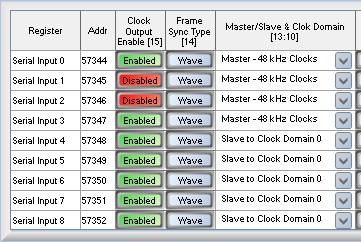
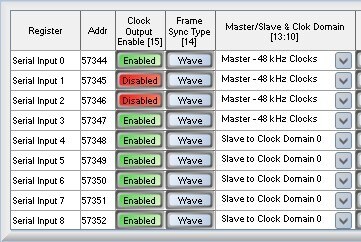
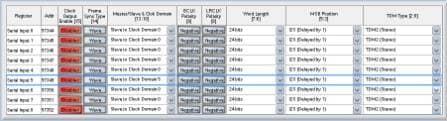
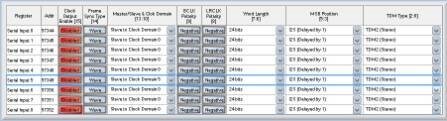
Also, make sure to configure the serial ports to be master or slave depending on your hardware. It looks like you are still using the default project settings. This has SDATA_IN1 configured as a master but SDATA_IN5 configured as a slave. I don't know how your actual hardware looks, but you'll need to update these register to match.
HI Brettg:
I am use SigmaDSP form year 2007 to today, This problem is discovery by year 2008,
The project Whether or not to use this input pin91(DIN5) , Once any ADC output connect pin91(DIN5), the whole DSP run error.
So I do not use pin91(DIN5) For any project ,I tested have mass production products without use pin91(DIN5) ,Once any ADC output connect pin91(DIN5), then product run error.
Before, SigmaDSP controled by MCU. Today, I need more input,I test ADAU1446 by USBi, The problem is still. Even more surprising, Once any ADC output connect pin91(DIN5),the USBi disconnect , can not controled by computer.
can you help me test any project input form pin91(DIN5)?
Hi lunke029,
I just used my evaluation board and tried a simple test. I routed data output from SDATA_OUT0 in master mode, using clocks LRCLK9/BCLK9.
I connected these signals using jumper wires to SDATA_IN5, LRCLK5, and BCLK5, respectively. Serial input port is set as a slave, and it is a slave to clock domain 5.
I also configured clock domain 5 to assign it to the input ports.
Then I created a simple test project that generates a sine tone inside the DSP core and sends it to SDATA_OUT0, and it takes the input from SDATA_IN5 and feeds it to level detectors.
When I compile the project, I don't experience any errors. The code downloads from the USBi and the device runs. I can see the 1 kHz sine tone appearing in the level detectors.
So, unfortunately, I'm not able to duplicate the problem you're seeing. The project file is attached for reference.


This question has been assumed as answered either offline via email or with a multi-part answer. This question has now been closed out. If you have an inquiry related to this topic please post a new question in the applicable product forum.
Thank you,
EZ Admin
Please log in to reply.