ADAU1772 Noise Generated within Sigma Studio
Hi Everyone,
I have an audio design using the ADAU1772. It seems to be working perfectly well from the hardware point of view as the DSP is biasing an electret microphone and outputting the signal to a speaker. The application is Active Noise Reduction. The microphone and speaker naturally cause feedback as they are close to each other in the cup of the headphone. Now, if I create a very simple schematic that feeds the microphone input (0) to the output (0), through a single filter element, all is fine (as in, there is still positive audio feedback squealing, but the hardware is working fine). However, if I insert 2 or more filters in series, I get a chopped up "white noise" signal. Sometimes it is continuous. Now, I cannot see there is a problem with the hardware, as it works fine as described above. And I SHOULD only get a single tone of feedback (and harmonics thereof), not white noise. I've take a recording of the sound to describe it. The signal I suspect is clipped though, but I think it gives the idea correctly. Firstly, why would adding other filters or element (even adding a Mute button function causes this!) create this problem, and secondly, why on earth is it intermittent?
Any help would be appreciated please!
Kind regards
Charles
adau1772
Integrated/Special Purpose A/D Converters
Audio CODECs
Hi Charles,
This sounds like it could be a sample rate issue within the part. Could you verify that the ADCs fs and Core fs are both operating at the same frequency? You can check the ADC sample rate in the Hardware Configuration tab/Register Control section and set the system sample rate at the top of the SigmaStudio window. Follow the first step "Setting Software Sample Rate" in this document https://ez.analog.com/docs/DOC-1431 to properly set the rate.
Regards,
-BillJ
Hi BillJ,
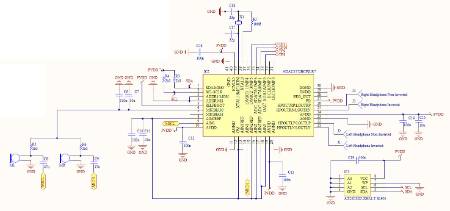
Thank you for your reply. I've checked the ADC and core fs are the same (192kHz), and even tried different matching ADC and fs values. Same problem persists, and it's intermittent. This is my schematic (just DSP part, PVDD is 3.3V):
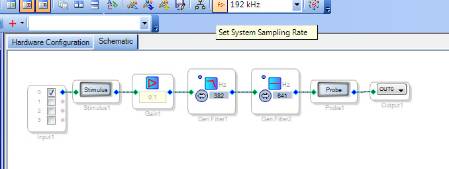
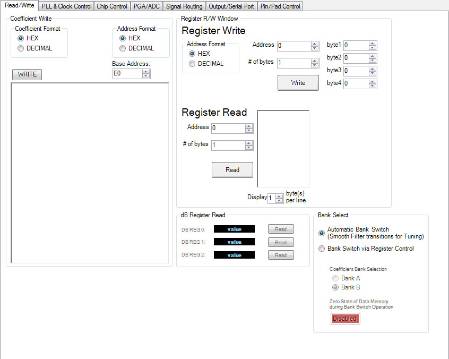
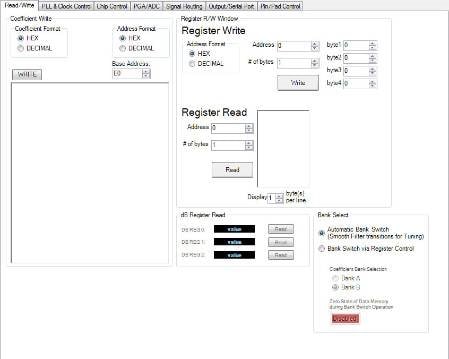
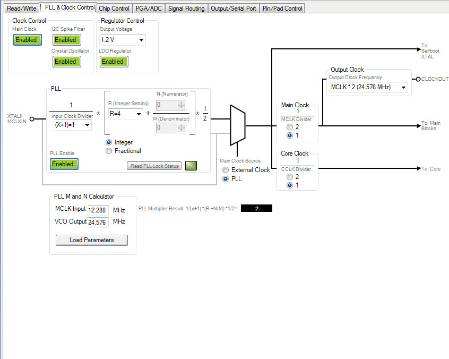
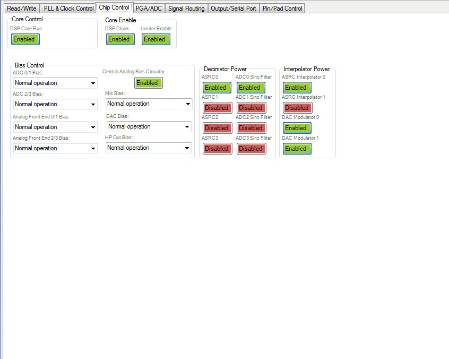
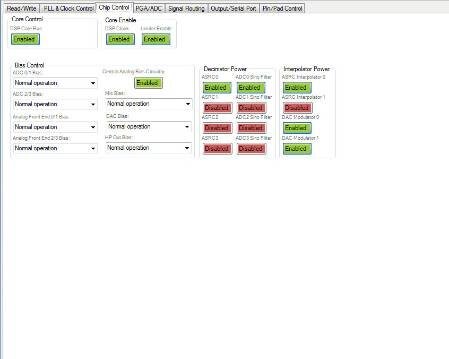
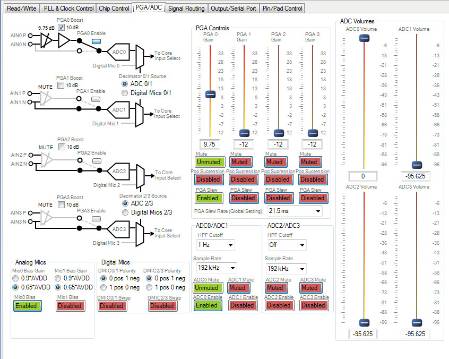
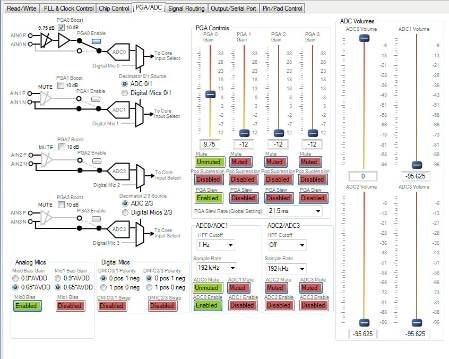
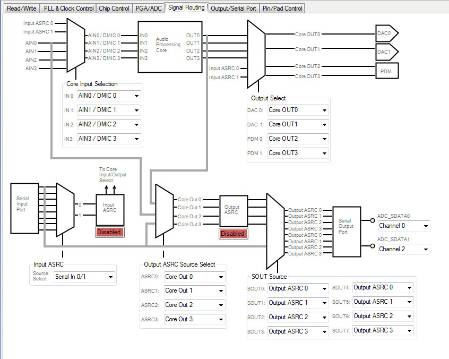
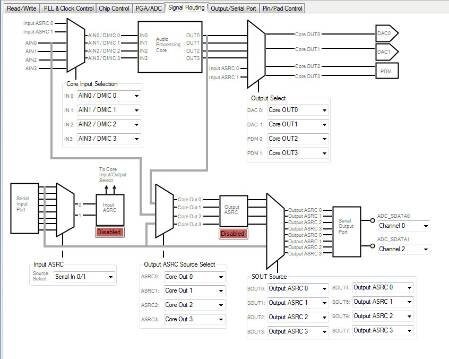
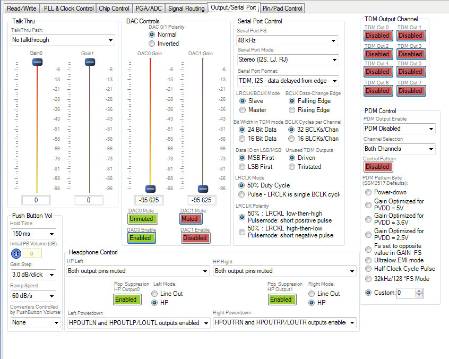
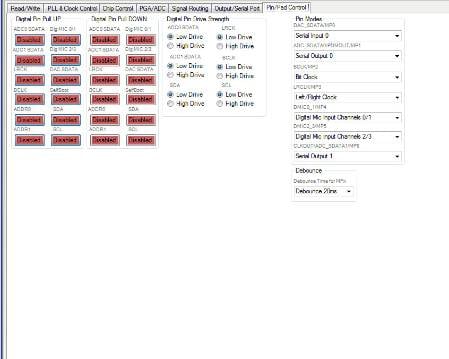
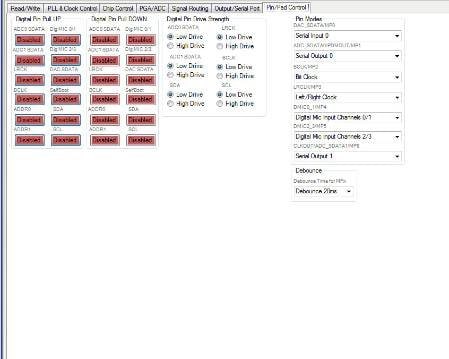
These are the steps I've taken (just with arbitrary filters to show the problem) as well as all the register settings. Even if I have a single filter with a mute somewhere in the line, the problem crops up!
Does anything look wrong here? Currently I am only looking at the left hand microphone, so have disabled anything to do with the right hand channel till I get the first bit working properly.
Kind regards
Charles




Hi Charles,
I have done some optimization tests regarding the decoupling on the MICBIAS pin, and I recall that it is possible to use too much. I think the circuit was optimized with 2.2 uF, using too much caused oscillation in the generator that shows up as noise. Try removing the 10 uF altogether before installing a 2.2 or 1 uF.
Best regards,
Coleman
Hi Coleman,
Thanks for the reply, I removed C11 and the problem still persists unfortunately. Any other ideas?
Kind regards
Charles
Hi BillJ,
After playing around a lot more, it appears the problem is not just related to having 2 filters, the problem persists with a single filter. I've even tried enabling and disabling all the features in the Register Settings, one at a time, and there appears to be absolutely no correlation between any setting and the noise created. The only thing for sure is that the noise is started or stopped immediately, when changing a software setting, or changing the filter parameters. The hardware is sitting dead-still on my desk, so it's definitely not a "loose wire". Also, when it operates correctly, it only ever goes to the white noise or crackling state from there, but never returns to normal. I have to power off the PCB and restart it.
Any more ideas on what the problem could be?
Kind regards
Charles
Hi Charles,
I noticed in the PLL & Clock Control tab you have the PLL setup correctly to output a 24.576 MHz signal. However you should be dividing the signal by 2 before clocking the core with it. Change the Main Clock divider to /2. I'm unsure if this will fix your problem but should be addressed anyway.
What version of SigmaStudio are you using?
Regards,
-BillJ
BillJ you genius! I changed both the Main Clock and Core Clock to 1/2 and this appears to have fixed the problem completely! I've added filters and a mute block and fiddled with the design for about an hour now, powering down and up, erasing the EEPROM and re-programming, and so far not a problem at all. Thank you for your help!
Incidentally, I'm using Sigma Studio Version 3.9, Build 2, Rev 1246. Are there any bugs known with this version that I should keep an eye out for?
Kind regards
Charles
Hi BillJ,
Hardware is working fine, but the software is driving me round the bend. I had originally wanted to use Matlab to find an inverse of the transfer function of the microphone and speaker, but it cannot find a stable (causal) solution in generating the IIR filter. So I simply tried to manually find an approximate using the traditional filters in Sigma Studio. The results have been sketchy and I cannot find a solution that gives me a decent noise reduction at low frequencies without producing positive feedback at higher frequencies. At best I have a low-pass filter in parallel with an all-pass filter, summed and then passed through a notch-filter. But the result is not repeatable for some reason in a different headphone cup. Is there a generic solution (as in "this block" in series with "that block") that you know of, whose values I can tweak, to get the system working?
Kind regards
Charles
Please log in to reply.