Sigma Studio and EEPROM Programming
Hi Guys,
I need your help again please. I had problems getting the ADAU1701 working in selfboot mode, and the problem was solved here:
https://ez.analog.com/message/115973
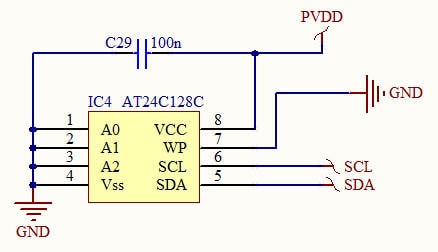
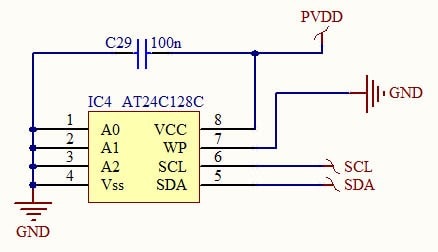
When replicating my PCB with the mods, it did not work. Oscillator is running and the digital supply is correct, so I assume the DSP is willing to run. However, in Sigma Studio, I keep getting the "Compiled. Comms Failed" error. So I hooked up a separate PCB with JUST the EEPROM on it, here is the schematic:
SCL and SDA have pull-ups of 2.2k each to PVDD, which is 3.3V. So this schematic SHOULD be fine with Sigma Studio? For some reason it's not, I get the same error. My USBi interface is working fine, because I can still program the evaluation kit!
To make matters worse, the old PCB which I kept as a reference, is no longer working for whatever reason I have no clue.
Please help!
Kind regards
Charles
Audio Signal Processors
eeprom
SigmaDSP Audio Processors
selfboot
adau1701
Charles, in order to program the EEPROM, you need to use the "Download Latest Compilation to EEPROM" command.
Check Method 1 in this thread: https://ez.analog.com/message/5759#5759
Hi Brett,
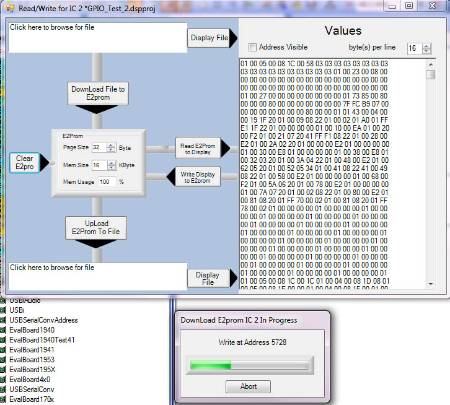
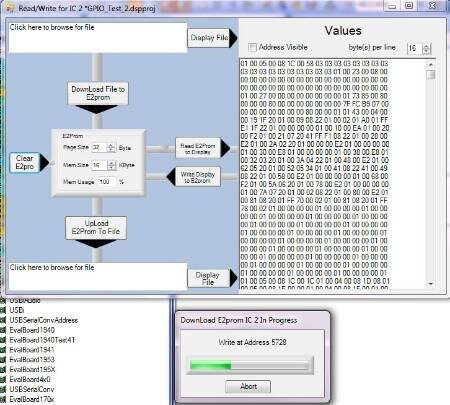
I tried that and it worked, thank you. However, when coming back to it today, it doesn't work! I changed the pull-ups to 10k in the thought that they were too strong at 2.2k. Still didn't work. I shortened the ground lead to the EEPROM (10cm to about 5cm) in the hope that may fix it. Then it worked! Unplugged the USBi and my PCB, plugged it all in again, didn't work, AGAIN. Then I went to the EEPROM window, and it allowed me to read EEPROM to Display, no problem. Erased the EEPROM, no problem. Again, read the EEPROM to Display, no problem:
Not touching any of the hardware, I go back to the Hardware Configuration, and try to "Download Latest Compilation to EEPROM", and it just hangs indefinitely:
I unplug everything again, and now BOTH methods don't work. At the moment, the hardware setup could not be simpler, I have a PCB with just the EEPROM, pull-ups and filter capacitor(s) soldered on. No DSP. It is baffling me how something so simple can cause such a headache. Probably this quadrupled the debug time in the previous thread with the DSP connected.
I am using an Atmel EEPROM, not the Microchip one used on the evaluation PCB. From what I've seen comparing datasheets, they are functionally identical, is there something that I need to look out for that may be causing this problem?
At a previous stage, I had the EEPROM working for some time and I soldered wires across to the DSP for GND, SDA and SCL, once I knew I had the correct program installed so I could rule out that error if the DSP didn't start properly. The program never ran on the DSP and this was when I realized it would be best to debug the EEPROM on its own. At the time it APPEARED to me that the DSP was loading the SCL and SDA lines so I deferred that problem to a later stage. However, at this stage, just the EEPROM is giving me hassles by itself. I can't imagine that stray capacitance is causing any problems; I have 5cm wires from the USBi plug to my PCB and the traces on the PCB are maximally 4cm long which limits any interaction with the ground plane on the PCB (very little of the tracks actually pass over the ground plane anyway).
Any ideas?
Kind regards
Charles
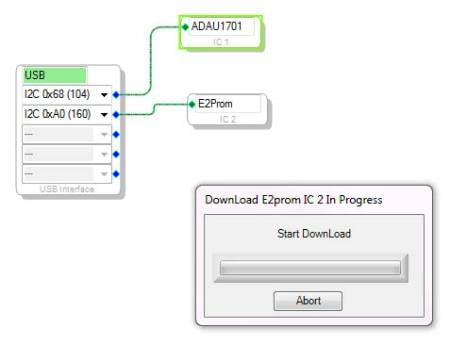
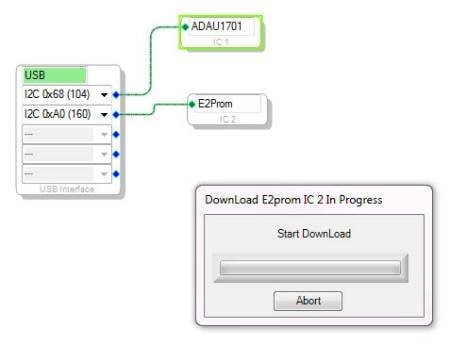
Surprisingly, it happened to me also once. So that is what perhaps would help you. Create a completely new project and make sure - it is the most important - that you connect the "adau1701" block to the UPPER point of the USB block and the E2Rom to the second one. May help - at least helped me. If accidentally you connect the "adau1701" to the second point and the E2Rom to the first - it hangs, even if you later change them back. I do not know why.
Hi Skifir,
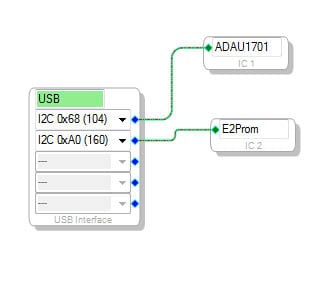
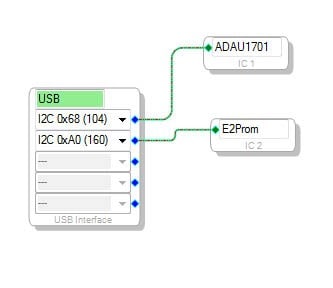
Unfortunately this is not my case, this is my setup:
I've never had it the other way around. The addresses seem correct from their literature also. Thank you for the suggestion though! Any other ideas?
Kind regards
Charles
Well... The only thing which I might even think of - perhaps you have an open somewhere? May be some output on the board fell open?
Also, may be it is a good idea to try some other memory chip just in case? Because I have just assembled my board and the memory works. I used the one, which is also used in ADAU1701mini-z board, so since AD guys put it there, it must be working fine. Try this memory and see what will happen. Who knows, what if it helps? part no. 24AA256-i
This question has been assumed as answered either offline via email or with a multi-part answer. This question has now been closed out. If you have an inquiry related to this topic please post a new question in the applicable product forum.
Thank you,
EZ Admin
Please log in to reply.