Resources used by Sigma divide-by block
I'm re-posting this question because it seems to have dropped out of the general discussion area. I did receive an early reply from another user, but need further clarification, especially if this indicates something funny going on.
Running under Sigma 3.8, I have a design that uses six x/y divide-by blocks, all in the same application (see schematic, below). When I check the resources used in the Output window, I see that three of them have twice the MIPS, etc. of the other three. I checked the Sigma Wiki and saw that one is supposed to be able to choose the precision of this block, but when I right-click I don't see the choices that the Wiki mentioned. All three divide-bys were simply pulled from the Tool Tree, and I've tried copying and pasting the ones using the lower resources, but despite where the block comes from, the first three instances are resource hogs. This chip is running near its limit and I'm trying to minimize resources, otherwise it would not be a problem.
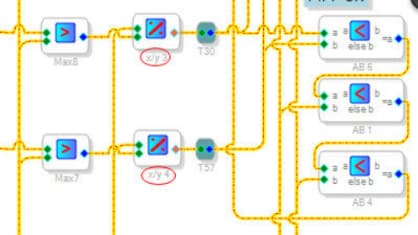
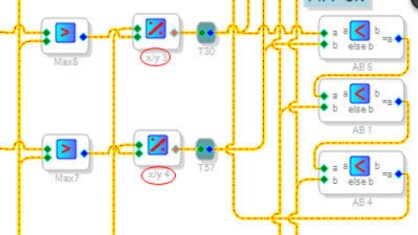
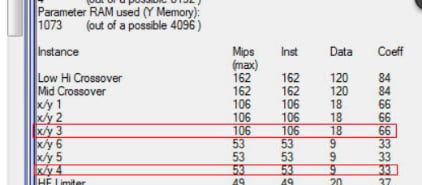
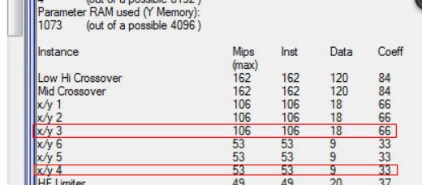
Well, problem solved. Evidently Sigma doesn't keep track of modules among hierarchy boards, and it turned out that I had some x/y divide-bys elsewhere with the same reference designations. You can't assign the same working name to two modules, but I guess you can have x/y 1, x/y 2 and x/y 3 on two different hierarchy boards, and in the Output file they will show up as single modules using twice the resources. Cockpit error again; I hate it when that happens.
Nice catch. This is correct. The compiler uses dot notation for cells on hierarchy boards so that you can copy/paste boards without getting a big stream of error messages.
For example, you could have two hierarchy boards called BoardA and BoardB, and each has a cell called Compressor.
The compiler will see them as two separate entities, BoardA.Compressor and BoardB.Compressor, so there won't be a compiler error. Unfortunately, the compiler output isn't intelligent enough to separate the two when it calculates resource usage.
Please log in to reply.