ADAU1701 Selfboot Problem
Hi Everyone,
I need your help please! I am busy with a design using the ADAU1701. I have bought the evaluation kit and as a test program just output a 500Hz tone to all 4 DACs. The program works just fine on the evaluation board, but not on my design. The design I have is the following attached schematic, I've removed the non-DSP related parts to reduce complication in explanation.
The speaker impedance is 42 Ohm, little headphone driver, connected directly to VOUT1 on IC3. WP is manually pulled low when I want to program the EEPROM, thereafter released to be pulled high by R10. Thereafter I manually set Selfboot to PVDD before powering on again. I have checked the EEPROM with Sigma Studio and the identical program that was loaded to the evaluation kit is in my EEPROM (IC4). I suspected the reset was being pulled high too fast so soldered in a 10uF capacitor in parallel with C9, this now takes a good half a second or so to fully charge, and it is very clean. Once the DSP is powered up, there is activity on the SDA and SCL lines, but for some reason there is no tone played over the speaker! DVDD is sitting at approximately 1.8V. The OSCO Pin has an 11.2MHz sine signal on it (using crystal AM-11.2896MAGQ-T from TXC Corporation), so it appears the device is being clocked.
What could be wrong?
Kind regards
Charles
Audio Signal Processors
eeprom
SigmaDSP Audio Processors
selfboot
adau1701
Hi Charles,
I am the applications engineer supporting the ADAU1701. Sorry to hear you're having trouble with it.
At first glance, the schematic looks pretty good! However, the DAC output appears to be directly connected to the speaker. In this case, you will not hear any audio output, as you are reporting.
First of all, the DAC outputs are centered at a bias voltage (that is, they are DC coupled), but speakers expect an AC-coupled signal. This means you'll need to AC couple the signal with a capacitor. By the way, it looks like you might have also done this on the input side - but the microphone connection appears to be on the near side of the coupling capacitor, whereas it should be on the far side.
Second, you'll need to use filters to get rid of the out-of-band noise on the outputs. This is described on page 22 of the datasheet. These filters (active or passive) actually include the AC-coupling capacitor that I mentioned in the first point, so you'll kill two birds with one stone.
Third, the DAC outputs are are line outputs, designed to drive high impedance. There is no integrated amplifier, so they have a fairly low current sourcing ability. You mentioned that the project is working fine with your evaluation board - I wonder if you are using the active output filters on the evaluation board? The active output filters used are described on page 22 of the Rev B ADAU1701 datasheet (more specifically, in Figure 19). Using this configuration, the op amps would source the extra current necessary to drive the speaker. Even then, this is not ideal. You really need a chip designed to drive a speaker. Perhaps a Class D amplifier is the most effective solution.
Fourth, I see that only one terminal of the speaker is connected (Speaker +). Where does the other terminal (Speaker -) connect to? Speakers need to be driven differentially. Applying a single-ended signal to a single speaker terminal will not allow the speaker to move or produce sound. You need to create a differential pair (either by using a single-ended to differential output conversion circuit, or by inverting the signal inside the DSP and outputting it from another DAC).
(EDIT: you could probably drive the speaker pseudo-differentially, but you'd still want to put an AC coupling capacitor between ground and the speaker minus terminal).
Hopefully this helps as a starting point for revising the circuit.
The EVAL-ADAU1701MINIZ board, which is the smaller of the two ADAU1701 evaluation boards, has a Class D amplifier circuit included on it, the SSM2306. This amp was designed to drive 8 or 16 ohms, but I think it could probably drive a higher impedance like your 42 ohm speaker. So, perhaps you could use those schematics as a guide? (Here's the link... the schematics are on page 22: http://www.analog.com/static/imported-files/eval_boards/EVAL-ADAU1701MINIZ.pdf )
By the way, I am currently on a business trip visiting customers in Japan, China, and Taiwan, so my availability is limited, and my response times will be longer than usual.
Hello Brett and Charles,
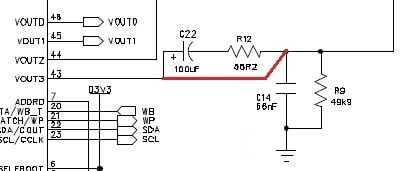
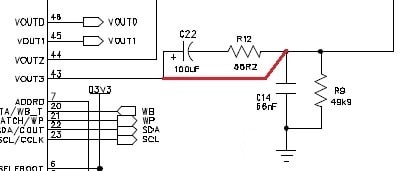
I run headphones from my 1701 mini eval board with enough volume for test purposes. Thus the passive filter (shown below) is OK for headphone use, but an amplifier would be preferable for phones and essential for any sort of speaker. Out of curiosity I shorted C22 and R12 to see how a direct headphone connection would work, and found the result badly distorted and unusable. No permanent damage, however.
Is the -1701 OK with a RC reset? The eval board uses a reset chip.
Bob
Thanks for chiming in, Bob!
Yes, I think the current sourcing directly from the VOUT pin might be able to produce some sound, as you showed in your experiment. However, without the cap it will be half-wave rectified, and without the filter there will be lots of distortion. I guess you confirmed this!
Hi Charles,
Yes the RC reset should be OK. It's nice to have a reset supervisory circuit like on the eval board, but a simple RC will also do the job.
Hi Brett and Bob,
Thank you for the fast replies! In response to the comments:
1) DC Bias on Speaker and Microphone.
I cannot believe how I could make such a stupid mistake on the DAC output, thank you for pointing it out! The microphone side, as I mentioned before, I had removed
Unnecessary items to reduce complication with finding the problem with the DSP. This "Microphone" label is just to provide a connection to a test point on the header. The
Microphone signal is actually fed through C8. But for this test, I am generating the 500Hz signal from the DSP anyway, so this wouldn't be a problem. Yet, at least!
2) Filters on Output.
I had initially used the evaluation kit as a reference, and my headphones have a similar impedance to the speaker I am using in my design (small, 0.1W, 42 Ohm headphone
driver). For that reason I thought it best not to increase the impedance the output sees, as I wanted the most power delivered to the speaker without wasting power in the
filter resistors. The capacitor I clean neglected though. Thanks Bob for confirming that no permanent damage would have occurred though!
3) Evaluation Kit DAC Selection.
I am using the headphone output socket, so not using the built in D-Class amplifier. Also, for the purposes of my project, I wanted to reduce the cost by avoiding an extra
Amplifier. Plus, in the test software, I am generating the 500Hz tone to all DACs, just in case I made an error in selecting the correct one.
4) Speaker Connection.
The Speaker+ is connected to the one terminal of the speaker, the other is connected to AGND of the DSP. I guess a more sensible option, as you mention Brett, is to provide
a differential signal on 2 outputs of the DSP and then connect the speaker up to those. Surely in that case, I can ditch all capacitive coupling to the speaker, why would
you still recommend capacitive coupling? Is it due to small differences in the bias voltages of the outputs?
5) RC Reset.
This was to reduce cost. So the fact that there is activity on the SCL and SDA lines at startup does tend to indicate the DSP started OK and came out of reset?
6) Problem.
Now, the problem remains unfortunately, I should still be getting a distorted 500Hz signal out of my speaker, and I'm not. Possibly to check the analog clock signal in, is
there a minimum peak to peak voltage required for the oscillator? How can I check that at least the DSP has loaded the EEPROM program correctly?
Thanks guys, I really appreciate your help with this problem!
Kind regards
Charles
Hi Brett and Bob,
Have you by any chance had any other ideas as to what the problem could be?
Kind regards
Charles
Hi Brett and Bob,
Please could you assist me with finding this problem? It seems it could be something obscure, and it is worrying me that I may have to change to another DSP manufacturer so late in the product development.
Kind regards
Charles
Hello Charles,
I'm sorry that this difficulty continues. Brett may still be in Asia on business, and I have no experience with self-booting.
I do know (from booting SigmaDSP with a microcontroller) that everything must be in place for a successful boot. Have you examined Application Note 923?
http://www.analog.com/static/imported-files/application_notes/AN-923.pdf
JeradL the app note's author is on this forum and may be in a position to help with your difficulty (unless he's in Asia as well!).
To completely eliminate the DAC speaker connection as a possible problem, you can probe the other DACs with a scope (they will show audio even without a filter), or program one of the AUX outputs to switch ON and OFF (etc).
Sorry I can't be of further assistance (I'll look at AN923 myself and see if any additional ideas hit me).
Best regards,
Bob
Hi Charles,
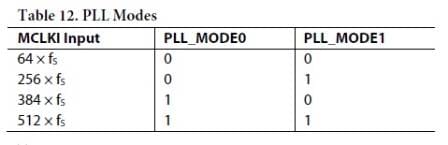
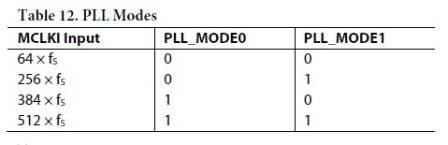
I just noticed that in your schematic, PLL_Mode_0 (pin 38) is connected to PVDD, and PLL_Mode_1 (pin 39) is grounded. This sets the required MCLK to 384 x Fs. Conversely, with a 11.2896 MHz crystal, your actual sample rate is 29.4 KHz. As a result, the chip is running at about 30 MIPS instead of the design rate of roughly 45 -- 50 MIPS. This may force the chip's PLL out of range. To run at Fs = 44.1 KHz with a 11.2896 MHz crystal, you need to use the "256xFs" option as shown in the data sheet:
This means flopping "1" and "0" at the two PLL_Mode pins.
Bob
Hi Bob,
Thanks for the suggestions. I swapped the logic of the mode pins, 0V for PLL_MODE_0 and 3.3V for PLL_MODE_1. I have read and implemented AN923, in my setup I don't have a pullup on WP, I simply set it at 0V or 3.3V manually. Now that the software is in the EEPROM, I have the Selfboot pin set to 3.3V permanently. Unfortuantely the setup is still not working. I've checked all the pins and they are soldered properly. On measuring the signal on OSCO, I have a peak to peak voltage of approximately 1.2V, not 2.2V that the datasheet mentions. Would this be a problem? The funny thing is, there is activity on the SDA and SCL lines at startup, which sort of indicate the DSP is working. What can I do to narrow down the detection of the source of the problem?
Charles
Hi Bob,
I notice this thread:
https://ez.analog.com/message/67484#67484
I am using Sigma Studio to download to the EEPROM, I assume that it would be downloading in the correct format, otherwise what would it's purpose be?
Kind regards
Charles
Hi Charles,
Yes, since you're using SigmaStudio's in-circuirt programming method and no device programmer is involved, there should be no issue with file formats.
When youi probe your DAC outputs for audio, try disconnecting your speaker entirely (I just want to totally eliminate this as a possible problem since that was the first thing Brett suggested, and he knows this chip better than I do). It could be, for example, that somehow that DC load on that DAC output is preventing any of them from working. Though it gave me distorted sound when I tried it, perhaps something (such as the DC resistance of your speaker) is different from what I tried.
One thing we do with our circuits here is we put on-board jumpers to choose whether our -1701 boots from our system uC, or connects to the USBi. This allows us to do real-time tuning as well as troubleshoot no-boot problems (if it works with the USBi then the uC isn't sending the right stuff). You might try a similar idea with your projects.
Bob
Hi Bob,
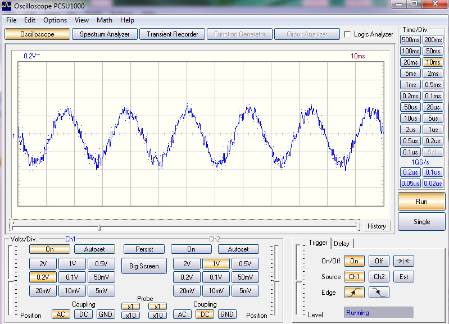
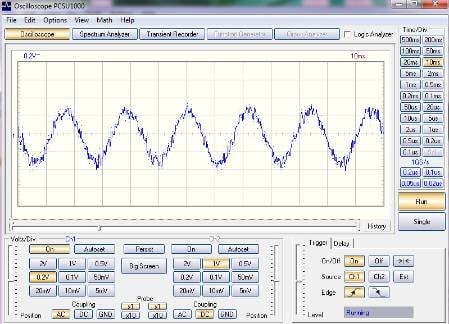
Probing the speaker output with the speaker disconnected, gave me a 45 Hz signal, which is very odd. I say it is odd since the circuit is running from a battery! The figure below shows this signal:
When proving VOUT1, the signal is not evident at all. Nor is my 500 Hz signal though.
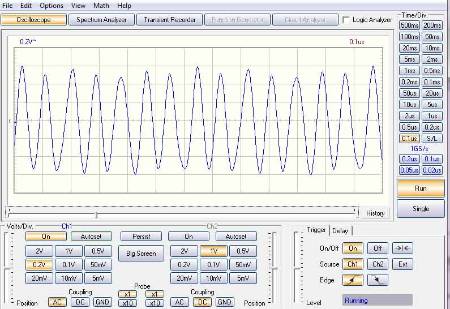
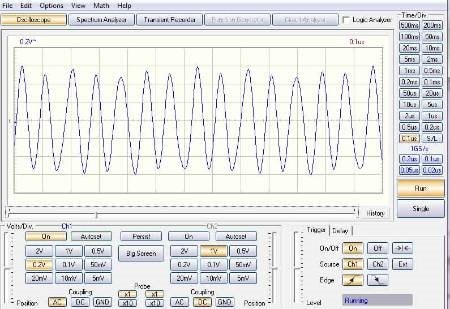
I probed the OSCO pin, as I mentioned before there was a sinusoidal signal. However, the peak to peak value of this signal is only approximately 1 V, whereas I see the datasheet states it should be about 2.2 V. Below is the plot:
If the signal is not approximately 2.2 V, would this cause a problem?
If I am understanding your correctly, I may have already tried the USBi idea. It is the same concept of driving the evaluation board from Sigma Studio, also powered over USB. I had no joy with this approach either.
Kind regards
Charles
Hello Charles,
Perhaps your 1X scope probe is loading down the OSC0 signal. Try the measurement using a 10X probe.
Since the DACs are outputting differently for the same signal, perhaps the chip has been damaged.
Bob
Hi Bob,
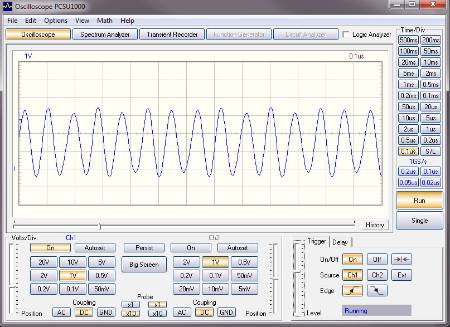
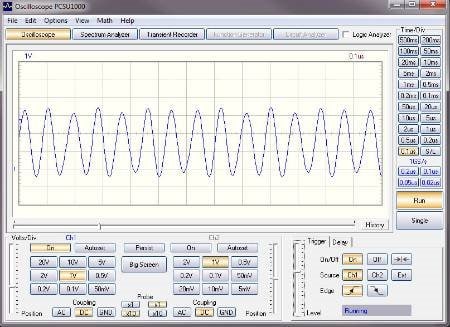
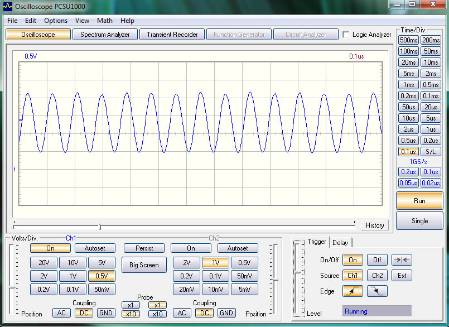
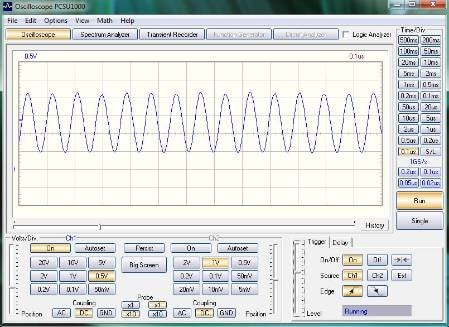
Good point, thank you. After adjusting the scope probe I end up with this signal at OSCO:
This is now a signal 3.3 V peak to peak, which spans the power supply range of the DSP. This is surely enough to get the DSP running? If this helps at all, here is the signal at MCLK1:
If this seems conclusive that it should run in your opinion, then I'll replace th DSP. Are you sure the PLL mode settings are correct that you described above? I'm assuming that the PLL filter component values are correct?
Kind regards
Charles
Hello Charles,
Your crystal oscillator's operation does appear robust.
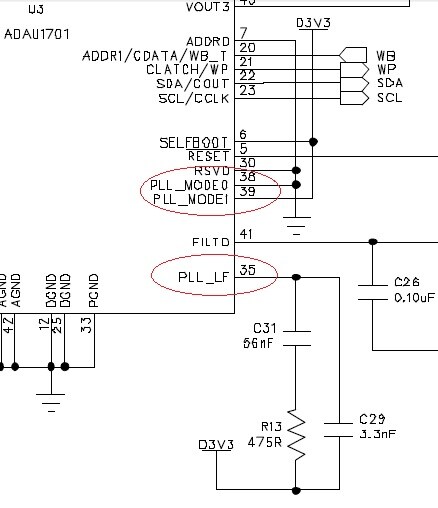
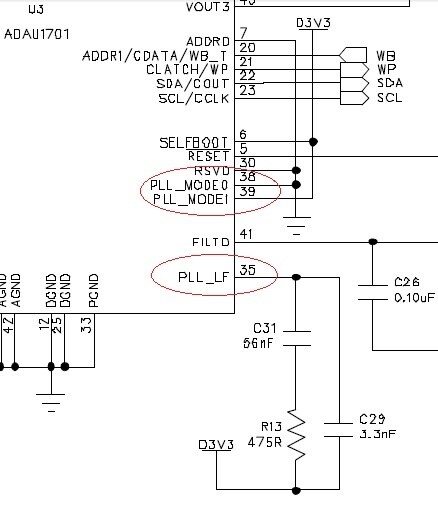
The -1701 mini eval board schematic shows these connections to the PLL pins:
Your PLL filter appears correct. You have already corrected the PLL mode pins (38 and 39), the eval board's setup provides fs = 44.1 KHz with your 11.2896 MHz crystal.
Before replacing the chip, try grounding Pin 30 ("RSVD"). Usually "reserved" means "don't connect", but both the eval board and the -1701 data sheet has this pin grounded. It would be neat if grounding this pin makes it work (especially after a week of frustration).
Bob
Thanks for helping out, Bob!
(I'm finished with my vacation now, so I should be able to help out more on the forum!)
Hi Brett and Bob,
Welcome back Brett, hope you had a good rest!
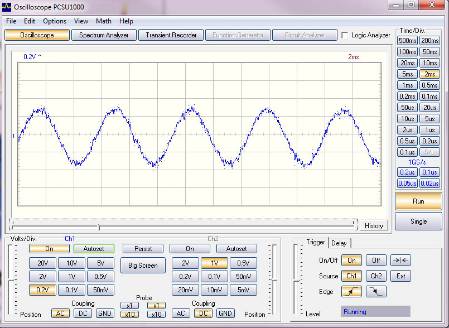
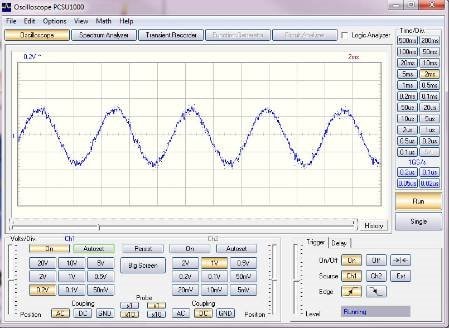
Thanks for the suggestion Bob, this has at least changed things. Now, instead of the 45 Hz signal, I get a 180 Hz signal, and on VOUT2, I get a 660 Hz signal respectfully, shown below. Connecting pin 30 to GND seems to have done something! But its still not the 500 Hz programmed signal that is on all the outputs. Is the final verdict to re-populate the DSP?
Kind regards
Charles
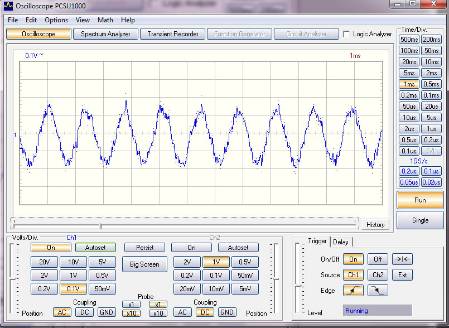
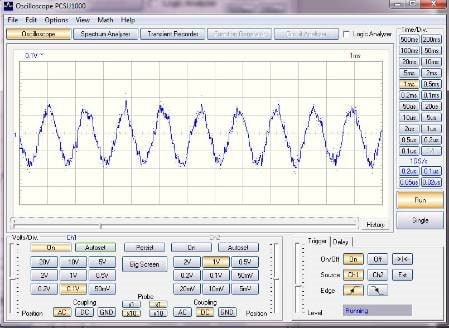
Hi Charles,
Glad to hear we're getting closer to a working result. I'd suggest changing the chip at this point, though I hate to put you through that. How difficult this is of course depends upon the tools at your disposal. One forum member came up with a novel way -- see https://ez.analog.com/message/65919#65919
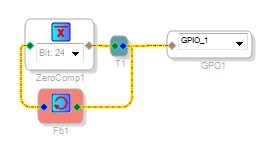
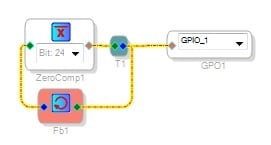
Since none of your DACs show the correct frequency, I wonder if the PLL is working correctly. One way to find out is to add this circuit to your project:
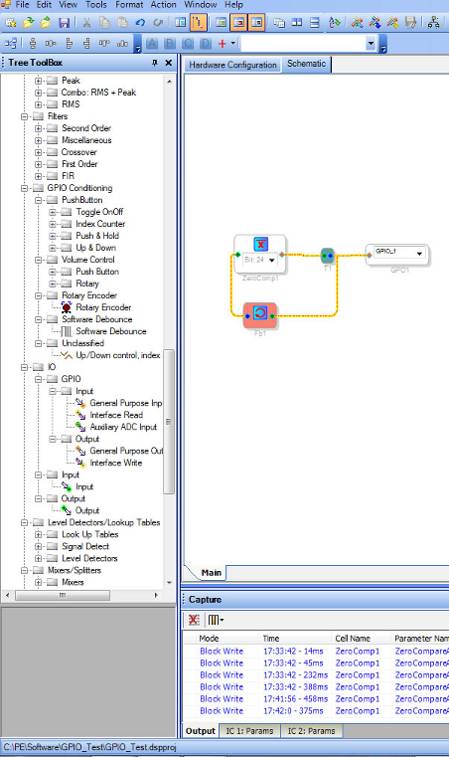
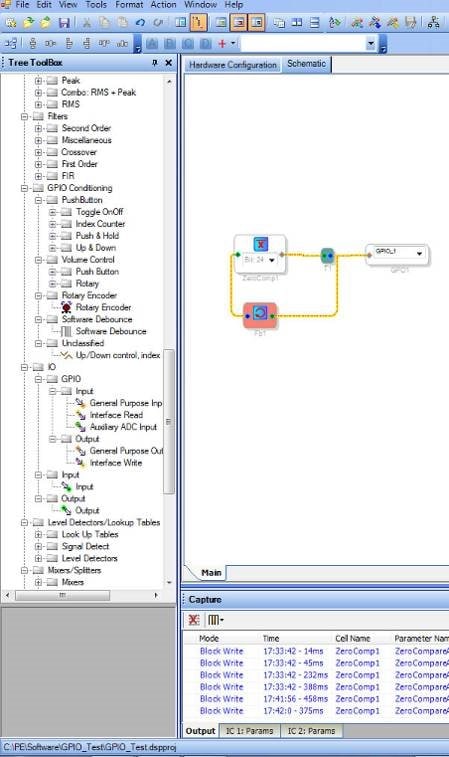
The zero comparator chases its tail, producing a square wave at fs/2. Outputting it at GPIO 1 bypasses the DACs so we can measure the actual sample rate. Be sure to set the zero comparator to Bit 24 as shown, and choose Output GPIO for MP1 in your Hardware Config window. Download the modified project and probe MP1 (TP5 in your schematic). If the PLL is working, you should see a stable 22.05 KHz there. Checking this before and after replacing the chip may give some insight as to why you're getting such strange results.
Bob
Hi Bob,
Thanks for the GPIO suggestion, I will try it now!
Kind regards
Charles
Hi Bob,
Unfortunately this didn't work. Before replacing the DSP, let me run through what I did. Firstly, I set up the hardware.
Then I created the suggested circuit.
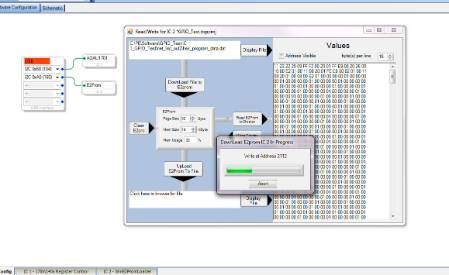
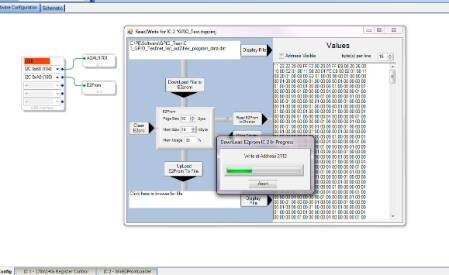
Then I connected the USBi and my PCB up to the PC and downloaded it to the EEPROM.
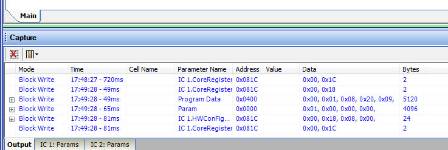
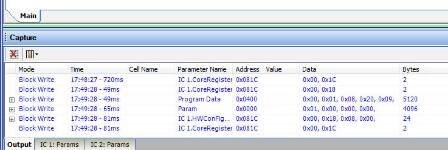
This activity was noted at the bottom of the screen:
It seems things were downloaded OK onto the EEPROM:
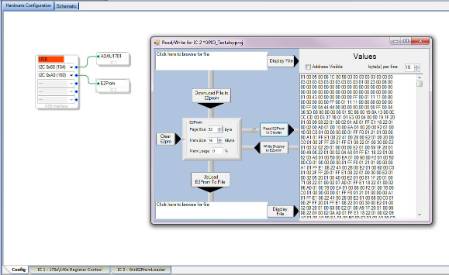
Checking the contents of the EEPROM, it seems the program did in fact download. I don't know if this was the previous program though.
To check if this is in fact the new software, I tried to display the hex file:
This doesn't correspond. I assume I am selecting the correct file? The project directory is C:/PE/.
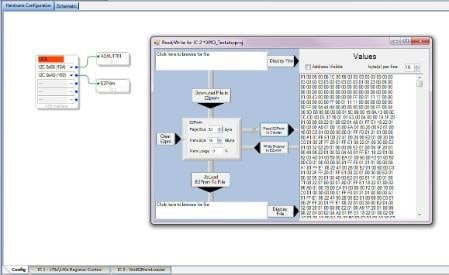
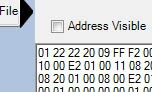
Anyhow, the plot thickens, as I realized the WP pin was actually held high during this process, therefore the EEPROM should not have programmed and I assume Sigma Studio shouldn't have told me that it downloaded OK! So I pulled WP low, re-powered the PCB and Sigma Studio reported that the communications failed. Hmmm. Subsequently, I tested writing to the EEPROM while WP was held low. I manually entered the first 2 locations as "11 22" and wrote display to EEPROM:
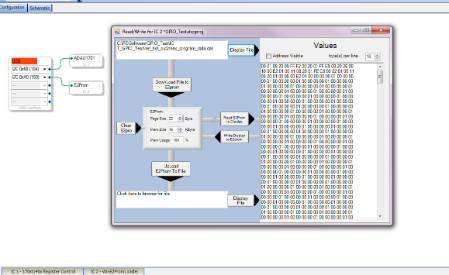
I then confirmed this write, by reading EEPROM to display. Funny thing is, the first digit changed to "0", while all else stayed the same. This doesn't seem right? Here is the downloaded display:
I now wonder if I had WP high when programming my 500 Hz signal, as I never received a warning message and it seemed to download OK. When WP is high the comms to the USBi fail!
Kind regards
Charles
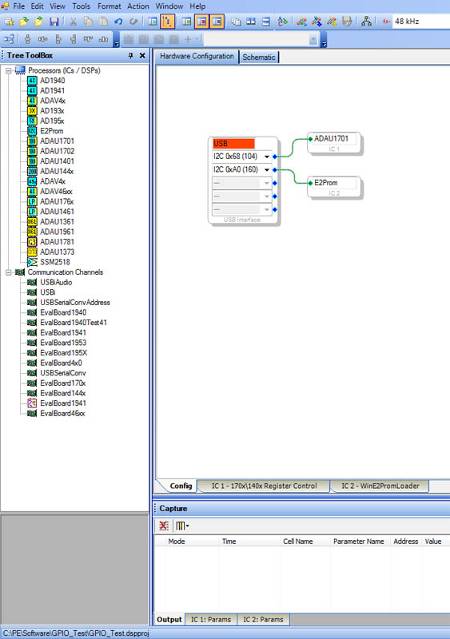
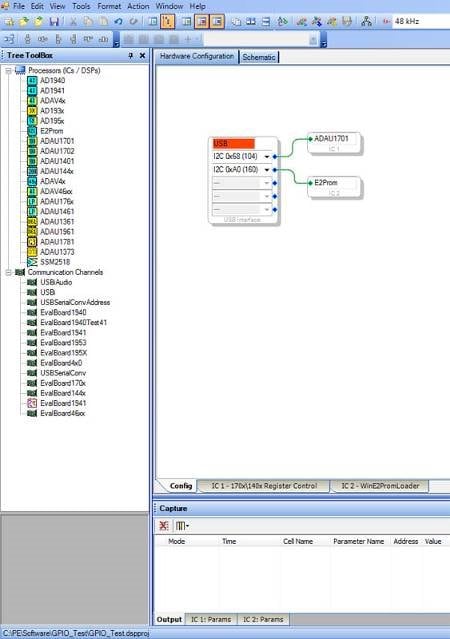


Hi Charles,
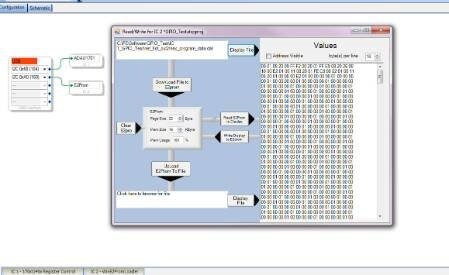
I'm afraid this is going over my head, as noted before I have no experience with self-booting. Since your original program (with the 500 Hz tones) worked on the eval board, perhaps comparing the Read/write screens for the eval board and your custom board might tell something. Otherwise, I'm out of ideas, and perhaps another member who can better understand the data you provided can jump in & help.
Best regards,
Bob
Hi Bob,
Thank you for all your help none the less!
Kind regards
Charles
Hi Brett,
Bob has been helping me quite a bit, but as you see from the last post, he is out of ideas. Please could you help me?
Kind regards
Charles
Hi Charles,
Brett is still in Asia on a business trip and will respond as soon as he can. Thanks for your patience.
Regards,
Coleman
Hi Coleman,
Thank you for the feedback.
Kind regards
Charles
Hi Bob,
I managed to get the DSP working. I generated a 500Hz triangle waveform and output it to the DAC2, and monitored this with a scope. I cut the track between the DSP and the EEPROM on the WP line. It now programs fine and starts up by itself and loads from the EEPROM.
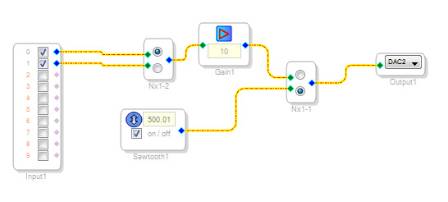
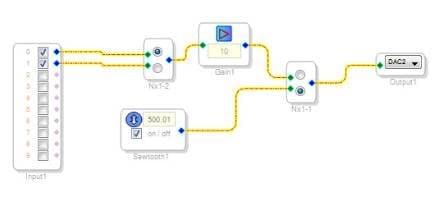
Now, the next problem prevails! I have an electret microphone set up on ADC0 (it has its own DC bias externally). The "Microphone" label is just for monitoring, the actual microphone signal is transferred though C8 and R4 to the DSP. Below is the Sigma Studio schematic.
I just set it up so that I can switch between stereo channels in case, and also to the sawtooth signal just to check the DSP is actually running. However, I get NOTHING on DAC2 when reading from the microphone. When whistling into the microphone I get a good 30mV peak out of the microphone directly. Calculating, this should give a 7uA through R4, which should easily be resolved by the DSP. Is there something I am doing wrong in that I need to set up the ADCs somewhere else?
Kind regards
Charles
Hello Charles,
I'm happy to hear you got the self-boot working! Now on to the mic signal...
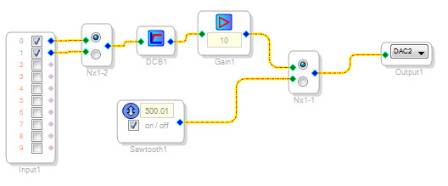
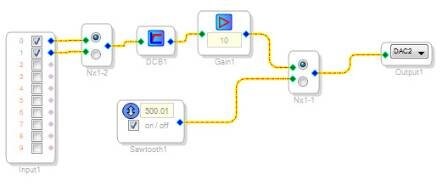
As a first quick suggestion, try adding a DC Block filter (under "Miscellaneous" filters in the toolbox) before your ten times gain block in your signal flow. This is generally good practice as it "centers" the ADC signal before further processing. It's especially important when gain is used within the DSP.
Generally it's better to amplify mic-level signals before the -1701, however your present arrangement will work as long as the resulting reduced S/N can be tolerated.
Best regards,
Bob
Hi Bob,
Sorry for the delayed reply, our baby was born on Monday so it's been a bit of a chaotic week!
I tried the DC Blocking filter, but same problem, no output to DAC2:
Incidentally, I have a microphone amplifier in the circuit, but for some reason it is not giving an output despite it being one of the first things I tested and that was ticked off as working on the PCB some time back. To reduce variables, I bypassed the signal and put the microphone directly into the DSP via C8 and R4. The gain here is just to make things more visible on the scope should I actually get something working.
So you are saying that everything is set up correctly? For 44100 Hz operation, is R5 at 19.8k the correct value? I'm assuming in Sigma Studio, the only selection for sampling frequency is via the top toolbar "fs" selection? R4 should only affect the ADC gain, it has no relation to the R5 value?
Kind regards
Charles
Hello Charles,
Congratulations on your new addition.
Since your schematic appears good, let's do some troubleshooting around the ADC:
R5 = 19.8K is correct for fs = 44.1KHz. The potential across R5 (pin 3 to ground.) should measure 1.5v.
R4 sets the voltage gain as you noted. Both sides of R4 also should measure 1.5v to gnd. There must be no DC voltage across R4 (thus, no DC current) . C8's polarity depends on the DC offset from your mic or preamp (whichever is connected) compared to the ADC's 1.5v offset. Measure C8 to make sure it's not open or shorted.
The fs setting atop SigmaStudio's schematic window is the software sample rate. This calibrates frequency-sensitive blocks such as oscillators and filters for the hardware sample rate in use. The hardware sample rate is set up separately -- see Jerad L's tutorial at
https://ez.analog.com/docs/DOC-1431
In your case, if your sawtooth output measures 500 Hz, your hardware sample rate is correctly
set up at 44.1 KHz.
Check your register settings in SigmaStudio -- choose the Hardware Configuration tab at the top of the schematic window, then select the IC1 - 170x\140x Register Control tab at the bottom:
The ADCs of course must not be muted or powered down.
The program length should be 1X-1024, and the RAM modulo must be 8.
Hopefully you'll get it working soon.
Bob
Hi Bob,
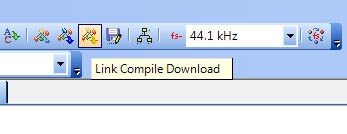
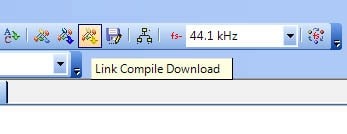
You're a genius! Turns out that some of the blocks were not set to 44100 Hz, so although my triangular signal was at 500 Hz, some parts of the ADC schematic was not at the correct sampling rate! I has not realized that I needed to click the "fs" icon in order to change all the block's sampling rates, I thought that if I selected it and then link compiled and downloaded, that would be the procedure.
Thank you for all of your help, hopefully this is the end of the bugs!
Kind regards
Charles
Please log in to reply.