ADAU1701 routing the ADC out and back in again?
Hi,
I have an application where I need to access (actually tap off) the output of the inbuilt (Main not Auxiliary) A/D converter before the digitised signal then goes through the DSP for further processing and out again to an external I2S input amplifier (TI TAS5701).
Looking at the data and Sigmastudio it looks as if the A/D can be routed out on MP6 / SDATA_OUT0 (Digo and Dig1) and branch externally to my circuit whilst also being sent back in via MP0 / SDATA_IN0 (channels 2/3) - obviously I would need to take care in the PCB layout.
Then I need just need to make the BCLK and L/RCLK connections from MP10 to MP4 and MP11 to MP5 with the outputs set in Master mode.
Am I right?
thanks,
Matthew.
Audio Signal Processors
a/d_converter
SigmaDSP Audio Processors
adau1701
Matthew,
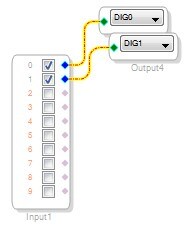
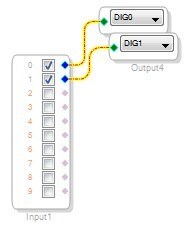
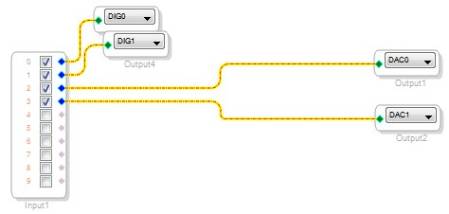
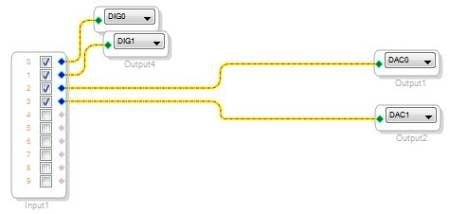
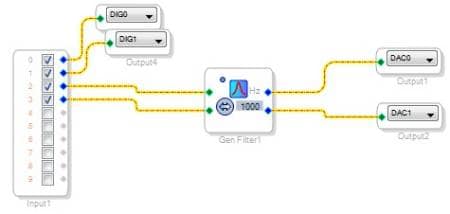
You are absolutely correct, but there is one catch. The ADC doesn't route to the Serial Output by itself. It always goes to the DSP. You can simply connect it manually to the Serial Out in SigmaStudio. It should look like this:
Then, to connect the serial input to the DACs, do this:
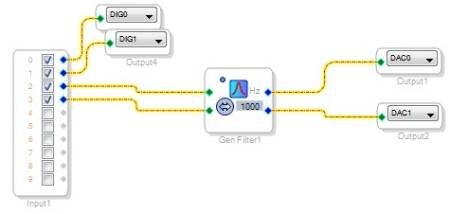
It's then possible to start inserting signal processing blocks wherever you need them. For example, here's a filter between the serial input and DAC outputs.
Hi
a further question, as I am not using an external A/D converter but rather the internal A/D (that I need to bring out and back in for reasons of my external circuit). Do I actually need to loop the output L/R and BCLK out and back in?
I ask because maybe the internal A/D always runs as a slave off the L/R CLK and BCLK that are provided to the digital Inputs (MP4/MP5)?
If so it seems to me all you need is an externally available L/R CLK and BCLK that are synchronous to all the digital audio you may wish to present. Is that true?
In my case I have a digital source that will connect to MP0 and which generates a constant L/R CLK and BLCK to MP4/MP5. Then as far as I can see we can use those same clocks to clock the internal A/D converter also, even though we are bringing its digital output out on MP6 and back in on MP1
If so I think all that is really required is that the L/R CLK and BCLK presented here are the same ones?
Hello Matthew,
The serial data inputs are always slaves, so if you want to send data to them, and the ADAU1701 is the clock master, then you need to route the LRCLK and BCLK signals to the proper pins in hardware.
On the other hand, if you are using the internal ADC and you are not using the digital inputs, doing this is not necessary.
However, it seems that you want to use an external digital source. In this case, you need make the ADAU1701 a clock slave.
You'll need to get MCLK, BCLK, and LRCLK from the digital source, and send them to the appropriate pins for the ADC and DAC. You'll also need to set the DAC to be a clock slave (which is its default setting).
It might be easier to help if you could draw up a basic block diagram showing what the ADAU1701 is connected to. Please post a picture if you have one!
Thanks,
Brett
This question has been assumed as answered either offline via email or with a multi-part answer. This question has now been closed out. If you have an inquiry related to this topic please post a new question in the applicable product forum.
Thank you,
EZ Admin
Please log in to reply.