Parameters To setValueControl
I have been trying to write a script in SigmaStudio to control the coefficients of a IIR Coefficient filter. For some reason, however, when I pass in the
what seem to be correct parameters for the "setControlValue" parameter in ss.ObjectSetProperties, nothing fails (I checked the instance of HResult)
but nothing changes. Could someone help me?
Here is the part of the script I am having trouble with:
HResult = ss.ObjectSetProperties( "TestCSharp", "setControlValue", "TestFilter", 0, 0,
"B2" /*I tried B0, b0, B1, A1, A2, ect. as well.*/, 5.0 /*Also tried 5, 1, 1.0, 5.0f, 1.0f 10000.0f, 1000, ect.*/ );
According to the documentation the parameters for "setControlValue" are: int: Index of Algorithm, int: Repeat Index (Grow Index), System.String: Control Value Name***, System.object: Value To Set
Any help is appreated!
scriptfile
sigmastdio
Hello Christopher,
Would you please tell me which IC you are using in the project? If you would like to move this to a private conversation, let me know.
Thanks,
Brett
Hi Christopher,
First be aware that you can only set an "active" properites of a GUI control, where the 'setControlValue' is a GUI control. In this example, set the filter to "IIR Coefficient" in the filter type drop down menu which makes the "coefficient" controls active.
Otherwise the script will be ignored. The script will succeed which just means it compiled and ran successfully, there is no result returned by the actual filter object to signal script success or failure
The filter coefficients are in an object named "Coefficients", you can modify them via script as follows:
ss.ObjectSetProperties( "setControlValue", "TestFilter", 0, 0, "Coefficients.B0" , 1.0 );
ss.ObjectSetProperties( "setControlValue", "TestFilter", 0, 0, "Coefficients.B1" , 2.0 );
etc..
Or you can set them all in a single command:
ss.ObjectSetProperties( "setControlValue", "TestFilter", 0, 0, "Coefficients" , new float[]{1.0f,2.0f,3.0f,4.0f,5.0f} );
The coefficient ordering is DSP dependent but for most ICs it is {A1, A2, B0, B1, B2}.
I realize this is neither intuitive or included in the documentation...but hope that helps :-0
Regards,
John
------------------------------------------------------------------------------------------------------------------------------
Since the "Control Value Name" are not published in detail, you might wonder how to find them? So here is a somewhat tedious method:
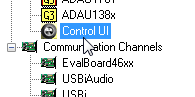
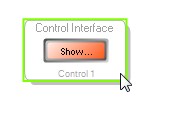
1. Insert the "Control UI" block located in the Processor IC section of the Hardware configuration toolbox.
Basic usage details of this control are documented here
2. Open the Control UI interface, and insert a knob or slider.
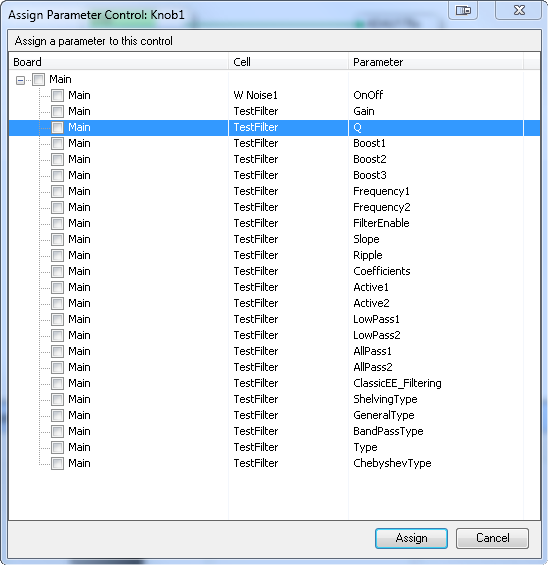
3. The "assign Parameter Control" window will open, and here you will see a list of the exposed "Control Value Name" for every GUI block in the project. These are the names that must be used in the "setControlValue" script command.
Thank you both for the replys.
@jmccarty The Coefficients.X worked! Thank you! I will also keep that tip in mind. :-D
Please log in to reply.