EVAL-ADAU1761Z audio routing.
Hello:
I am using EVAL-ADAU1761Z EVALUATION BOARD with Sigma Studio V3.8
I need to route audio in J24 LAUX pin 6 and RAUX pin 14... TO ...
LOUTN pin 17 an LOUTP pin 18 J21 and ROUTN pin 16 ROUTP pin 15 J25.
How do I do that..? as I do not see that routing combination in the SigmaStudio Hardware Configuration tab Codec Setup tab
Automatic Setup... There are only 3 selections there and not the combination I need.
If this is done in Record Input Signal Path / Playback Output Signal Path tabs can you please
help me understand these windows as some of the routing make no sense... etc..
Thanks
routing
1761
audio
Hi GUSADI12,
The Record Input Signal Path tab provides access to all of the registers that control the routing of the inputs to the DSP core or straight to the output.
The Playback Output Signal Path tab provides access to the registers that control the routing of audio from the core or inputs to the outputs available.
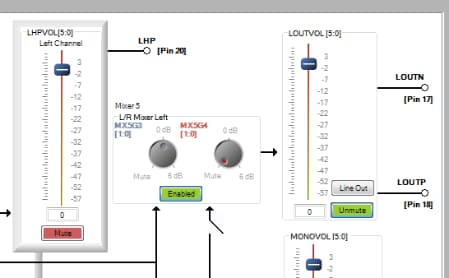
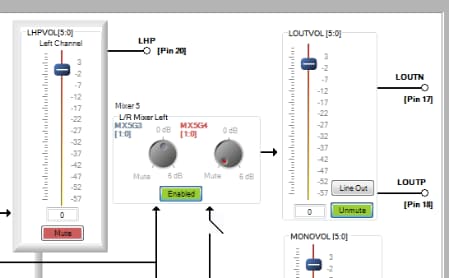
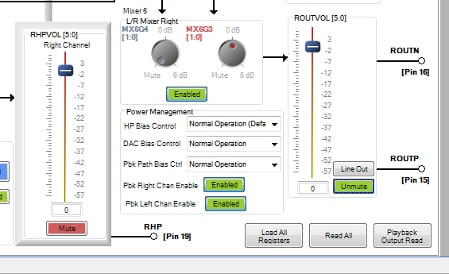
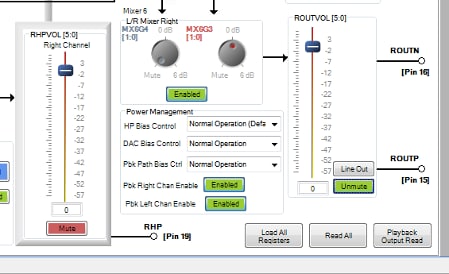
Your routing scenario has the same input as the 3 and 4 In Capless HP Out automatic setup option so you won't have to modify anything in the Record Input Signal Path tab. Choose that setup and then you only need to modify the output routing. Go to the Playback Output Signal Path tab and change the setting to look like the following two pictures. Essentially all you need to do is mute the capless HP outputs and enable the L/R mixer followed by unmuting the L and R outputs.
For the Left channel,
And for the right channel,
This question has been assumed as answered either offline via email or with a multi-part answer. This question has now been closed out. If you have an inquiry related to this topic please post a new question in the applicable product forum.
Thank you,
EZ Admin
Please log in to reply.