How is hold implemented in peak compressors?
Using the peak compressor, if I turn off the decay time (instant change to unity gain), and then choose specific values of hold in ms, I get big glitches in the output.
If I choose other values, I don't get the glitches. For 50 Hz waveform (20 ms wavelength, or 10 ms from peak to peak in abs(signal)):
10 ms no glitches
15 ms glitches
20 ms no glitches
23 ms glitches
25 ms glitches
30 ms no glitches
32 ms glitches
33 ms glitches
These glitches aren't as obvious at lower decay values, but they're still visible in the THD residual.
I suspect the hold is triggered from a peak, and then after the hold period, it returns to the original gain, regardless of whether any more peaks have occurred during the hold. Is that true?
The way I think it should work is that the hold timer is reset every time there's a peak, so if your decay speed is set to 8686 (instant), but your hold time is longer than half a wavelength of a continuous signal, the hold timer should repeatedly be reset by the peaks of the waveform and the gain should stay constant.
Audio Signal Processors
adau1702
compressor
hold
SigmaDSP Audio Processors
SigmaDSP
Show More
Hi J3627,
May I ask about the specifics of your test tone? Is it just a constant sine tone? What is the level, and how have you set the compressor curve?
I don't have hardware with me right now, so it might be a few days before I can test this in the lab.
One thing I can say is that if the decay is set to zero, you will definitely have a large jump or "glitch" in the signal when the downward compression returns back to unity. However, the hold time should prevent that, as you have described.
I don't imagine that the peak compressor was really designed to operate with zero decay, since that will always cause audio glitches in a real system with real audio. Would you mind giving it a try again, but setting the decay to a non-zero value (even a very small one) and then seeing what happens?
Like I said before, hopefully I can try this in the lab next week when I have hardware.
Thanks.
Brett
BrettG wrote:
May I ask about the specifics of your test tone? Is it just a constant sine tone? What is the level, and how have you set the compressor curve?
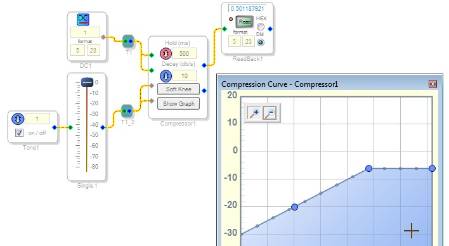
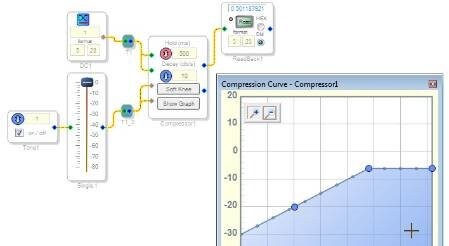
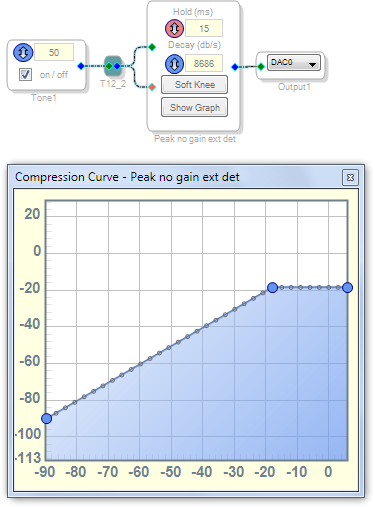
Yes, just a constant tone, above 0 dBFS, with the compressor as shown in http://ez.analog.com/message/83087#83087
I don't imagine that the peak compressor was really designed to operate with zero decay, since that will always cause audio glitches in a real system with real audio. Would you mind giving it a try again, but setting the decay to a non-zero value (even a very small one) and then seeing what happens?
Yes, that reduces the amplitude of the glitches, but they're still visible in the THD residual.
BrettG wrote:
Like I said before, hopefully I can try this in the lab next week when I have hardware.
Any updates? Can you confirm this?
I did a pretty simple test with a peak compressor that uses external detection inputs. This makes it easy to set up the test.
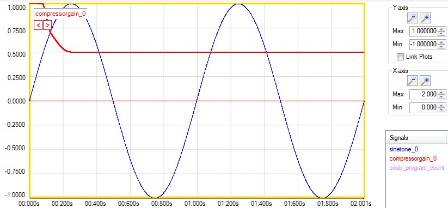
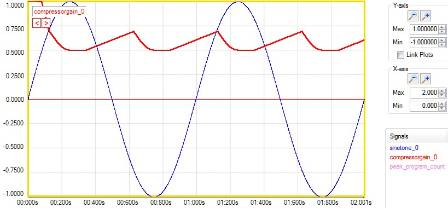
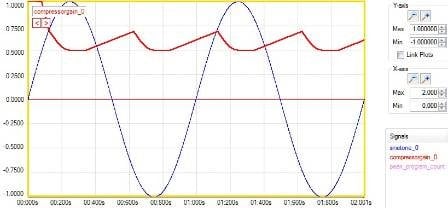
I used a 0 dBFS peak sine tone as the detection input and I set the curve to limit at -6 dBFS. Then I monitored the gain being applied by the compressor (use a DC input of 1 and then monitor the compressor's output).
Since the wavelength of a 1 Hz sine tone is one second, that means there are two 0 dBFS peaks per one second. In other words, the peak detection is looking at the absolute value of the signal, so therefore, the effective wavelength is actually 500 ms.
My theory is that with a hold time of 500 ms or greater, the output should be a constant value of 0.5 (a.k.a. -6 dB). I also theorized that if the hold time is less than 500 ms, then there will be small jumps in the output gain (since the hold time is now shorter than the wavelength).
Test project:
Test #1 (hold = 500 ms):
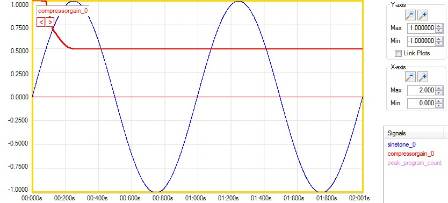
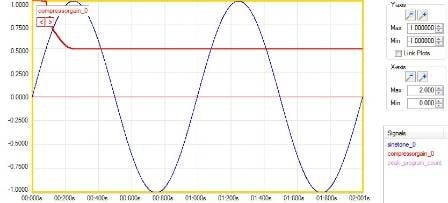
Result: output gain is always 0.5, as expected.
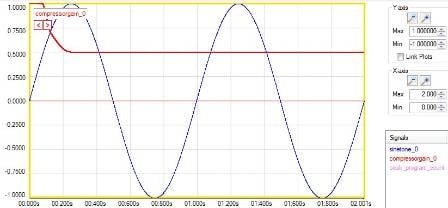
Test #2 (hold = 400 ms):
Result: output gain is 0.5, but for after the hold time expires, there is a brief jump in the output gain for 100 ms until the peak comes back, as expected.
Test #3 (hold = 100 ms):
Result: the output gain is 0.5 for about 100 ms, then the output gain climbs for ~300 ms until the next peak comes, and then compresses for about 100 ms back down to 0.5. This repeats, as expected.
Tests #4, 5, and 6 (hold = 600 ms, hold = 1000 ms, hold = 2000 ms):
Result: for any hold time greater than 500 ms, the results are always the same. The output gain goes to 0.5 and stays there indefinitely.
So, as far as I can tell, the hold time is working exactly as expected.
By the way, I tried to use the up/down arrows to bring the Decay down to 0, and as expected, I was limited at Decay = 1 dB/s. This makes sense, because without any decay, the compressor will never release, which is sort of an invalid mode of operation.
Modified test project: (now using the same sine tone as the audio input and the detection input)
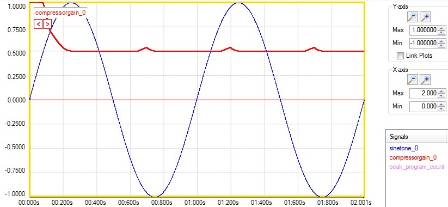
Test #7: (hold = 100 ms; use the same 1 Hz sine tone as the audio input and the detection input)
Result: When the hold time is less than 500 ms, some small glitches show up in the output waveform, as expected.
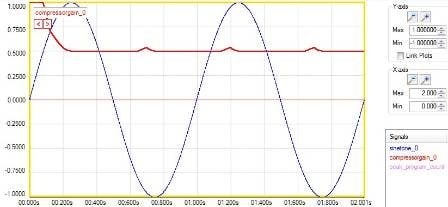
Test #8: (hold = 500 ms; use the same 1 Hz sine tone as the audio input and the detection input)
Result: no glitches, as expected.
Test #9: (hold is greater than 500 ms; use the same 1 Hz sine tone as the audio input and the detection input)
Result: no glitches, as expected.
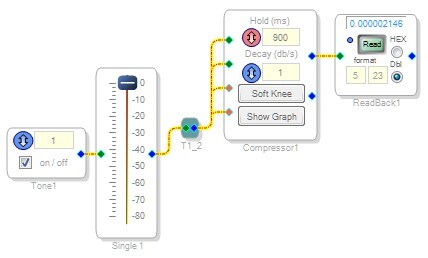
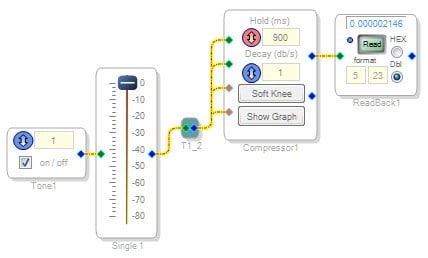

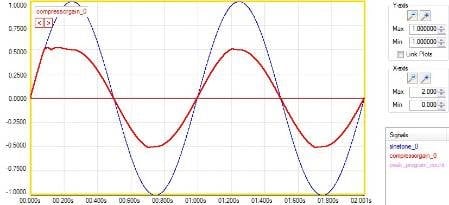
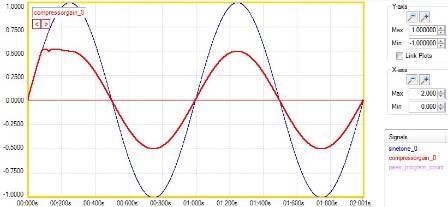
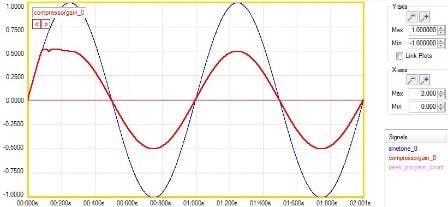
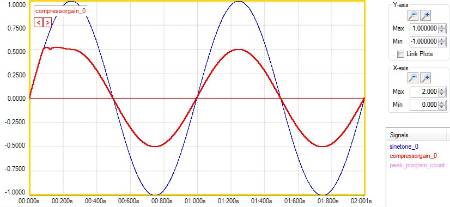
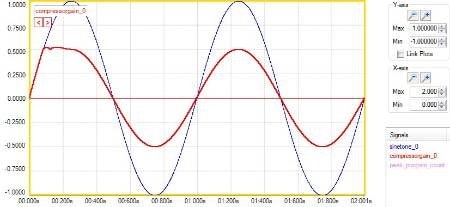
Ok, I'll try to do something similar. How did you make those plots?
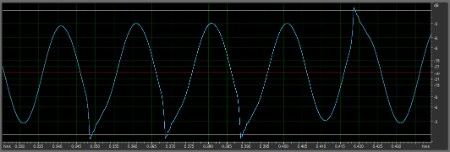
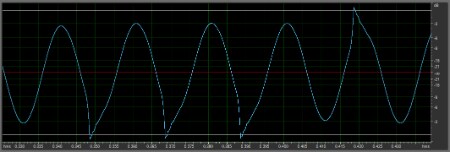
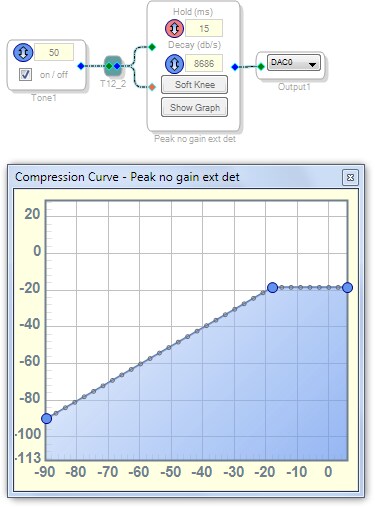
I'm confused. When I tried to copy yours, it didn't have problems, but when I took mine and reduced it down to the same thing, it still has the problem. Here's the minimal path that produces these glitches (the curve corner is -18 dB):
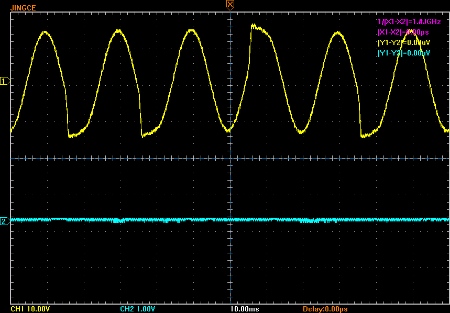
output looks like this:
Update:
With your setup, 50 Hz signal, and 10 ms or 20 ms hold time, the limiter stays on continually as expected, but at 15 ms hold time, it intermittently releases:
5 ms hold (should release):
10 ms hold (should not release, as it is being retriggered each peak):
15 ms hold time (should not release, since hold is longer than peak-to-peak distance):
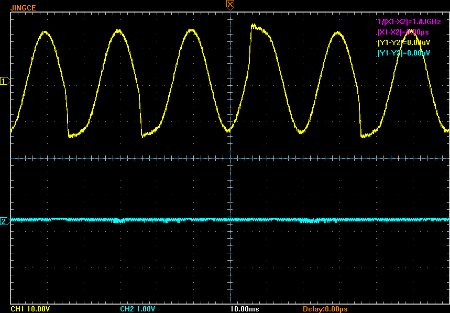
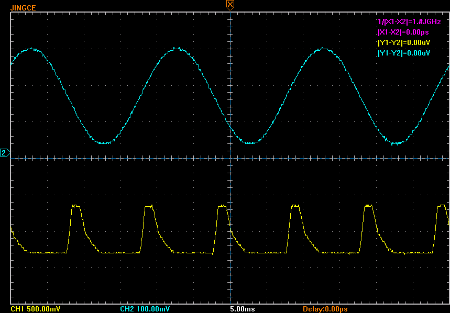
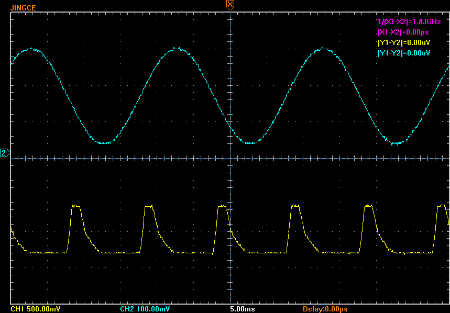
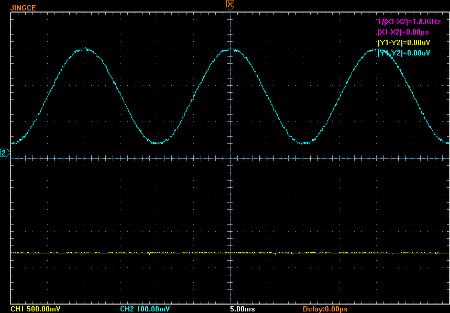
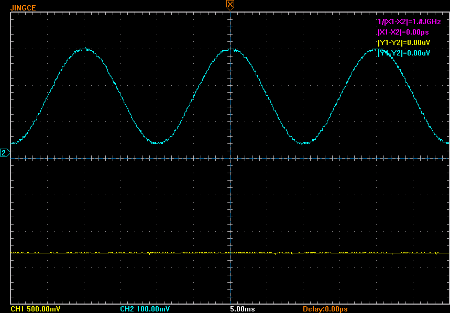
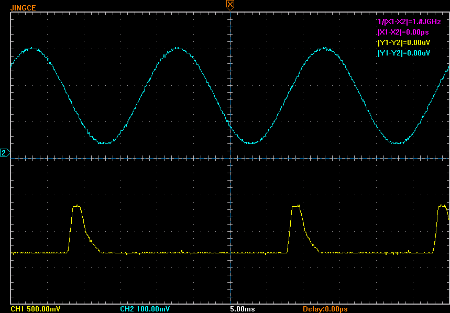
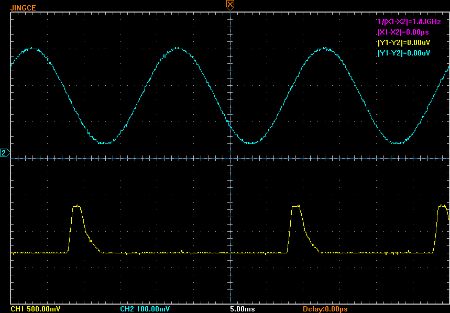
The plots I made were generated using an internal evaluation tool that simulates the exact operation of the DSP core.
May I ask which SigmaDSP you are using for this test? I did my tests using the ADAU1761. However, the results might be different for other SigmaDSPs, since the core architecture (and therefore the code) varies.
ADAU1702
Hi, Brett and J3627,
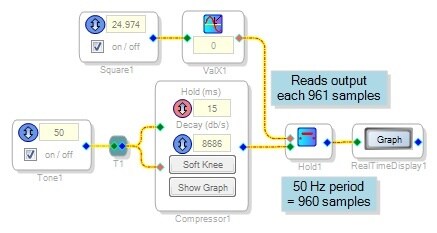
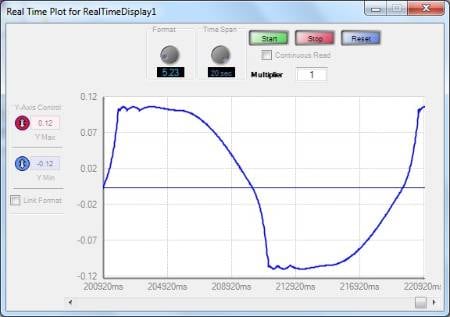
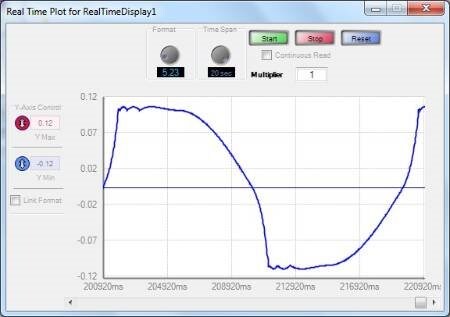
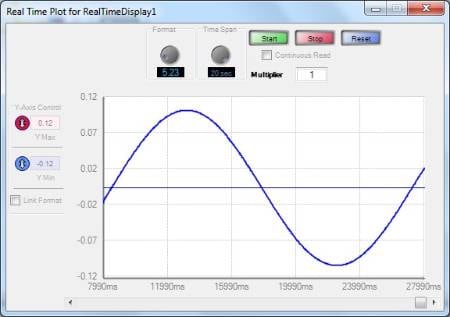
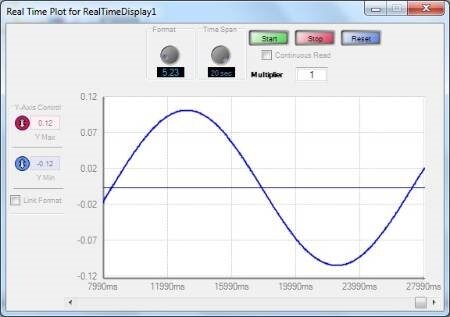
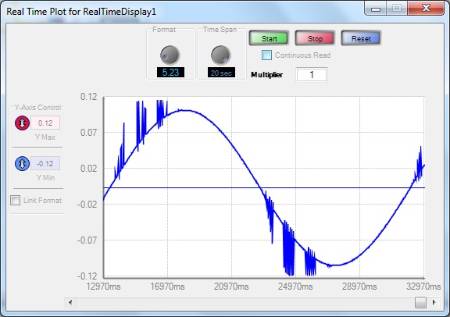
The 1701's peak compressor does appear to glitch when operated as J3627 described. The circuit shown below duplicates that result. Without a scope handy, I slowed down the compressor's 50 Hz output via equivalent-time sampling, to view on the Real-Time Display:
The compressor's output with 5mS hold is a mess, as expected:
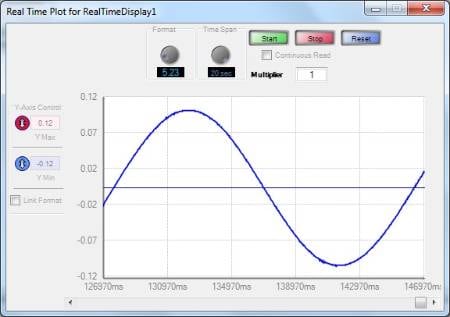
At 10mS hold it works perfectly:
The15mS hold setting adds a spurious response:
So, something is definitely going on -- although it may be a moot issue, because a compressor is typically operated with a slower decay. For example, the above result looks a lot better with a 20dB/s decay:
Best regards,
Bob

Robert Blowsky wrote:
Without a scope handy, I slowed down the compressor's 50 Hz output via equivalent-time sampling, to view on the Real-Time Display:
What a great idea! That should be built into the Real-Time Display.
Yep that, and a triggered sweep ...
Our algorithm specialist looked into this and has determined that sometimes the peak detector is not always resetting the hold time. He's going to try to fix the problem and release a new version of the algorithm.
It will probably end up working out that in future releases of SigmaStudio, the compressor that appears in the library will be fixed. However, if an instance of the compressor already exists in a project you created with an earlier version of SigmaStudio, it will still be the old version running the old code. We take this approach so that people will be able to maintain forward compatibility in their projects when they upgrade to a new version of SigmaStudio.
Hi Brett,
Yes, backward compatibility is worth a valiant effort to preserve. Occasionally some of our C code gets broken by a compiler update -- and few problems are more difficult and frustrating to troubleshoot than this.
I'm wondering where the code is actually stored in a project. For example, suppose I had a project originally made for a ADAU1701, but wish to run it on a AD1940. The latter can run much the same blocks as the former, so could I just cut and paste a design from the -1701 project to a new -1940 project? I thought that was OK, in fact I previously gave advice to that effect. However, if the code remains with the placed block (as your discussion about backwards compatibility appears to indicate) and the two processors in question aren't fully code-compatible, this may not work.
Bob
Hi Bob,
Our standard practice is to have the blocks you have added to your project "point" to the corresponding library blocks. When we make a code update, we actually make a new version of the library block, so that if you add a new instance of that block to a project, you'll get the new code. However, the old version of the code still lives on in the library, so older projects that reference it will still get the old version of the code. Thus, the old version of the code becomes "obsolete" in the sense that it doesn't appear in the updated library, but older projects can still reference obsolete code. To the user, however, this is transparent. Hopefully that's not too confusing!
We use this method so that users opening older projects won't get any nasty surprises in the event that we've made code updates. They will also get the benefit of code updates when they start a new project. In that way, we hope to strike a balance between backwards compatibility and ease of use.
J3627,
I just wanted to give you an update. The algorithm software engineer has found a solution to the issue, but it will unfortunately increase the memory footprint of the algorithm by a little bit. We will hopefully be able to release the new updated code in the next beta.
Was this updated in a final version of SigmaStudio?
Please log in to reply.