Re: ADAU1701 I2S Input
I have exactly the same problem. Maybe I should also improve the signal quality, but why is the analog audio cutting out as soon as I connect LRCLK? It seems that the ADAU1701 is shutting down, but why does this happen?
Audio Signal Processors
SigmaDSP Audio Processors
adau1701
koalo,
Can you provide more detail about your system, like a schematic or project file with register settings?
It is an EVAL-ADAU1701MINIZ and I try to connect it to a Raspberry Pi.
The register settings are the same as the ones above (as far as I remember - I'm at home right now).
The schematic is nearly the same, too. (combining all inputs into one output).
The Raspberry Pi generates a MCLK with it's PWM module and BCLK and LRCLK with it's I2S module.
Well, the register settings from tblan4 actually don't quite match the I2S standard. The BCLK signal polarity is inverted, for one thing. Perhaps you can start by trying to change that and see if it improves anything.
Thank you very much! I will try that on Monday. I will also use shorter and twisted cables.
What I don't understand is the fact of the DSP "shutting down".
How can the I2S module have any influence on that?
My naive expectation is that there is some kind of a module that receives the I2S data synchronous to the BLCK and LRCLK and transfers it into a block of memory of the DSP. When the clocks are corrupted, this data in the memory should be corrupted, but not the whole DSP.
I tried it now with shorter cables (< 1 inch), but the problem remains.
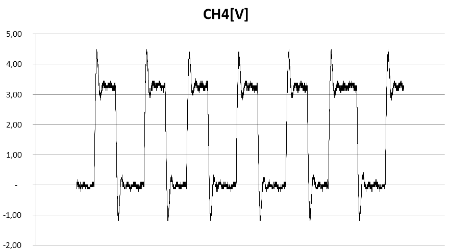
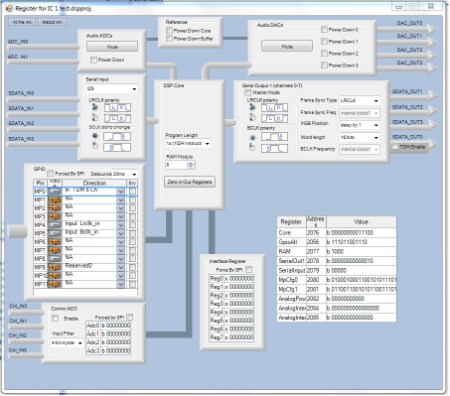
Here is my BCLK signal (measured directly at the output of the Raspberry Pi - without anything connected), my register settings and my schematic.
Is there any hope?
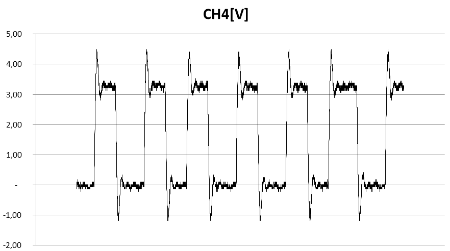
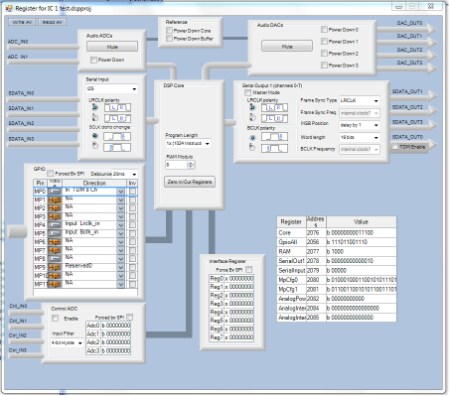
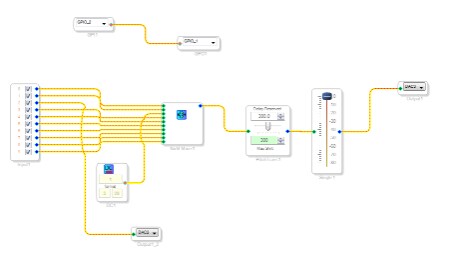
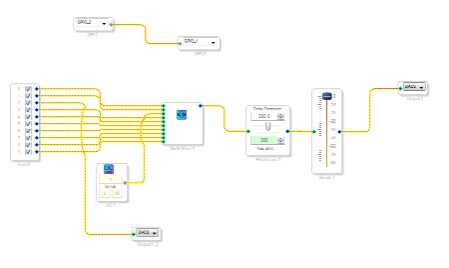
Hmm, there is a bit of overshoot in the BCLK signal, but that shouldn't be a big problem. Are you able to take a screenshot of LRCLK, BCLK, and SDATA on the same plot? That way I could check the clock polarity and data alignment and make sure it matches with what the register values are set to on the ADAU1701. It would be very helpful if you could turn persistence on the SDATA stream so that we can see which of the bits are toggling on that signal.
I see that the BCLK data change was wrong - but flipping that doesn't change anything.
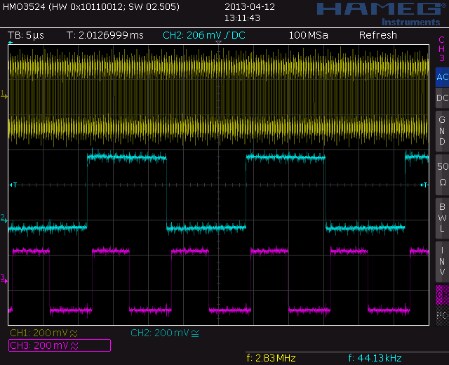
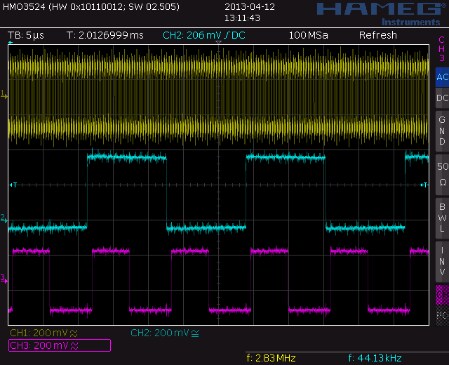
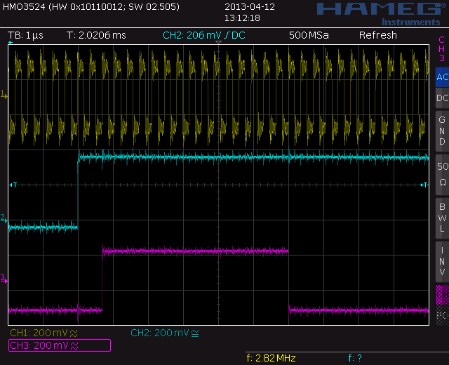
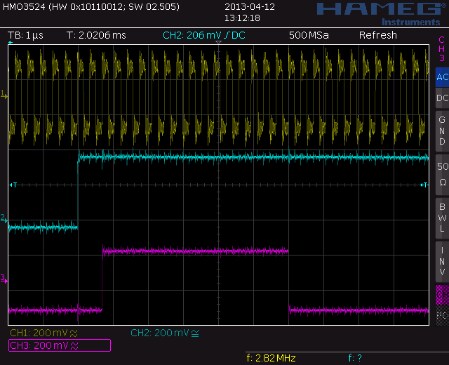
Well, the BCLK polarity does indeed seem to be inverted. However, more importantly, there's no audio data. From what I can see, the signal is just DC. Counting from the beginning, I see 0x7FFF00 in both channels. That's effectively one LSB below full-scale (16-bits) and it's constant. This means there's no audio data... it's just a giant DC offset.
So, I think the problem is that the Raspberry Pi is clearly not generating a valid audio signal. It's just outputting a constant DC value.
I just realized that I should have branched this to a separate discussion a long time ago, since this is a new question from a new user.
I accidentally missed these updated screenshots from Koalo when I branched the discussion:
5277.7fa9d6b4349536174af3d27ea7047a1d.gif
3441.af744ebe2e16cc643f095f46b4e7677d.gif
Koalo,
I am a bit confused when I look at the scope shots you posted. How many bit clock cycles are there per audio frame clock? There should be 64 BCLK cycles, with 48 of those reserved for data and 16 used as padding. It's a bit difficult to count on your screenshot.
Normally, a single audio frame looks like this in I2S mode:
1 bit padding, 24 bits of audio data (left channel), 7 bits of padding, 1 bit padding, 24 bits of audio data (right channel), 7 bits of padding.
However, when I look at your second screenshot, I see that the data from one channel seems to be spilling over into the other channel. So, I think maybe you don't have 64 BCLK cycles per channel... perhaps it's only 48 cycles?
An easy way to check this is to measure the clock frequency of both the BCLK signal and the LRCLK signal. The frequency of the BCLK signal should be 64 times the frequency of the LRCLK signal.
For example, if LRCLK is 48 kHz, then BCLK should be 3.072 MHz.
As another example, if LRCLK is 44.1 kHz, then BCLK should be 2.8224 MHz.
Ah, never mind, I just saw that the BCLK is 2.8224 MHz and LRCLK is 44.1 kHz.
So, that begs the question, what frequency is MCLK? In 256 x Fs mode, it should be 11.2896 MHz, and it should be coming from the I2S audio source. Can you confirm that it is?
Thank you!
I think the "overspilling" comes from the fact, that the raspberry pi does not change the data signal back to 0 if the last bit is 1 - it only guarantees the signal is at the right level at the sampling points.
Good hint with the MCLK! The clock source should be the same (both from same 500 MHz PLL inside the Raspberry Pi), but how accurate should this be? 11.2896 MHz is not possible with an integer divider
I think it is at 11.36 MHz at the moment. I will check that on Monday.
Another alternative is using a MASH divider, but this would vary from 11.11 MHz to 11.36 MHz.
Uh oh. In order for our chip to work properly, the MCLK needs to be an exact integer multiple of the sample rate (a.k.a. fS or LRCLK). Your choices are 64 fS, 256 fS, 384 fS, or 512 fS (you can read more about this on page 18 of the datasheet). So, if you want your audio to be 44.1 kHz, then master clock must be either 2.8224 MHz, 11.2896 MHz, 16.9344 MHz, or 22.5792 MHz. You then need to set the PLL_MODEx pins accordingly.
If your master clock is 11.36 MHz, then you need to change your audio sample rate to 44.375 kHz.
Ahhhh - thank you so much for this clarification!!
I will test that on Monday and report the result.
Ok - it was really the MCLK. I used two external frequency generators with 11.2896 MHz and 2,8224 MHz and I can hear that sound is coming through. Sometimes.... But this should come from the fact, that they are not perfectly synced. I think a better clock source will solve the problem finally.
Thank you very much for your help and your patience!!
I had the chance to test it with a better frequency generator today and it sounds perfect!
Thanks again! The problem is solved!
Great! Let us know if you need additional support.
Please log in to reply.