How to extract maximum value from "Max and Hold" for calculation?
Hello,
I'm using 'Max and Hold' to find the maximum value of the signal between two zero crossings and that works.
Now I need to use that maximum value to scale another signal accordingly. The other signal would be scaled like: arbitrarily_set_constant/found_maximum_value=scaling_factor.
How would I go about that? Kind of stuck here, never done this before. I'm working with ADAU1701.
Thanks,
Ari
Audio Signal Processors
max_and_hold
SigmaDSP Audio Processors
adau1701
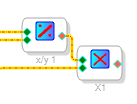
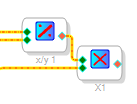
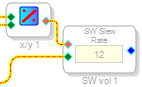
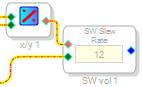
There is a division block that is a bit of an expensive computation (in terms of instructions required), but it should get you the division you need. You can then wire the output of that either to a multiplier (for instant level changes) or to a slew volume control (for a slewing volume change, avoiding discontinuities in the audio signal that would result in audible artifacts).
Multiply:
Slew:
Hi Ari:
If I may ask, what are you doing? There might be easier ways to do what you are trying to do. As Brett mentions, a division is expensive in the 1st 2 generations of SigmaDSP.
Miguel
Hi,
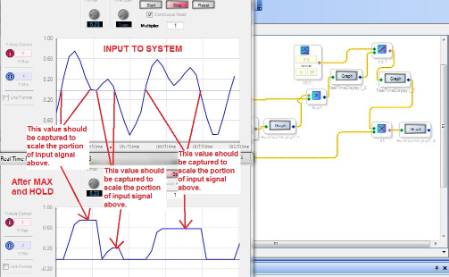
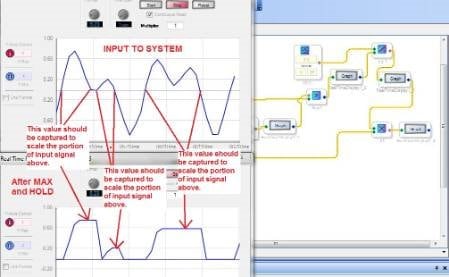
I tried the division + multiply scheme, but it didn't give what I was looking for. The problem is that in that form the calculation is done continuously. The attached pic hopefully explains bit better what I have in my mind.
The code is currently made to work with the positive part of signal only. The test signal is a two tone sine. Because of the coarse resolution of real time plot window, it looks like something else.
It might first look like why I just don't use 'gain', but the idea is to scale only the 'half cycles' that go over certain limit.
Thanks,
Ari
Hi Ari,
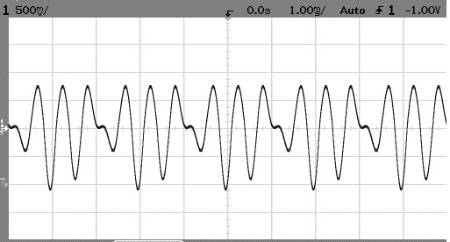
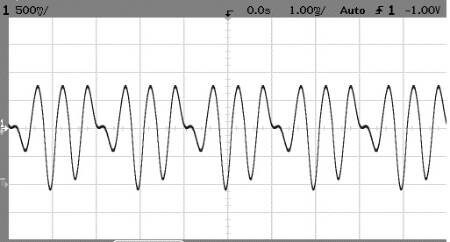
You can do your desired function by searching through a delay for the next peak. The results for positive excursions only appear like this:
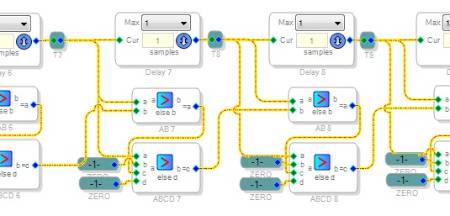
This method appears like a FIR filter, except each tap doesn't directy contribute to the output. Instead, the taps drive logic that finds each positive-going zero crossing, then looks backward through the delay for the next upcoming peak. This is latched and used to calculate the gain for the entire excursion. The logic surrounding the delay cells is shown below:
I used 50 of these to form a delay about 1mS long, enough to find the peaks in signals as low as about 300Hz.
If you want this behavior for both positive and negative peaks, and can tolerate some error when adapting to new peaks, a simple limiter (under Dynamics) would work fine and be a whole lot simpler. Otherwise, you can have a look at the above method by downloading this project into SigmaStudio.
Bob

Hi Bob,
Took a while to wrap my head around this, but I think I got it. Very clever solution.
Thanks,
Ari
Please log in to reply.