How can I get a constant-dB envelope decay?
Hi,
My current project calls for a Peak Programme Meter - a peak-reading level meter with fast attack, slow decay and a logarithmic scale. My system microcontroller reads the level value periodically from the SigmaDSP (an ADAU1701), compares the value to a set of log-spaced thresholds and drives a row of LEDs.
In theory, the Sigma end of things should be easy - just use the Peak Envelope detector with an appropriate choice of hold and decay times. However, I have fallen foul of the fact that (as was flagged up here: https://ez.analog.com/message/50275#50275) the Envelope detectors have a linear decay characteristic rather than the more usual RC/constant-dB response. The effect of this is that my logarithmic meter decays ridiculously slowly at the top end of the scale and much faster at the bottom.
Two questions therefore spring to mind:
1. In the thread mentioned above, AD indicated that there might be a possibility of constant-dB version of the envelope detectors - is there any chance that these might arrive quickly enough to save me?
2. As that seems unlikely, can anyone suggest an alternative method of building a peak detector with fast attack and slow, constant-dB decay?
Any suggestions would be much appreciated.
Cheers,
Steve L.
Hi Steve,
Thanks so much for bringing up the Peak Envelope Detector's non-dB decay -- I've been using them all over and never noticed their linear decay until now.
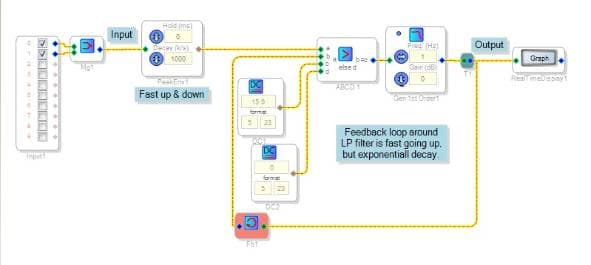
For your present application, perhaps you can try the circuit below. It starts out with a peak detector that's fast both ways. The following stage produces a quick rise, exponential decay function using feedback around a low-pass filter. When the input envelope is higher than the output, the comparator puts 15.9V (as high as possible) into the filter to drive it upward until the output reaches the input. When the envelope goes away, the output goes down at a much slower rate:
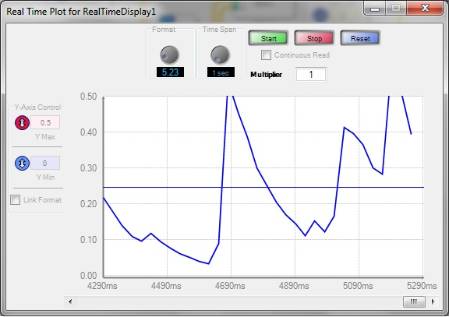
I tried it with some disco-like music (with a beat) to see how it works:
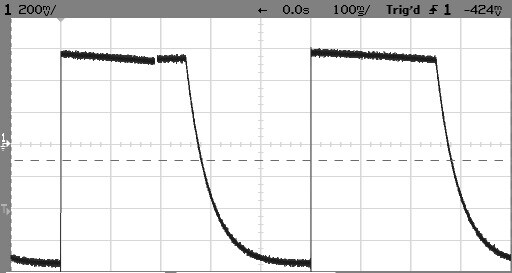
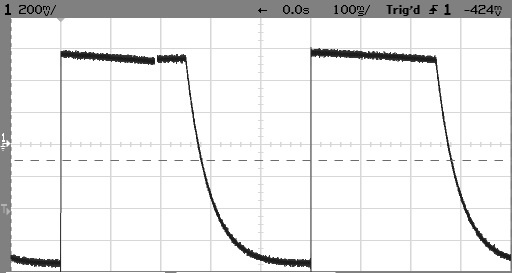
The output shows the desirable exponential decay. This circuit is somewhat limited in ultimate attack rate, and a bit noisy at the low end (the output hunts around zero), but hopefully with a little work you can have something like it drive your display satisfactorily.
Best Regards,
Bob
Hi Bob,
Thanks very much for your reply and ingenious solution. I will give it a try - it'll have to be on the real hardware, as unfortunately my PC doesn't seem to be powerful enough to deliver any output on the Real Time Graphs
The attack and noise limitations aren't a problem in my application - PPMs have a 5-10ms "integration time" (attack time in other words) and my meter is only a seven-LED bargraph.
Another possibility that I am looking at is to use the Peak Envelope with External Decay control and feed back the output value to the decay control, thereby increasing the decay rate for large outputs.
Something like this:
If that works, it uses slightly fewer instructions but I haven't yet worked out how to set the gain and offset values to get the decay response I'm after - or even if it is possible to do so. Another situation where the RT Graph would be useful!
Will report back on what works - any thoughts welcome.
Best regards,
Steve L.
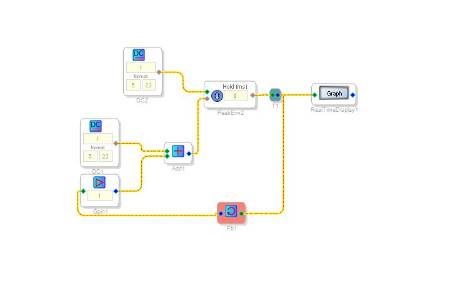
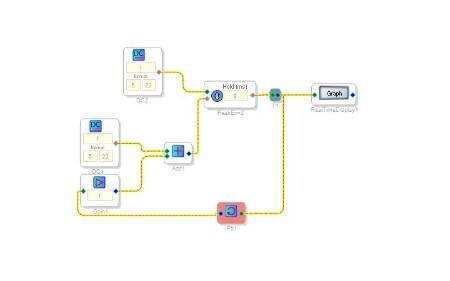
Further to my earlier posting, I just tried out the scheme using a Peak Envelope External Decay with feedback and - much to my surprise - it worked perfectly!
There is an element of "suck it and see" about setting the initial parameters because the SigmaStudio Help specifies the P.E.E.D. control input in dB/s, but we have already established that the decay is linear and therefore the dB/s rate depends on the instantaneous peak output level.
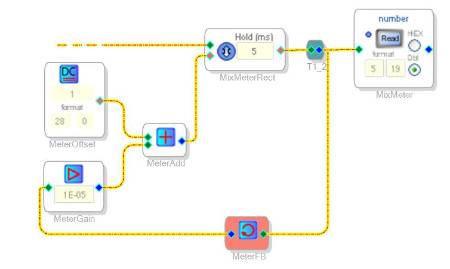
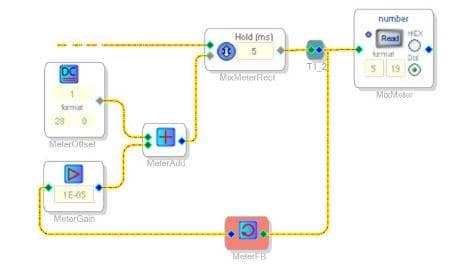
My eventual circuit was:
MeterOffset ensures that the decay rate never falls to zero while MeterGain determines by how much the decay rate varies with output level. The feedback gain is tiny because of the need to translate between 5.23 and 28.0 number formats.
I was looking for a decay rate of around 9dB/s for my Peak Programme Meter and my initial educated guesses for the parameters - 2 for the offset (28.0 format) and 1.5E-5 for the gain - gave a nice constant-dB/s decay which was just a little too fast. Tweaking the parameters to 1 and 1.0E-5 got it just about right, which is fortunate since that appears to be about as slow as it will go.
I don't know whether this method would hold up in a really demanding application, but it looks fine on my short LED-bargraph meter. I have every confidence that the method Bob suggested would also work, and probably offers more opportunities for fine-tuning. In fact, it is directly analogous to a lot of analogue Peak Programme Meter circuits.
Thanks again, Bob. Right, now on to the next problem...
Steve L.
Steve,
Your solution is truly elegant. BTW, as you have noticed, Sigma Studio's data-intensive read-back tools (Real Time Display and RTA) do need a fast PC. An Intel Core i3 or better appears adequate. A slower computer may cause the USBi to "hang" occasionally or constantly (depending upon the speed deficiency), when those function(s) are used.
Bob
Hi Steve and Bob,
Thanks for working through this problem together. This is a great solution to the problem using the existing cells in the library. With your permission, I'd like to convert this discussion to an FAQ so other people can learn from your results.
I would still like to get some envelope cells with constant-dB decay into the library. I will bring that up at our software meeting this week.
Thanks!
Brett
Hi Brett,
Re making this an FAQ - absolutely, be my guest. This is the first place I come to look when I run into difficulty, so the more knowledge we accumulate the easier things will get!
More constant-dB cells would certainly be welcome. In fact, I would extend that to say that I would love to see more logarithmic/exponential functions in general, since they are so useful in audio and (my particular interest) musical applications. My first experience with DSP was with the Alesis/Wavefront DSP-1K, which had many flaws but possessed really useful hardware LOG and EXP functions.
Is there any way that a sticky "wish list" thread could be created for this kind of thing, or do you have far too many suggestions to deal with already?
Best regards,
Steve L.
I was about to suggest the same thing, including the small fixed offset. You beat me to it, but nice to see my approach validated. Have used this technique to get RC release in an AGC application. I think I remember having to play around with Y axis scaling, gain and number formats to get a meaningful display on the real time graph.
Hi Steve,
We don't have a way to "sticky" items on this forum, since it's provided by a third-party and that's not one of the options they have in their software. For now, I made a placeholder page on our wiki that you can add wishlist items to. Please find it here: https://wiki.analog.com/resources/tools-software/sigmastudio/wishlist?rev=1350496491
You can log in using your analog.com account and update the page just like any other wiki.
Hello,
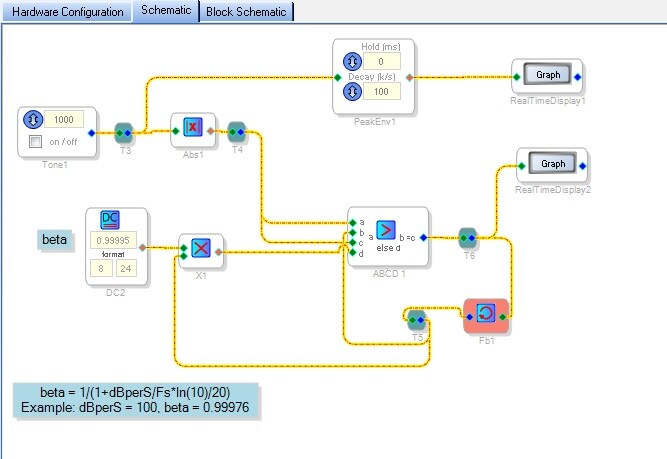
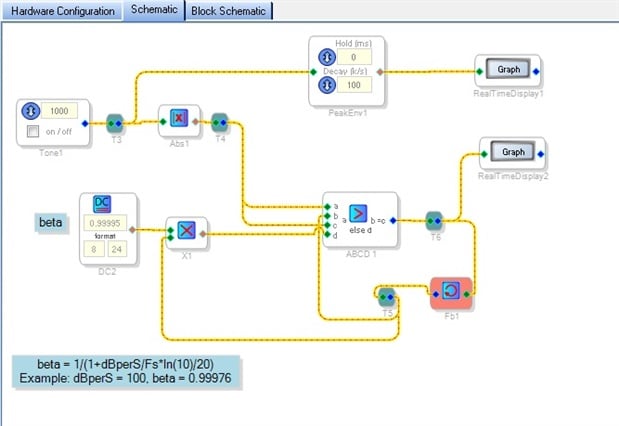
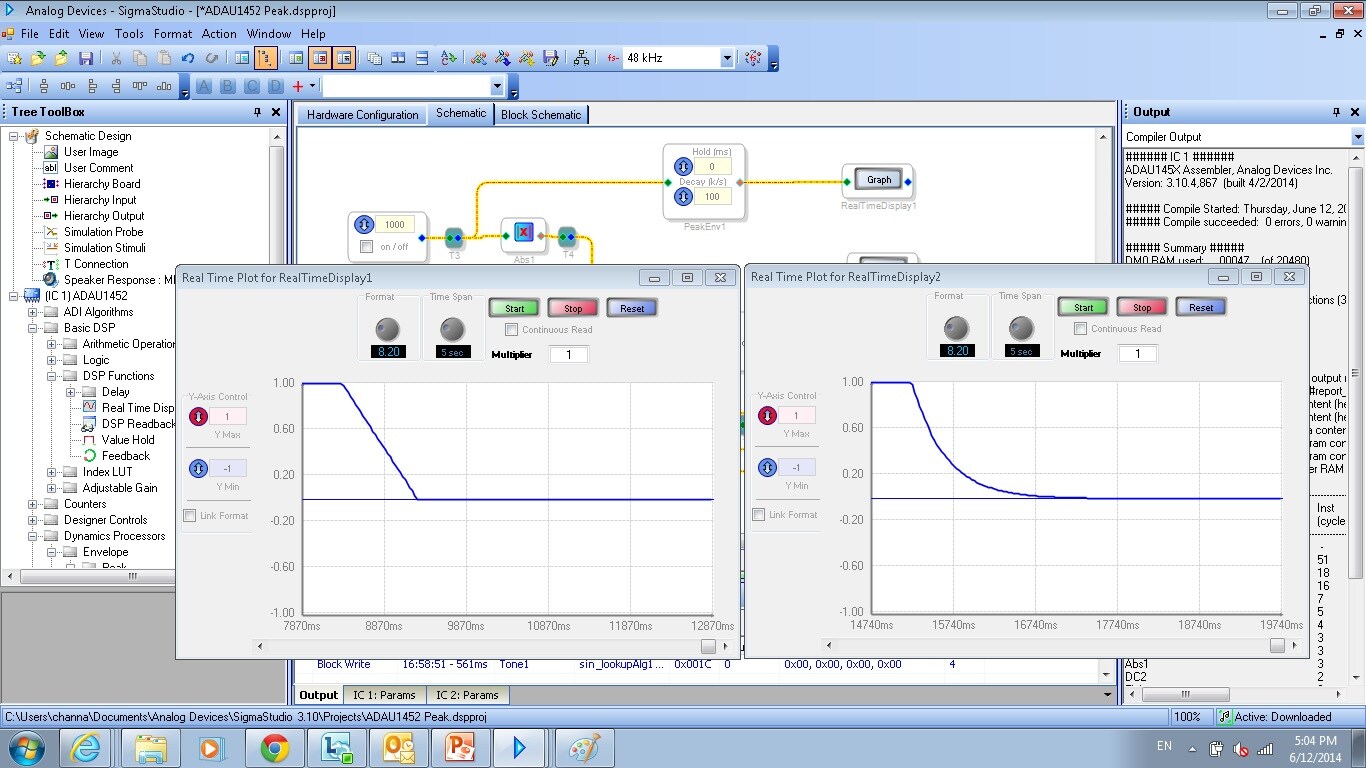
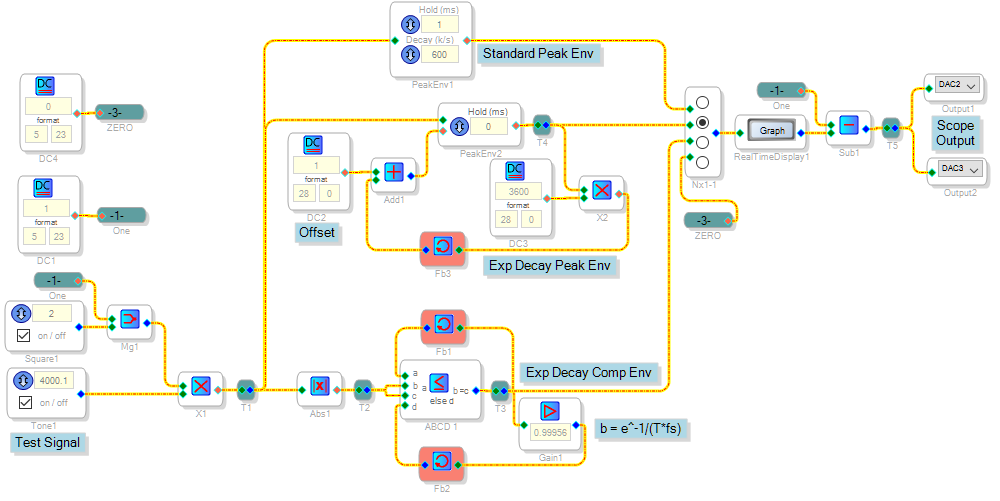
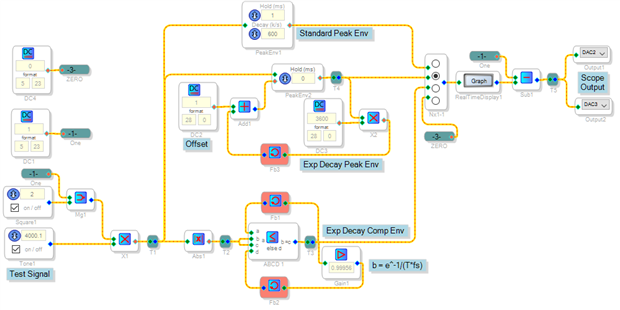
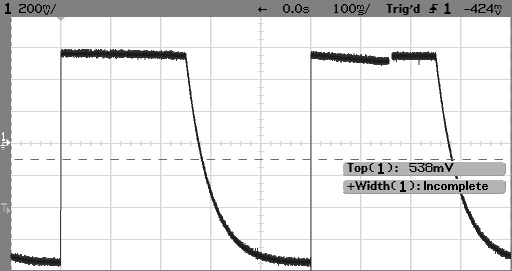
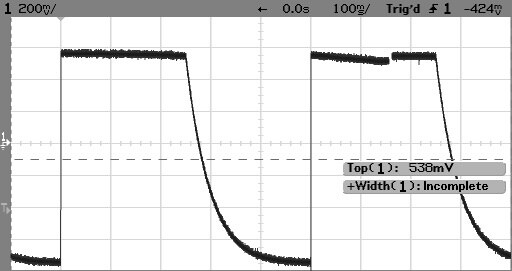
The following provides an exponential decay which is linear (constant) in dB. The graphs compare it with PeakEnv1
.
Christopher,
This is awesome! It simulates an analog comparator and cap quite nicely. Comparing it to the previous design above, it works the same while using fewer instructions:
With the Peak Envelope block selected:
With the Comparator version selected:
Bob
Please log in to reply.