PEQ and library to select different settings
Hi All,
In my design i use a Parametric EQ.
Is it possible to creat a list of different filter settings which the user can select to get a different EQ on the output?
If yes:
How do i save and load these different EQ's in SS 3.4?
Thanks.
Hi Ramon,
You can right click on the Param EQ box and under 'Cell settings' you can select 'SaveAs' to save the cell settings to a file. Repeat this for each individual set of parameters and then use 'Open' to recall the settings you want. Alternatively you can use the 'Settings' toolbar, right click in the toolbar area to enable. This will allow you to define 4 different project presets that you can switch between by clicking the A-D buttons.
Best Rgds,
Alan
Hi Ramon,
If you'd like to have the user be able to select different EQ presets at run-time, you can use the index-selectable filter cell and save different filter settings for each index. You can then use either a "DC Source" cell (which can be written via the control port) or GPIO conditioning cells to give the user control over the index value. The latter method is shown in more detail in Application Note AN-951.
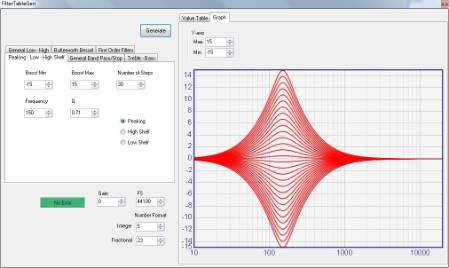
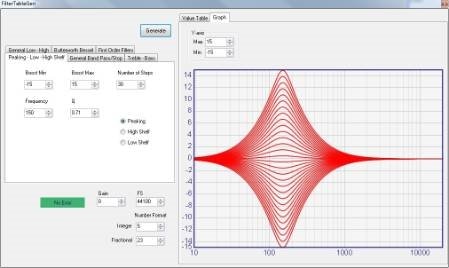
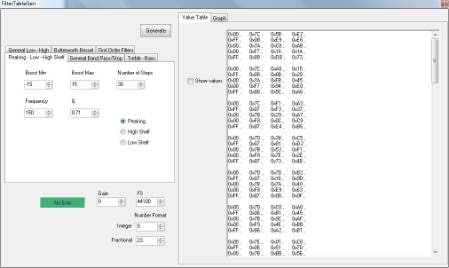
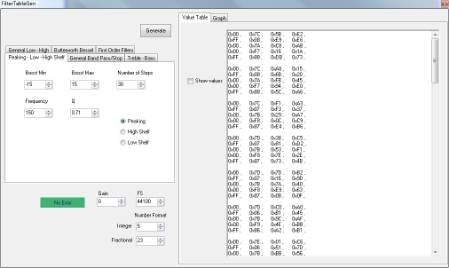
If you would instead like to store tables of different filter settings in your microcontroller and have them be recalled as the setting is changed, you can use the Fixed Point Filter Table Generator (found under the Tools menu in SigmaStudio) to generate tables for all of the settings you'd like to have available.
Thanks Brett,
We want to select a PEQ settings from a list during setup of the sound system, so we think we will store the list of PEQ settings in the CPU.
Is it possible to use the PEQ module from Sigma Studio in our own computer application?
We want to give the installer access to the PEQ file to change the curve (by entering PEQ data/values), but also want to show the (new) curve on the screen. Instead of creating a completely module, it would be helpfull if existing block can be used.
Thanks and regards,
Ramon
Hi Brett,
That is a great solution as long as the user does not want to change this (listed) EQ-setting.
They have the option to 'open' the EQ settings and make the needed changes to the frequency curve.
With some room measurement tools the installer will meausre the actual room EQ, when signal is played.
If the curve differs to mouch (from flat repsones +/- 0.5dB) he will make adjustements to the original EQ curve.
These tools also display the 'room curve', so when they change the DSP filter curves, they want to have this visible.
So we look for a simple way to display the frequency graphic when the EQ data changes.
Thanks and regards,
Ramon
As described in this FAQ, SigmaStudio (or parts of SigmaStudio) cannot be bundled with the end product.
However, I have an alternate suggestion for you. You mentioned that you would have a list of possible PEQ settings for the user to choose from. Perhaps you could just take a screenshot of the curve for each of the possible settings, and display that when the user selects the setting from the list.
Hi Ramon,
We will consider ways to approach this issue and keep you updated.
This question has been assumed as answered either offline via email or with a multi-part answer. This question has now been closed out. If you have an inquiry related to this topic please post a new question in the applicable product forum.
Thank you,
EZ Admin
Please log in to reply.