Mute module issue at ADAU1401A
Dear support team,
Mute module(with SW RC type Slew) occasionally outputs wrong data.
Could you tell me cause and measures,please?
Symptom:
Please check attatched file (wrong_data.PNG, wrong_data2.PNG,nomal_data.PNG).
Test project file is also attatched.(Mute_clip_dspproj)
This issue is shown in every about 100~200 times in this project.
(The waves of normal_data.PNG is almost observed.)
Though I do not understand of why,
when IIR filter( low frequency band pass filter) is placed in before mute module,
The incidence increases.
Environment:
Sigma Stadio 3.4
EVAL-ADAU170XEBZ
Best regards,
Takehiro Yabune
adau1401a
Audio Signal Processors
adau1401
mute
SigmaDSP Audio Processors
Hi Yabune-san,
Thanks for your report. Do you have a specific project that shows this problem? Perhaps we can try to use the project and simulate in software to debug the issue. Since this is software slew, it probably means that there is no hardware issue involved.
Best Regards,
Brett
Dear Brett-san,
Thank you for your supports.
I attatched the specific porject in this thread.
Mute_Clip.dspproj.zip
You can show the issue,when you try to change Off to On at Mute module 100 ~ 200 times.
Best regards,
Takehiro Yabune
Hi Yabune-san,
I was able to reproduce the issue. Our software manager is investigating the issue now.
Hi Yabune-san,
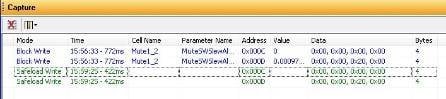
We discovered the root cause of the issue. The reason why sometimes the gain jumps to a very large value is that SigmaStudio is not using Safeload when it writes the Mute parameters.
When using Block Write, there is a chance that a parameter will be half-way updated when the instruction is executed, meaning that the value will be corrupt for that frame.
In order to avoid this issue, Safeload must be used. Safeload is described in detail in the datasheet.
To use safeload in SigmaStudio, open the capture window and the sequencer.
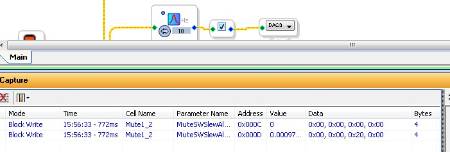
Click the control in the schematic in the Block Write will show in the Capture window.
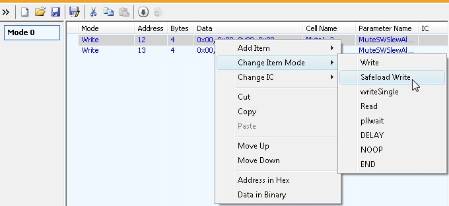
Highlight the writes in the Capture window and drag them to the Sequencer side.
Change to Safeload by right-clicking and selecting from the menu:
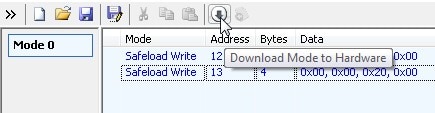
Click the Download Mode to Hardware button:
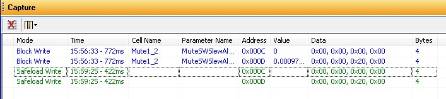
The writes now occur as Safeload instead of Block Write.
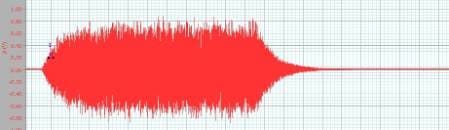
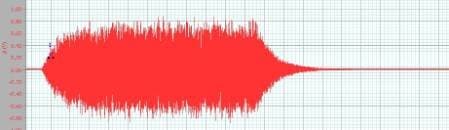
I ran the test 500 times with no clipping:









We will make the mute cell use Safeload writes by default in the next beta.
Note that in a production system, it is advised to use safeload for all real-time parameter changes.
Please log in to reply.