SigmaStudio Select Filter Curve
Hello.
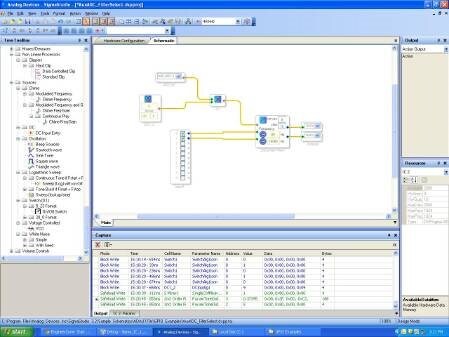
I saw a example that show a potentiometer plugged in ADC to control a high pass filter level.
C:\Program Files\Analog Devices Inc\SigmaStudio 3.2\Sample Schematics\ADAU170x\GPIO Examples\AuxADC_FilterSelect.dspproj
At this example when I change the potentiometer to UP or to down the FILTER LEVEL follow the potentiometer level.
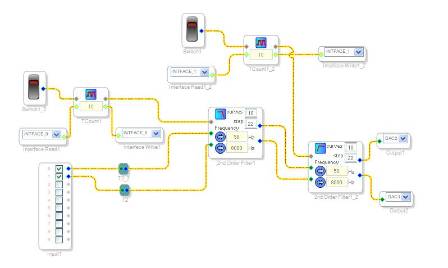
Now I did a project tha apply a high pass filter and low pass filter at my sound and I can change the hig filter level and low pass level when I switch the Switch1 and the Switch2.
That work great but At this example I just can go UP with the FILTER LEVEL and when I go to the last filter curve I go back to the first curve.
What I need to do is make this project that I have work similar the first example (CHANGE THE FILTER LEVEL TO UP OR DOWN), but not with a ADC input (potentiometer), with a internal SigmaStudio block that I can in the future change the parameter by I2C.
Thanks for all Help.

This can be accomplished using a DC Source block. Please check MagicRub's explanation here: https://ez.analog.com/message/25523#25523
This question has been assumed as answered either offline via email or with a multi-part answer. This question has now been closed out. If you have an inquiry related to this topic please post a new question in the applicable product forum.
Thank you,
EZ Admin
Please log in to reply.