Problem with GPIO_ADAU1701
Recently, we are using the GPIO function of ADAU1701, We want to increase and decrease the volume using PUSH-BOTTON VOLUME CONTROL, but we had a problem.
We found that it worked well while connected to the computer, but it didn't work in self-boot mode. And if we wrote asending values in the table of PUSH-BOTTON VOLUME CONTROL (eg: 0~1), in self-boot mode it always worked in the minimum volume(0), the bottons didn't work; if we wrote desending values (eg: 1~0), the volume could only be maximum and minimum as we pushed the buttons, no matter how many values we put in the table.
Then we found an example project in Version 3.2, it works very well, either in self-boot mode or connected to the computer. We noted that in the example project there was a switch for comparing the PUSH-BOTTON VOLUME CONTROL and bypass, and if we deleted that switch, the same problem appeared...
After that we did a lot of tests, it appeared that if we use PUSH-BOTTON VOLUME CONTROL, there must be a switch to ensure that ADAU1701 works well in self-boot mode.
Does this switch mean something? Or is it a bug? Or it's just that we didin't set the project properly?
The two attaches are the example project and the project without switch.
Looking forward to the resolutions! Thanks very much!
Audio Signal Processors
control
volume
SigmaDSP Audio Processors
gpio
push-button
adau1701
Show More
Suzanne, thanks for your detailed report. I was able to duplicate the issue on my board. It looks like this might be a problem with the EEPROM generation. Definitely a bug, but I'm not sure exactly what it is. I will report it to the software team.
However, I have good news. I found a workaround!
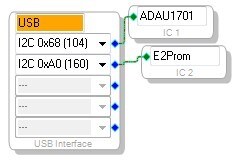
First, I changed the ADAU1701 to IC1 and the E2Prom to IC2. I'm not sure if this is necessary, but I just did it that way because I always think of IC1 as the primary IC.
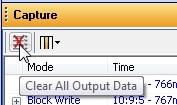
Then, in the Capture window, click the Clear Output Data button.
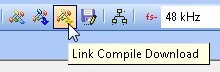
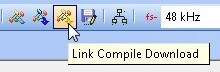
Now, Link-Compile-Download as usual.
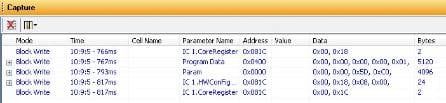
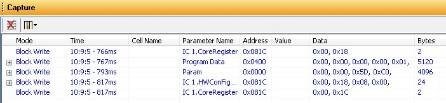
You'll see the registers, program RAM, and parameter RAM contents appear in the capture window.
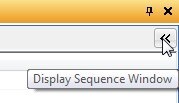
Click the "<<" button in the upper right of the capture window to open the sequence window.
Select all lines in the capture window and click-drag them over to the sequence window.
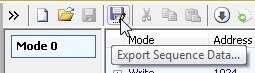
Click the Export Sequence Data button.
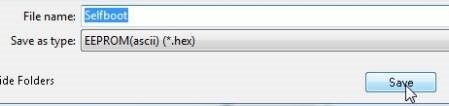
Change the Save As Type setting to EEPROM(ascii) (*hex).
Choose a filename like "Selfboot" and click Save.
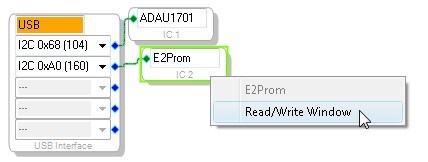
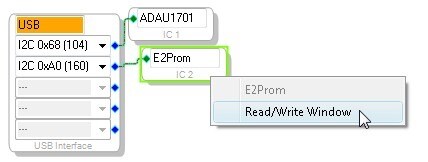
In the Hardware Configuration tab, right click the E2Prom and select "Read/Write Window"
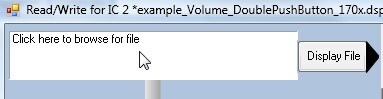
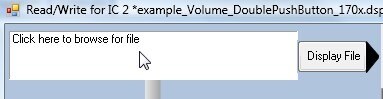
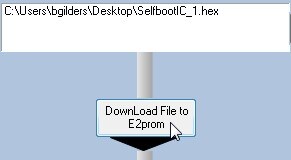
Click the top box to select the source file.
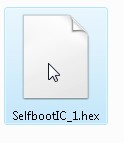
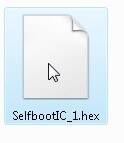
Point it to the SelfbootIC_1.hex file you just created. It should be about 65 kB.
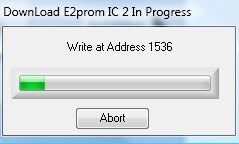
Click the "DownLoad File to E2Prom" button. Do not click any other buttons in this window!
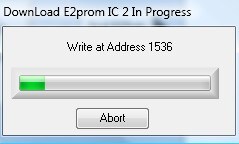
You'll see a progress bar as the ~9000 addresses in the EEPROM are written.
Now, self-boot your board. It should work properly. I tested it on the evaluation board and it was a successful test.
My project and .hex file are attached.







Thank you for your response, Brett. I have tried as your workaround and yes, this worked properly.
And in fact, if we use the "Push and hold", "Up/Down Control w/Lookup Table" and "Single slew ext vol" instead of "Push-button Volume Cell" which is a combination of those three, it works well too.
Thank you!
Hi Brett,
it seems that it doesnt work for my project with your method.
Please have a look on my test project.
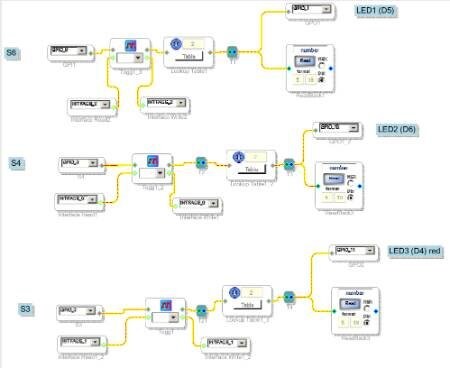
There are 3 Pushbuttons programmed to drive three LED On/off, togglewise.
When I Selfboot, it doesnt recall the switch settings.
Any idea ? Can you reproduce the error ?
stmoeller60 wrote:
When I Selfboot, it doesnt recall the switch settings.
I'm a little confused about what you mean. Could you explain in more detail, please?
the pushbuttons switch the LEDs "On" or "off" with the "toogle on<off" blocks Those Blocks should readback the registers when I selfboot the board so the LEDs show what they've been when board powered down.
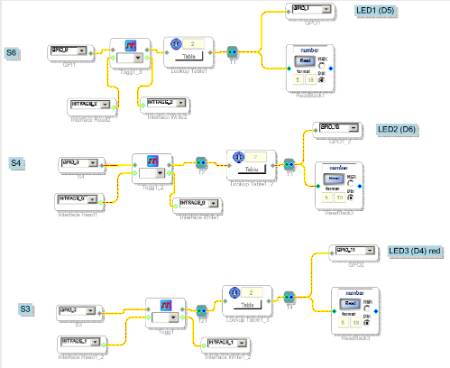
The interface writeback function requires very special EEPROM formatting. You can see that in the datasheet, where the EEPROM format is described. There are some commands that need to appear at the end of the EEPROM in order to set the part in writeback mode.
At some point in SigmaStudio's development history, we made some changes to the way the EEPROM code was being generated. Unfortunately, from what I can see, this fix might have broken the functionality for the writeback commands. So, now I am going through the SigmaStudio code and the design documentation for the ADAU1701 in order to find out how to restore this functionality.
I'm sorry, but I think it might take some time until we can understand exactly what needs to be updated and then make the change. I'm currently investigating this with the software team and the hardware designers.
Are you aiming for microcontroller-free operation of this product?
thanks for the answer Brett, - I'm using the eval board as it is at the moment. I'll put it in a metall case to have it as a pedal for demonstration use.
Programming it via I2C with USBi Interface and PC. Looking forward hearing from you what your software and hardware guys tell you.
Brett,
Was this issue resolved in 3.7? I'm still having difficulty getting a selfboot and writeback with a simple module using the pushbutton volume block. I have verified that other algorithms can selfboot, so it appears to be unique to the block. I tried the alternate load method, to no avail.
Craig Devin
Craig,
You should be able to get this to work, for now, with the workaround described here.
https://ez.analog.com/message/48651#48651
Unfortunately it requires that you do a bit of manual modification to the data stored in the EEPROM.
Brett,
Thank you. I’ll try it out.
-Craig
Brett,
Was this issue resolved in later versions of SigmaStudio?
Regards,
Craig
This question has been closed by the EZ team and is assumed answered.
Please log in to reply.