Extended Range Compressor Curve Values
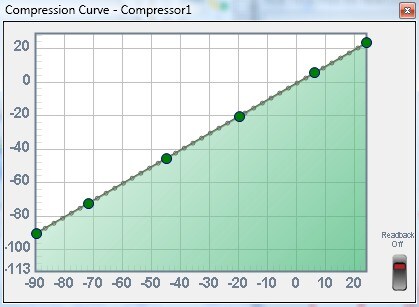
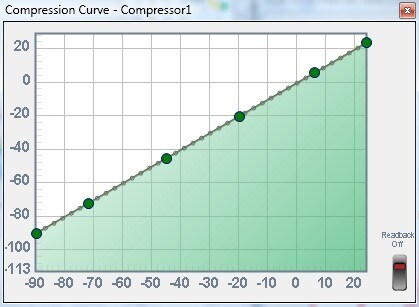
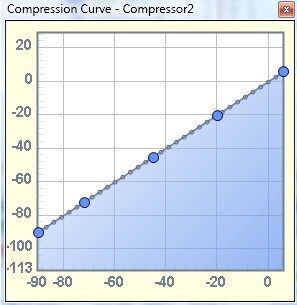
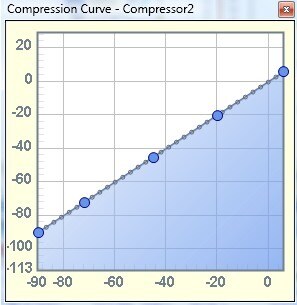
The extended range compressor allows processing of input values up to +23.999 dB. In Sigma Studio, if one sets the graph to flat, the capture window shows that the address values written past the +6dB point are such that the output would be limited to 6dB. For example, the value written for the +24dB address input is .125 or -18dB. 24dB - 18dB = 6dB limit.
In an actual application, if a micro-controller were to write 1 to all address values up to +24dB would the compressor pass the input signal through at 1:1 or would it continue to clip to +6dB? In other words, does the compressor limit to the last two points on the curve at +3db and +6dB regardless of what is written to the remaining addresses.
extended_range
compressor
The new Full Range compressors allow you to set the curve in the GUI all the way up to +24 dB. The compressor will act according to the curve all the way up to the +24 dB point. It doesn't have any limit at +6 dB. At the output of the DSP, however, the signal is saturated to +/- 1, i.e. 0 dB.
The Lower Range compressors, however, will go linear at any input that exceeds +6 dB.
Which version of Studio has the new compressors?
According to the readme it looks like they made it in 3.3.0 and later.
However, I'm not sure that those cells are available for every SigmaDSP architecture.
In Studio 3.4 at least for the ADAU144x family for the compressor defined by:
Dynamics Processors>>RMS>>Standard Resolution>.Full Range>>No Post Gain>Mono>>No Ext Detector>.RMS (no gain)
Sigma Studio at least continues to write gain values that limit the output above 6dB to 6dB.
So what would happen if a micro-controller wrote "1" to all values?
Sorry for the delayed response. I've been going full steam on a very urgent PCB design that I just finished up yesterday, and while that project was underway I unfortunately didn't have much time to spend on forum and support issues.
Writing one to those values would basically make the curve go linear, so that output = input. This would override the GUI.
This question has been assumed as answered either offline via email or with a multi-part answer. This question has now been closed out. If you have an inquiry related to this topic please post a new question in the applicable product forum.
Thank you,
EZ Admin
Please log in to reply.