Creating or modifying existing algorithm
Using a Falling Edge Toggle Counter in my circuit.
Need to modify this index counter so a reset ( similar to a mute in updown counter ) would return index from existing count to 0. Is there a toolkit to modifiy or way to easily add this additional function to existing library.
Thanks !
Could you please point out the exact location in the Tree Toolbox of the cell you're using? Also, the processor you're using would be helpful information. Once you provide that information, I'll attempt to find a workaround.
We don't provide direct programming access or the ability to make your own algorithms, but generally if you find that basic functionality is missing from SigmaStudio, we'll add it to our development list and release it as a new cell in a future version.
https://ez.analog.com/cfs-file/__key/communityserver-discussions-components-files/396/355a3a1bd7039d4137589ca4a48d7fd6.htmlBMP attached. GPIO conditioning/Pushbutton/Index Counter/Falling Edge/Toggle Counter. Using ADAU1701/1401.
GPIO_9 takes input from a rotary encoders' push button switch, this counter creates index to control 2 channel x 7 demux who routes the encoders up down pulse to several algorithms. I have a need to return the index to 0 after a timed period ( 5-10 seconds after the pushbutton has been pushed ) . Having a toggle counter with reset would allow the timer (not shown) to reset the count back to 0.
Thanks for the help.
Hmmm, that would indeed require a new algorithm. I will try to add it to the software team's queue, but due to their other work and priorities, it could take a long time before it is completed and available.
Is there a microcontroller in your system? The easiest method, which would possibly work on the ADAU1761/ADAU144x/ADAU1781, would be to have the microcontroller manually rewrite the index value stored in the non-modulo data RAM. This is a bit of a "hack," but at least it would help you to continue your development.
Has there been any progress on this? I need to reset a counter as well for the 1701.
Any workarounds other than writing to RAM?
Thanks a lot,
Dave.
Hmm,
Can something be done with the pulse counter block? I want to count pin pulses up to 4 then start at 0 on the next pulse again. So I'm trying to tie the pulse counter through a value crossing detector then some logic to allow another pin reset the counter, or the value crossing detector to reset the counter.
Any thoughts on this approach?
thanks,
Dave.
Hello Dave,
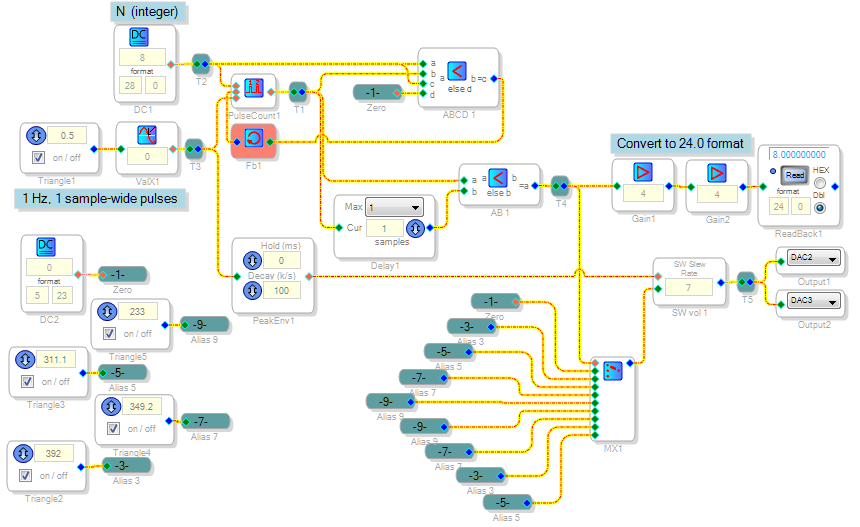
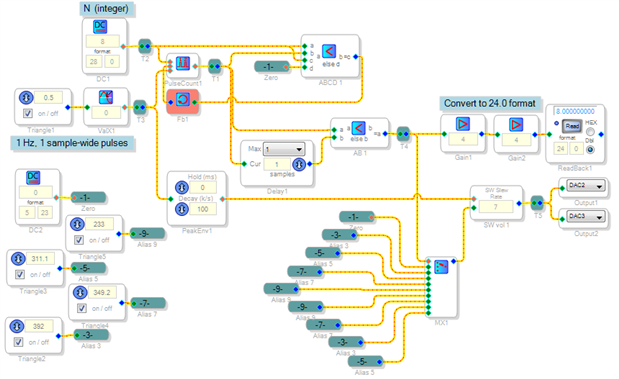
You can have the counter go up to N then start over at zero with a little external logic. The core circuit is the upper left portion of the project shown below. The 0.5 Hz oscillator and Value-Cross Detector produce one hertz, one-sample wide pulses to drive the counter. The counter is allowed to count up to the number N set by the DC source. On the following count the ABCD Comparator changes state, resetting the counter.
Because the counter reaches N+1 momentarily (for one sample) before resetting to zero, the delay and AB comparator block this extra count from reaching the output. At this point, the output is your desired integer count from zero to N (modulo-N). From here I have it going two places: First, it gets shifted left four bits to feed the ReadBack block (the ADAU1701 truncates its lowest four read-back bits). The count also drives a Mux which, with the four oscillators shown, plays a familiar melody.
Best regards,
Bob
Thanks a lot for the response.
I've been experimenting with this and think I found my problem.
I am using the 1701, and when I replace the pin 2 pulse input with a source switch 0,1 for testing, the counter goes crazy and doesn't work (5_23 or 28_0). The reset and count inputs are fine with a switch. With the triangle/zero crossing source you provided in your example, it works fine.
1. Can you explain why I can't use a switch to drive this for testing? I want to single step through this to learn what does what.
2. More importantly, can you point me to a resource that explains what the I/O requirements are for which cell as far as the format of the I/O so I can look it up myself? I'm still not clear on what can drive what, and I've been reading a lot of info on this.
2. For example, I can't find where the pulse counter spits out 28_0 format, but the dsp_read can only display 24_0.
3. You put a DC voltage source with a value of 8 on the enable input of the pulse counter in the example. Why 8, isn't this a "logic" input?
4. How do I attach a zip file of my schematic?
Thanks for your responses!!
Best,
Dave.
Hello Dave,
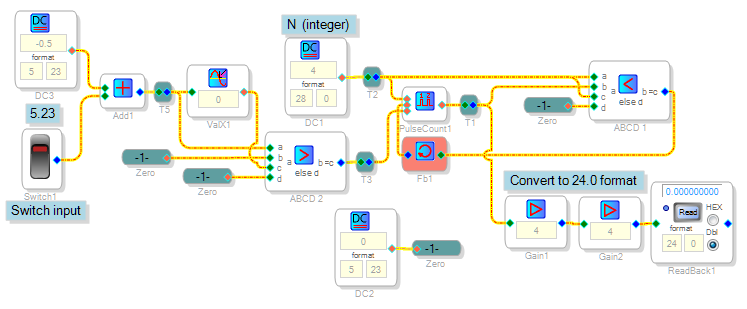
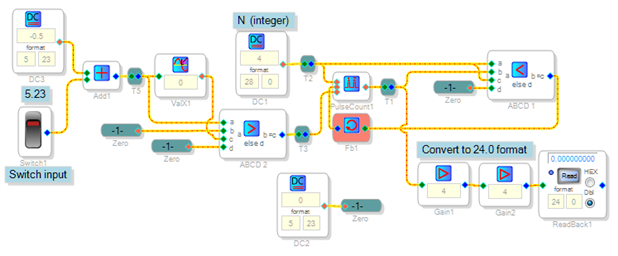
I ran into the same trouble with the Pulse Counter block -- apparently it only works with one-sample wide pulses, which is what the Zero-Cross Detector provides. Thus, we can also use the Zero-Cross Detector to condition a switch input to the counter. Problem is, the Zero-Cross block outputs a pulse for both up and down transitions. Thus in the new circuit shown below, comparator ABCD2 gates only the OFF-to-ON switch transitions to the counter. The count advances for each upward throw of the switch.
Currently the best SigmaDSP documentation is at the wiki, SigmaStudio Toolbox [Analog Devices Wiki] For example, number formats for the DSP Readback block are explained at DSP Readback [Analog Devices Wiki]
Often, SigmaDSP logic blocks accept any non-zero input as a "1". This makes interfacing the blocks easier -- as then any number format works for a logic high, while a zero in any format is always a zero. Thus I just re-used the modulo-count number for the enable instead of adding another source..
First, click on Use advanced editor:
Then click Attach:
Given the less than perfect documentation, often I just play with the blocks to see how they work.
Best regards,
Bob


Thanks for the awesome support Bob.
best,
Dave
This question has been assumed as answered either offline via email or with a multi-part answer. This question has now been closed out. If you have an inquiry related to this topic please post a new question in the applicable product forum.
Thank you,
EZ Admin
Please log in to reply.