LEDs pwm gpio
I have a status LED on two of the GPIO pins.
Is there a way to pulse width modulate the blinking of the LEDs?
I can turn them on and off ok. And I think I was successful in getting the LED to blink with one of the signal generators (maybe the square wave).
But for let's say a 1Hz blink:
I would like to maybe have the LED go 100ms on, 900ms off, for one type of error; and maybe 100ms on, 100ms off, 100ms on, 700ms off, for another type of error....etc...
Is there a way to do this?
Thanks,
Bruce
Audio Signal Processors
led
SigmaDSP Audio Processors
gpio
pwm
adau1701
Show More
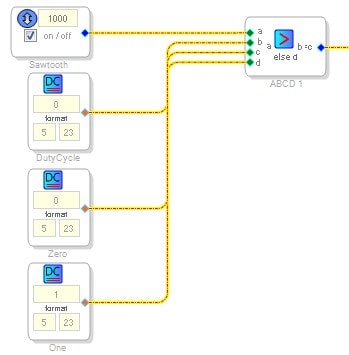
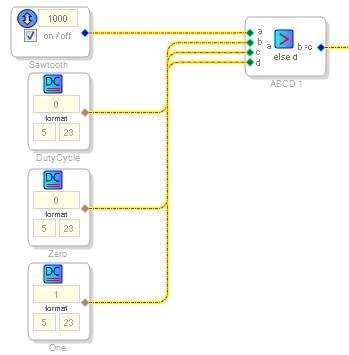
An easy way to implement PWM is to use a sawtooth wave and a comparator. Since we don't have a comparator cell in SigmaStudio, you can simply use a logic cell... More specifically, the AB in CD out conditional cell.
Here's the signal flow:
The output of the logic cell would connect to your GPIO.
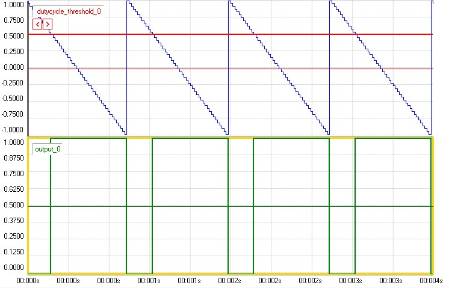
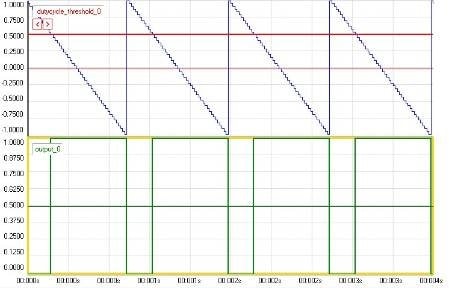
When the sawtooth wave, which goes from 1 to -1, crosses the zero line, the output will toggle from low to high. You can set the duty cycle number to 0.5 to get a 75% duty cycle, or -0.5 to get a 25% duty cycle, or any other number between -1 and 1 to get your required duty cycle. You can change the sawtooth frequency to change the overall frequency of the PWM signal.
Here is an example showing the sawtooth (blue), the duty cycle threshold level (red), and the resulting output (green).
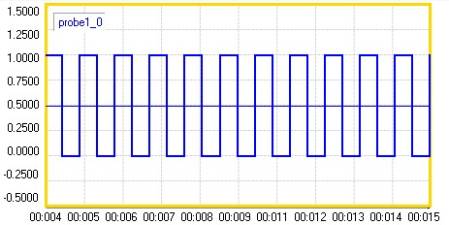
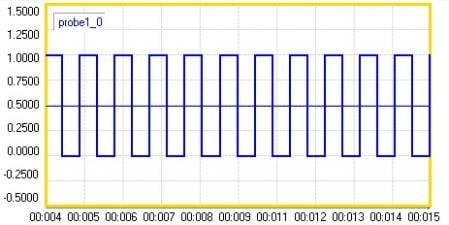
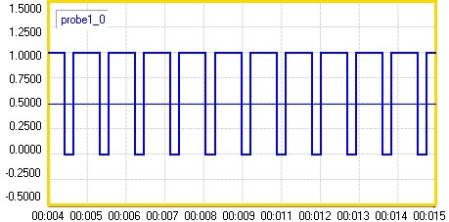
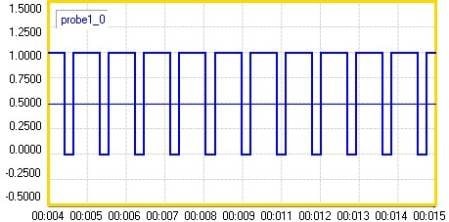
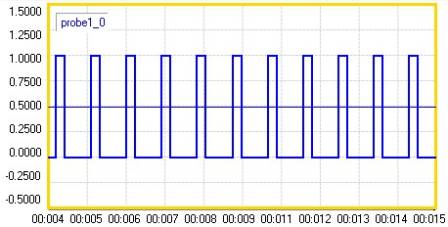
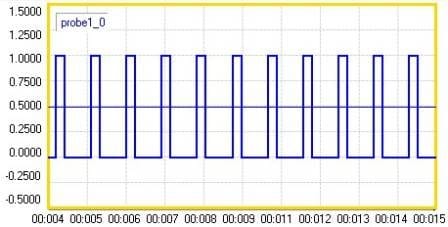
Here are other examples.
Duty cycle control set to 0:
Duty cycle control set to 0.5:
Duty cycle control set to -0.5:
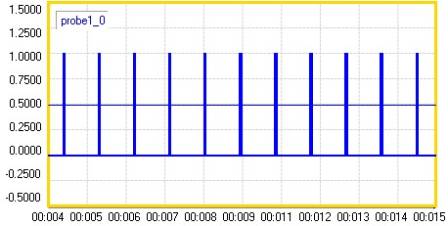
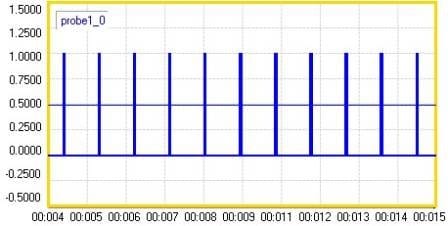
Duty cycle control set to -0.9:
The test project is attached.
Hi Bruce,
The plots were made using an internal debug tool that is currently only available for our software development team. You will see that many of the algorithms described in the software help file contain similar plots - for example, see the "Pulse Counter" description in the help file. Currently, that tool is not polished and can lead to some issues such as crashes, so we are not making it available in the public release. It is possible that it could be included in SigmaStudio in the future.
Thanks BrettG.
I will try it out as soon as I have something to program. Both of the development cards I bought are being used for demos. The prototypes are being assembled and I should be able to try it out on them late next week.
Just looking at your solution has me pining for an in-line C complier Cell....
The plot outputs look great, how did you get them? Is that possible within Sigma Studio?
Thanks,
Bruce
One thing to keep in mind with this solution is that the outputs of the GPIO pins are updated once per audio frame. For a typical sampling rate of 48 kHz, this means that your minimum pulse width will be about 21 us (1/48000), so the maximum square wave frequency you could output from this pin is 24 kHz (21 us high, 21 us low, for a 42 us period).
Hello to all!!
I have managed to controll the illumination of an LED in a freeDSP board with success!!
The LED smoothlly illuminates from minimum to maximum brightness periodically as a stand by indicator.
The problem is that PWM noise is present at audio output!
Any suggestions? I think that a cap or some filtering is needed across the LED.
This question has been assumed as answered either offline via email or with a multi-part answer. This question has now been closed out. If you have an inquiry related to this topic please post a new question in the applicable product forum.
Thank you,
EZ Admin
Please log in to reply.