How to configure slide switch as 3 input and 1 output
Hello Team,
I need configure a slide switch in ADAU1452. It need to perform three operation using slide.
The operation's are,
1. Mic Output
2. Transducer output
3. Both.
If I slide only mic output should work, similarly if I slide once again transducer output should work, If I slide once again both should work.
Thanks in advance.
Regards,
Siva
Audio Signal Processors
adau1452
SigmaDSP Audio Processors
Siva,
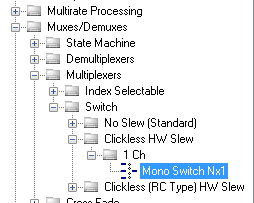
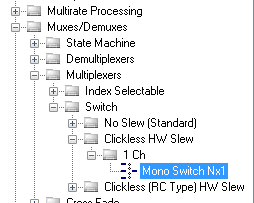
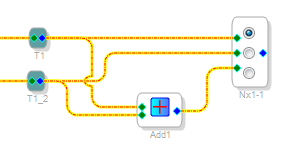
I'm not exactly sure what you mean by a "slide" to switch between these signals. One option is to use a multiplexer (with slew to eliminated switching noise) as follows:
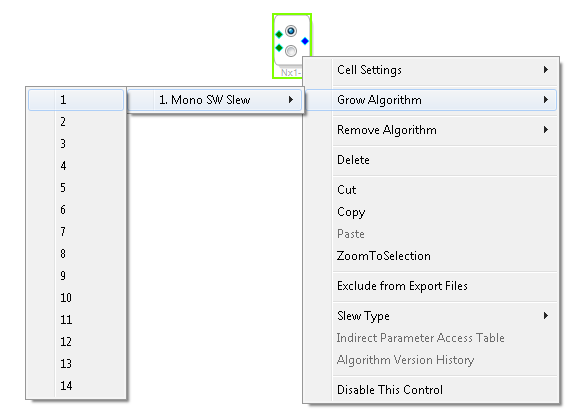
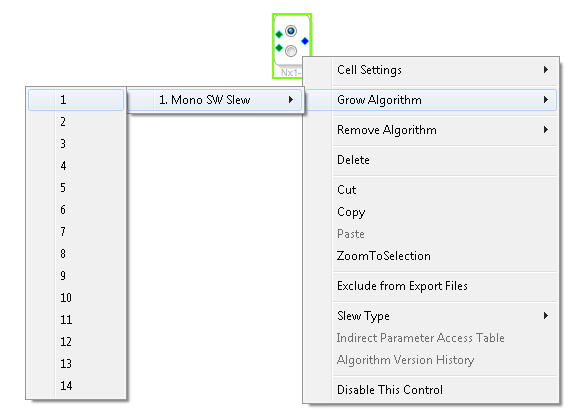
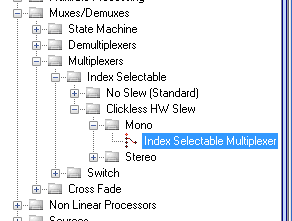
Grow the switch from two to three inputs:
Then, using T-connections (in "Schematic Design" at the top of the tree), feed the two signals to the first two inputs and the sum of the signals to the third. The sum function is under basic DSP.
You can, of course, put volume controls anywhere in this chain. Is this what you had in mind?
Ken

Hello Ken,
Thanks for your reply. "Slide is nothing but slide switch. I have inserted an image for your ref.
Hello Ken,
The required thing is the switch should perform three operation as I said in before post.
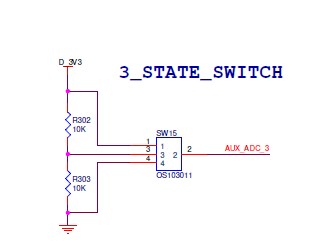
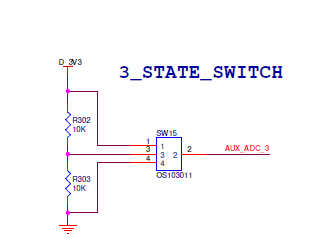
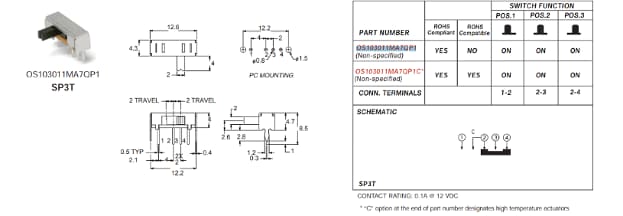
Here I have inserted Switch Schematics
The pin 1,2 performs Mic output operation, the pin 3,2 performs Transducer output operation and the pin 4,2 performs combined output operations.
Regards
Siva
Oh... A hardware switch. Sorry.
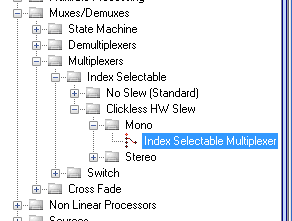
The concept is identical, except that you use an index selectable mux switch:
There is also a stereo version. Compare the AUXADC input to DC values. Check using the logic operations to see whether the AUXADC input is:
Less than a little more than 0 in 32.0 format
More than a little less than 1024 in 32.0 format
Neither (in between)
Ken


Hello Ken,
Got it. Once again thanks for your reply.
Regards
Siva
Hi Ken,
Is there any working schematics for this switching operation.
Regards,
Siva
Hello Siva,
I see that you included a picture of the switch. That is helpful. But, can you insert a schematic of the switch? Perhaps the part number?
The reason why I am asking is because I need to know a few things:
1) I assume it is a single pole double throw? or is it a single pole 3-throw switch?
2) I assume that it is simply a slide switch with no spring in it so it will stay at each setting.
Some switches are single pole double throw with a center off. Some are momentary etc. There are so many variations and so the SigmaStudio program needs to account for the correct type of switch.
Dave T
Hello Dave,
I have inserted switch schematics
Regards
Siva

Hello Siva,
This is an interesting switch. So I setup a project that should work. I do not have your hardware nor do I have your hardware setup so you will have to go into this project and make some register changes and depending on the polarity of your switch output, you may have to modify the project.
Also, this does eat up three GPIO input pins. Should you want to reduce this to one AUXADC you could use the technique I described in this post (also one of your posts)
https://ez.analog.com/thread/105876-how-to-control-several-push-button-using-one-gpio
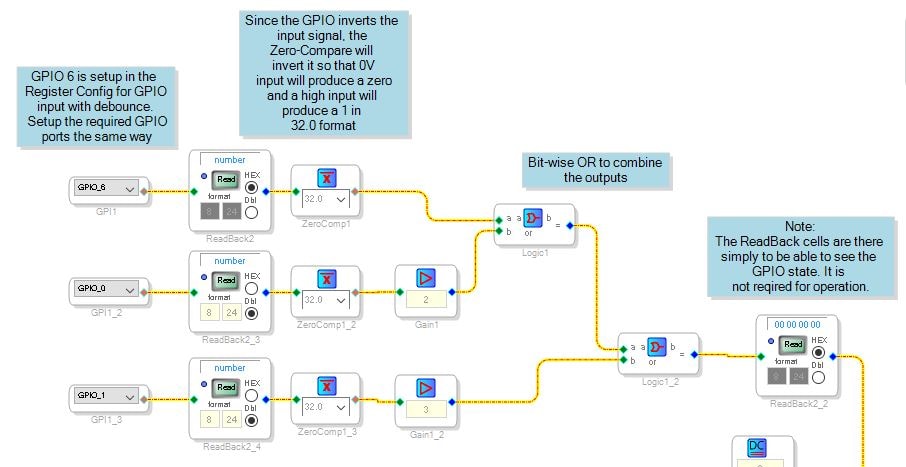
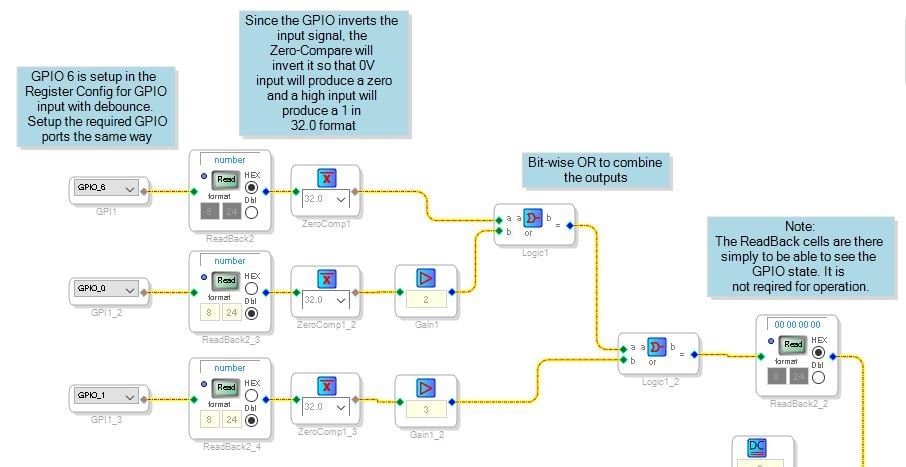
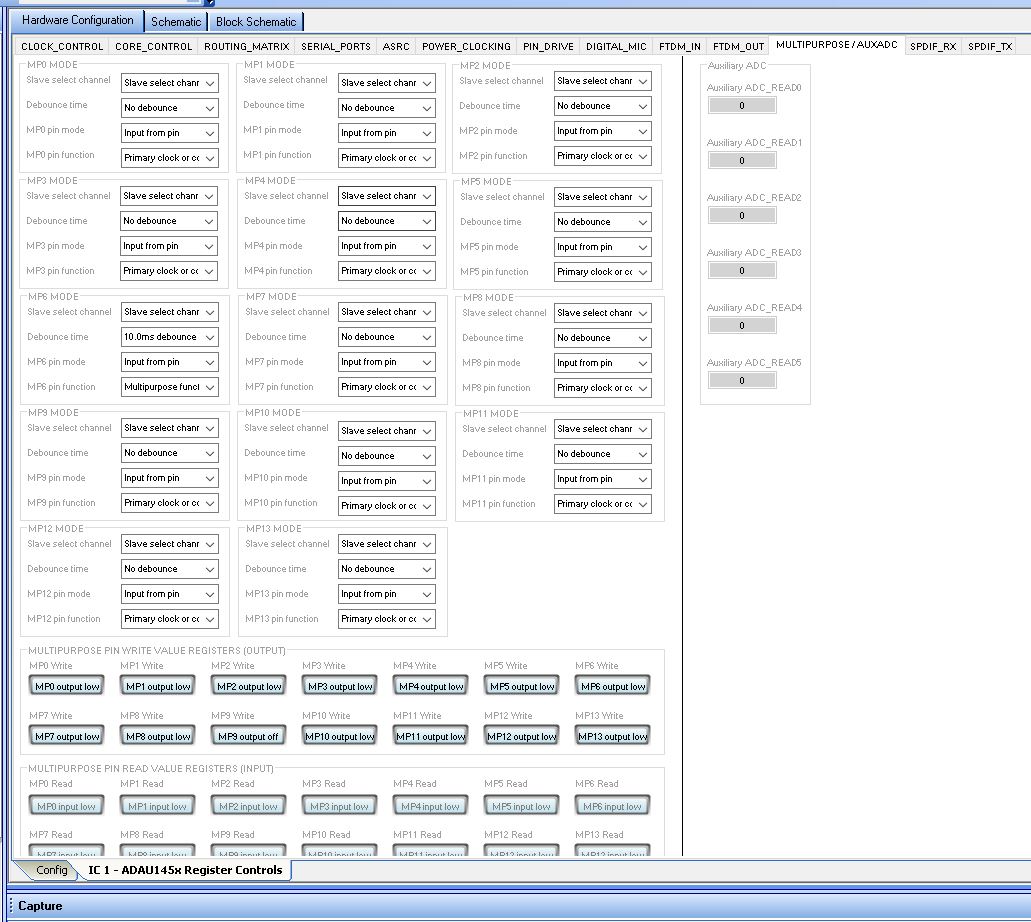
So this slide switch is not momentary and has three outputs. So the program needs to debounce the input, this is a register setting. You will also have to select which GPIO inputs you are using. I used some software switches in SigmaStudio to test this program so I know it works but it will have to be setup properly in the registers and in the hardware.
Here is the program in a couple of screenshots.
The section above takes in three GPIO inputs, it inverts and translates them to a 32.0 format number. At this point they will output a 0 or a 1. So I weighted each input, one goes directly to the OR gates, one is multiplied by 2 to get a "2" out, and the third is multiplied by 3 to get a "3" out. Then these three outputs are bit-wise OR'd together to get the one signal output. Should more than one be "ON" then the most you will get is a 3 which will not overflow the input of the Multiplexer. Also, if none are on you will get a zero so we will have to account for that in the audio flow.
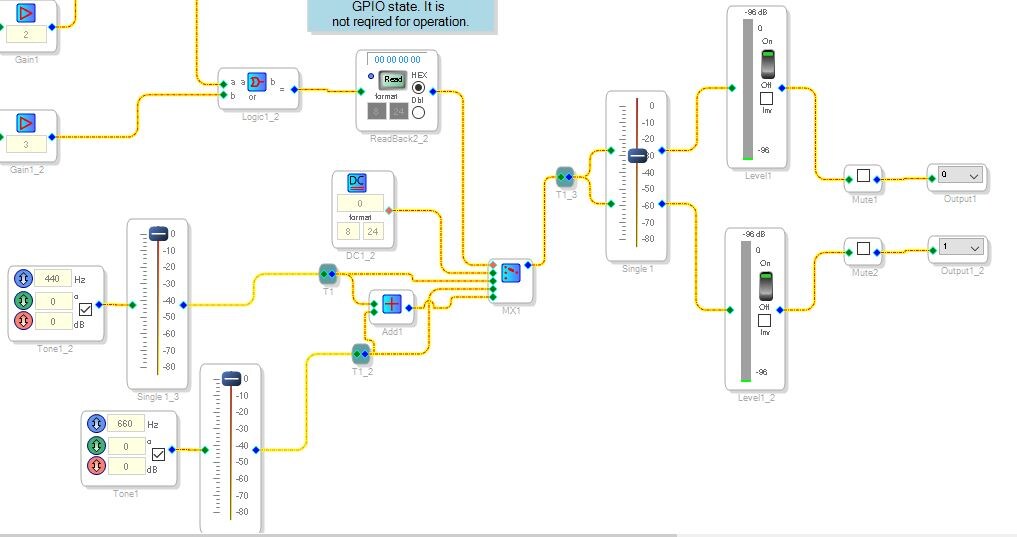
The Audio section of the program:
There are two oscillators which you will replace with your audio source however that is coming into the DSP.
They have an individual level control and they each go to a port on the MUX. Then they are also summed and the sum appears on the last port.
The first port is address "0" which is not valid but we have to protect against this by providing a safe "0" level signal which is a DC source set to zero. So there are four inputs, 0,1,2,3.
This is fed to a volume control and out the serial output port.
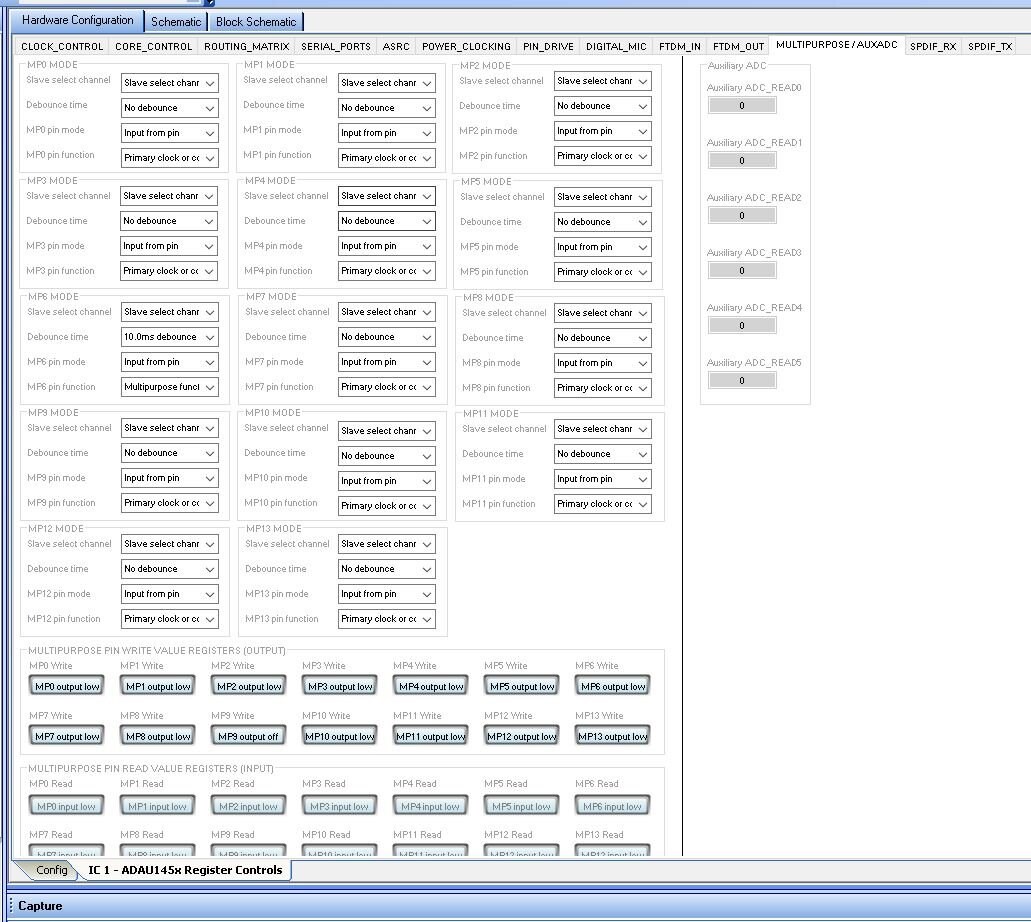
You will need to configure the GPIO on the register settings found here: Note that GPIO6 is properly setup as an input with debouncing.
I will attach the project.
Dave T

Hello Dave,
Thanks for your continues help. I will workout on this schematics and get back to you.
Regards
Siva
Please log in to reply.